

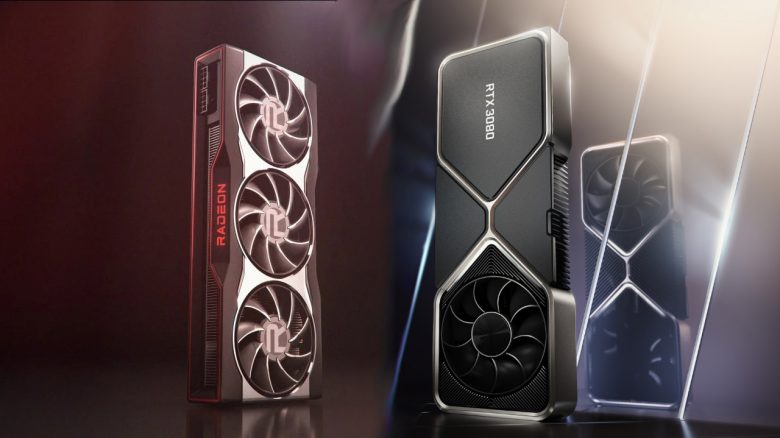
You bought a new graphics card from AMD or Nvidia, but the new GPU is not as fast as expected? MeinMMO presents reasons why this might be the case.
Graphics cards are among the most popular upgrade options for a home gaming PC. But what if you have installed a new graphics card, yet games still don’t look any better and the GPU seems to be underperforming?
MeinMMO explains what problems and causes there might be if your graphics card is not delivering enough performance.
Your graphics card in your gaming PC is overheating quickly
What is the problem? Graphics cards and processors produce heat when they work. Under load, the fans start spinning and expel the heat from your computer so that the graphics card doesn’t get too hot under load.
However, if your system is poorly ventilated, leading to a heat buildup in your system, then the graphics card will get too hot. When the graphics card gets too hot, it throttles its performance to generate less heat. Another reason for high temperatures is the contamination of your system by dust or pet hair.
What can you do about it? Tips on how to keep your gaming PC and thus your graphics card cool can be found in our guide here on MeinMMO:

Your installed power supply is too weak
What is the problem? The power supply unit of your computer (referred to as PSU in English) provides power to your components so they can operate. This also includes your graphics card.
A common problem is that gamers upgrade their PC with a new, powerful graphics card but forget about the power supply at the same time. Fast graphics cards often require more power from the power supply.
Even if you might have the fastest graphics card currently installed, performance can be limited by an underpowered power supply. In the worst case, your game or even the entire system may crash.
What can you do about it? The simplest solution is indeed to purchase a new power supply that provides enough power for your gaming PC.
Insufficient video memory (VRAM)
What is the problem? Your graphics card contains what is known as video memory (VRAM). This memory is particularly fast. Most modern games utilize this video memory to store data, such as textures, so you can access them quickly.
However, if you are gaming at very high resolutions (WQHD, 4K) or VR games, the memory is often heavily stressed. Your graphics card can be extremely fast, but if the video memory is full, you may encounter unpleasant texture loading errors.
This is especially true for older high-end graphics cards, which officially provide more than enough performance for current titles, but the insufficient video memory quickly becomes a limitation.
What can you do about it? The fastest solution is to lower the resolution of the game, thereby reducing the memory demand of the graphics card. Some games also offer the option to limit the graphics card by its memory usage.
Additionally, you should keep this tip in mind if you plan to purchase an older, used graphics card at a low price. Many graphics card models, for example, have variants with 4 GB or 8 GB of video memory:

Faulty software or drivers
What is the problem? Faulty or corrupted software can also affect the performance of your graphics card. Manufacturers like AMD or Nvidia regularly provide new software updates to fix errors.
Even a severe crash can lead to previously functioning software becoming corrupted. In these cases, a clean reinstall is often helpful.
What can you do about it? You should reinstall the software that you suspect of causing issues. If you reinstall your graphics card driver, at least one restart is necessary for the changes to take effect. Ideally, after a software update, the problems will also be resolved.
Your other hardware is too weak for your graphics card
What is the problem? You purchased a new high-end graphics card for your system but still have your old low-end processor and 4 GB of RAM installed?
Other hardware can also impact the performance of your graphics card. If the processor is running at 100% utilization while the graphics card is idling at 10% utilization, this is a good indicator. In technical terms, this is called a “bottleneck:” in this case, the processor is the limiting factor because it simply cannot provide enough power to keep up with the graphics card.
What can you do about it? If your other hardware is too weak, you should consider upgrading your other components like the processor, RAM, and so on in the long term. Otherwise, you won’t easily solve the problem.
A short-term solution would be to at least lower the graphics settings, thereby reducing the load on the bottleneck. However, this doesn’t address the fundamental problem that your graphics card cannot be fully utilized.
More tips regarding graphics cards: Are you looking for more helpful tips about your graphics card? In our following article, we explain what signs you can look for that indicate your graphics card might fail soon:
5 signs that warn you your graphics card might be dying

Your opinion is important to us!
Do you like the article? Then let us know!