


If you want to play World of Warcraft in a relaxed atmosphere with high immersion, you should check out these 3 addons. It provides a whole new gaming experience.

In World of Warcraft, the Patch 8.3 Visions of N’Zoth is just around the corner. This will prompt many players to level up a new alt – whether it be a Vulpera, Mechagnome, or one of the new Death Knights.
But wouldn’t it be the perfect time to upgrade WoW a bit so that the leveling experience is more enjoyable? How about immersing yourself in quests, the game world, and the pure experience for a change?
To enable that, I would like to introduce a combination of 3 interface addons.
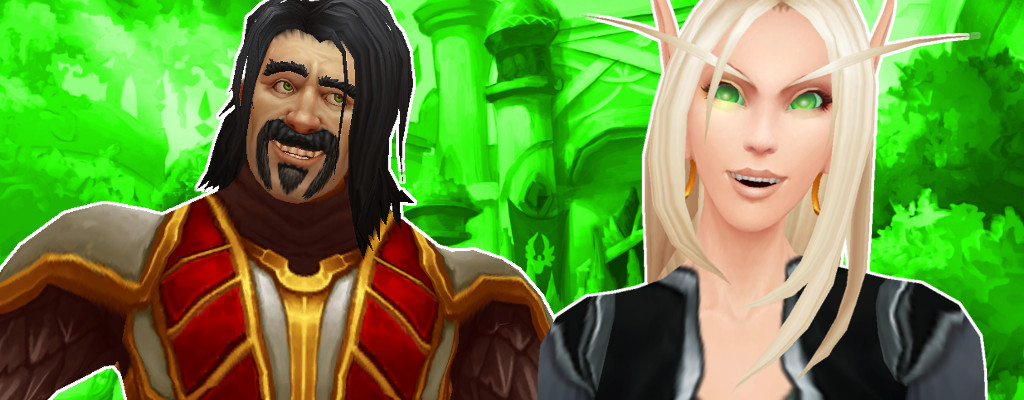
But be warned: These addons are not about creating the most effective interface for raids or PvP. Instead, these addons aim to provide ways to give WoW a new look during questing and leveling, focusing more on the game world rather than the interface.
If you prefer addons for maximum effectiveness, you can find them here.
How can you get the addons? You can either download the addons separately from the Curse website or use the Twitch app. This is particularly useful for WoW, as it allows you to update and install addons in seconds.
DynamicCam – Cool camera control for exciting battles
DynamicCam utilizes a feature that was implemented in the game files during WoW: Legion but was never really acknowledged. We are talking about the “ActionCam”. This ensures that the camera is no longer positioned directly behind your character but slightly off to the side. Additionally, the camera moves a bit more dynamically while zooming, which can make for cool screenshots or simply a relaxing view of the game world.
This way, you can always view your character slightly from the side, which makes a big difference, especially for melee characters. For the first time, you are actually able to continuously watch your character as their sword strikes or kicks hit the opponent. Usually, you only see the back of the character and little of the recently revised animations.
GW2 ui – A simpler, prettier interface for more atmosphere
This addon does exactly what the name suggests: It replaces the standard interface of World of Warcraft with the interface of Guild Wars 2. As a result, the screen is much tidier and offers a better view of the game world.
Menu items are semi-transparent and grouped together at the top left of the screen, while abilities and character health points are located at the very bottom.
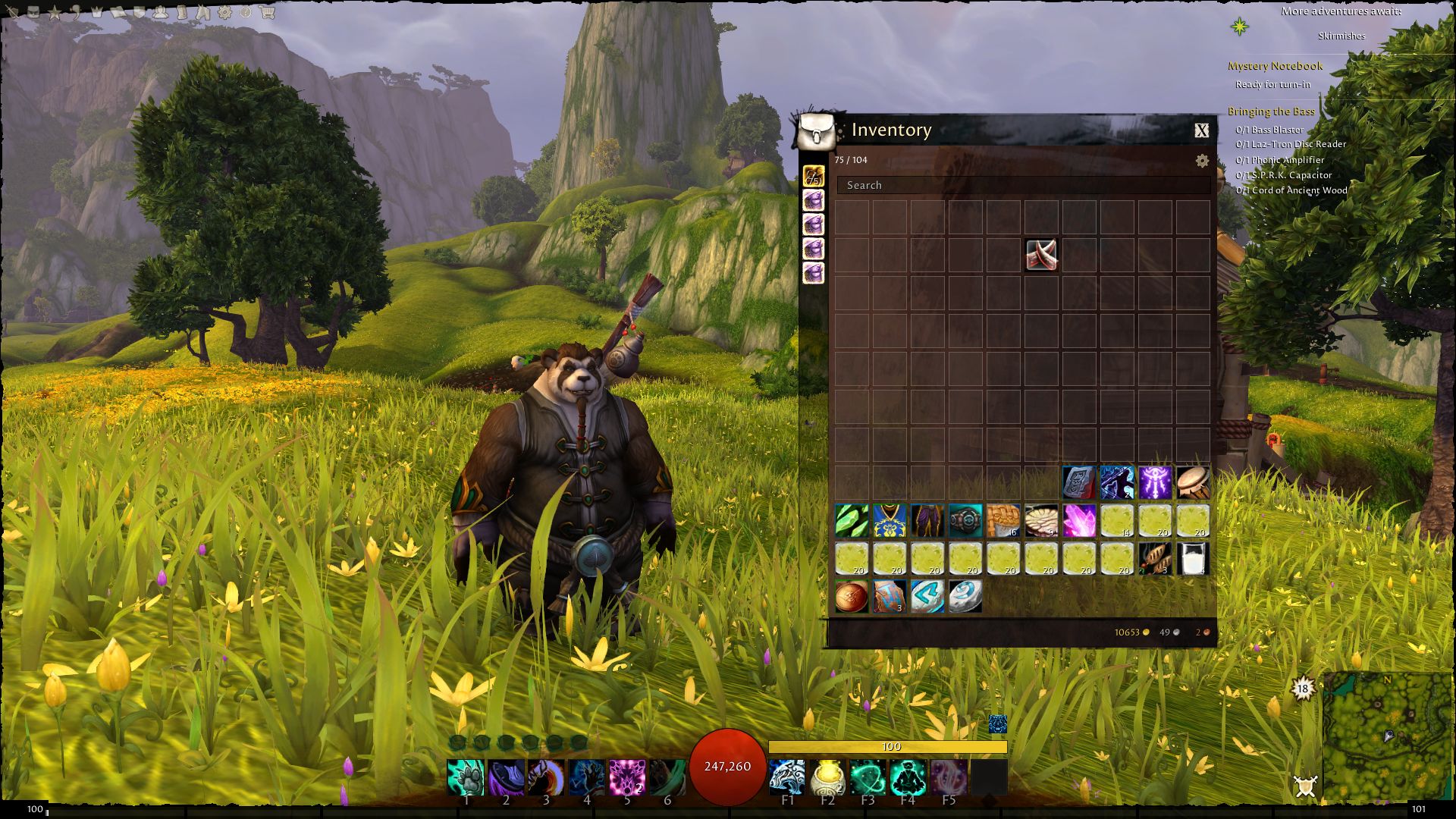
With the “GW2 ui,” the view is significantly tidier. It becomes much easier to immerse yourself in the game world and draw from the atmosphere of the game. Especially in combination with DynamicCam, World of Warcraft becomes a whole new experience.
Storyline – Better quest texts with small cut-scenes
Let’s be honest: Quests in World of Warcraft are usually accepted without much reading. At best, you might read the brief summary at the end, but in most cases, not even that, instead just following the markers on the map. And that is quite a shame, considering that many quests convey a lot of story.
The fault likely lies with the standard quest window in WoW. It is not inviting, and very few players are inclined to read a “block of text” that holds them up.
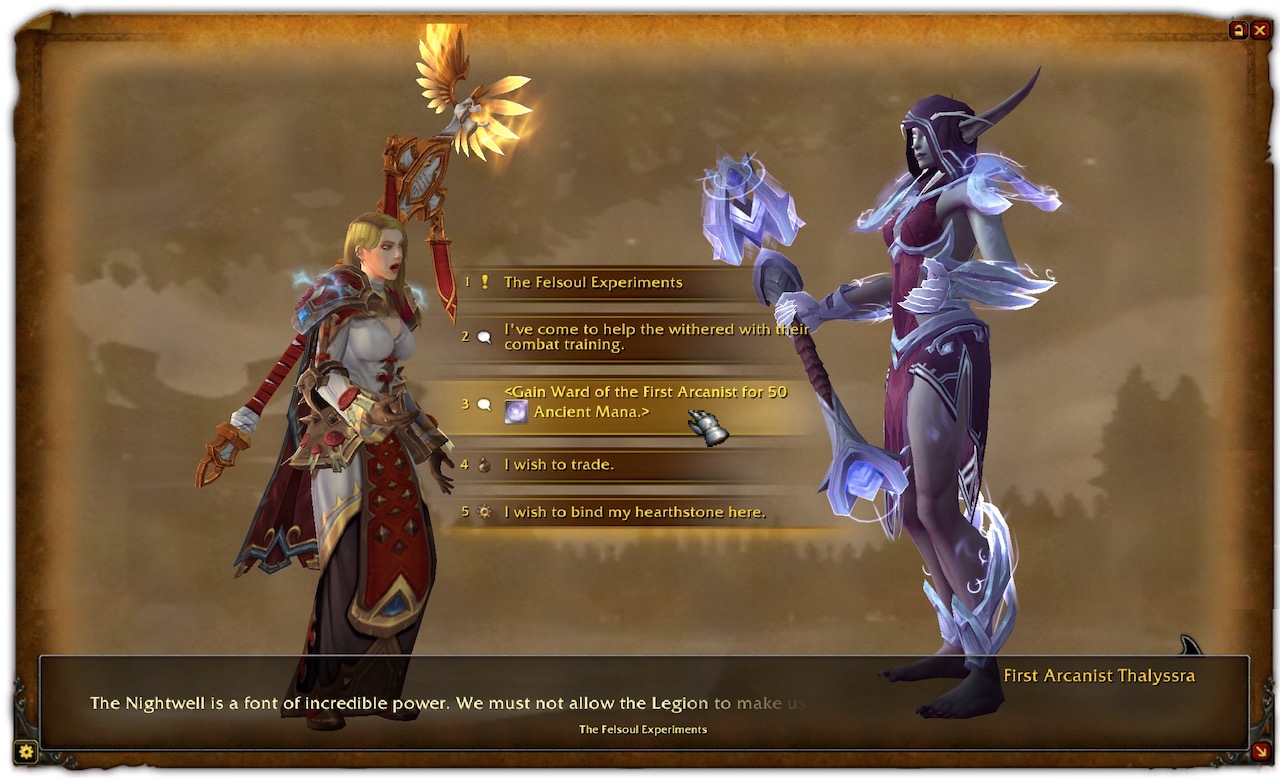
Here, the addon “Storyline” provides a remedy. Instead of displaying the entire quest text at once, a new window opens. Here, your character is portrayed alongside the NPC as the quest giver. This creates the impression that your hero is actually talking to the NPC. The quest text is divided into individual passages that – at least visually – are spoken by the NPC.
This means that accepting a quest appropriately takes longer, but quest texts and the story being told are better anchored in memory.
Additional sound settings that can help
To further optimize World of Warcraft and establish a better role-playing experience, it’s worth tweaking the sound options a bit. Open the “System” menu and jump to the volume sliders. It’s best to set all sliders to around 50%, except for ambiance – here, you should choose about 70%. This way, you will hear sounds like footsteps, rain, cricket chirping, or flowing water more clearly, and they won’t completely disappear into the background.

If you combine all these addons and sound settings, leveling a new character can become a whole new experience.
Will you try this way of playing? Or would you rather rush to the maximum level simply and effectively?

Ihr wollt mehr zum Spiel? Tolle Specials, heiße News und interessante Infos zu World of Warcraft findet ihr auch auf unserer WoW-Seite auf Facebook.

Your opinion is important to us!
Do you like the article? Then let us know!