


In Borderlands 3 there are several things to consider for players who are new to the franchise, but also for veterans – some things have changed. Our author Leya has compiled 15 tips and tricks for the loot shooter as a quick beginner’s guide for you.

Although the loot shooter has just launched, I was able to thoroughly explore the crazy sci-fi western for the MeinMMO test of Borderlands 3.
Who are these tips for? For everyone who is just starting out in Borderlands 3. Here you will find some useful beginner tips and information that can easily be forgotten or are sometimes not clearly explained during gameplay.
1. Decide wisely how you want to play co-op
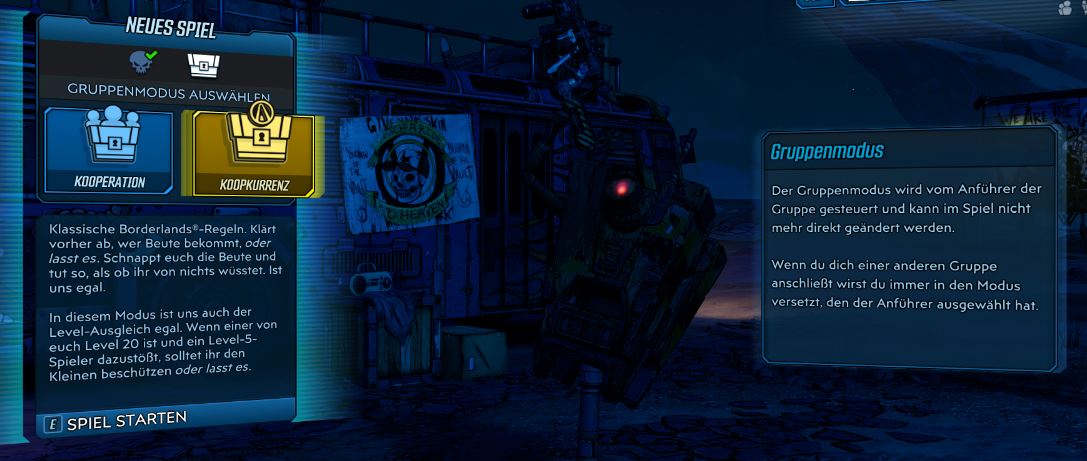
Right at the start of the game, you need to decide what conditions you want for group play.
You have the choice between two modes:
- COOPERATION – Loot found is only for you and unique. No one can take loot from you. There is level sync and you can play with different levels. The enemies are adjusted to your level.
- COOPETITION – These are the classic Borderlands rules, where you all get the same loot in the group. That means you have to agree in advance on who gets what or steal at all costs! There is no level sync here. This means the enemies are at the level of the group leader.

Can I change the co-op mode? The co-op settings can be adjusted at any time in the start screen. On the right in the group menu next to your character are the options. (Thanks to our reader BigFlash88 for this tip.)
2. Keep a few weak enemies alive
Why not just kill everything right away? In Borderlands, you don’t die immediately when your health hits zero. You go down and can fight for survival.
If you manage to kill an enemy within a certain time window, you get a second chance and can continue fighting. In the chaos of battle, it can sometimes be difficult to remember to leave a few weak enemies alive – but do try it. It might just save your ass.

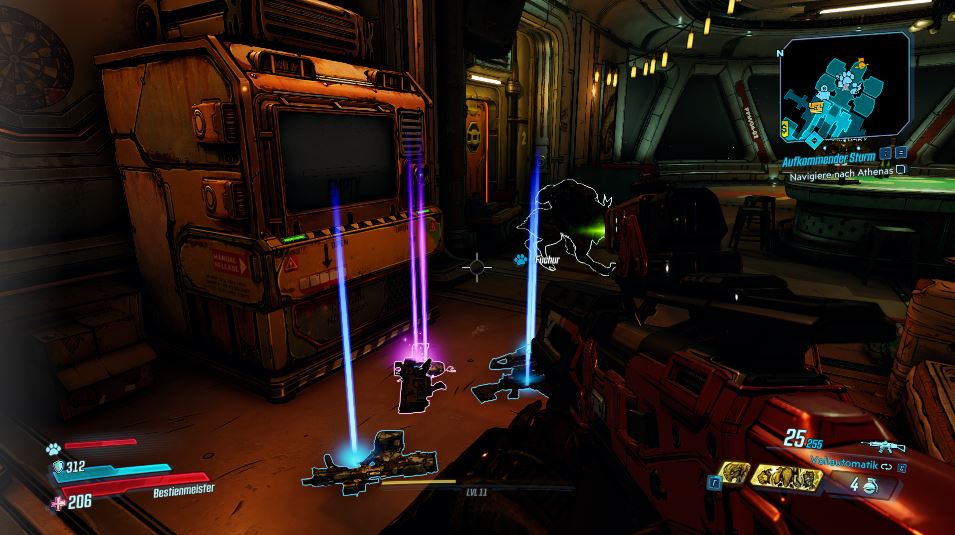
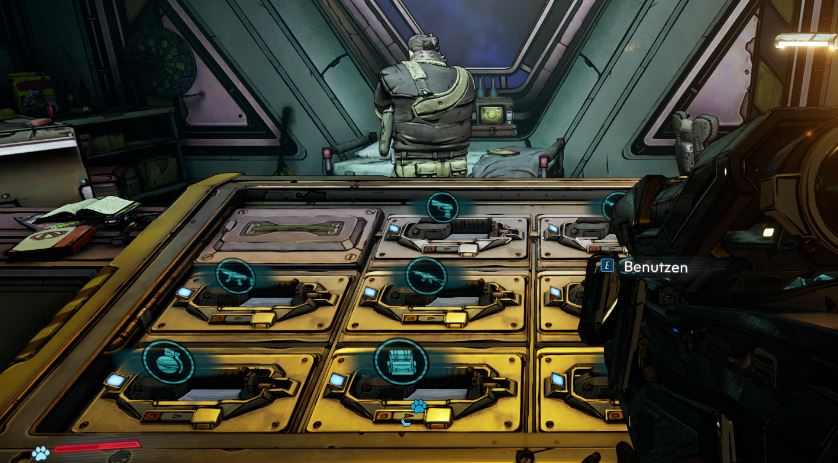
3. Use the Lost Loot Machine
What is this machine? It’s a machine from which you can retrieve high-quality loot that you may have overlooked during a mission. Just check here after each mission to see if you left behind a cool legendary weapon – the Lost Loot Machine will spit it out!
Where is the machine located? Once you reach a certain point in the story, you gain access to your home base “Sanctuary”. On the map, all important points of Sanctuary will be displayed when you are in the base.
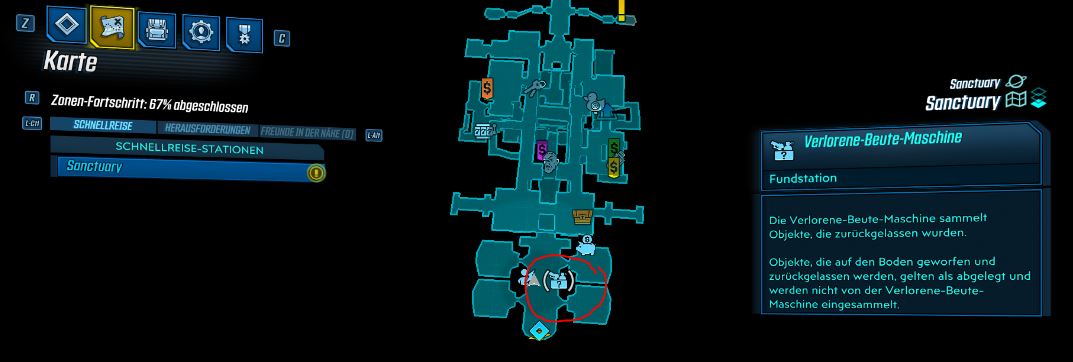
What else should be noted about the machine? The machine has limited space for loot. Therefore, you should regularly empty it. You can give the Lost Loot Machine an SDU upgrade.
4. Weapons with damage against shields are worth it
Why are shield-damaging weapons good? Many enemies have a shield that you must penetrate first before you can attack their health. Shields are represented by a blue bar.
If you use weapons that deal extra damage to shields, these can even be lower level than the enemies and still be effective. Once you take down the shield, you can switch to another weapon.

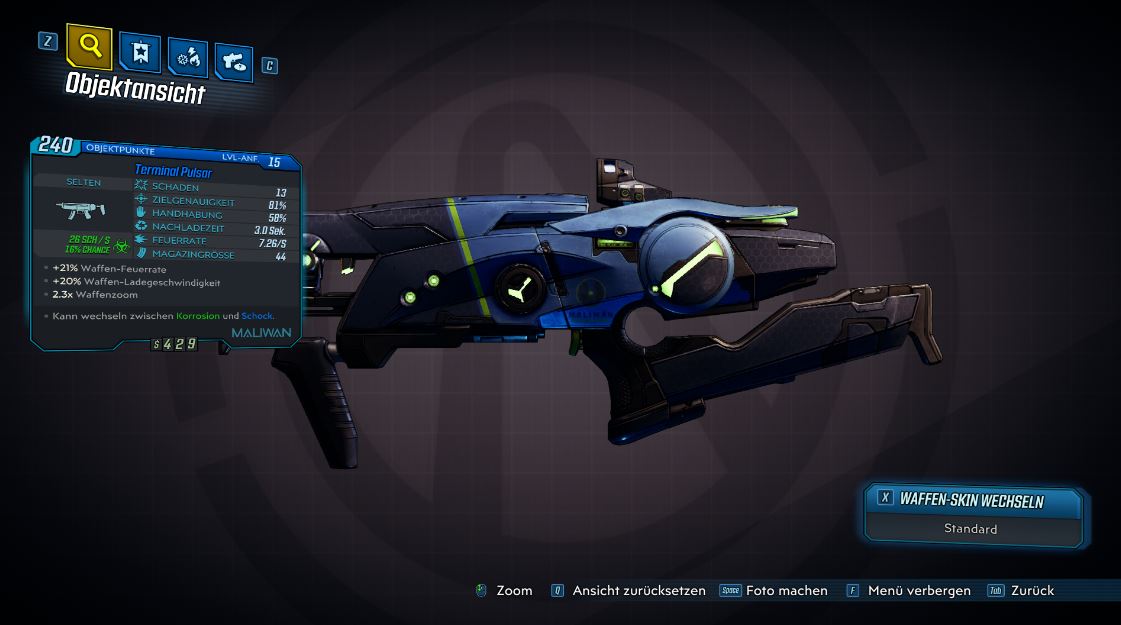
5. Mark weapons as junk or favorite
In the menu, it is possible to mark your weapons and other items as junk or favorites.
The advantages are: If you mark them as junk, you can sell them to vendors at the same time. If you mark them as a favorite, you won’t accidentally sell them to the vendor and can keep them safely in your inventory.
Extra tip for weapons: You can paint your weapons! Visit Crazy Earl in the home base and get a cool weapon skin. Here we explain to you how to apply weapon skins and equip trinkets.

6. You can fast travel from anywhere
What is taken for granted in other games is actually a novelty in Borderlands 3 – there is fast travel from anywhere! Previously, this was only possible at certain stations in the game.
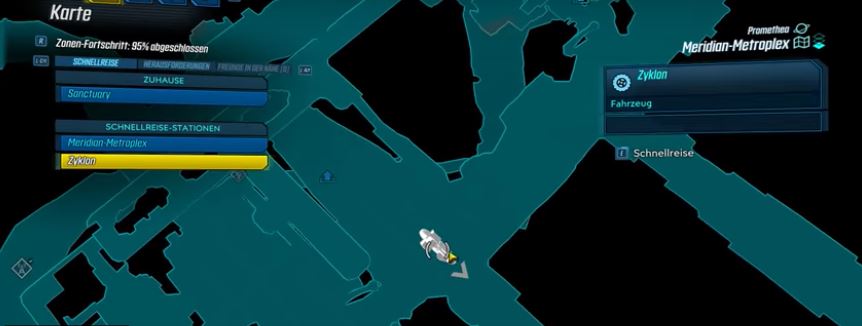
How to use fast travel: There are individual stations that will be displayed on your map. When you hover over them with the cursor, it will display whether you can use fast travel there.
Especially practical: What I ignored for a long time is fast traveling directly into the vehicle. You can target the car’s white symbol on the map and travel DIRECTLY INTO your vehicle and then drive away from there.
I eventually left my vehicle parked in clever places that I wanted to return to. You get the vehicles as usual from the “Catch-A-Ride” station, which you are automatically guided to relatively early in the main quest.
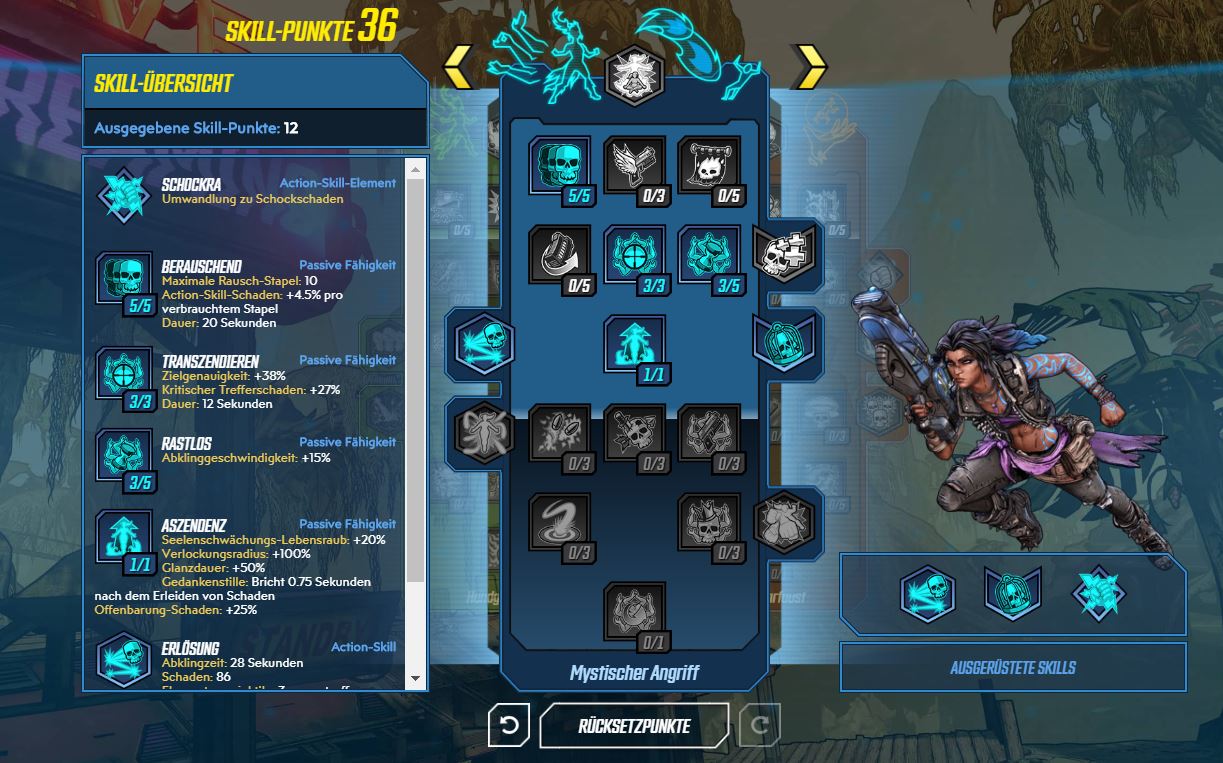
7. There is a practical build planner
Here you can plan your build: On the official Borderlands website, you will find a super practical way to plan your skill trees for the classes – the linked article takes you to the planner.
You can fill in the build for each of the four characters here and experiment with it before you finally allocate your points.
FL4K is, by the way, the best solo class for Borderlands 3 – Use this build
8. You can redistribute skill points
If you are dissatisfied with your build in practice or simply want something different, there is a simple solution.
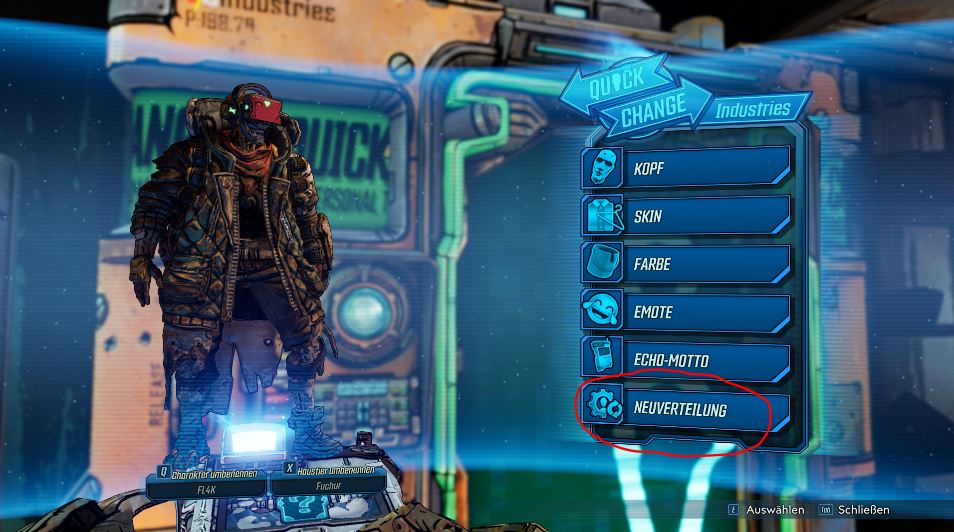
How to reset points in the skill tree: There is a machine in your base, the Quick Change Station, where you can edit your character. This station is mainly for cosmetic purposes. Here’s what the station looks like:
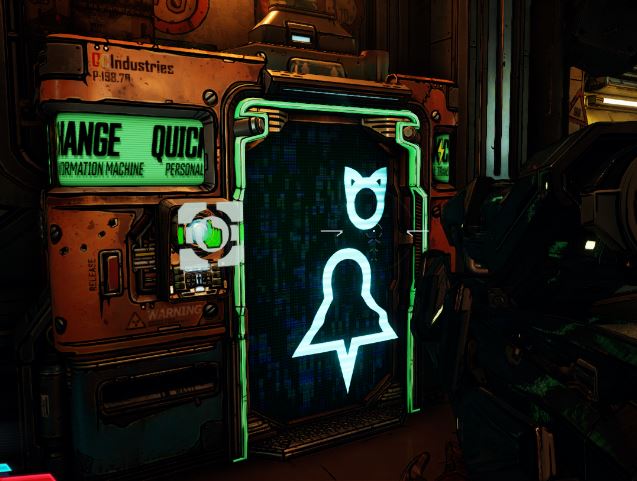
However, you also have the option to redistribute your skill points. You don’t have to start a new character every time you want to try a new build.
The redistribution of points does cost a few dollars, but it won’t hurt.
By the way, if you do want to start a new character, there is unfortunately no way to skip the intro.
9. The side quests are better than ever – Do them
Why are side missions worth it? If you strictly follow the main mission, you’ll miss out on some of the coolest quests. The side missions in Borderlands 3 are much more extensive than they used to be. There is more love in the details of the quests, and they can even take longer than the main quests.
You will encounter the crazy talking dinosaur in the side missions. Or there are also side quests that give you adorable pets.
I don’t want to reveal too much about the content here…
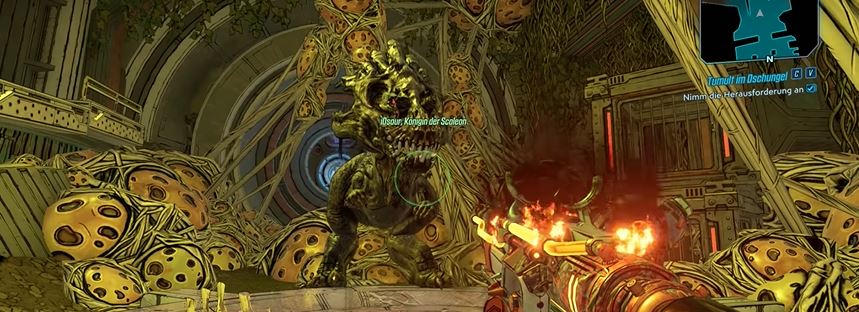
Another advantage of side quests: Completing side missions gives you extra loot and more experience points, of course. Even if you just want to play the main story, pick up a few side quests here and there. This way, the main quest won’t feel too tedious due to chronic “under-leveling”.
10. Increase your maximum ammo
Where can ammo get an upgrade? At the weapon dealer you trust – Marcus. In your home base, Sanctuary, you will find “Marcus’ SDU Counter”. Here you can increase the capacity of your ammo, as well as your backpack, grenades, and player bank, for money.
It is actually obvious that you should do this. It only brings advantages. Nevertheless, one tends to forget these strong upgrades as well.
In Borderlands 3, the upgrades cost dollars and no Eridium anymore, as in previous games.
11. Tip Mad Moxxi!
Who is Mad Moxxi? This lady is a staple in the Borderlands series and is the head of the saloon in your home base. She has driven many a man (and probably also woman) insane.
Why should you tip her? On her counter, you’ll find a jar with a sign “Insert your Tip” – Here, you can give the lady either 100 dollars or 1,000 dollars.
At least in Borderlands 2, there is an Easter egg where you get a vibrator as a gift from Mad Moxxi. She gives you a weapon that makes your controller vibrate.
You just have to throw a bunch of money into the jar, and eventually, she’ll give you a special weapon that has a sexual innuendo. You’ll find the weapon in your mailbox afterward.

12. Choose the right elemental damage in combat
What does elemental damage mean for Borderlands? Enemies and weapons are assigned to different elements. Some elements “win” against others in the “rock-paper-scissors” principle. You should know which element you need to use with your weapons to be effective against a specific enemy.
These elements exist:
- Fire
- Shock
- Corrosion
- Cryo
- Radiation

Here’s how the elements work:
- Fire is effective against flesh – enemies have a red health bar
- Shock is effective against shields – enemies have a blue health bar
- Corrosion is effective against armor – enemies have a yellow health bar
Cryo and Radiation work differently: These two elements are not specifically effective against a certain enemy type.
Cryo can slow enemies down and gradually freeze them. You can keep enemies at bay this way.
Radiation creates a toxic cloud once the enemies reach the “radiated” status. The cloud also affects surrounding enemies. When a radiated enemy dies, it triggers an explosion that can radiate other surrounding enemies again. Radiation is good against crowds.
13. Use different weapon types
Why is this important? Borderlands 3 sometimes makes your life difficult by running out of ammunition and you can’t get new ones quickly. It’s advantageous to have different weapon types with various ammo on hand, so you’re not left empty-handed. The same applies to elements, so best to have various elemental weapons too.
14. Farming Eridium: Here’s how
Eridium is an important currency in Borderlands 3, with which you can purchase cosmetics and especially good gear.
How to get Eridium in the early game:
- by opening crates, lockers, toilets, and everything you can open
- by looking for challenges on the map that have Eridium as a reward
How to get Eridium from mid-game:
- mine Eridium crystals with the melee weapon you receive in chapter 10. The complete guide is here:

15. What you can do about crashes with DirectX 12
What is the problem here? On PC, Borderlands 3 is still struggling with technical difficulties. The cutscenes cause problems on ultrawide monitors as the DX12 path does not work correctly. So reports pcgameshardware.
This causes long loading times, frame drops, or even crashes in the game. Therefore, this interface is not recommended. Nevertheless, this path is offered, and users who activate the API encounter problems.
What you can do about DirectX 12 problems in Borderlands 3:
- Locate the path C:UsersUSERNAMEDocumentsMy gamesBorderlands 3SavedConfigWindowsNoEditor
- Open GameUserSettings.ini in a text editor
- Change the line PreferredGraphicsAPI=DX12 to PreferredGraphicsAPI=DX11
This is said to help according to user reports.
16. Change the language in Borderlands 3: Here’s how
For the loot shooter, there is no direct language selection, so you’ll have to pull a trick.
How to set Borderlands 3 to English:
- Go to “Settings” in the Epic Game Store found at the bottom left
- Click on “Manage Games” at the bottom
- Open Borderlands 3 here
- Check “Additional Command Line Arguments”
Here you can now enter a code to change the language for the game:
- English: -culture=en
- German: -culture=de
However, the language will only be changed as a whole package. You cannot set English audio and German text separately.
Don’t know which class to play? Then check this out:


Your opinion is important to us!
Do you like the article? Then let us know!