


In The Division 2, we present 10 features you may not have noticed. Especially newcomers will likely be amazed by one or two tips.

What features are these? The Division 2 is full of secret mechanics and hidden customization options that the game itself doesn’t explain. YouTuber Lt Buzz Litebeer has now created a video in which he introduces 10 in-game features that many of you probably have not discovered yet.
We embed the video here and present the information below in English:
1. Tip: Fast Travel to Occupied Areas
This is the feature: Once you have reached Level 30 and are progressing in the World Ranks, the Black Tusk occupy almost the entire map. You can no longer fast travel to the zones you previously owned.
However, it is still possible to quickly travel to the occupied zones. Look for the symbol of a green weapon on the map. This indicates allied convoys that you can fast travel to.
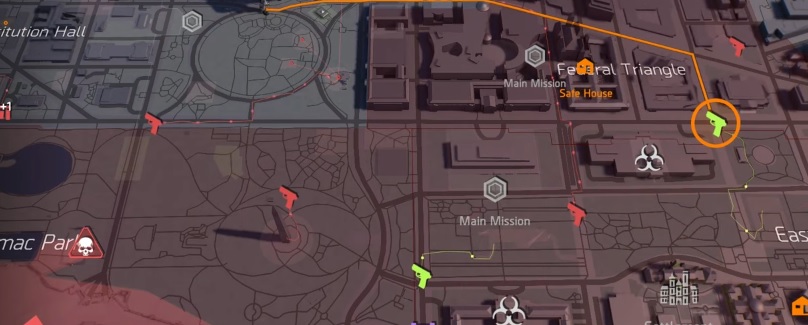
This is the advantage: With Title Update 3, the new feature was introduced that you may travel to patrolling allies. This saves you a lot of time and you won’t have to walk the long way. The downside is that these convoys are not always reliable.
2. Tip: Neutral Light Available for All
This is the feature: Also with Title Update 3, the feature was introduced that you can now also set a Neutral Light on consoles. Previously, this was only possible on PC.
Open the settings in the menu, click on Graphics, and set the Neutral Light to “On”.
This is the advantage: This turns off various lighting enhancements, making lighting effects appear more realistic. You turn off this “light haze” that makes everything a bit brighter. In other words, when the Neutral Light is on, dark areas become darker and shadows and reflections look more realistic.
However, it is recommended to only turn on the Neutral Light when playing in a dimly lit room.
3. Tip: Do You Know the Hunters?
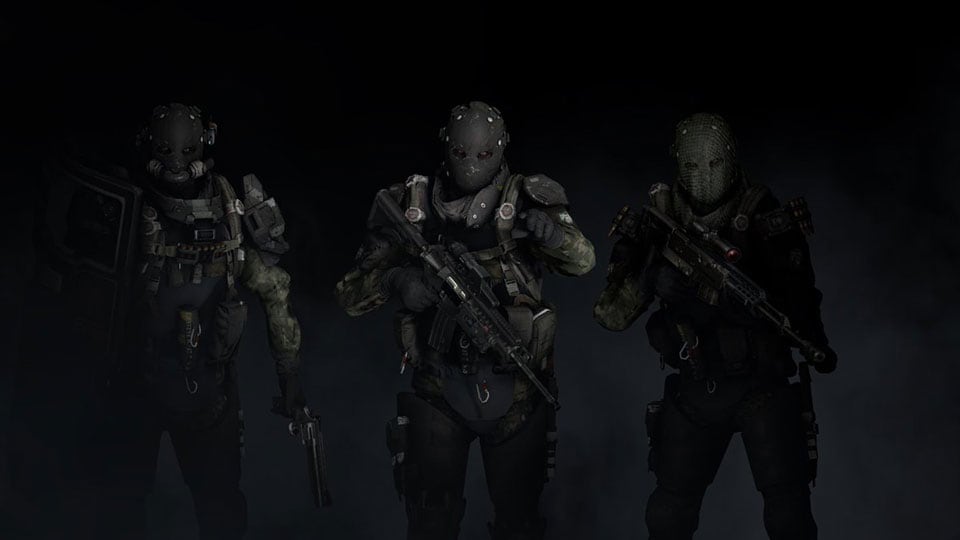
This is the feature: Those who were present during the launch weeks of The Division 2 will recognize them: the Hunters. Cunning and strong enemies that drop good loot – including the Hunter masks.
If you started later with The Division 2, you might wonder why sometimes your HUD suddenly looks blurry. Look around, then there might be a Hunter nearby.
4. Tip: Boss Farming Made Easy
This is the feature: Specific open-world bosses can drop game cards that you can collect. The difficulty lies in first locating the bosses.
The quickest way to find named elite bosses is near the Operations Base, the White House. Every 30 minutes, a corresponding boss spawns on the lawn south of the White House.
The advantage: If you still need the trophy “The Color Looks Good on You, Sir!”, for which you need to collect card colors in the open world, you can easily and quickly achieve the goal this way.
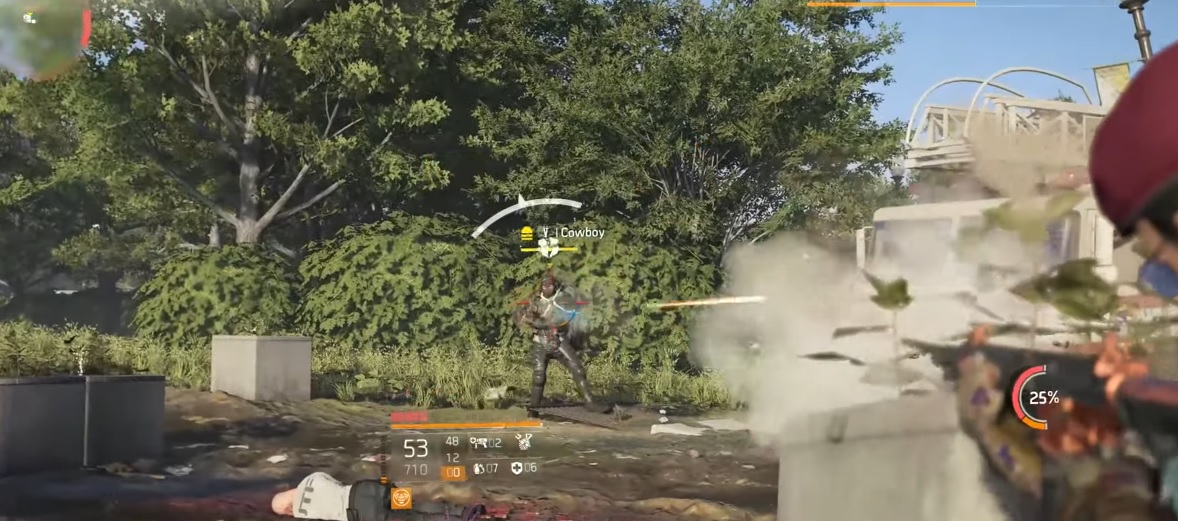
If you have a boss in front of you whose game card you already own, you can fast travel to the Operations Base and revisit the boss location. There should be a new boss there. However, once you kill him, you have to wait 30 minutes for a new boss to spawn.
5. Tip: FOV Setting Available on All Platforms
This is the feature: FOV stands for “field of view” and expands your field of vision. This feature is now also available for consoles PS4 and Xbox One.
To do this, open the settings in the menu, go to “Gameplay”, scroll down, and select “Extended Field of View”. You can set this from 0 to 25. The same goes for “Extended Field of View when Aiming”.
The advantage: This gives you a little more overview of what is happening around you.
6. Tip: Sell All the Loot
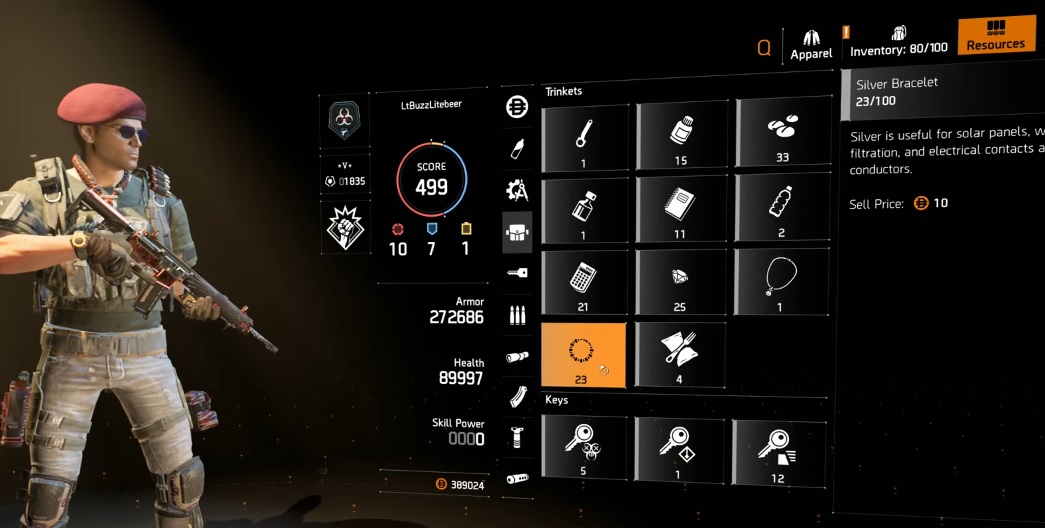
This is the feature: Many players do not realize that they can sell all the loot they find on the streets for credits. The loot ranges from crayons to children’s socks to solar-powered calculators. You can view these in the character menu by switching to “Resources” in the top right and scrolling down.
The advantage: At the merchants, you can sell the loot by holding the button displayed at the bottom of the screen (L3 on PS4). Keep in mind that you will sell all the loot this way. However, you may need some loot items for civilians or quests.
7. Tip: Reloading with Dodge Roll
This is the feature: If you want to gain an advantage in a hectic fight, you should learn this mechanic. It allows you to reload while performing a dodge roll.
You need good timing for this, which you can train. Press the reload button, wait a moment, and then perform a dodge roll. Once you stand up again, the weapon is reloaded and you have dodged dangerous shots in the meantime.
The advantage: While sprinting, you cannot reload. You switch to jogging. With this reload technique during dodging, you can be a second faster in hectic fights, which can make the difference between life and death.
8. Tip: Use Checkpoints for More than Just Blueprints
This is the feature: Checkpoints in The Division 2 are primarily used to obtain blueprints in the endgame. If you want to complete the exploration commendations, checkpoints can also be useful. For these commendations, you need to find loot containers in various missions.
Make sure you have activated the advantage “Detection 1” at the quartermaster, which allows you to see loot containers within a radius of 20 meters for 10 minutes when you donate enough resources to a checkpoint.
Here’s how: Donate resources to the checkpoint, start the desired missions, quickly find the loot containers in them, and collect the commendations.
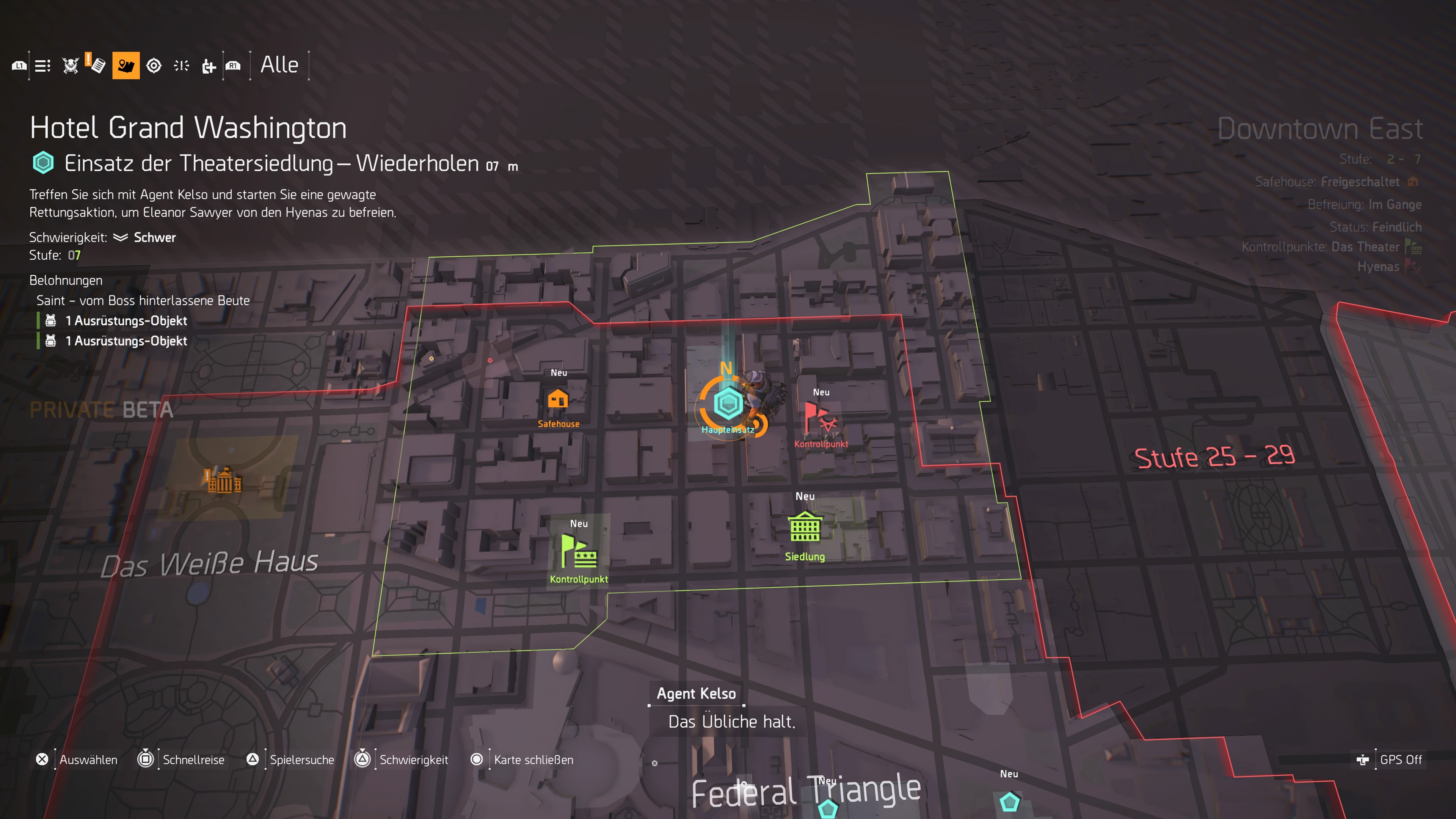
9. Tip: Create Your Own Crafting Projects
This is the feature: Open your map and switch to the Projects tab in the top left. There you will see all the projects that you can complete.
However, you can also create your own projects. To do this, go to the crafting station in the Operations Base and select the item you want to craft. In the bottom right, you can now press “Create Project”, adding the requirements for crafting the item to your project overview.
The advantage: This way, you can quickly and at any time check if you have all the materials ready to craft the item you want.
10. Tip: Join Clans for Clan Merchant Loot
This is the feature: The Division 2 has a clan system that you should take advantage of. In the western wing of the Operations Base, you will find Grace Larson as soon as you unlock her. Here you can search for clans or create one.
The advantage: Depending on the clan level, you will get gear of varying strength from a clan vendor. This week, for instance, the clan vendor has an item with a top roll available. If you are not in a clan, you will miss out on these items.
Have you discovered features in The Division 2 that you want to share with the agency? Then let us know in the comments.

Have you discovered features in The Division 2 that you want to share with the agency? Then let us know in the comments.

Your opinion is important to us!
Do you like the article? Then let us know!