Just played a raid, suddenly the PC is off. A child, a cat, or both pressed the power button. But this problem can easily be prevented. MeinMMO explains how it works.
Anyone with pets, children, or even both knows the “problem”: both pets and children love to climb on things or around things. And it’s quick to happen that your gaming PC gets affected.
Just when you are in the middle of a raid or trying to finish a dungeon, suddenly the PC is off because the child pressed the power button or the cat used the laptop as a springboard. But with one setting, these annoying incidents can actually be prevented.
Change the setting so that the cat and child do not turn off the PC
What is the problem? When you install Windows 10 or 11 on your computer, the settings control what happens when you press the physical power button on your PC. And the default setting is that the computer shuts down when the button is pressed.
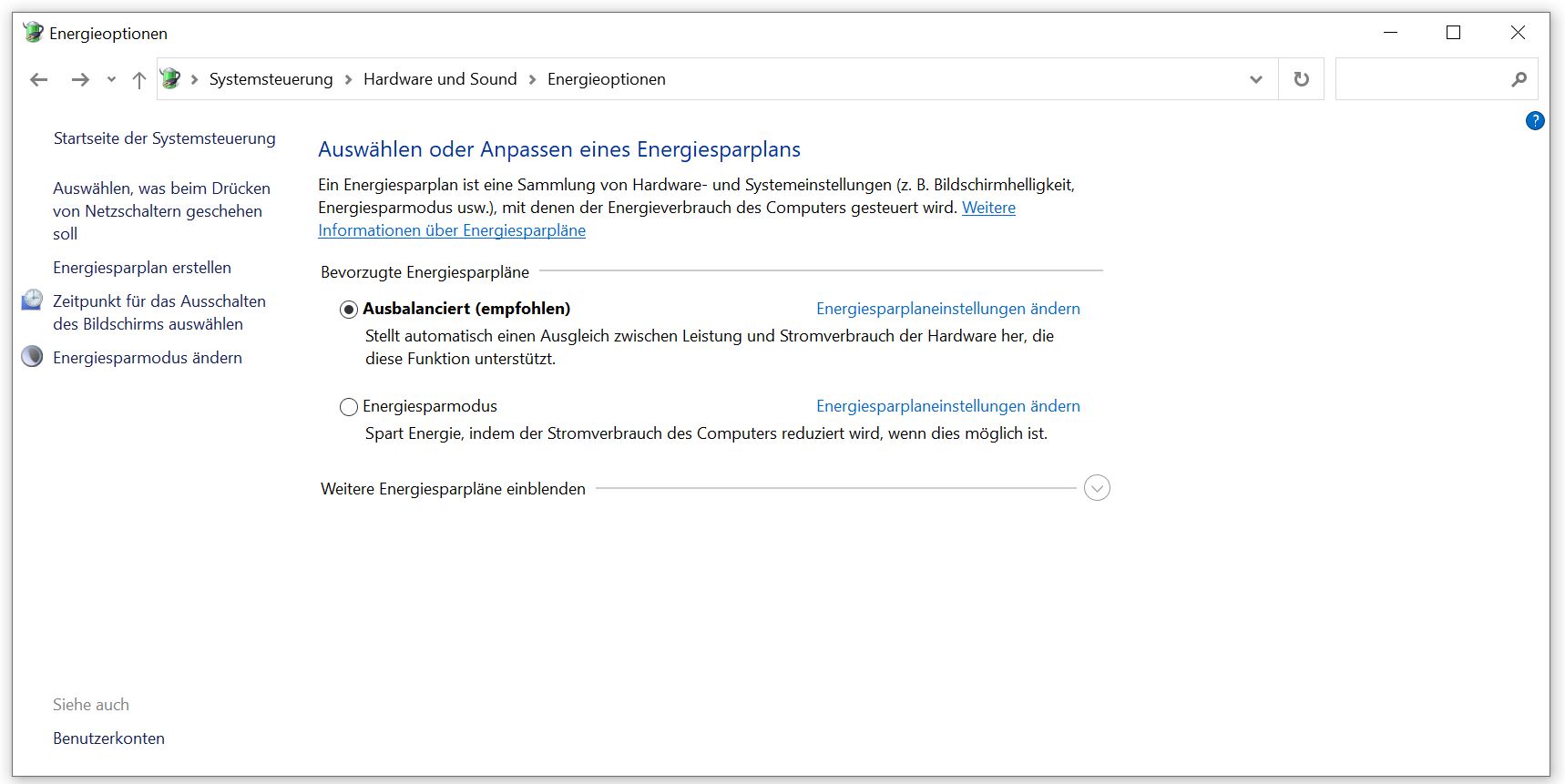
Here’s how to change the setting: Open the Control Panel, select “Hardware and Sound”, and here the option “Power Options”. Alternatively, you can type “Power Options” in the search in the Start menu in Windows and find the menu as well.
Once in the Power Options, select the option “Choose what the power buttons do” at the top on the left side.
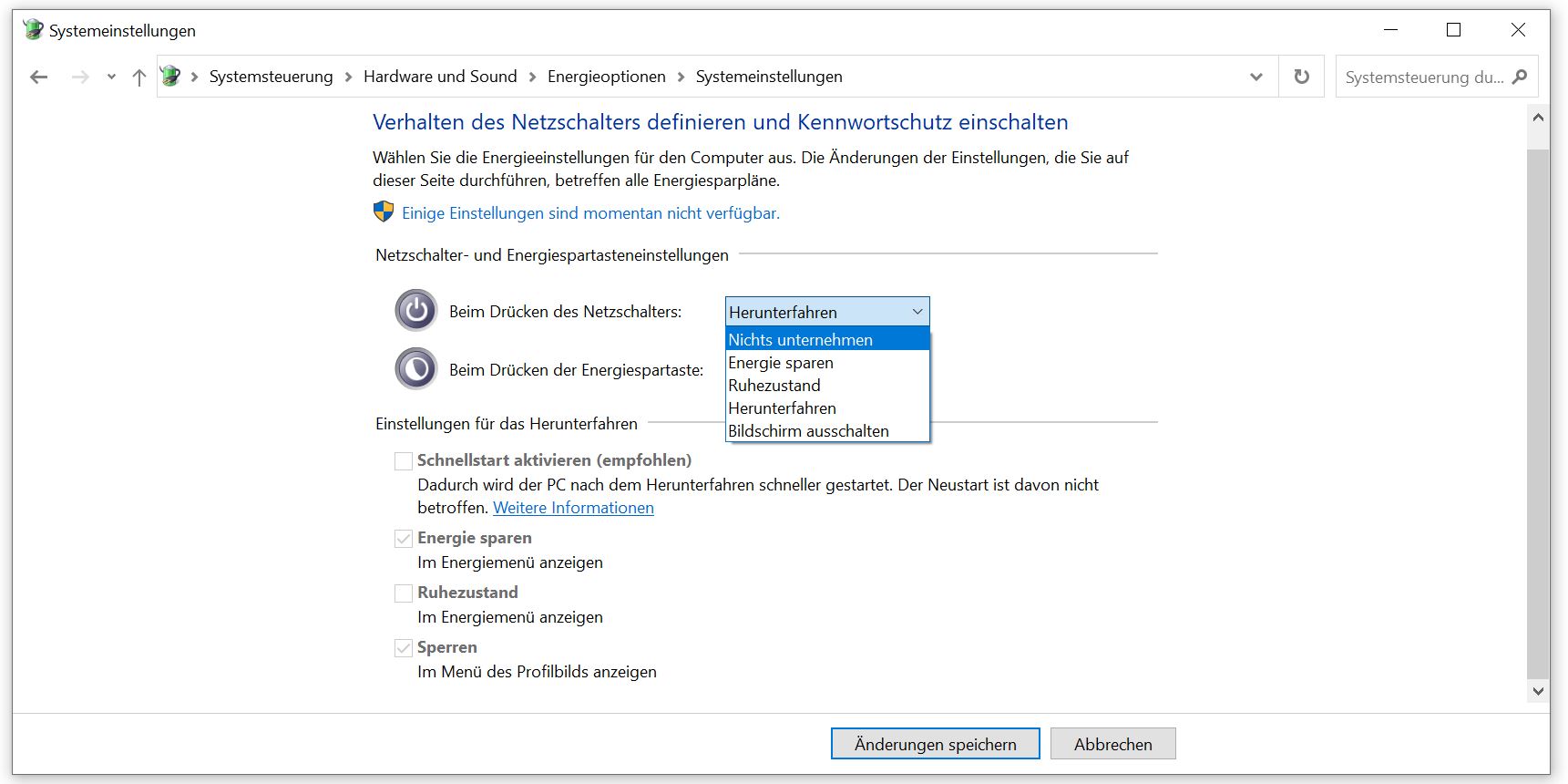
Here you will find the setting that you want or should change. In the default setting of Windows, it says under “When I press the power button” that the PC should shut down. Change the option to “Do nothing.” Then your PC will ignore when someone presses the button while operating.
Regularly shutting down the computer is still sensible
In general, there are enough reasons to shut down your PC sometimes. Because certain components, such as the RAM, also need a break to be able to clear themselves.
And players constantly discuss whether or not to shut down hardware. One player now says: His PC ran for 5 years straight and nothing bad happened. This leads to great discussions: A player lets his gaming PC run for 5 years straight – Explains there is no reason to shut it down