

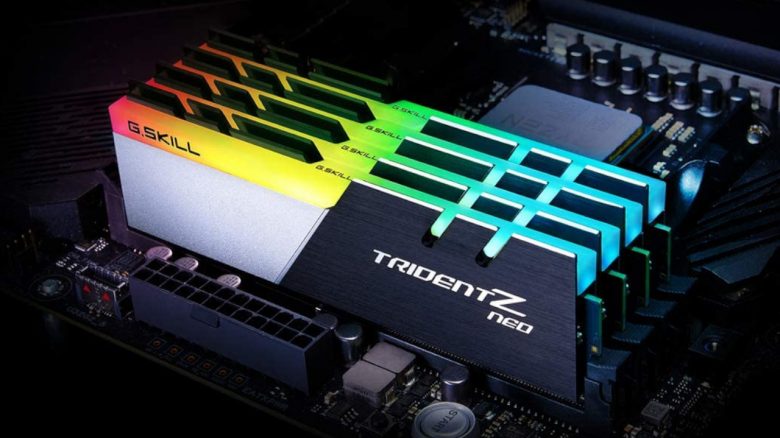
Those who buy new RAM for their gaming PC will notice: There is RAM that is actively advertised with XMP or EXPO. But what does that bring, and does it matter whether I choose XMP or Expo? And what is AMP or X-AMP, which can only be found with AMD?
You have purchased new RAM and have probably stumbled upon abbreviations like XMP or EXPO. Behind them are a technology from Intel and one from AMD. What exactly this is, we will explain to you in the following article. We will also explain how you can activate it and which one is better.
- XMP and EXPO explained in detail
- Activate XMP or EXPO
- XMP vs EXPO: Which should I use?
- XMP and EXPO: Is it worth it?
XMP and EXPO in detail
What is XMP? XMP stands for “Extreme Memory Profiles”. In simple terms, it refers to overclocking profiles from Intel for memory (RAM). XMP uses a chip on your RAM (SPD) to provide higher frequencies and faster timings for your memory. Your memory then retrieves the appropriate profile to correctly overclock it.
- XMP 2.0: Version for DDR4 memory. Offers two XMP profiles by default.
- XMP 3.0: Version for DDR5 memory. Offers up to three XMP profiles and two additional customizable user profiles by default.
What is EXPO? EXPO stands for “Extended Profiles for Overclocking” and is AMD’s counterpart to Intel’s XMP. Like EXPO, it is also about overclocking profiles for memory. EXPO also provides profiles to extract more performance from the memory, which are then automatically retrieved.
Before EXPO, AMD’s technology for RAM was called AMP or X-AMP. On older AM4 motherboards, you will still find the old terms. For the AM5 socket, however, AMD only relies on EXPO. You can read the most important differences between AM4 and AM5 on MeinMMO.
Activate XMP or EXPO
Activate XMP or EXPO:
- To activate XMP or EXPO, access the BIOS of your computer. To do this, press the key that is specified. This may vary depending on the manufacturer; usually, it is one of the F-keys or the Delete key.
- In the BIOS settings, look for the setting for XMP, EXPO, or memory speed. The name of the setting may slightly vary depending on the manufacturer.
- You activate XMP/EXPO, save the setting, and finally restart your PC. Usually, the BIOS will ask you again if you really want to apply the setting. Then you will also see if you accidentally changed something else.
I can’t find XMP and EXPO in the BIOS: Some manufacturers offer a “simple” mode and an advanced mode in the BIOS. Often, XMP is hidden behind the advanced settings.
XMP vs EXPO: Which should I use?
XMP or EXPO, which is better? Simply put: Expo is optimized for AMD, XMP is optimized for Intel. If you buy an AMD CPU, you should ideally choose RAM with EXPO, and for Intel, it is better to choose memory with XMP.
Neither is better, just better optimized for the corresponding platform. If you want the best performance, buy the right product for your platform.
Is XMP compatible with AMD or vice versa? Yes, fundamentally, you can also use XMP with an AMD CPU and a compatible motherboard. After all, they are just profiles stored in the RAM module. However, there is a small chance that RAM with XMP does not run with the best performance.
Conversely, it works as well: you can also use RAM with EXPO profiles with an Intel CPU.
Our tip: If you are buying a new motherboard and compatible RAM, pay attention to the manufacturer’s indications. Typically, it also states whether, for example, your new AMD motherboard supports XMP or your Intel motherboard is compatible with EXPO. This information is usually found on the packaging of the RAM as well.
XMP and EXPO: Is it worth it?
The English-speaking website Techspot has conducted the test and tested 13 games with XMP and EXPO activated. According to the testers, the performance varies significantly:
AMD and Expo:
- The very fast Ryzen 7 7800x3D benefits little from EXPO, with gains of about 4% in comparison when the profile is not activated.
- The older, slower Ryzen 7 7700X, on the other hand, has around 12% more performance with the same RAM than without EXPO.
Intel and XMP:
- The Intel i7 14700K benefits from only 4% more performance with XMP activated.
- The older i7 12700K, on the other hand, achieves around 12% more performance with XMP.
Is it worth it? Techspot itself explains that it entirely depends on the CPU, and depending on the processor, an activated profile can provide significantly more performance. However, for it to be worthwhile, you also need to buy very highly clocked memory. Typically, this comes at an additional cost of 30 to 40 euros.
Purchase of the suitable graphics card: If you want to get more out of your gaming PC, consider buying a new graphics card. But does it even matter whether I ultimately choose AMD or Nvidia? MeinMMO presents the similarities and differences between AMD and Nvidia and explains what you should consider before your next graphics card purchase: How important is it for a graphics card whether I buy AMD or Nvidia?

Your opinion is important to us!
Do you like the article? Then let us know!