

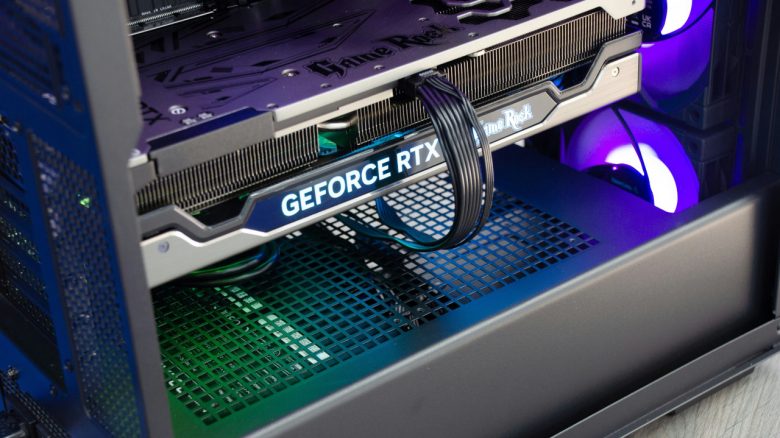
MeinMMO explains what you should consider when buying a graphics card. There are several things you should keep in mind before purchasing a new graphics card. We present the most important points in detail in our article.
Are you looking to buy a new graphics card for your gaming PC but don’t know what to consider? MeinMMO explains in detail what you need to know before ordering a graphics card. In our guide, we will discuss all the general details.
All important points at a glance:
- Performance
- Video Memory
- Price
- Consider all PC components
- Size
- Connections
- Reference card or third-party
- Features
- Availability
Performance
If you want to buy a new graphics card, you should first consider what you actually need the graphics card for. There are primarily two aspects to consider: what games you want to play and at what resolution you ultimately want to play.
Games
The first question you should ask yourself is which games you want to play with your gaming PC. Because in the end, it also depends on how much performance you need. Often, games are divided into three groups:
- Indie Games: Typically not demanding on your hardware and therefore do not require a powerful graphics card.
- Esport Titles: Many popular Esport titles are already a bit older and therefore do not require a strong GPU. However, high FPS numbers are essential for many players. A fast graphics card can help increase the FPS here.
- AAA Games: Whether just graphics-heavy or really good game, AAA titles often require powerful hardware, especially when features like ray tracing are used. Especially if you want to play the titles right at release, you need plenty of performance.
Therefore, be clear from the beginning about which titles you really want to play. If you only play indie games and titles that are already 5 or 6 years old, then you don’t need an expensive, new graphics card.

Resolution
In addition to games, the resolution is the second important factor that affects the performance of your graphics card. The higher the resolution, the more performance you need. With increasing resolution, more pixels need to be calculated. The resolution also significantly influences how much video memory (VRAM) your graphics card ultimately needs for games to run smoothly.
The currently common resolutions are Full HD (1080p), WQHD (1440p), and 4K, along with variations like UWQHD:
- Full HD (1080p): Has been the standard for a long time. Even older graphics cards handle this well.
- WQHD (1440p): For many players now the “sweet spot” between graphic quality, resolution, and FPS counts. Depending on the game, a powerful graphics card may already be necessary.
- 4K: The highest resolution that provides you with the sharpest image. 4K also requires a powerful graphics card with plenty of video memory. A budget GPU usually won’t get you far here.
Video Memory
Directly related to the resolution is often the video memory of your graphics card. The video memory (VRAM) is a fixed component on your graphics card, which you cannot change. Here, graphics files such as textures are stored. If your video memory is too small or too slow, you will experience unpleasant loading stutters in games when old files are deleted and new ones are loaded. We currently recommend no graphics card that offers less than 8 GB of VRAM. Even 8 GB is already very tight by 2025, even at Full HD. Currently, the following values are recommended if you want to invest future-proof:
- Full HD: At least 12 GB of video memory
- WQHD: 16 GB of video memory or more
- 4K: 20 GB of video memory or more
Price
At the beginning, you should ask yourself how much money you want to spend on a graphics card. In the end, your budget strongly determines which graphics card and how much performance you will get for your money.
The cheapest graphics cards are available for under 100 euros, but these are hardly suitable for gaming. On the upper end, there are almost no limits on prices: for an RTX 5090, you currently have to pay about 3,500 euros or more.
You should also keep in mind that you can buy used graphics cards and save a few euros that way. Even with an older mid-range graphics card like the RTX 2060, you can play many newer titles with limitations.
Graphics Card: Price and Performance Comparison (as of March 2025)
| Price and Class | Resolution and Performance | Examples of Graphics Cards (2025) |
|---|---|---|
| 250 – 300 euros, Entry Level/Low-end | Full HD; Sufficient for older titles and AAA titles with reduced details | Radeon RX 7600 or RTX 4060 |
| 500 – 700 euros, Mid-range | WQHD; Enough performance for most games or high FPS in Full HD | Radeon RX 7800 XT or RTX 4070 |
| 800 euros – 1200 euros, High-end | WQHD and 4K: Enough performance for the best graphics in top titles or high FPS in QHD | Radeon RX 9070 XT or RTX 4080 |
| 1200 euros or more, Enthusiasts | 4K and 8K: The fastest and most expensive graphics cards aimed at enthusiasts | RTX 4090 and RTX 5090 |
All graphics cards with current price and performance recommendations can be found in the following article on MeinMMO:
Consider all PC components
When buying a graphics card, not only the graphics card matters but also what hardware you already have installed in your computer. In particular, the CPU, memory, and power supply are components you should pay attention to.
CPU and Memory
A graphics card is not the only component in your PC. Therefore, you should ensure that your graphics card is compatible with your other hardware. If your CPU is too weak for your graphics card, you will experience what’s called a “bottleneck”: the performance of your graphics card will be limited by the slow processor.
If your gaming PC is fundamentally too slow, you should take a look at the entire PC. In some cases, it may not be enough to simply buy a graphics card.
In general, it can be said: if your resolution increases to WQHD or higher, the graphics card plays a bigger role than the processor because it has to bear the most significant load during rendering. Therefore, it is advisable to allocate a larger budget for a graphics card than for a CPU if you need to save money somewhere.

Power Supply: How much energy do you need?
The graphics card is the component that requires by far the most power. Therefore, you also need to plan for a power supply when you want to buy and then install a graphics card.
If you are buying a significantly faster and more power-hungry graphics card, ensure that your power supply is strong enough for your new hardware. In the worst case, your gaming PC may simply shut down during operation if your graphics card requires too much power.
Size of the graphics card
Before purchasing, keep in mind that your new graphics card requires sufficient space in your computer. In general, the rule is: the greater the performance, the larger the graphics card, as both the graphics chip and the fans require space.
There are several important points regarding size that you should consider before buying:
- Length: The length of your graphics card is measured in centimeters.
- Width: The width of graphics cards is calculated in slot sizes. The more slots a graphics card requires, the wider and bulkier it becomes. Small graphics cards require 1 slot, while the bulkiest models require 3 slots.
- Number of fans: The size of the graphics card is often dependent on the number of fans.
- In the budget range, you can still find very small graphics cards that use one fan and thus are very compact and particularly suitable for office and multimedia systems. However, you will get less performance.
- In the mid-range, most graphics cards use either 2 or 3 fans. Usually, you will have graphics card lengths between 27 and 32 centimeters.
- High-end graphics cards are almost exclusively available with three fans, and lengths of 32 centimeters or more are common.
- ITX models: These are particularly small models that are suitable for compact computers. ITX models are often more expensive than larger models of the same performance class.
Also, remember that it often depends on your case and other components how large a graphics card can be. Even a large graphics card with a length of 32 centimeters can fit into a small ITX case, but the other components must not need much space. Make sure to check the manual of your case, which often specifies the maximum size your graphics card can be for certain components.
Connections
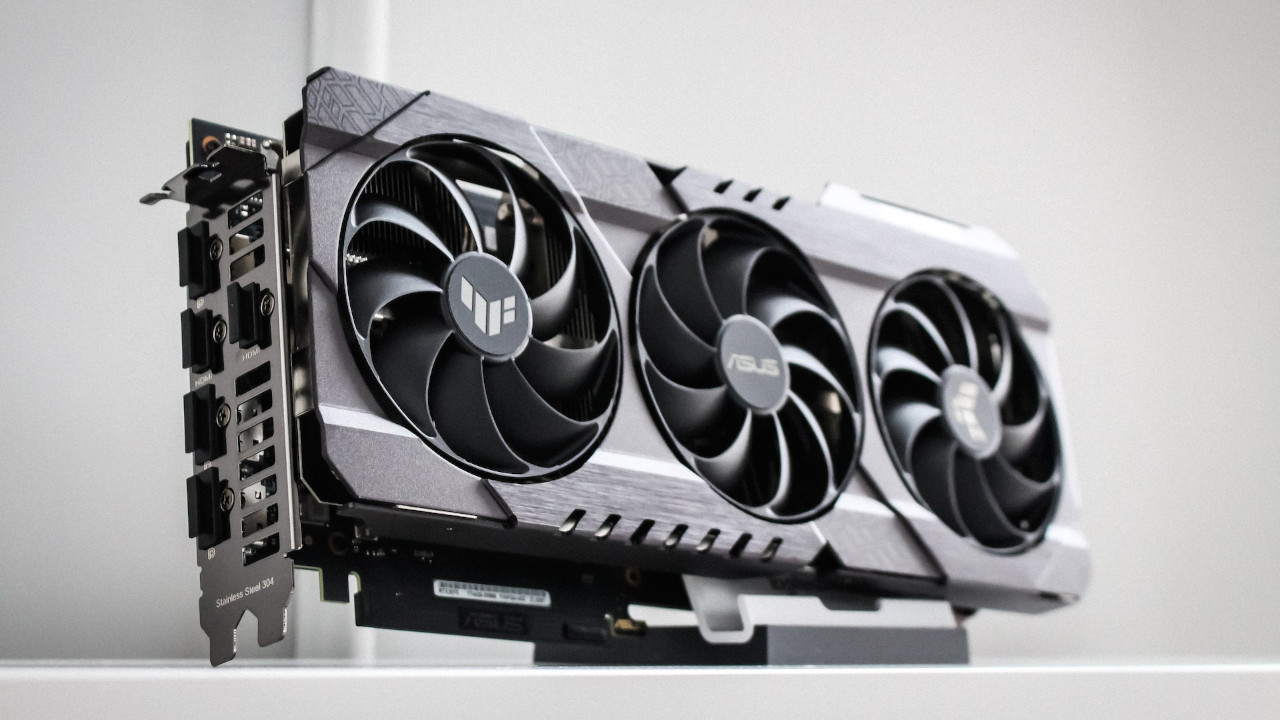
Before the purchase, consider what kind of monitor you want to use, which connections are important to you, or if you want to connect multiple devices to your PC. This will ultimately determine which connections you need on your graphics card. You cannot retrofit connections on a graphics card, so you need to think about this before purchasing. Keep the following connections in mind:
- HDMI: Found on every modern graphics card and every modern monitor
- DisplayPort: Often regarded as a connection for gamers as it offers very high refresh rates and resolutions and is more advanced than HDMI in this respect. However, especially budget monitors may not offer DisplayPort. DisplayPort is also very rarely found on TVs.
- DVI: Considered outdated and primarily found on older monitors. Newer graphics cards often do not offer this standard anymore. At least: with an adapter, you can switch almost losslessly from DVI to HDMI since both signals are digital.
- VGA: Also considered outdated and compared to DVI is an analog signal. VGA should only be important to you if you have a very tight budget and need to buy a very old monitor model.
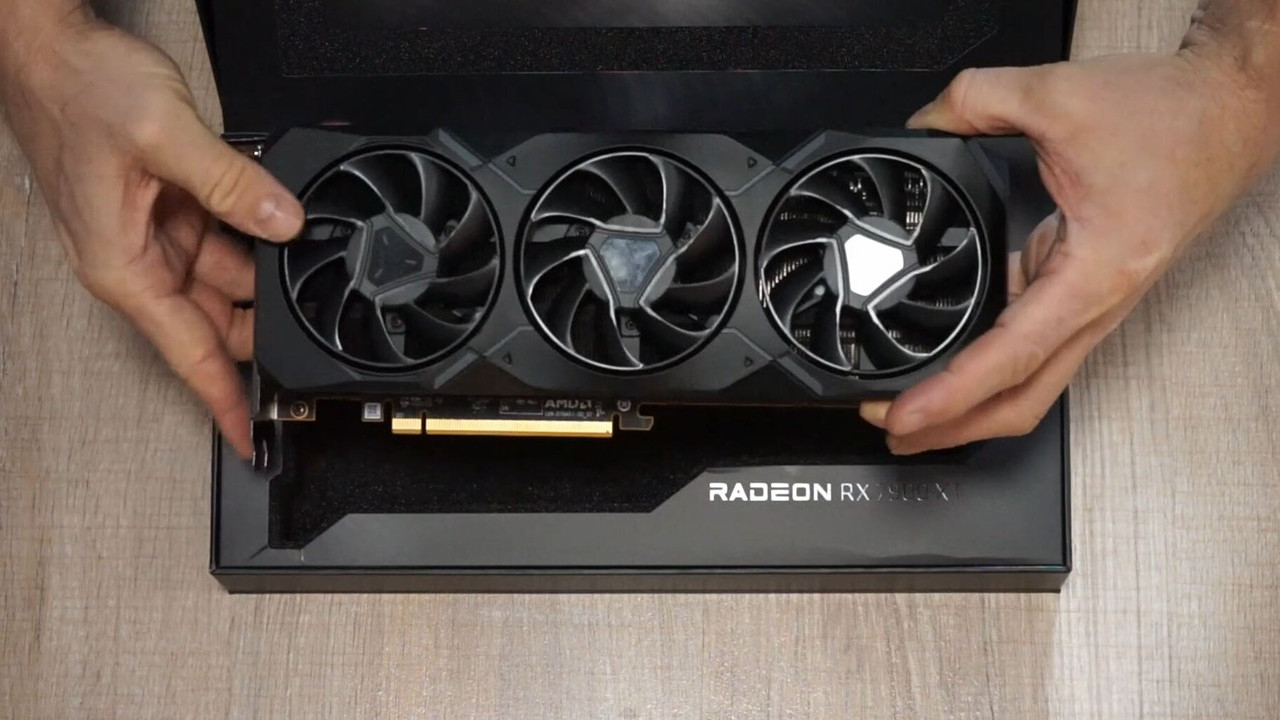
- USB-C: A rare feature on graphics cards, but it pops up occasionally. For example, AMD included a USB-C port in its reference model of the RX 7900 XT. USB-C plays a more significant role in external graphics card enclosures.
Note: Also keep in mind that some monitors use special connector types, such as Micro-HDMI or Mini-HDMI. You will need to acquire the appropriate cable, as graphics cards use the standard size.

Reference card or third-party
Reference Card: These are graphics cards that come directly from the manufacturer (AMD, Nvidia, or Intel). Usually, these are also the cheapest. However, it’s important to note that not every graphics card has a reference model. While AMD offered reference models for the 7000 series, called MBA models (“Made by AMD”), it excluded such devices for the 9000 series.
Custom Models: Graphics cards from third parties or so-called “Custom models” come from others like ASUS, Sapphire, Gigabyte, and others. Here, you often get factory overclocked graphics cards that are slightly faster than the reference models.
Special Editions: In addition to reference and custom, there are a few special editions that are often introduced on the occasion of specific games. Often, they were offered in a giveaway or sold at the launch of a game: examples include models for Starfield (AMD) or Cyberpunk 2077 (Nvidia).
Custom models offer more performance, better fans, and a more extensive feature set, but are more expensive than reference models.
Graphics Card Features
Depending on the manufacturer and graphics card, you will get different features that you should pay attention to:
- Ray Tracing: Ensures more natural light and shadows but consumes performance. Nvidia supports ray tracing starting with the RTX 2000 series, while AMD has done so since the RX 6000 series. However, especially budget models are not recommended for ray tracing. Some games now require ray tracing.
- DLSS and FSR: The so-called upscaling technologies provide higher frame rates at the cost of image quality. However, some features are reserved exclusively for specific models. For instance, DLSS Frame Generation requires a GPU from the RTX 4000 series, while FSR 4.0 requires an RX 9000 model.
- Hardware Video Encoding: Usually matters especially when you need your graphics card for rendering tasks. For most gamers, this is likely to be of secondary importance.
- AI Features: Certain features depend on AI cores, which Nvidia offers with its Tensor cores or AMD has been providing since the RX 9000 series.
Depending on the manufacturer, certain features are more or less pronounced. Typically, DLSS performs slightly better than FSR, and for AI features, Nvidia currently has the edge. You can also read about the main differences between AMD and Nvidia directly on MeinMMO.



Availability
Availability plays an important role because without availability, you can’t buy a graphics card. Ultimately, the final price you pay for your graphics card heavily depends on market availability.
- With high availability and low demand, prices for graphics cards often drop.
- With low availability and high demand, prices often rise significantly.
- Just before or after the introduction of a new GPU generation, prices for older graphics cards often drop as they are being sold off. It’s worth being quick because while prices fall, availability may also be low.
If 2,300 euros for a graphics card is too expensive for you, but you still want to game smoothly in the coming years, MeinMMO has some recommendations that are also worthwhile for gaming but don’t cost 2,000 euros: 6 alternatives to the RTX 5000 if you don’t want to spend 3,000 euros on a graphics card

Your opinion is important to us!
Do you like the article? Then let us know!