

In The Division we take a closer look at the loadouts and answer the most important questions.

Since April 21, PC agents can test loadouts for the first time on the PTS. Players on PS4 and Xbox One, on the other hand, have no choice but to wait until update 1.6.1 goes live in May. Only then can they enjoy this feature.
To make sure you know what to expect with loadouts, we answer some of the key questions here. Arekkz shows you the loadouts in the video, and we summarize the information afterward:
What are loadouts in The Division?
Loadouts describe the ability to save your character builds and quickly switch between them. This saves you a lot of time since you don’t have to change each item and ability individually when you want to switch to a different character setup.
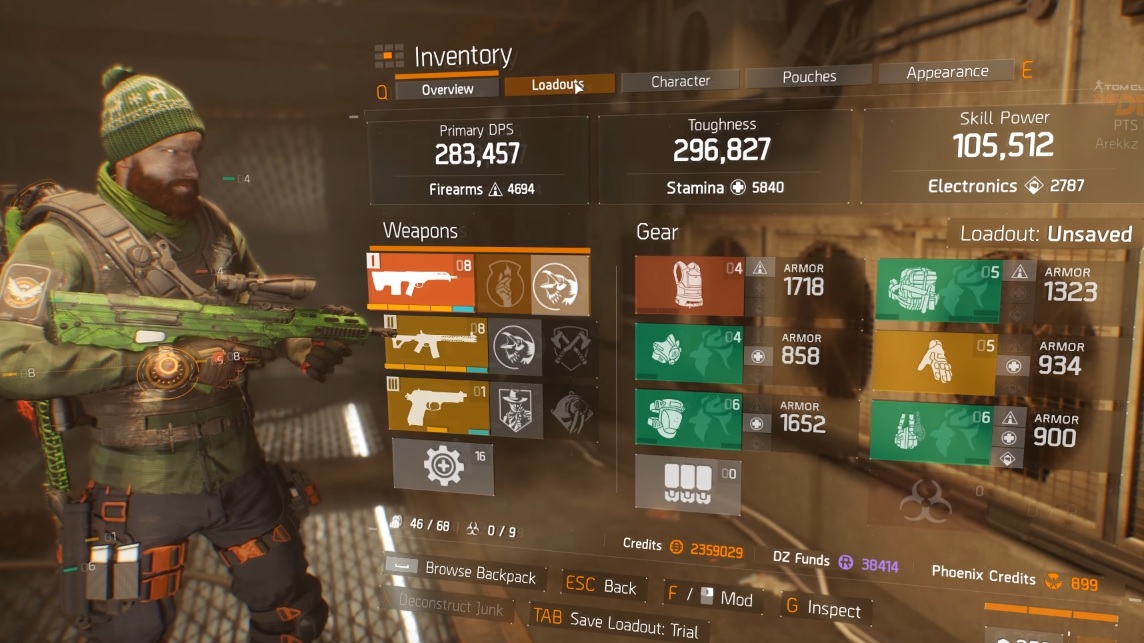
In the game, you will find the loadouts in your inventory:
Between the overview and the “Character” tab, there is a new tab called “Loadouts” at the top. There you can access your loadouts. Additionally, you will see a message directly in the overview indicating which loadout you are currently equipped with or if it is an unsaved character setup (as seen in the image above, where it says “Loadout: Unsaved” on the right). This way, you can immediately see what your character is currently wearing.
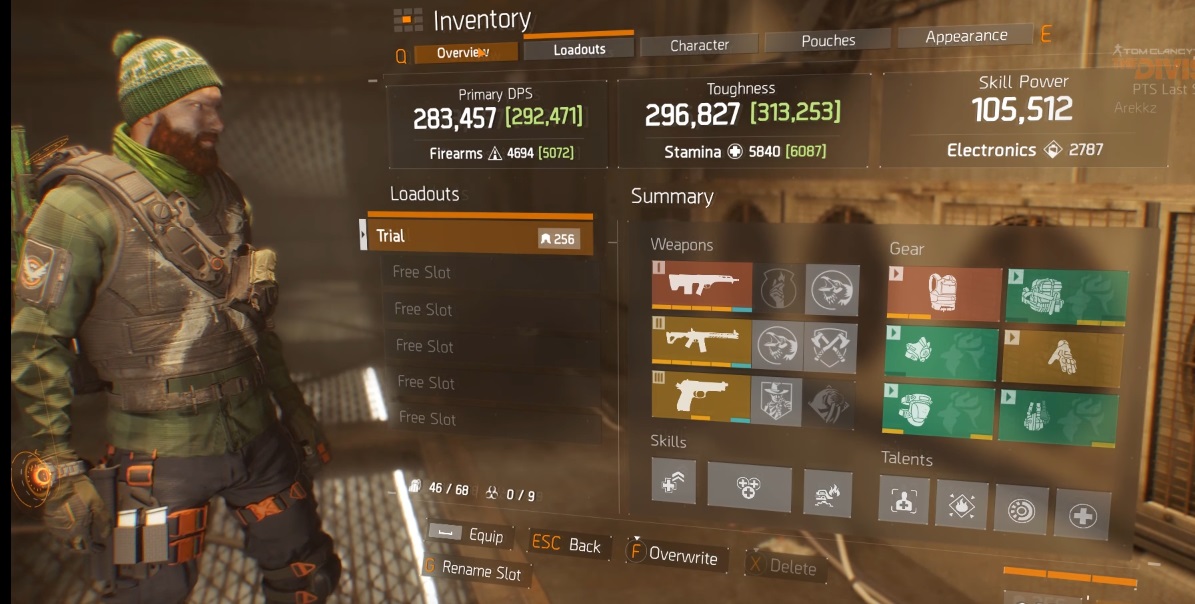
The loadouts menu:
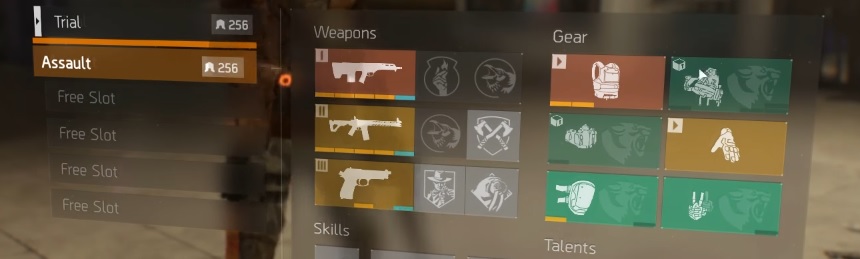
If you then click on the loadouts tab, you will enter this menu. All your loadouts will be listed on the left, with a maximum of 6 that you can save. On the right, you will see the saved weapons, armor pieces, mods, skills, and talents.
In this menu, you can equip loadouts, save and overwrite loadouts, delete loadouts, and rename loadouts. There is a limitation currently being criticized: The names for the loadouts cannot be freely chosen – you have to choose from predefined names like Assault, DPS, or Medic.
You save the loadouts by pressing the corresponding button (here F). Then the character build you are currently viewing will be saved to the loadout slot.
How do mods work with loadouts?
Questions about the loadouts:
- If you want to use the same mods for two different loadouts, will they be automatically equipped when switching? Yes, the mods will automatically transfer from one loadout to another when you switch loadouts.
- How quickly can you switch between loadouts? Once you have equipped a loadout, there is a cooldown of a few seconds. Only then can you switch to the next loadout.
- Can the agent equip items from storage when switching loadouts? No, you must have the weapons and armor pieces in your character inventory. Items that are in storage are not automatically equipped when switching loadouts. Once you pick up the item from storage, the loadout is complete again. Until then, the corresponding items will be indicated in the loadout menu with a storage symbol, showing that these items are in storage and cannot be equipped. However, you can equip the incomplete loadout – just without the items in storage.
- Can loadouts be switched during a fight? No. You must be outside of combat to do this.
- Can you switch loadouts while a skill is in cooldown? No. You will get a message saying that this is not possible. For example, you cannot first activate the seeker mine and the turret, then switch to a loadout with two other skills and then use them. This is not the case with individual skills.
- Are the loadouts cross-character? No, each agent has their own loadouts.
Have you already tested the loadouts?
Interesting: The Division 2 or an expansion? – What are they working on in Malmö?

Your opinion is important to us!
Do you like the article? Then let us know!