

Diablo Immortal has launched on iOS, Android, and PC. In the chat, many unpleasant individuals are causing trouble. MeinMMO shows you how to easily disable the chat preview so you can play more comfortably.

With Diablo Immortal, Blizzard’s first MMO has launched in the world of Sanctuary. However, many users are upset about the in-game chat. There is cursing and racist remarks being thrown around here. If this annoys you terribly, you can easily turn off the chat.
As of now (as of June 3, 2022), the menus look uniform on both mobile and PC.
What do I need to consider? Currently, you have to log into each of your characters and follow the steps in the guide. There is no overarching system where you can simply turn off the chat for all characters.

Diablo Immortal: How to turn off chat – It’s done in a few steps
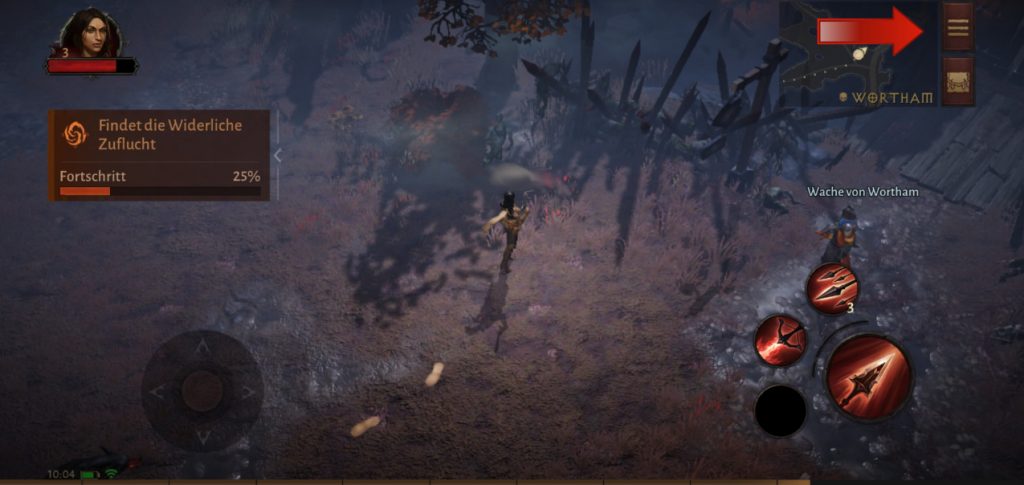
This is the first step: First, log into your character. Once you’re in the game, select the burger menu in the upper right corner. On PC, you can simply press Escape. Here, select the gear icon, also in the upper right corner.
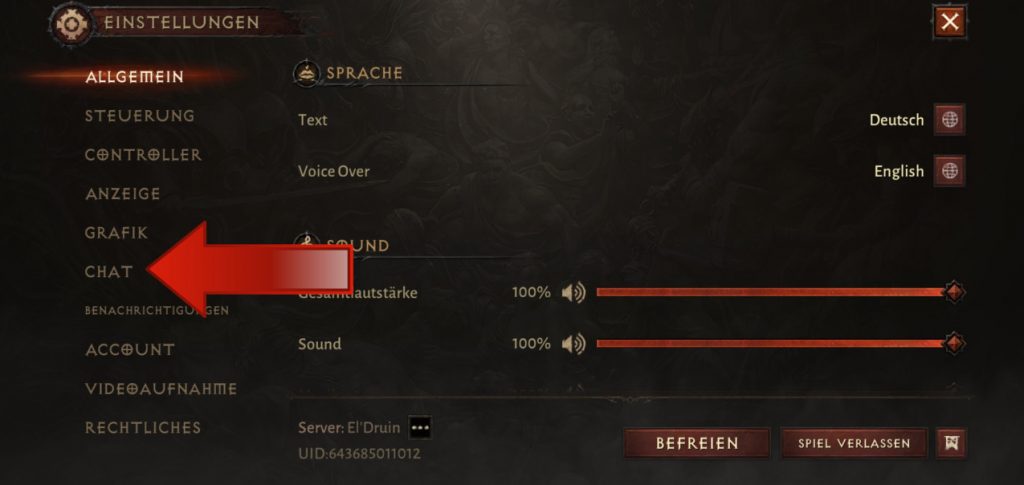
This is the second step: In the settings, select the Chat tab and then all the important settings related to the chat.
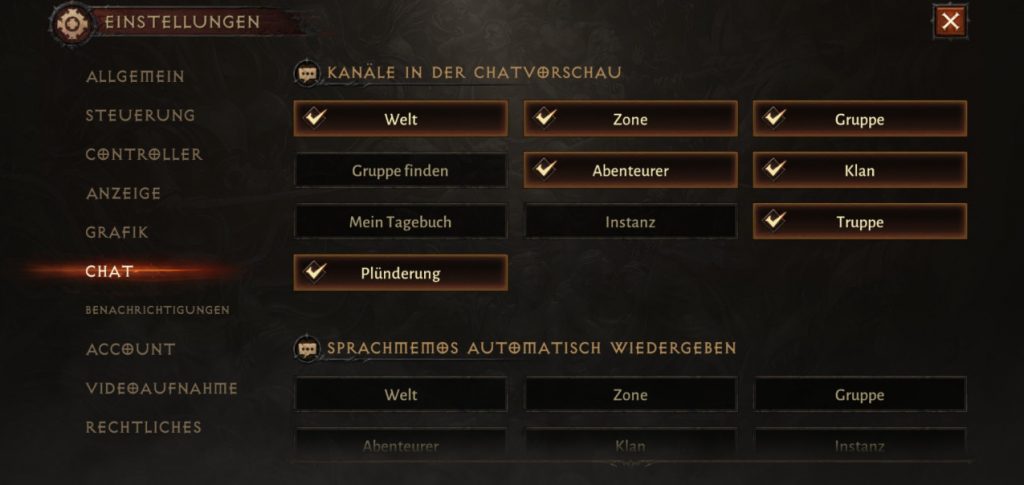
This is the third step: In the ‘Chat’ section, you can now disable the entire chat preview. To do this, uncheck all boxes for the channels. After that, the section at the bottom of the screen will disappear.
However, the chat is still there, only the preview is turned off. If you tap on the chat window, the entire chat with all subgroups opens. The preview at the bottom now remains empty. Once you log into your character again, the remaining messages from the preview will also be gone.
More tips and tricks about Diablo Immortal: You are playing on mobile or PC and want to play with your controller? In our guide, we explain how to set up your controller on mobile or PC and what you need to pay attention to:
Playing Diablo Immortal with a controller – Here’s how it works on iOS, Android, and PC
If you have feedback or suggestions for improvement regarding the guide, send them to us at [email protected]. Thank you!

Your opinion is important to us!
Do you like the article? Then let us know!