

Diablo Immortal is live on PC, iOS, and Android. MeinMMO presents the best settings for mobile.
Many of you have already started with Diablo Immortal and are battling through the world of Sanctuary. But how do you get the most out of your hardware when you want to play properly?
MeinMMO presents the best settings for iOS and Android and also explains what to consider when adjusting your settings.

Diablo Immortal: The Best Settings for iOS and Android
What should be considered? Depending on how much power your phone has, Diablo Immortal already limits the settings beforehand. On an older device, for example, we cannot set the framerate from 30 to 60 or increase the resolution from medium further. How old your phone can be for Diablo Immortal can also be read on MeinMMO. So far, there is no way to disable these restrictions. However, for some settings, you will be asked whether you really want to enable them.
Where can I find the settings? You can find the settings by tapping the burger menu in the top right. Then tap the gear icon, and you will land in the settings.
General:
- Auto-collect: Check Normal, Magic, and Rare.
Controls:
- Aiming – Primary Attack: ‘One’ – Sets the function to active, which is especially helpful for ranged fighters, as you then have a crosshair.
- Cancel Skills: ‘Pull to cancel symbol’
- Minimap – ‘Large’
Graphics:
- Framerate: 30
- Resolution: High
- Screen sharpness: On
- Graphics quality: High
- Anti-Aliasing: Low
- Bloom effect: Off
- Burning vegetation effects: Off
- Reduce PvP effects: Off
Notifications:
- Do Not Disturb – Night: On
- Do Not Disturb – Day: Depending on need, set to “Off” or “On”
Other Useful Features on Android and iOS That Make Your Life Easier
There are two more features that you can activate on Android.
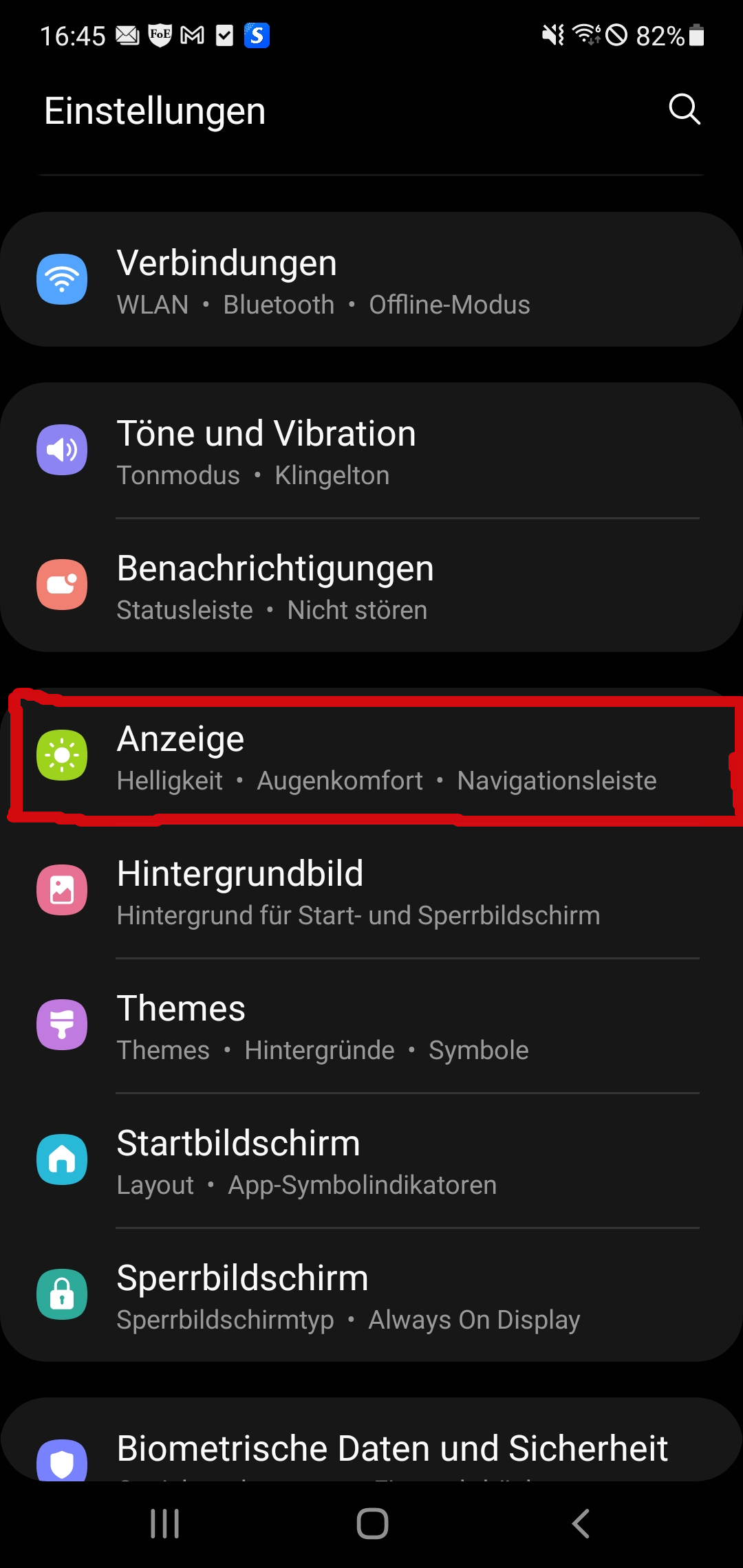
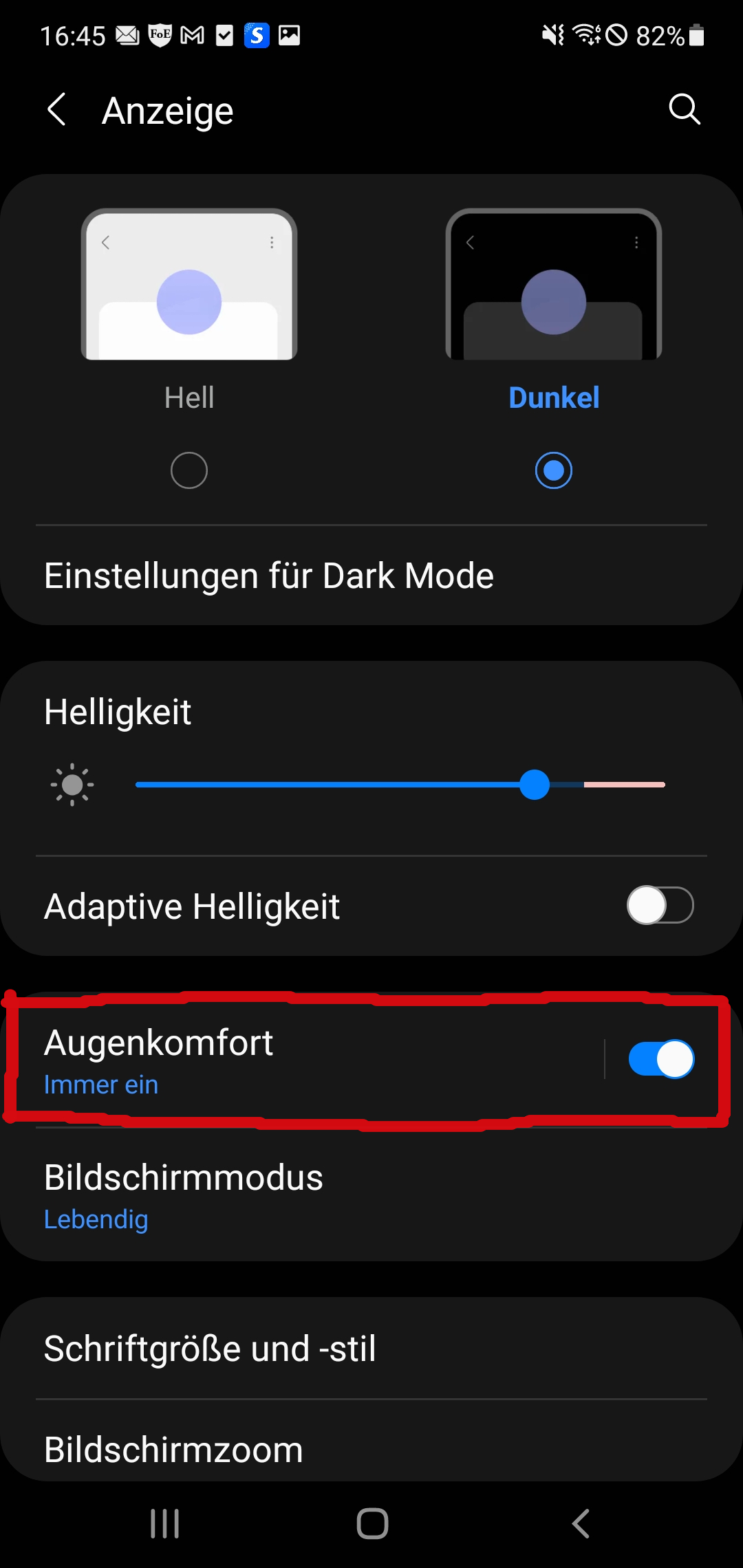
Enable Eye Comfort on Android: Activate the ‘Eye Comfort’ feature on Android (in English: Comfort Eye Shield). You can find it in the settings under display. Here you set the ‘Eye Comfort’ feature to ‘always on.’
- Settings – Display – Eye Comfort (always on)
Use Power Saving Mode on Android: Additionally, you can activate the power saving mode or the optimized mode on your phone if you want to save power or if the phone should not get too hot.
You should note, however, that the power saving mode on Android can reduce the resolution and slightly throttle the performance. Ideally, the game should still run smoothly and without problems.
More Tips for Diablo Immortal: How to best set up your gaming controller, you can read here on MeinMMO. Here you can read in our comprehensive guide how to set up your controller correctly on PC, Android, and iOS:
Play Diablo Immortal with a controller – Here’s how it works on iOS, Android, and PC

Your opinion is important to us!
Do you like the article? Then let us know!