

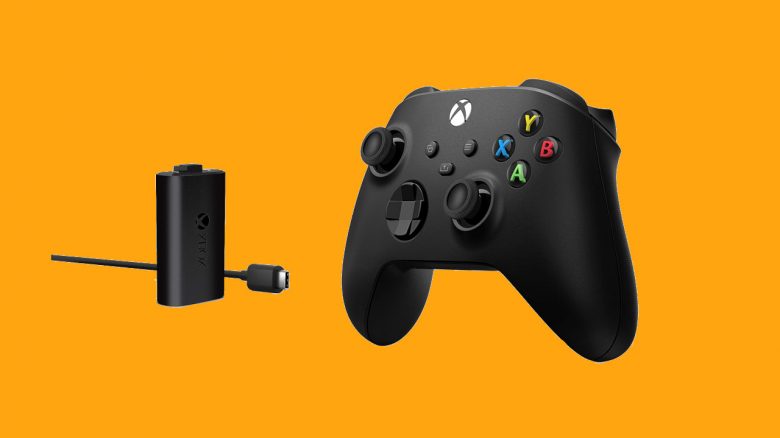
Both the “Xbox One” and the “Xbox Series X” controllers can be used with batteries and rechargeable batteries. You can also charge the controllers conveniently with a charging station. We present to you the best rechargeable batteries and charging stations for Xbox Series X and Xbox One. First, let’s clarify what is included with the new Xbox Series X|S.
The most important points at a glance:
- In this article, you will find battery sets and charging stations for “Xbox Series X|S” controllers. You will also find tips regarding the Xbox controller in the article.
- The Xbox accessories presented are definitely compatible with the Xbox Series X|S. Some charging stations are also licensed by Microsoft.
- For the controller, you should opt for rechargeable batteries instead of regular batteries. We explain why.
What it’s about: Microsoft has provided the Xbox Series X with a new controller. Like the Xbox One controller, the device uses batteries or rechargeable batteries. Nowadays, there are some devices where you can charge the controller without having to remove the battery.
What is included with the Xbox Series X|S? The package of the Xbox Series X includes an “Xbox Series X” console, a controller, a high-speed HDMI cable, and a power cable for the power connection. The new “Xbox Series X” controller has been revised by Microsoft.
By the way, the Xbox controller only contains regular batteries, so the rechargeable battery set is a sensible long-term upgrade for gaming.
Xbox Controller: Recommended rechargeable battery packs
At this point, we want to introduce you to recommended rechargeable battery packs for the “Xbox Series X” controller. This includes the official “Xbox Play & Charge Kit” from Microsoft. Some devices like the solo and dual charging dock from Hori are officially licensed by Microsoft.
Xbox Play & Charge Kit M
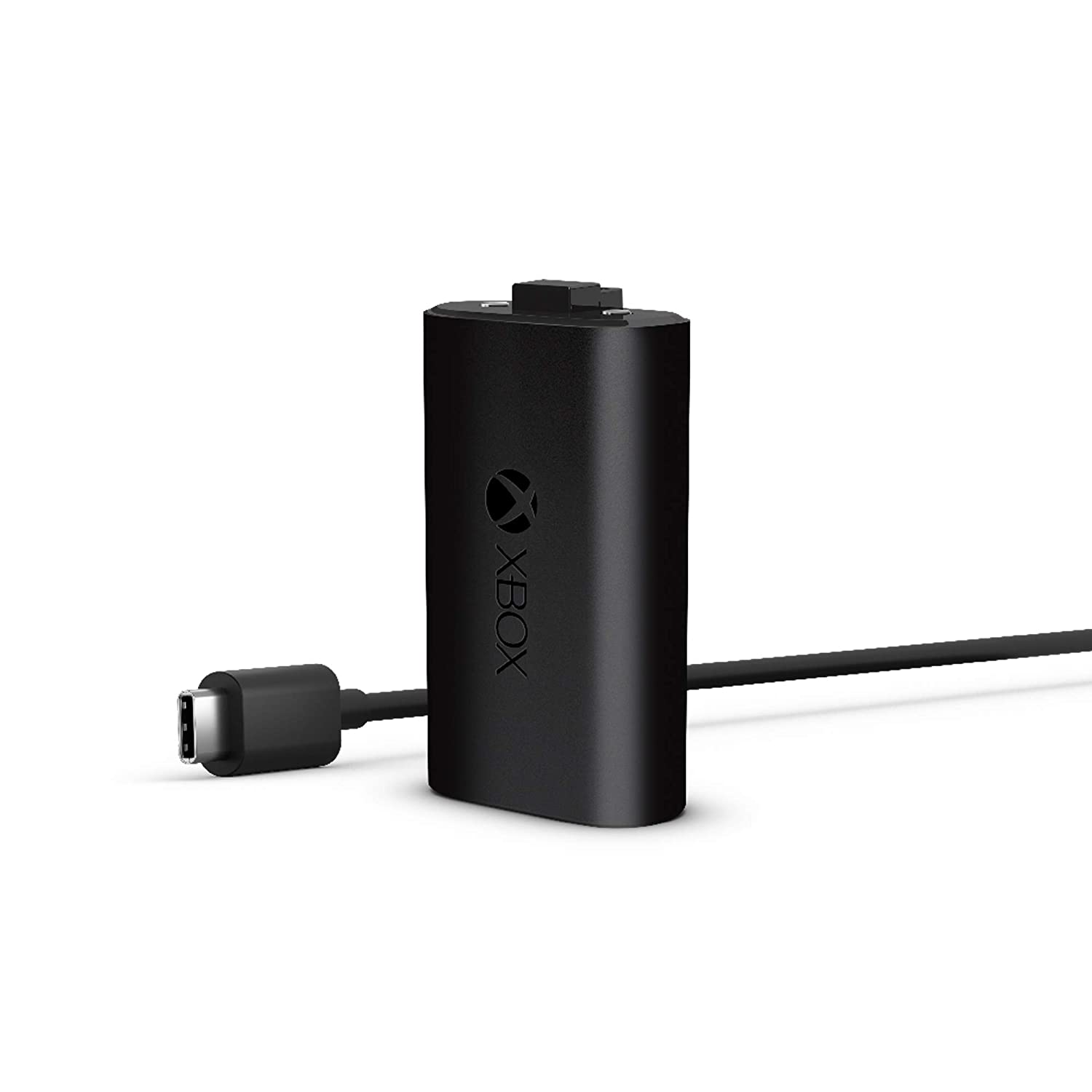
What is it? This is a rechargeable battery set for Xbox controllers. It works with both the old “Xbox One” controllers and the new “Xbox Series X” controllers.
You can charge the battery either in standby mode or while gaming. According to Microsoft, the battery should be fully charged in four hours.
Smatree batteries with charger
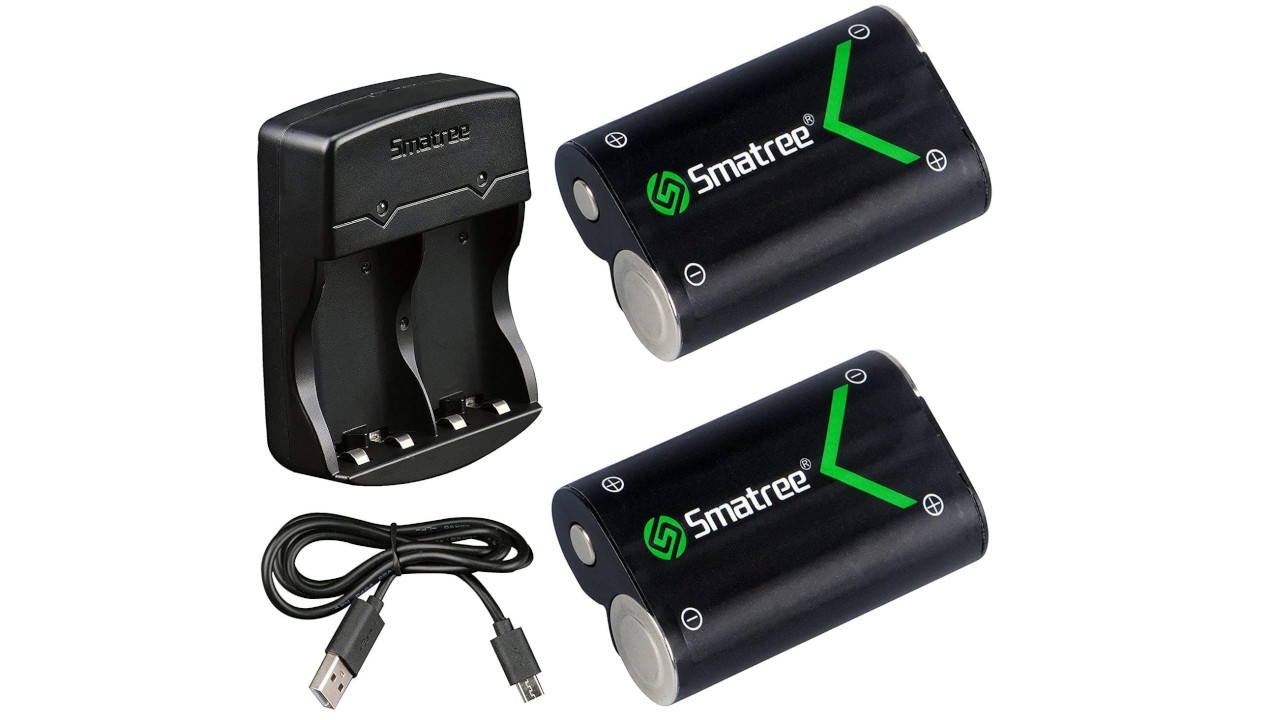
What is it? These batteries are 2000-mAH rechargeable batteries. The included device can charge both batteries simultaneously. However, if you want to charge the batteries, you will need to remove them from the controller.
The batteries are compatible with all common controllers of the Xbox One, Xbox One S, Xbox One X, Xbox One Elite, and Xbox Series X|S.
The device charges the two batteries in 6 to 7 hours. This takes relatively long. According to the manufacturer, you should then be able to play for 15-20 hours with the batteries.
Solo and Dual Charging Station for Xbox Series X|S
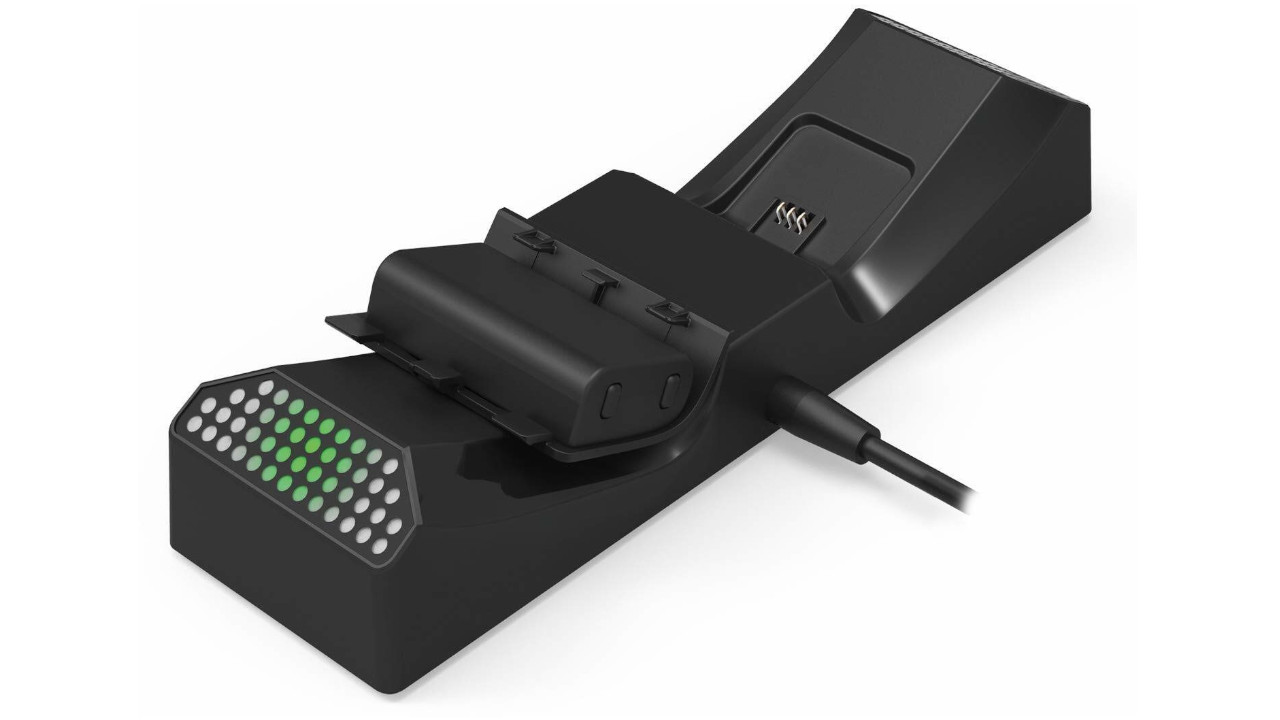
What is it? This consists of two charging stations for Xbox controllers made by Hori, which have a similar design to the new Xbox. The product is officially licensed by Microsoft. The solo pack includes one battery, while the dual pack includes two batteries.
The device is compatible with controllers of the Xbox Series X|S, as well as with “Xbox Elite” controllers and “Xbox One” controllers. According to the manufacturer, you can play for up to 20 hours with the charged batteries.
BEBONCOOL 3-Packs Battery for Xbox One/Series X/S Controllers
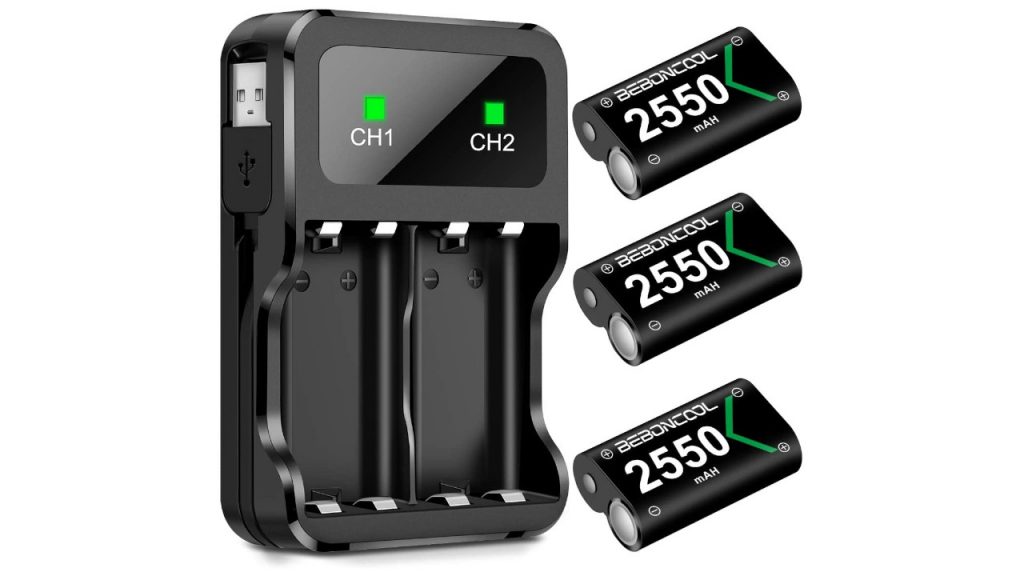
What is it? These are 3 rechargeable batteries with 2000-mAH each.
The batteries work with controllers of the Xbox One and the Xbox Series X|S.
The batteries take about 2.5 hours to charge fully. According to the manufacturer, you can play for about 10 hours with the charged batteries before they need to be recharged. If you want to charge the batteries, you will need to remove them from the controller.
Snakebyte “Xbox Twin Charge SX”
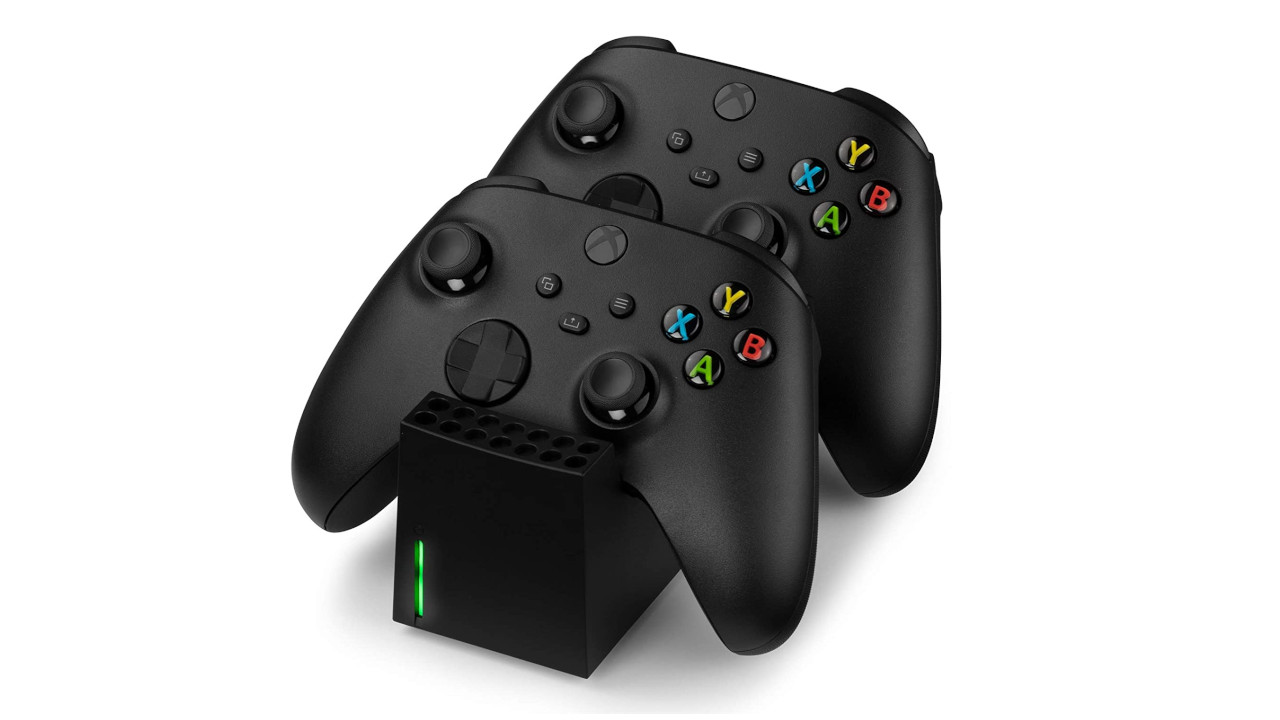
What is it? This is a charging station for controllers of the Xbox Series X|S. With the device, you can charge two controllers at the same time. The charging station comes with two rechargeable batteries with 800-mAH each.
The device is compatible with controllers of the Xbox Series X|S.
Charging Xbox Controllers and Saving Power
Can you charge Xbox controllers? In principle, you can charge the Xbox controller. However, the requirement is that there are rechargeable batteries in the controller. This does not work with regular batteries. You can charge the battery either with a charging station, a USB cable from the console, or at the wall socket.
- You connect the controller to the Xbox One or Series X with the USB cable
- Then you start your console and the controller will charge
- You can then turn off the console again. It is important that you must have had the console switched on at the beginning of the charging process.
How long does it take to charge an Xbox controller? The length of time your controller needs to charge depends entirely on the size of the installed battery. The official battery pack from Microsoft for the Xbox controller takes 5 to 6 hours to fully charge.
How to turn off an Xbox controller?
Here’s how: If you turn off your console and want to save power, you should also turn off your controller. It’s quite simple. Press the Xbox button, which is located at the top of the Xbox controller, and hold this button for a few seconds. Then the controller will turn off.
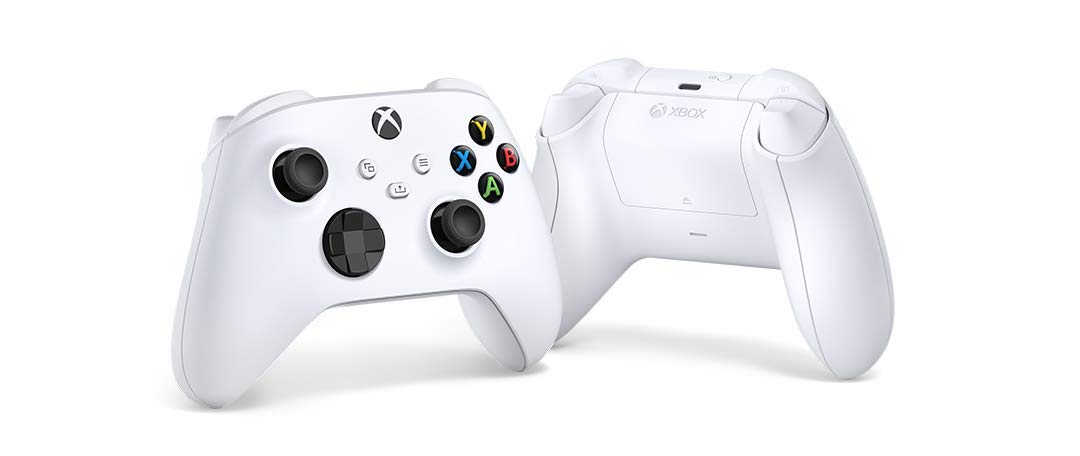
Xbox Controller: Rechargeable Batteries or Batteries?
Here’s why you should opt for rechargeable batteries: For controllers and other devices that you use frequently, you should go for rechargeable batteries. Because in this case: If you have to change the batteries several times a month, it makes sense to use rechargeable batteries. For the environment, rechargeable batteries are also the better choice in the long run.
When are batteries useful? Batteries, on the other hand, are useful when you use a device infrequently or it consumes little power. This applies to watches or remote controls and many small devices that consume little power. Because batteries have less self-discharge than rechargeable batteries.
What to look for when buying batteries: For your Xbox controller, you will need AA batteries/rechargeable batteries. You should also pay attention to the abbreviation LR6. Batteries with the designation R6 should be avoided.
Additional accessories for the Xbox Series X|S: Are you looking for other accessories for your new Xbox Series X or S besides rechargeable batteries and charging stations? Then check out this article, where we present the best accessories for your Xbox Series X|S.

Your opinion is important to us!
Do you like the article? Then let us know!