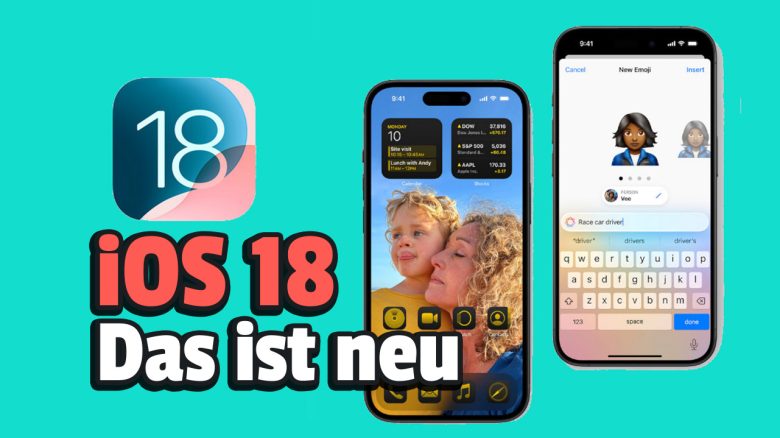
With iOS 18, iPhones will receive a whole lot of new features. MeinMMO presents the 8 best features and explains why you should try them out.
When will iOS 18 be released? iOS 18 is expected to be released in September 2024. Starting July 2024, you will be able to download the Public Beta. However, we advise against installing the Beta on your main phone, as this version is unstable and can cause crashes.
What features are we presenting? With iOS 18, Apple has introduced a whole range of exciting features that you can use with the latest version of the operating system. MeinMMO presents the best features that you must try out.
Last updates: 04.07.24, 18.06.24
Game Mode
With iOS 18, the iPhone receives the so-called “Game Mode.” Apple promises to optimize the gaming experience on the phone. Apple had previously stated, that the iPhone should become the best gaming console.
Once the “Game Mode” is activated, your games will receive the highest priority on the hardware, and other background processes will be deprioritized. This is also supposed to improve latency times for AirPods and controllers during gaming.
The “Game Mode” is automatically activated as soon as you start gaming on your iPhone.
Why you should try it: If you play a lot on your iPhone, you should definitely try the “Game Mode.” The improved latency is expected to be a significant enhancement.
Locked and Hidden Apps
With iOS 18, you can lock and hide apps in the future. You can customize the apps to be accessible only through Face ID, Touch ID, or a passcode. Additionally, you can even hide the apps on your home screen. This hiding option has caused quite a bit of criticism among some users.
Why you should try it: In the future, you can put private or sensitive data, like banking or health apps, in a locked folder.
Stronger Customization of the User Interface
In contrast to Android, Apple has offered relatively few options for customizing the user interface to meet individual needs.
With iOS 18, this is changing now, and you will get a whole range of new options:
- With the new update, you can leave gaps between the apps on the home screen and arrange the apps as you wish.
- You can also customize the colors of the app icons.
- Change the controls at the bottom of the lock screen.
- Customize the Control Center more comprehensively, for example, by changing the size of the controls and grouping them in different ways.
Why you should try it: Was Apple too boring and uniform for you so far? With iOS 18, you can finally customize your home screen.

Integrated, Free Password Manager
Apple currently offers basic functions for storing passwords on your iPhone. Through the iCloud Keychain, you can currently save your passwords and user data with which you log in regularly.
With iOS 18, a completely new password manager app will be added. With this, you can filter and sort all your accounts by recently created passwords, by login type, or by whether an account is in a shared group.
The app is end-to-end encrypted and works not only on Apple devices but also on Windows. This is convenient if you own an iPhone but play and work on a Windows PC.
Why you should try it: Strong, unique passwords for all accounts are incredibly important, and a free, integrated password manager in iOS is an important step in the right direction.
Remove Objects from Photos
iOS 18 offers you a new feature that allows you to remove distracting objects from photos. With the new “Clean Up” tool in “Photos,” users can select objects in an image and remove them using Apple’s device-internal AI software.
In the Photos app, users can select an image and circle an object or person they want to remove from the picture. Apple’s on-device generative AI will then remove the unwanted or distracting object from the photo, making it look like it was never there.
Why you should try it: Do you like perfectionistic pictures, or do other people bother you in pictures when you’re taking a photo with friends or family? Then you should try the new tool from iOS 18.
Schedule Messages
If you wanted to send messages on the iPhone, you always had to send your texts immediately. This now changes with iOS 18: With the latest version of iOS, you can also schedule messages in advance. This can be very practical in everyday life.
Why you should try it: You have a brilliant idea at night but don’t want to wake anyone up? Then schedule the message in advance. You can also schedule congratulatory messages so you don’t forget them.
Apple Intelligence
Note: Apple has stated that for privacy reasons, “Apple Intelligence” will not be available in the European Union for the time being.
“Apple Intelligence” is Apple’s answer to the current AI boom that is affecting almost all areas of life. In the fall, the company’s AI solution will be introduced in iOS 18.
There will be a ChatGPT integration, productivity-oriented features such as editing aids, and generative AI art suggestions. Otherwise, many details are still unclear. However, we will keep you updated as soon as we know more about it.
Why you should try it: Many experts suspect that AI will play an important role in the coming years. Therefore, you should take the time to get to know Apple’s new AI tools.



More Tapback Options
In Apple’s proprietary Messages app, you could respond to messages with reactions. These reactions are also known as “Tapback.” With iOS 18, Apple has significantly expanded the number of emojis and stickers with which you can react to messages. Here, Apple closely follows popular social media apps like Instagram, where such “Tapbacks” are also actively used.
Why you should try it: If you already make good use of Tapback, then the new reactions are sure to excite you.
More about Apple: Steve Jobs is considered one of the most important figures at Apple and was once one of the company’s founders. A tip from his father particularly shaped his work for years: Steve Jobs made Apple successful because he listened to a simple tip from his father