


Teamfight Tactics, the Auto Chess of League of Legends, is here and can now be played for free by you. We will tell you how to start the download and get started.

How do I download Teamfight Tactics? Riot Games has released its own Auto Chess as an additional game mode for League of Legends.
You first need to create an account on the official website of LoL. When registering, select Western Europe as the region and German as the language if necessary.
On the website, you can also directly download League of Legends.
How do I start Teamfight Tactics? Once you have installed the client, you will probably need to download a patch or two.
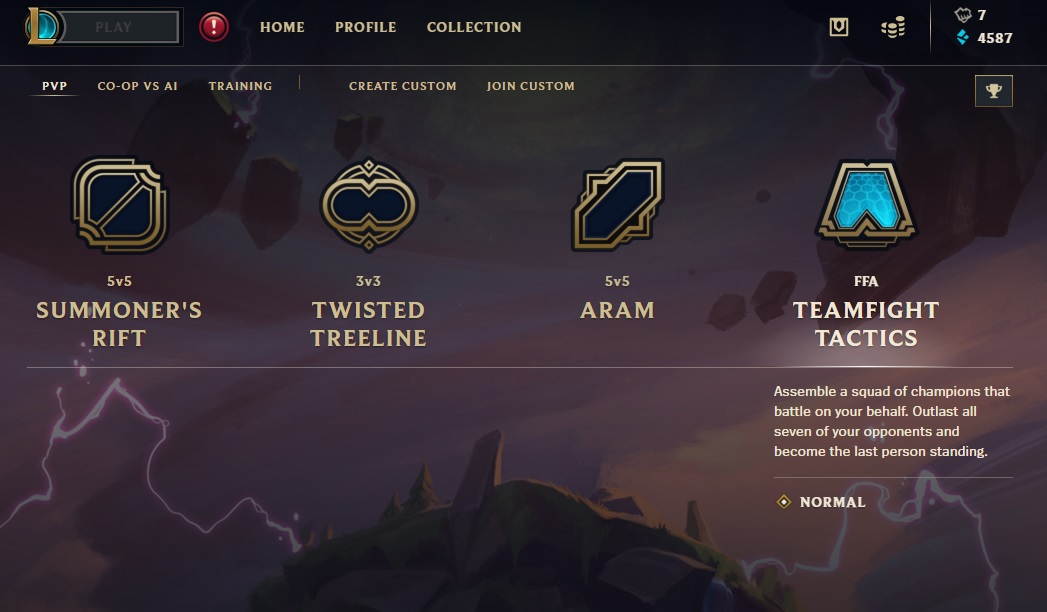
Once that is done, you can simply log in, click on “Play” in the game, and select the game mode Teamfight Tactics.
There are no restrictions on the level or time since the creation of your account.
No Teamfight Tactics for iOS and Android yet
Can I also play Teamfight Tactics with Mac or Mobile? There is a special Mac client for the game League of Legends. This can also be used for Teamfight Tactics and downloaded from the official site.
Currently, there is no mobile version available for either LoL or TFT. However, rumors surfaced in May 2019 that a LoL Mobile is in the works.
Your introduction to Teamfight Tactics
How do I navigate in Teamfight Tactics? If you have already played an Auto Chess game, you will quickly familiarize yourself with the new mechanics.
The major differences are only the carousel, which appears at the start and is later considered a comeback mechanic, and of course the champions, who have different skills, classes, and origins.
In our guide for Teamfight Tactics beginners, you will learn everything important about the new Auto Chess. You can find current news and special events in our hub for the game.
If you have any further questions, feel free to ask them in the comments. We are also planning a tier list and a guide to all items, so that you will quickly find your way around the game.


Your opinion is important to us!
Do you like the article? Then let us know!