

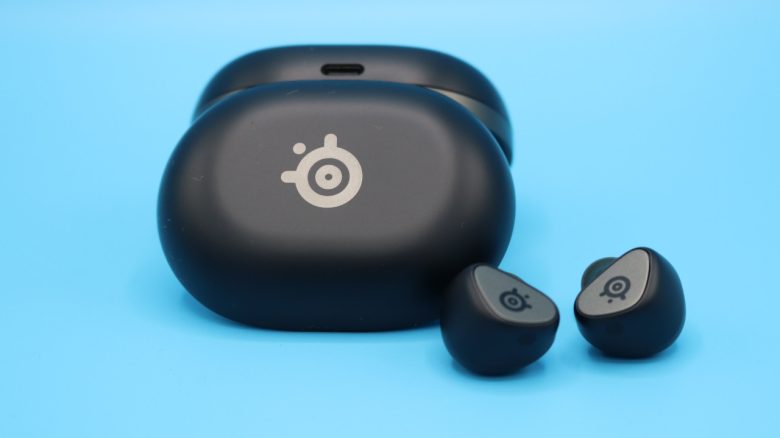
With the SteelSeries Arctis Gamebuds, there are new in-ears aimed at gamers. Is it worth buying if you want to forgo a headset? MeinMMO editor Benedikt Schlotmann tested the in-ears.
With the Arctis Gamebuds, the Danish manufacturer SteelSeries expands its portfolio in the gaming sector, and it is not the first company to offer in-ears for gamers. But is the purchase worth around 150 euros? I tested the in-ears in everyday life.
- Design and Build
- Manufacturing
- Software
- Comfort
- Sound Quality
- Battery Life, Microphone, and Connection
- Microphone Test Recordings
- Conclusion
Who tested it?
I am the Tech Editor at MeinMMO and have a penchant for peripherals, testing mice, keyboards, and gaming headsets. Gaming mice are particularly among my absolute favorites. Besides the PS5, I also play on my Steam Deck.
Transparency Note: The model was offered to us by the manufacturer as a review sample. There was no influence on the testing.

Benedikt Schlotmann
Hardware Editor MeinMMO
Design and Build
Included Accessories: The package includes the in-ears and charging case, a charging cable (USB-C), an adapter from USB-A to USB-C, and interchangeable earpads for the in-ears in various sizes (S, M, and L).
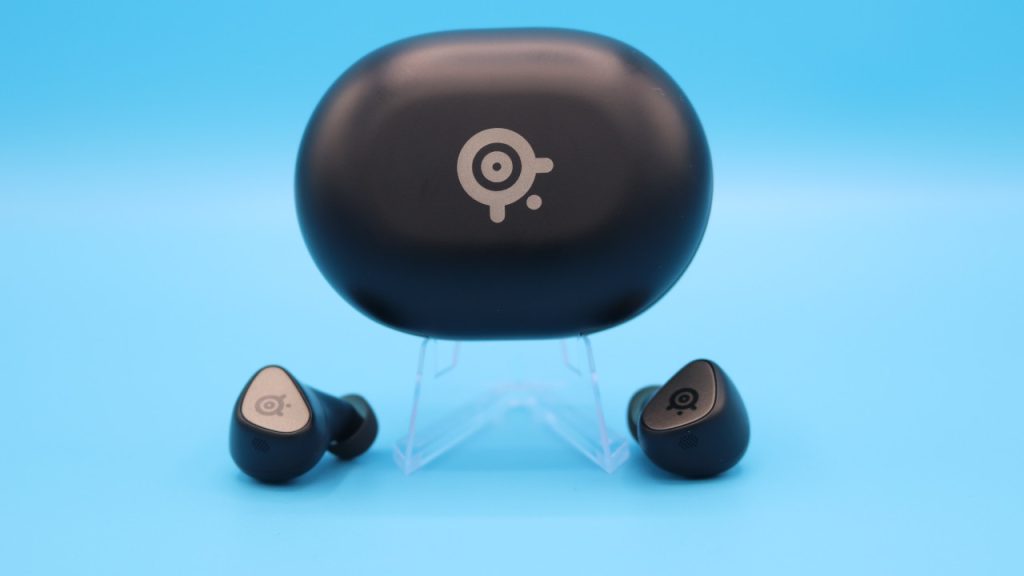
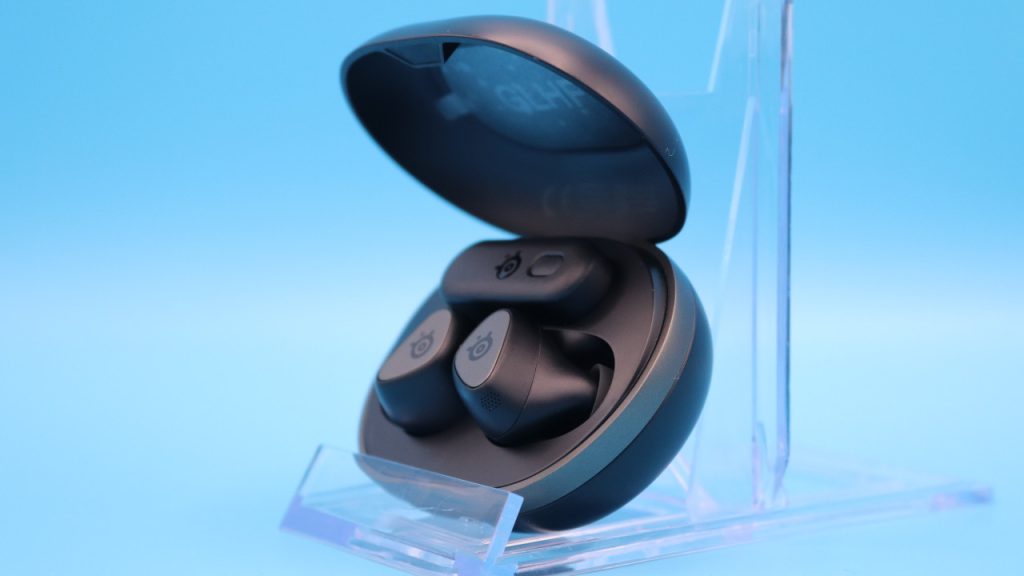
How are the headphones built? The case for the in-ears is roughly fist-sized and thus hardly larger than the cases of other manufacturers. What I particularly like about the Arctis Gamebuds is the fact that you can also store the wireless adapter in the housing. Not every manufacturer offers this.
Otherwise, the design of the Gamebuds is understated: The case is black, with a gray symbol of the manufacturer on the top. The underside only shows that you can also leave the Gamebuds wirelessly. Wireless charging is very practical, as it helps to preserve the USB-C port of the case.
The in-ears themselves have a slightly triangular shape and are kept very compact. Other manufacturers, such as JBL with their Quantum TWS (for the test), opt for a small body and a longer stem, making it easier to insert the in-ears.
Manufacturing
The Manufacturing: Basically, the in-ears from SteelSeries do not really differ from those of other manufacturers when it comes to manufacturing: The charging case for the in-ears is made entirely of plastic, and no metal or other high-quality materials are used. This is no different with HyperX, JBL, or Sony. Only Sennheiser stands out slightly with its Momentum series.
Software
Depending on the platform, different software is used:
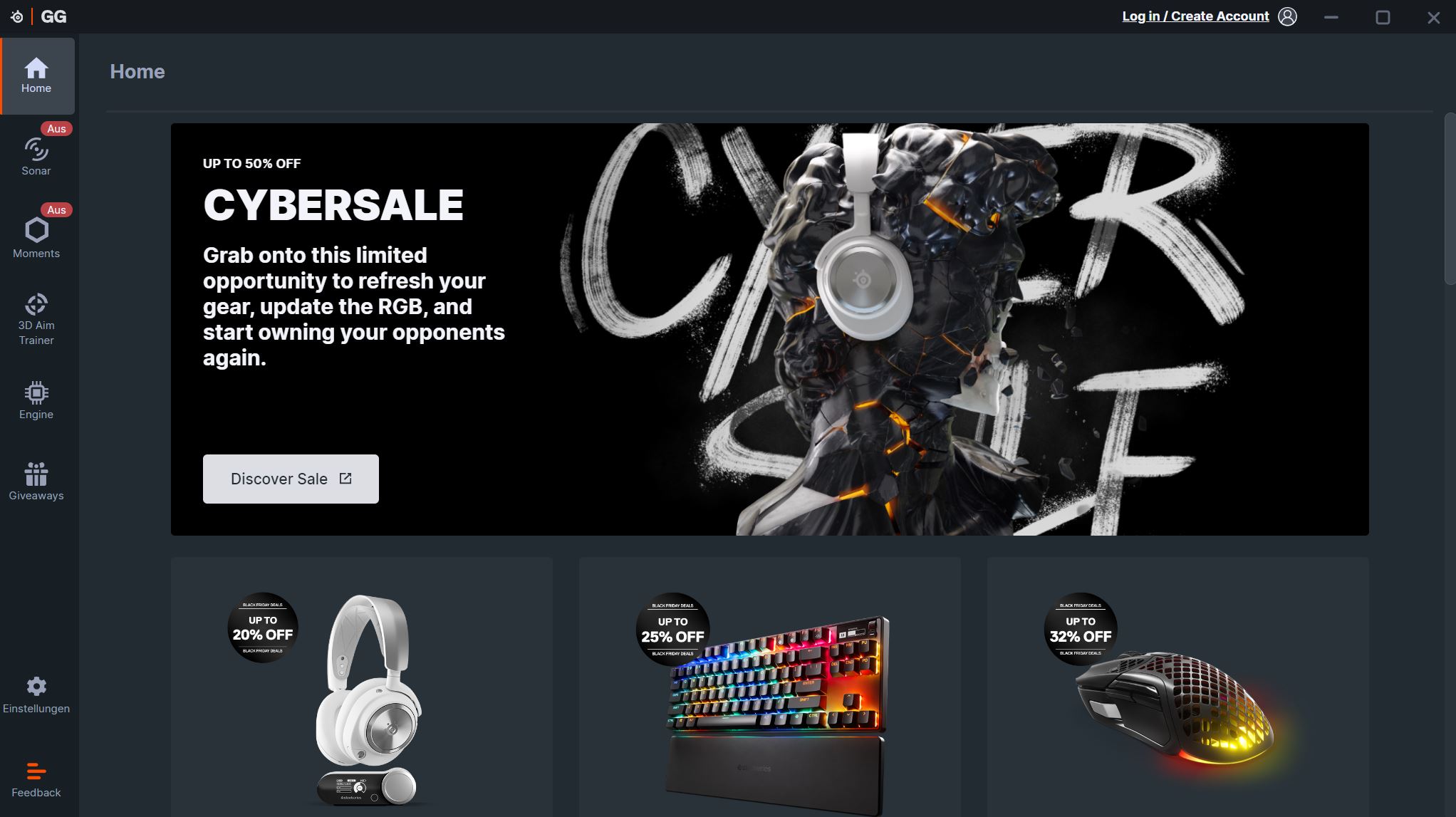
- On PC, you control the in-ears via SteelSeries GG software.
- On mobile, you use the “Arctis Companion” software.
SteelSeries GG is overall overloaded with additional features: In-house advertising, so-called “Gift Guides,” news about its products, and giveaways are all offered within the software. The actual software to configure the in-ears can only be found in a second tab. If you manage to get this far, the rest is organized.
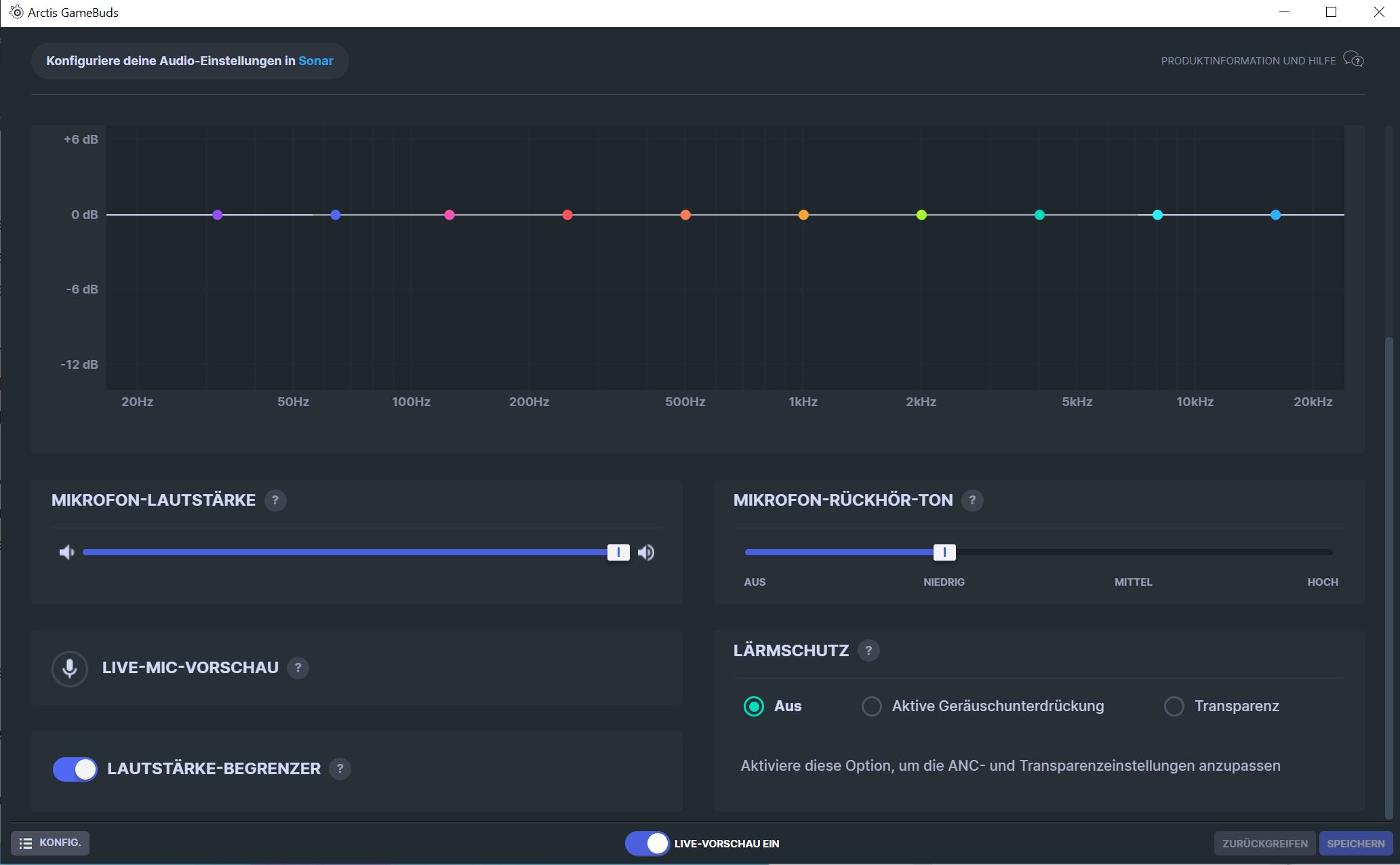
On mobile, everything looks different and better: Once the device is recognized, you go directly to the Gamebuds settings: At the top, you find the battery life and can switch between modes. Additionally, you can choose from dozens of presets for equalizers.

To keep it short: Overloaded on PC, while the mobile app is an absolutely exemplary app.
Comfort
Ergonomics: I have relatively small ears. I really like the wearing comfort. Due to the slightly rectangular shape of the in-ears, the Gamebuds sit very comfortably in the ears. They do not slip and have no annoying corners that bother me.
Here I can only say that aside from the Inzone Buds from Sony and Soundcore Life A2 NC, I have rarely had such comfortable in-ears in my ears. The designers from Denmark have done a good job here.
Sound Quality
The basic sound is typically bass-heavy for a gaming device. This is especially noticeable when listening to music or sound emphasizing high tones. Piano music then sounds almost piercingly sharp, with little substance. The bass is almost a touch too overwhelming compared to everything else.
At least the unbalanced sound can be adjusted using equalizers. If you reduce the bass and give some power back to the high tones (“Treble”), the in-ears sound significantly better immediately.
However, you need to be aware that in-ears overall sound somewhat more constricted than real headphones. The soundstage, i.e., how deep the sound can be heard or distributed, is physically restricted by the small design of the in-ears.
Battery Life, Microphone, and Connection
Battery Life: SteelSeries states the battery life as 10 hours + 30 hours (case). In everyday use, I was able to play with the Gamebuds for a good week without having to recharge the case. As soon as I no longer need the Gamebuds, they go straight into the case. I hardly reached the maximum possible 10 hours in my daily routine.
Microphone: The microphone definitely does not meet gaming standards; it is simply too quiet and muffled. It is definitely better than the built-in microphone on the DualSense, but not much more. For quick communication, it is generally sufficient. However, with a microphone or a proper headset, you would be much better off here. Below, you can listen to the microphone in comparison:
The SteelSeries Arctis Gamebuds in microphone test:
The Logitech Yeti GX in microphone test:
Connection: The in-ears can be connected via both a wireless adapter and Bluetooth. Via Bluetooth, the in-ears are immediately recognized by the phone and subsequently by the app. Otherwise, you can also search for the Gamebuds with the app.
On PC, it actually took two attempts with the wireless adapter: The first time the Gamebuds were recognized in the SteelSeries software, but there was no sound. Only after an update and a restart were the in-ears recognized without issues. Since then, there have been no more problems.
ANC and Transparency Mode: The Gamebuds offer both a normal mode and an ANC and transparency mode.
- With ANC, noises are intentionally suppressed or greatly reduced.
- In transparency mode, background noises are amplified, so you can hear everything happening around you while wearing the in-ears. For instance, when the cats are once again rearranging the apartment in the background.
Active Noise Cancellation: I primarily use the mode actively when my wife has the TV on loudly in the background, and here the Gamebuds do exactly what they are supposed to do. The loud voices from the show are significantly dampened and more or less eliminated.
In general, it works quite well. However, I must also say that I have already tested other models where the ANC is simply better: Both Sony’s Inzone Buds (for the test) and the WF-1000XM4 have significantly better noise cancellation.

Transparency Mode: My colleague Linh from GameStar Tech reports in his review that the in-ears produce a disturbing whine. He describes it as “when you slowly open a bottle of carbonated water.”
I did not experience this problem with my test sample or only very slightly: In transparency mode, I perceive a clear hiss, and if I listen very closely, I also notice a faint high-pitched tone. However, I only hear this when I really pay attention, when I don’t have music on or when I don’t have to concentrate on gaming.
Otherwise, the mode works without any issues: Ambient noises are clearly perceptible. However, I find the hiss somewhat disturbing at times.
Additional Features: The Gamebuds also feature a mic-monitoring feature. This means, I wear the in-ears and can hear my own voice. This way, I theoretically don’t shout into the stillness of the in-ears.

Conclusion: Good In-Ears with Very Good App on Mobile
Who are the in-ears worth it for? The in-ears fit very comfortably and are worth it in my opinion especially if you want to play for long stretches. In my longest session, I played for about 5 hours straight, and I hardly noticed the in-ears. In general, you should definitely use the equalizer to adjust the sound to your needs, as the Gamebuds sound significantly better this way.
While the PC app unfortunately appears overloaded, the Android app does a very good job, unlike hardly any other manufacturer in this area.
If you don’t want to wear a heavy headset in everyday life or gaming, these in-ears can definitely be worthwhile. At least if you don’t necessarily need a microphone as a strong feature. Because when it comes to that, it ranks significantly lower compared to a real headset or a microphone. Listen to the audio recordings above for this.
What alternatives are there?
- Sony’s Inzone Buds are my current best alternative if you are looking for in-ears for gaming. They are comfortable and have a good battery life. The only downside is that support on mobile is almost non-existent, which is really annoying.
- The JBL Quantum TWS is my insider tip if you are looking for in-ears with very good Active Noise Cancelling (ANC). For around 100 euros, you get decent sound and good wearing comfort. The only downside is that the battery life could be better.
In-ear headphones are small and handy, making them practical travel companions. But which ones are right for me? MeinMMO editor Benedikt Schlotmann has tested a total of 9 samples: I tested 9 in-ear headphones blind – My insider tip is available for under 100 euros

Your opinion is important to us!
Do you like the article? Then let us know!