


In Fortnite: Battle Royale, you can finally gift items such as skins, outfits, gliders, and harvesting tools. Here you will learn how to do it.

Gifting is now possible: For months, Epic has promised a feature that allows you to gift virtual items in Fortnite to other players. Now this feature is finally in the game. Whenever you purchase an item, you can choose whether to keep it for yourself or gift it.
Step by Step to the Gift
Attention, only for a limited time: The gift feature in Fortnite is only available for a limited time and can be used for only one week.
By December 4, it should already be over. So if you want to bring your friends, children, or grandchildren joy with Fortnite skins (which are virtual clothes for the game characters), you only have the opportunity to do so during this period.
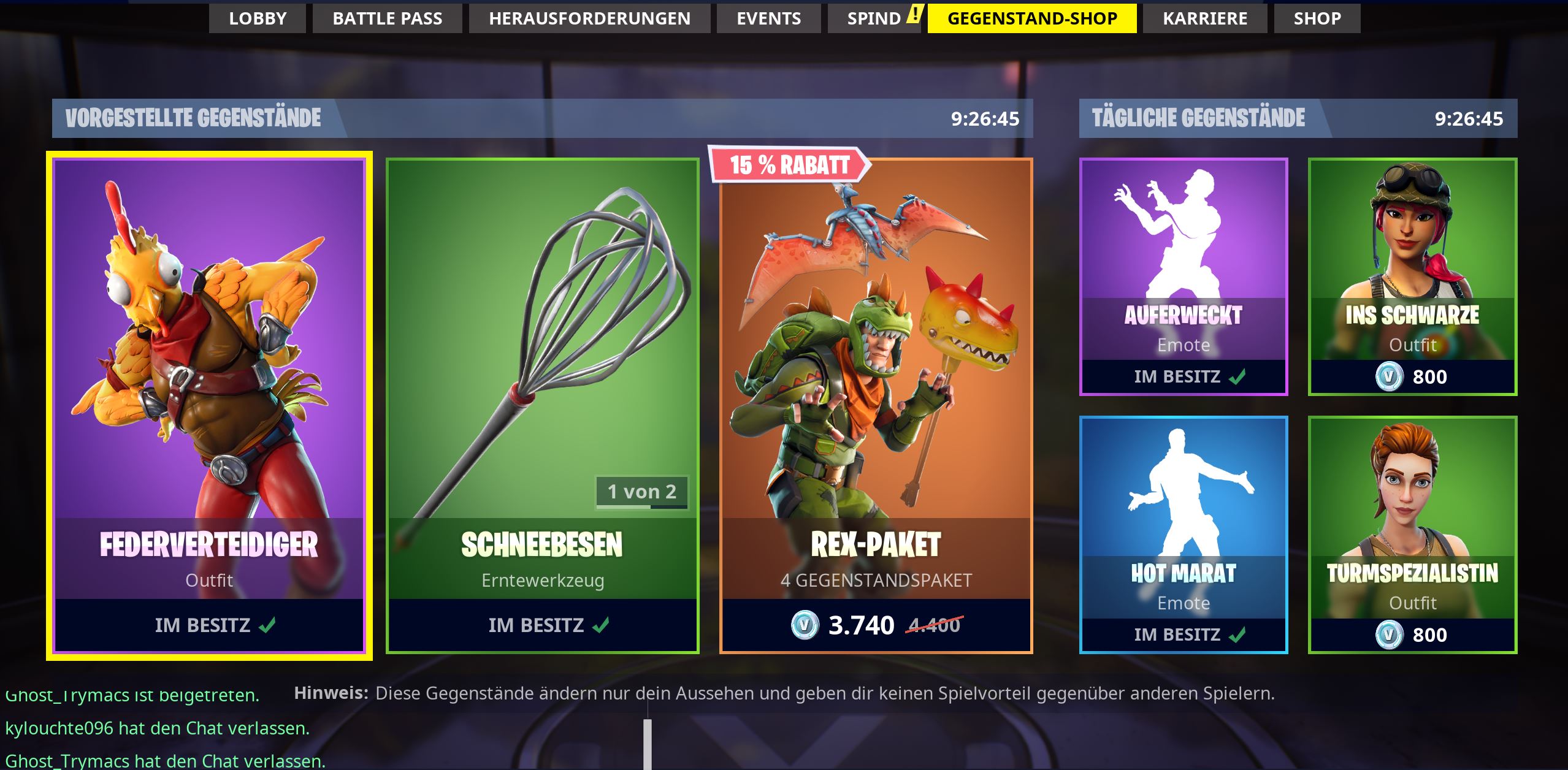
Here’s how gifting works in Fortnite: If you want to give a gift, you first need a Fortnite account to access the game. Such a user account is free and can be created on the game’s homepage. Then download the game and install it.
Enable two-factor authentication: To keep your account information secure, the developers require you to use two-factor authentication to protect your data. Otherwise, you cannot give gifts. Here you can find out how two-factor authentication works.
Then proceed as follows:
- Once you are in the game, make sure that the gift recipient has been on your friends list for at least 48 hours. Otherwise, you need to add them by entering the corresponding name used in the game into the friends list search function.
- Once you have had the future recipient as a friend long enough on the list, go to purchase the corresponding gift. Choose an item from the item shop that you want to gift. You can only gift things that are currently available in the shop. The selection is renewed every day, and there will be new items to buy.
- Pay for the purchase with V-Bucks. This is a virtual currency that you can purchase through a linked bank account. The V-Buck amounts can be easily converted to euros. Just subtract 2 zeros from the amount, and you have the euro value. A skin for 2,000 V-Bucks is therefore worth 20 euros.
- Attention: When you purchase the item, you must click the button: “Buy as a gift” at that moment. Otherwise, you purchase the item for yourself. But don’t worry, if that happens, you can reverse the purchase as described here.
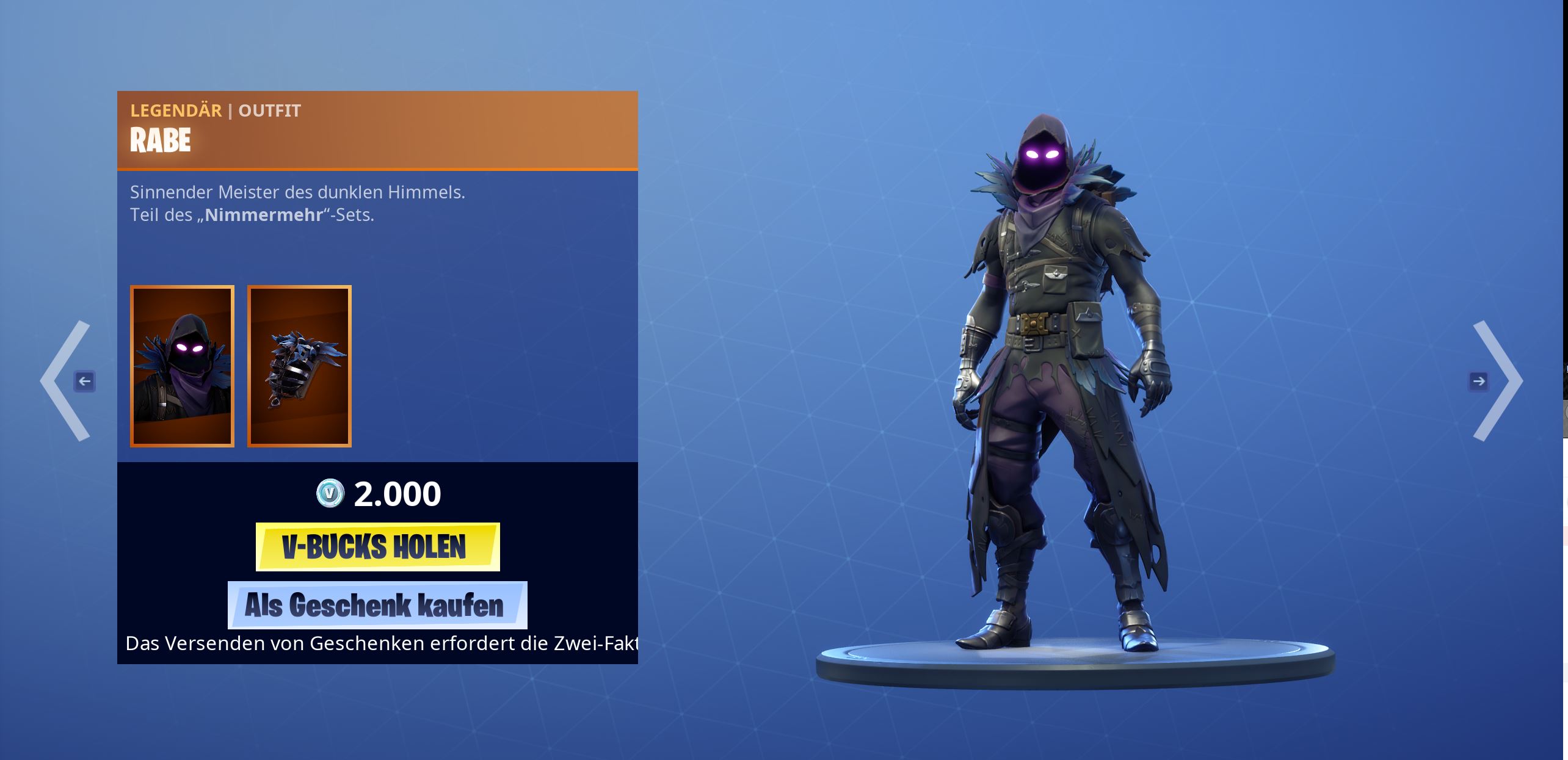
- Then select the recipient of the gift from the list next. If they do not appear, you may not have been friends in the game for the full 48 hours yet. Additionally, it may be that the recipient has activated a setting that blocks gifts. In this case, ask them to turn off this option.
- You can only give three gifts within 24 hours. Once you have gifted an item, you can no longer use the exchange feature. That only works for purchases for personal use.
Have fun gifting! You can find a list of skins and outfits from Fortnite here. But only a small selection is available in the shop every day.


Your opinion is important to us!
Do you like the article? Then let us know!