In Pokémon GO, you will soon be able to trade Pokémon with the Let’s GO games for the Nintendo Switch. We will show you how to do it.
On November 16, the games Pokémon Let’s GO, Pikachu and Let’s GO, Evoli will be released for the Nintendo Switch. For players of Pokémon GO, these two new games are significant because you can trade Pokémon between Pokémon GO and the two Let’s Go games.
The Japanese site for the “Let’s GO” games has now published a guide on how to use these games and Pokémon GO together. We will show you how to connect the games and explain how to trade Pokémon.
How to Connect the Games
To be able to trade between the Let’s GO games and Pokémon GO, it is important to connect the games. You can do this in the settings of the games as follows.
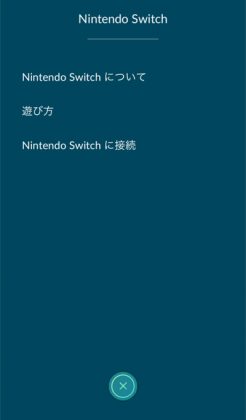
How to Connect Pokémon GO with Let’s GO
- Tap the Pokéball icon at the bottom center of the screen
- Open your settings in Pokémon GO
- Look for the “Nintendo Switch” field and click on it
- Click on “Connect to Nintendo Switch”
How to Connect Let’s GO with Pokémon GO
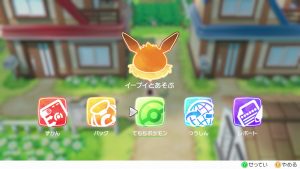
- Press X to open the pause menu and then press Y to open the settings
- Click on “Pokémon GO”
- The game will ask if you want to connect to Pokémon GO; click “Yes”
- The game will show you the trainer name you want to connect with. If this is correct, press “Yes”
- The games should now be connected
How to Trade Pokémon Between Both Games
To send Pokémon from Pokémon GO to the Let’s GO games, you must follow a few steps. We will show you what to do.
How to Trade Pokémon from Pokémon GO to the Let’s GO Games
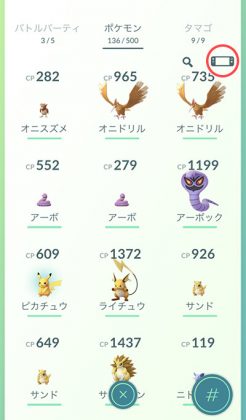
- Go to your Pokémon list
- Tap the Nintendo Switch icon in the upper right corner
- Press and hold the Pokémon you want to send
- After selecting the Pokémon, the game will ask you “Do you want to send this Pokémon?”; click “Yes”
- You will be asked again if you are sure. Also click “Yes”
- You will receive a message that your Pokémon has been sent, and you will receive a candy of the Pokémon for sending it
How to Receive Pokémon in the Let’s GO Games from Pokémon GO
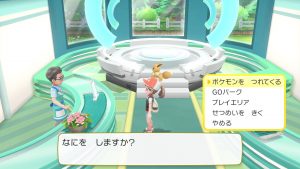
- Go to the Pokémon GO Park and talk to the woman at the reception
- Select “Bring Pokémon”
- Select an area where you want to send a Pokémon
- Click on “Receive Pokémon”
- You will be asked if you want to receive a Pokémon; click “Yes”
- You will be told that you have received a Pokémon
These Pokémon Cannot Be Traded: Some Pokémon from Pokémon GO cannot be traded with the two new games. These include the following Pokémon:
- Mew
- Pichu, Pikachu, and Raichu with all hats
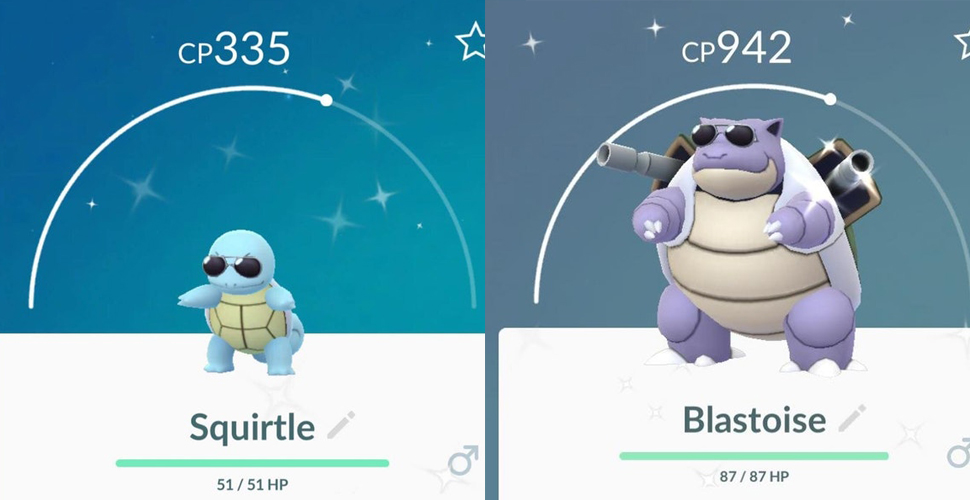
- Squirtle, Wartortle, and Blastoise with sunglasses
What do you think of the new Let’s GO games? Will you buy one of the new games?