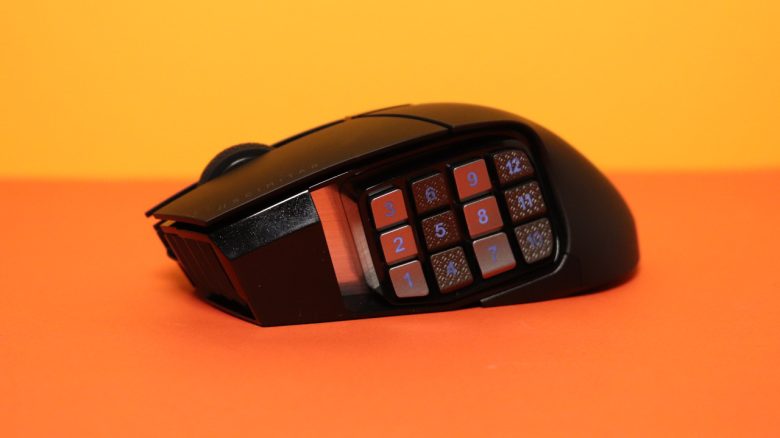
Corsair has introduced the Scimitar Elite Wireless, a new gaming mouse for MMOs and players who need a lot of buttons. MeinMMO editor Benedikt Schlotmann has taken a close look at the new gaming mouse and explains why it may be worth considering.
What device is this about? Corsair’s Scimitar Elite Wireless is a gaming mouse that features a large button grid on the thumb side. At first glance, it resembles a keypad on a phone. The Razer Naga V2 Pro, which Razer confidently calls the “MMO King”, also utilizes such a large button grid.
I had the opportunity to thoroughly test the gaming mouse and will explain whether it is worth getting for you and what alternatives are available.
Overview of the test:
- Included items, design, and build
- Build quality
- Software
- Weight, ergonomics, and battery life
- Mouse buttons, scroll wheel, and sensor
- Conclusion
Who tested this?
I currently own over 20 gaming mice and have tested over 15 keyboards. In my personal collection, I also have over 10 sets of in-ear headphones. At MeinMMO, I have been testing hardware for our readers since 2019. Besides the PC and PS5, I am now also using a Steam Deck.
Our review sample was provided by the manufacturer.

Benedikt Schlotmann
Hardware Editor MeinMMO
Details
| Sensor | Corsair Huntsman 26,000 |
| Resolution | Up to 26,000 DPI |
| Switches | optical switches, Quickstrike switches |
| Buttons | 15 buttons |
| Design | Black mouse with RGB lighting, illuminated button grid |
| Glide feet | 4 |
| Cable | Removable 2.0 m USB-C cable |
| Weight | 115 grams |
| Price (RRP) | 149.99 euros |
Included items, design, and build
What is included? In addition to the gaming mouse, there is a charging cable (USB-A to USB-C) and a manual in the box. The USB transmitter for the wireless connection is hidden inside the mouse.
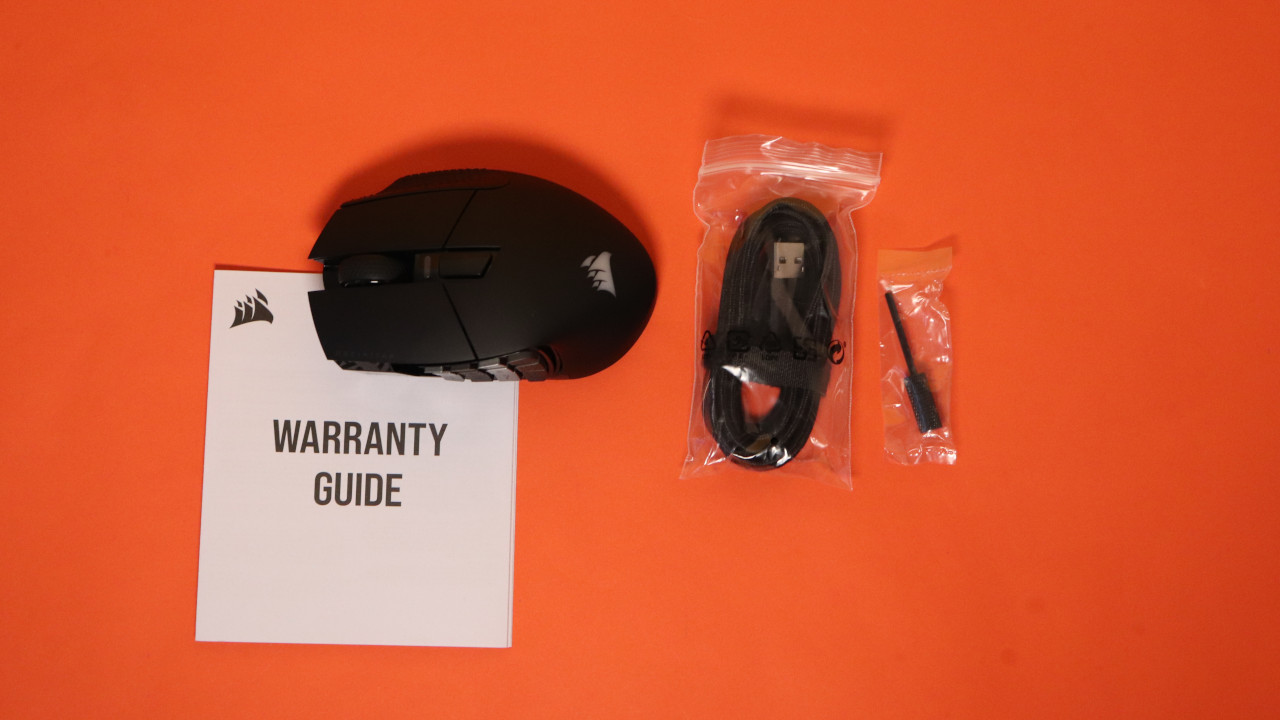
How is the mouse built? The mouse comes in black and features simple RGB lighting for the manufacturer logo.
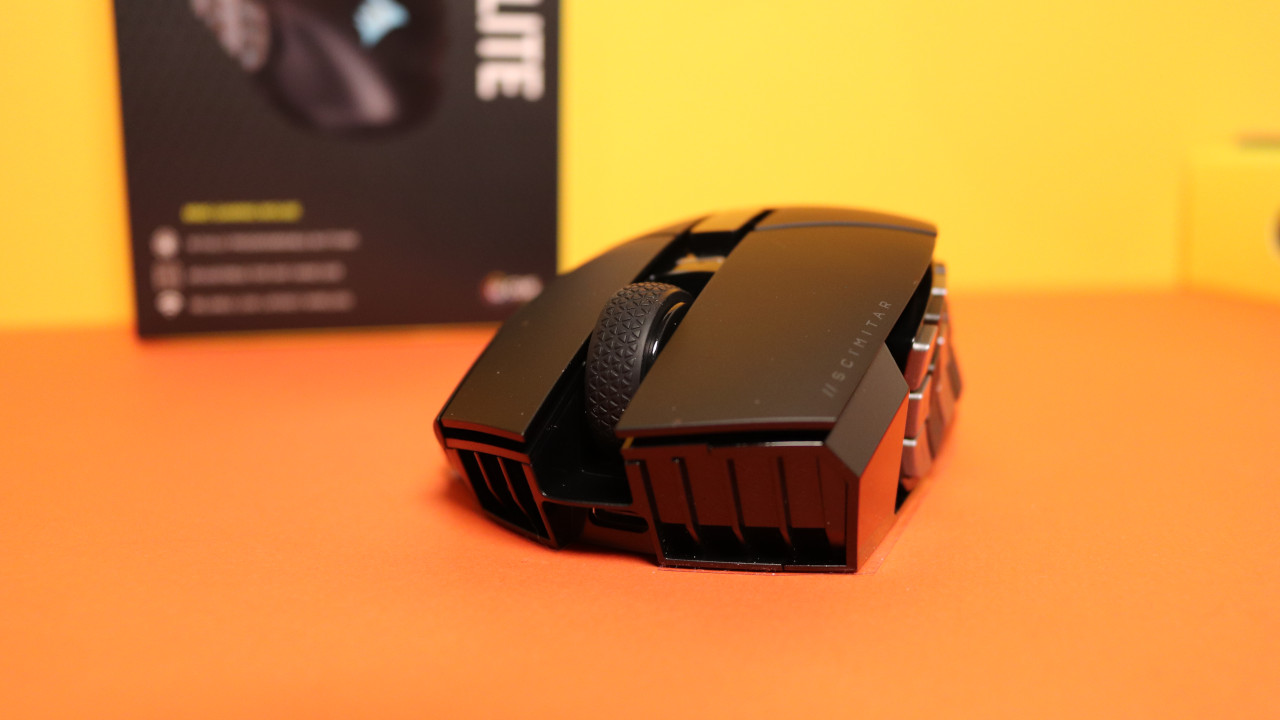
- On the top side of the mouse, there are the main buttons and between them is the scroll wheel. There is a large button in front of the scroll wheel that allows you to adjust the DPI settings.
- On the bottom side, there is a compartment for the USB transmitter and another button.
- Inside the mouse, you can store the USB transmitter. The battery inside the device is permanently installed and cannot be removed.
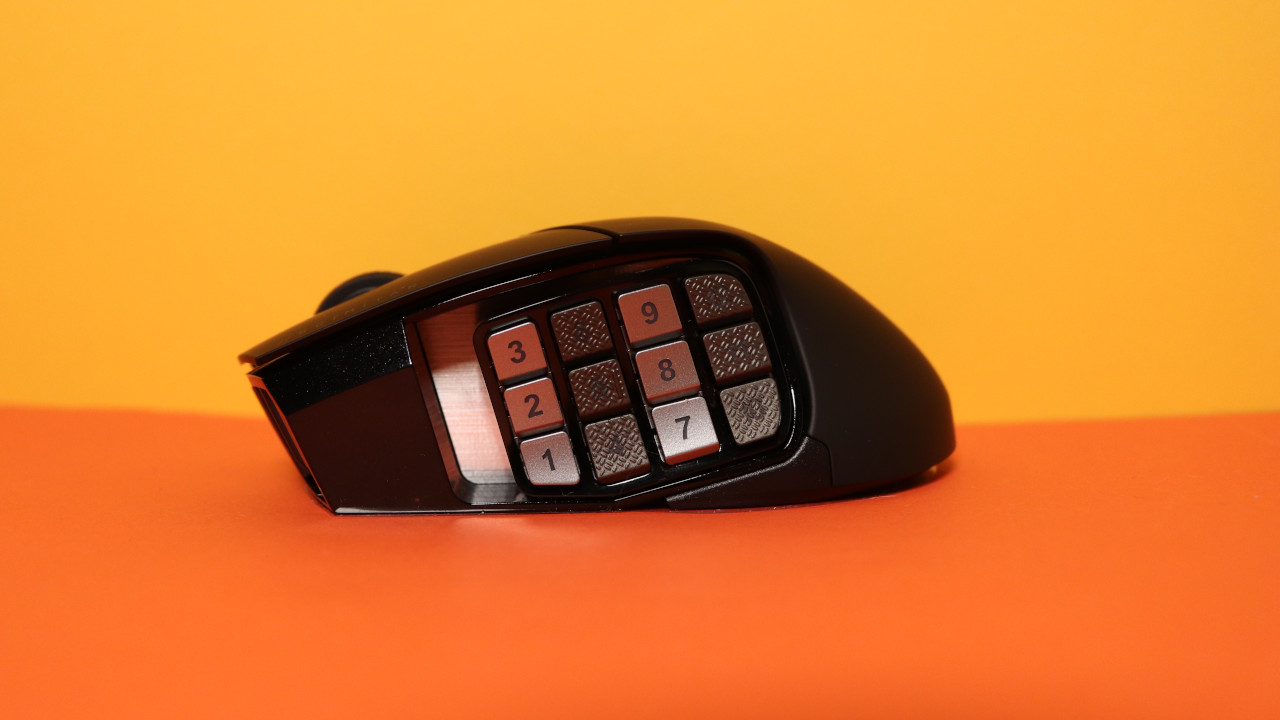
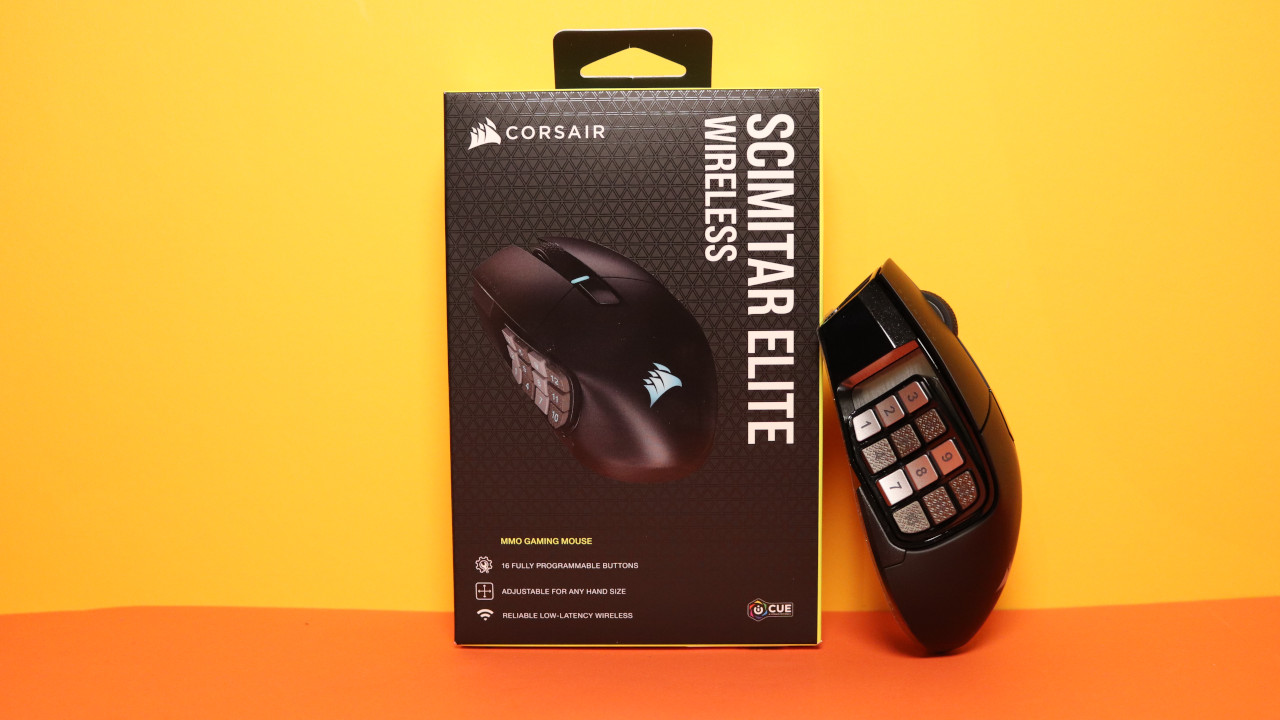
- On the thumb side, there are 12 small buttons arranged like a phone keypad. There are no additional buttons in the thumb area.
What is special? The unique feature of the mouse is the large area with many small buttons. Most mice do without such extensive button configurations.
Build quality
The surface is smooth, but provides enough grip and hold for my palm grip. There is rubber coating on the front right in the area of the right ring finger, but I hardly feel anything there since I primarily control the mouse with my palm when moving.
Otherwise, Corsair is using optical switches under the buttons, which Corsair refers to as “Quickstrike” buttons. Optical switches have the advantage over mechanical switches that they do not wear out as quickly, thus reducing the chance of developing double-click syndrome over time. On paper, this promises a long lifespan, but in practice, it will remain to be seen how long they actually last.
Software
The Scimitar Elite Wireless uses Corsair’s “iCue” software. However, “iCue” aims to not only be software for peripherals but also serve as a hub for various functions on the computer. This can make the software quickly overwhelming, especially when I want to “just” quickly adjust my mouse.
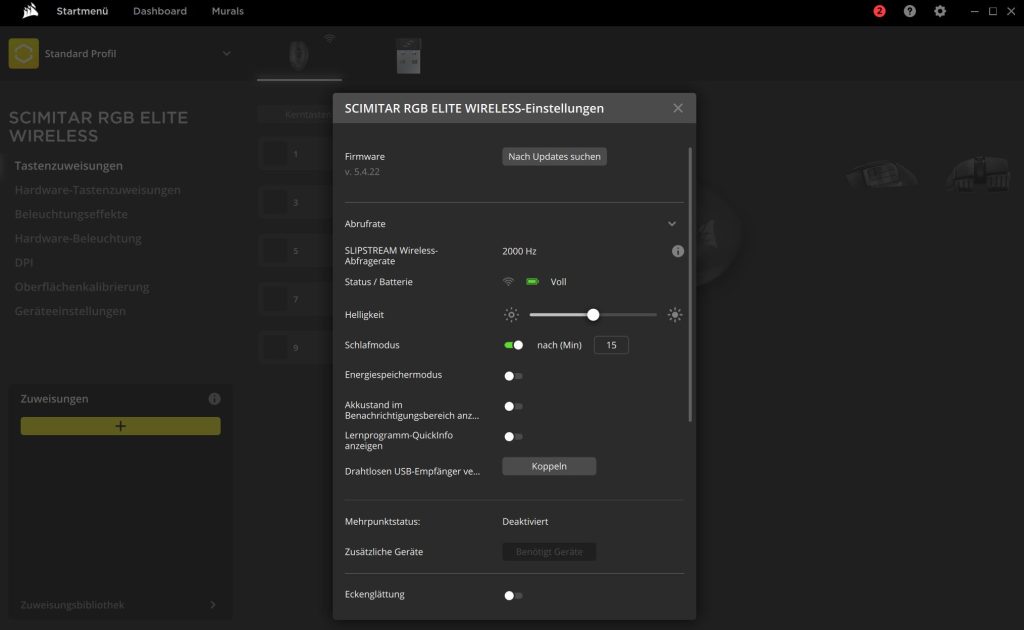
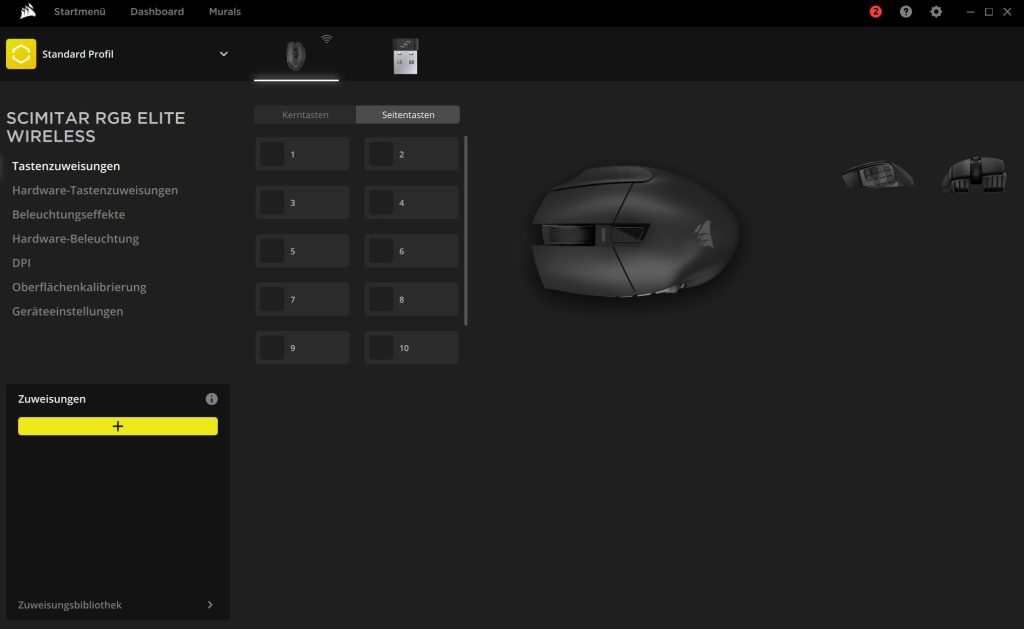
Profiles can also be saved on the mouse, and the creation and setup of shortcuts are helpfully explained through a mini-tutorial, which you can also turn off.
By the way, iCue is not resource-friendly: It typically uses between 200 and 300 MB of RAM. For comparison: Logitech’s G Hub uses around 15 – 20 MB, but also includes the G-Hub agent with 50 MB. Overall, it’s significantly less. Similarly, “Razer Synapse” takes up almost as much space for a whole series of subprocesses that all require memory.
Weight, ergonomics, and battery life
The weight: On my standard kitchen scale, the Scimitar Elite Wireless weighs 115 grams. This makes it nearly 20 grams lighter than the Razer Naga V2 Pro, which weighs 134 grams. Therefore, the Scimitar Elite Wireless is not exactly a lightweight mouse.
The ergonomics: With a hand size of 19 centimeters, I have very large hands. The Corsair mouse feels very comfortable in my hand, and my entire hand can enclose the body of the model in a palm grip. For claw grip, the mouse is somewhat too heavy for me, and furthermore, the many buttons in the thumb area are hard to operate sensibly in claw grip.
Also practical: You can move the number pad in the mouse further forward or backward using a tool that is included with the mouse. This way, you can adjust the ergonomics to fit your hand. Nonetheless, I can never comfortably reach all 12 buttons. Depending on the position of the button grid, either the front buttons are too close or the back buttons are too far away.
Battery life: The manufacturer states the battery life is around 150 hours, which is supposed to ensure “days of gaming fun”.
The mouse buttons, scroll wheel, and sensor
The mouse buttons: Under the buttons, there are optical switches that Corsair markets as “Quickstrike” buttons. The clicks are definitely a pleasure: The buttons feel nice and crisp and have a pleasant precision. I cannot detect any delay when clicking.
The scroll wheel: The scroll wheel is soft and notched but does not provide as noticeable a notch when turning as, for example, a G502X Lightspeed or Razer’s Naga V2 Pro. However, the scroll wheel is definitely pleasant and secure to use. Problems, like those I experienced with the Corsair M75 Air, did not occur with the Scimitar Elite Wireless.
Sensor: The gaming mouse features the Corsair Marksman 26,000 DPI, which Corsair currently installs in all modern gaming mice. The Marksman sensor was developed in collaboration with PixArt.
Interestingly, my experiences with this sensor have been very varied: with the Corsair Darkstar Wireless, I was only somewhat convinced by the sensor, while with the M75 Air, there were (almost) no issues anymore. With the Scimitar Elite Wireless, the positive trend continues: The sensor reacts quickly and promptly, and measurement errors are either virtually nonexistent or fall within the normal range of a mouse sensor.
Conclusion: Well-built, recommendable MMO mouse
Who is the mouse suitable for? With the Scimitar Elite Wireless, Corsair has a mouse in its lineup that, much like the Darkstar Wireless, aims to cover a specific niche. With many buttons, it specifically targets players who find the usual two to four buttons on the side insufficient. The mouse is recommended for players with large hands; people with small hands will find it difficult to reach all buttons.
What alternatives are available?
- The EVGA X15 MMO mouse is a good option if you do not want to spend more than 100 euros on an MMO mouse.
- The Logitech G600 is also a recommendable alternative but is hard to find in stores now. However, you can still purchase it as an import from the USA.
- The Razer Naga V2 Pro is also an alternative and offers more flexibility than the Scimitar Elite Wireless due to its interchangeable side panels. The Naga X (without interchangeable side panels) is available for around 50 euros.
More gaming mice on MeinMMO: If you are looking for more recommendable gaming mice, check out our buying guide on MeinMMO. Here you will find the best gaming mice currently available for purchase:
The best gaming mice for shooters that you can currently buy