For several days now, aspiring Pokémon trainers have been roaming the streets and forests to catch wild Pokémon. The main problems during these adventures are not caused by Team Rocket, but rather server issues with Pokémon GO or the game crashing when trying to catch a Pokémon. Most of you have probably experienced this error many times. We will now show you how to work around this error with a high chance of success.
Pokémon GO crashes while catching
Generally, there are several possibilities for what can cause this bug. In many situations, you can use a trick to prevent the crash and catch the wild Pokémon. This is especially important when a rare Pokémon appears that you absolutely want to catch.
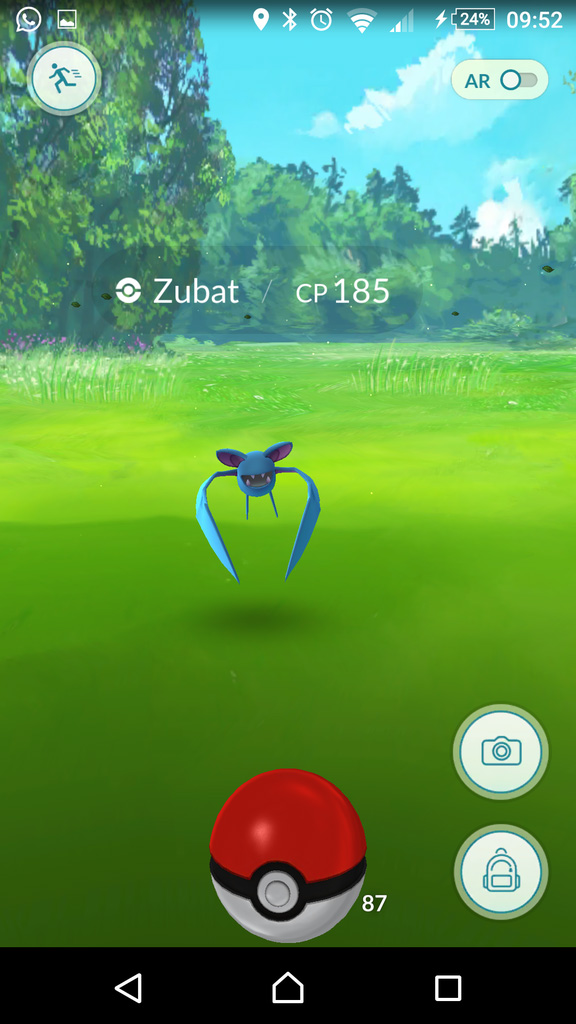
In the upper image, you see a classic situation that often occurs before freezing happens. If you look closely, you’ll notice that certain symbols are missing from the image. This includes the escape symbol in the upper left corner or the backpack symbol in the lower right corner. If you have this scenario before throwing a PokéBall, the next ball throw will most likely cause the game to crash.
In this case, you simply need to wait about 30 seconds to 1 minute and throw the ball next to the Pokémon without hitting it. In 7 out of 10 cases, the symbols returned to the screen for me and my friends afterwards, and we could throw the next PokéBall directly at the Pokémon without the game crashing.
With this method, you will consume more PokéBalls than usual, but you might secure a few more Pokémon.
Wait for the loading symbol
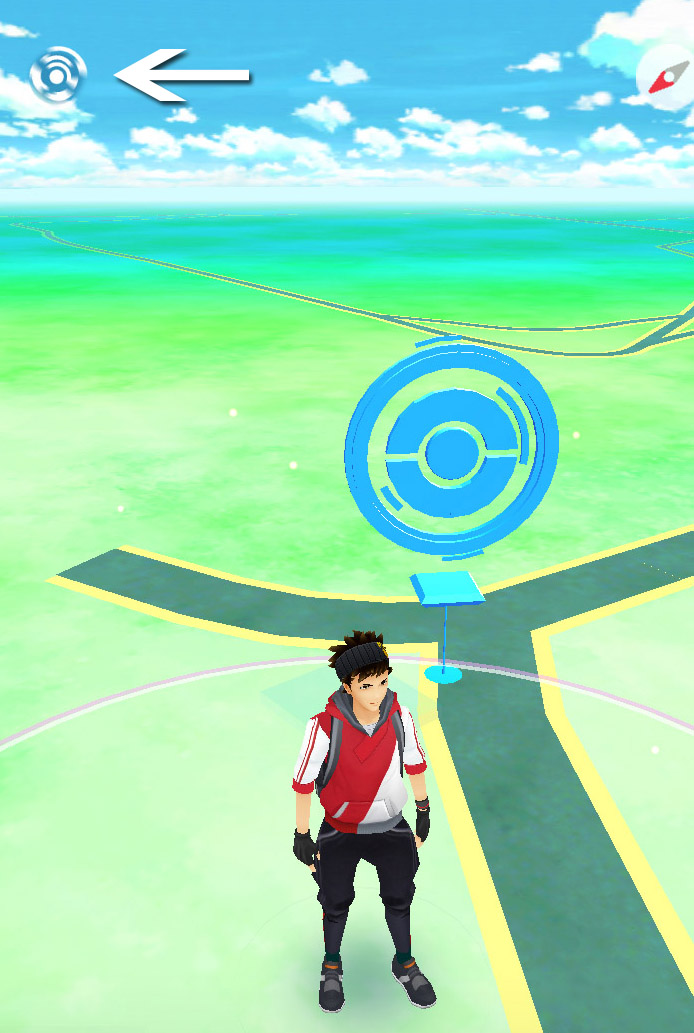
You may have noticed the small loading symbol in the upper left while playing. A white PokéBall that sometimes spins like crazy – Often you see it while walking around. If this ball is spinning when you want to catch a wild Pokémon, then wait until the ball stops spinning.
It often happens that the game crashes if you throw the ball while the loading symbol is spinning.
Pokémon GO crashes (iOS)
As an iOS user, you can help yourself with the swipe menu (where you have access to the flashlight, airplane mode, and so on) to possibly avoid crashes. The instructions are quite simple:
Throw a PokéBall at a wild Pokémon.
Swipe up from the bottom of the screen to open the menu before the PokéBall touches the ground. Opening the menu pauses your game.
Wait about 5-10 seconds.
Swipe the menu back down and check if the loading symbol has disappeared. If not, repeat steps 2 and 3.
See (hopefully) how the PokéBall catches the Pokémon.
Pokémon GO crashes (Android)
On Android, there is a method that may bypass the bug, which is similar to iOS.
Throw a PokéBall at a wild Pokémon.
Also before the ball touches the ground, open the active apps display – Normally, you need to hold the home button for this (this may vary depending on the phone and settings).
Here too, wait 5-10 seconds.
Then, you should go back into the game.
See (hopefully) how the PokéBall catches the Pokémon without crashing.