

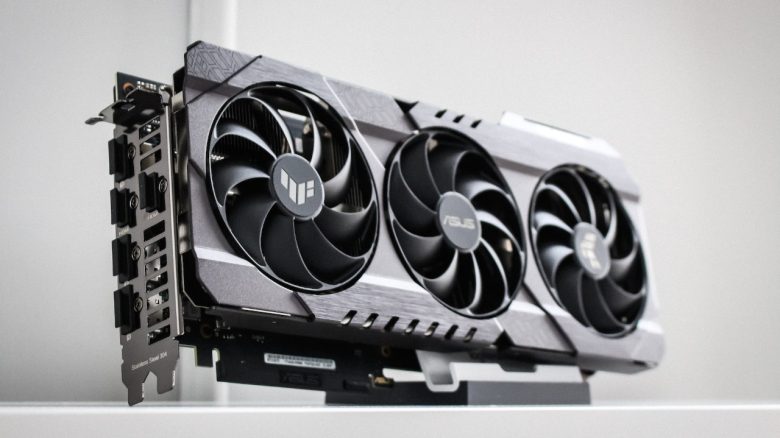
A desperate gamer asked for help on Reddit. His new gaming PC was not delivering the expected performance in games. When the computer stopped outputting any display, the community came to his rescue.
A self-built gaming PC can bring a lot of joy. However, only if it works as planned. Unfortunately, this was not the case for a gamer on Reddit. His computer was delivering suspiciously low performance. He had made a mistake and wasn’t aware of it. There are also cases where the fault lies with the manufacturer.
In trying to solve the problem, the system no longer produced any display. The helpful Reddit community was able to assist the desperate gamer. He had plugged his monitor into the wrong port. Once this was fixed, the gamer admitted his mistake and thanked the community for the clarification.
Expensive gaming PC only reaches 6 FPS because the player connects the wrong graphics card
What problem did the computer have? The player with the Reddit username MiddleOwl had treated himself to a new gaming PC. However, the 1,800 Euro system was only delivering very low frame rates of 6 FPS in games. In search of a solution, MiddleOwl then discovered that his motherboard had an integrated graphics unit (iGPU).
In trying to solve the problem, the computer ended up outputting no display at all. He described his problem on Reddit and at the request of the community uploaded a picture of the back of his computer. They immediately recognized that MiddleOwl had forgotten to remove the protective caps from the graphics card ports.

In comments under his post, other Reddit users thoughtfully informed him and told him where the problem lay. The solution was basically very simple. He was able to connect his monitor to the now-exposed ports of the graphics card. This way, his gaming PC finally worked as intended.



What hardware is in the system? Through a link (via pcpartpicker.com) in his post, the helpful community received a list of all the installed components. Here’s an overview of the most important parts:
- Processor: AMD Ryzen 7 7800X3D, 4.2 GHz
- Graphics card: XFX Radeon RX 7800 XT, 16 GB video memory
- Motherboard: Gigabyte B650 AORUS ELITE, Socket AM5
Since his Gigabyte motherboard has one HDMI and one DisplayPort, the player assumed he needed to connect his monitor there. The AMD Ryzen 7 7800 X3D processor has an integrated graphics unit that allows for gaming at moderate settings. In comparison, the graphics performance is even lower than that of an Nvidia GT 1030 from 2017 (via wepc.com).
In this combination of motherboard and CPU, you can use the iGPU to surf the internet or play graphically undemanding games. For graphically intensive games, a dedicated graphics card is needed, which the player had initially left unused in the system. Graphics cards can also be used for purposes other than gaming, as a student recently demonstrated.
Why did the gaming PC temporarily output no display at all? When MiddleOwl realized that his games were running on the so-called onboard graphics, he disabled the graphics unit in the BIOS. As a result, the computer now outputted no display at all.
Since he allegedly didn’t find any other graphics ports on his gaming PC, he desperately asked for help in a Reddit post. After his problem was resolved, he thanked the community multiple times for their assistance.
5 beginner mistakes you should avoid when assembling a new gaming PC

Your opinion is important to us!
Do you like the article? Then let us know!