

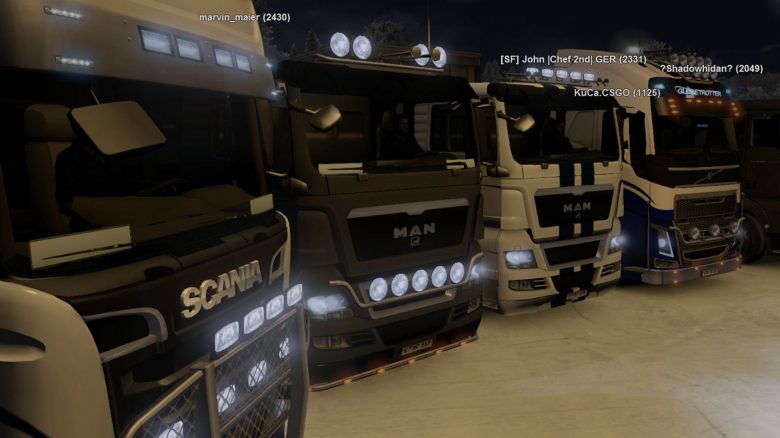
With Euro Truck Simulator 2 and American Truck Simulator 2, SCS Software has released two very popular truck simulators. Officially, both titles are pure single-player games. An unofficial mod allows a full multiplayer experience. MeinMMO explains in this guide how you can install the multiplayer in Euro Truck Simulator 2.
Since its release, ETS 2 has received numerous graphic and content updates, but unfortunately never a multiplayer expansion. Here, a few diligent modders help out by releasing an unofficial expansion of the game, with which you can also transport various goods across Europe with your friends.
A mod enables multiplayer: TruckersMP is an unofficial mod for Euro and American Truck Simulator 2 and allows a complete multiplayer experience. Starting as a small team, over 100 people now work for TruckersMP. The tasks range from developing the mod to in-game moderators who deal with rule violations. TruckersMP provides its own servers where more than a thousand players can drive at the same time.
Install Euro Truck Simulator 2 Multiplayer
ETS 2 in multiplayer – here’s how to do it step by step:
- At least two hours of gameplay in ETS 2 or ATS 2
- Registration on the TruckersMP website
- Set Steam profile to public
- Link TruckersMP and Steam profile
- Download TruckersMP Client
- Install mod
- Optional: TruckersMP Client update
- Optional: Downgrade ETS 2 / ATS 2 version via Steam
This is how TruckersMP is installed and used: First, create an account on the TruckersMP website. You must also link the account with your own Steam profile. It is important to note that the Steam profile must be publicly visible. Otherwise, registration will not work.
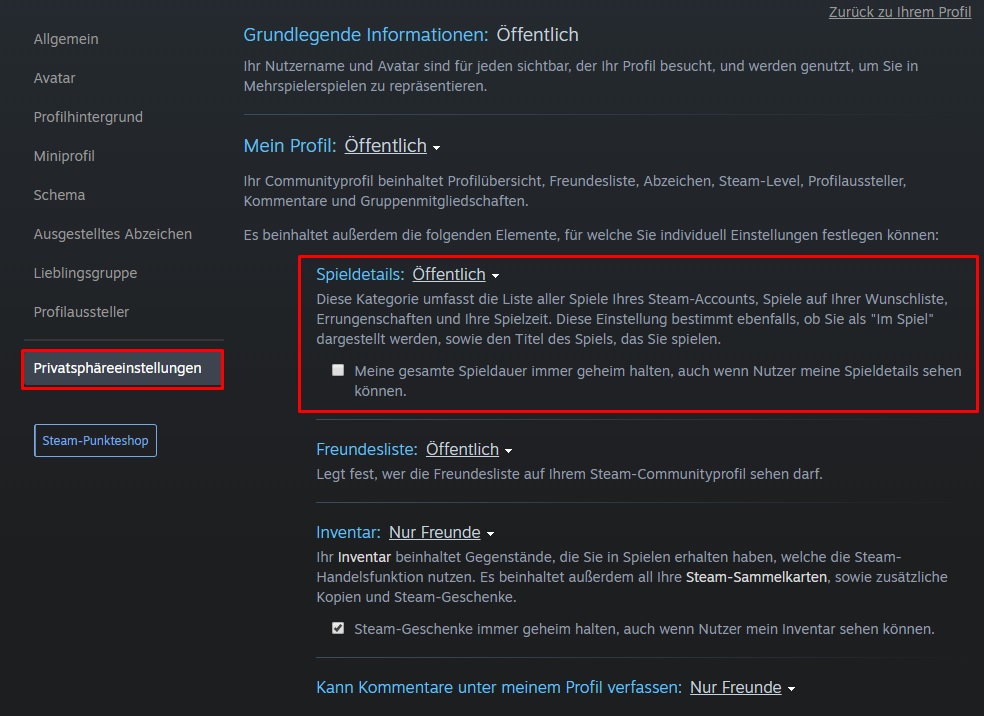
In addition, TruckersMP requires that ETS 2 has been played for at least two hours. If you have not played for two hours in ETS 2 or ATS 2, the login later will not work. It does not matter whether the game was open in the background or you were actually driving.
Next, download the client from the TruckersMP website. Only logged-in users can see the download link on the TruckersMP page. After the client has been downloaded, follow the installation. The setup automatically detects the installation directory of Euro Truck or American Truck Simulator 2. If this is not the case, navigate to your Steam directory and select “steamappscommonEuro Truck Simulator 2”.
After successful installation, a shortcut “TruckersMP” appears on the desktop. Once you execute it, the launcher will start and you will be prompted to log in with your TruckersMP login details. The launcher has an automatic update function and also informs about special events, such as the winter mod, which covers the map in snow.
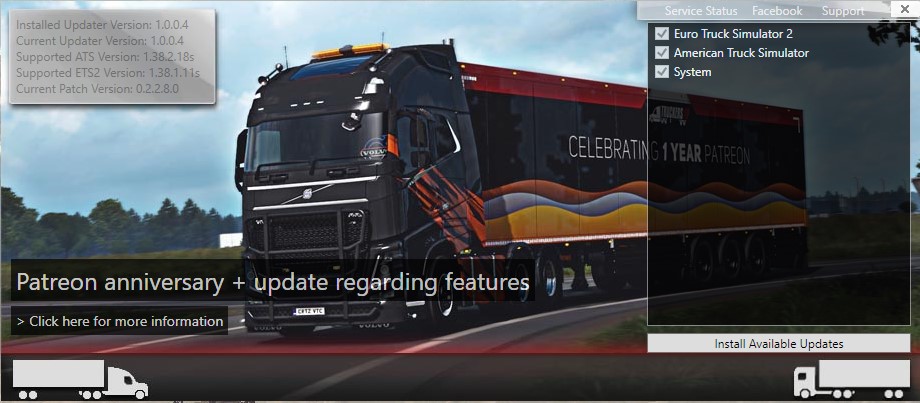
After checking for updates, clicking on “Launch ETS 2” or “Launch ATS 2” will start the respective game.
Once the versions match, the TruckersMP client will automatically start Euro Truck Simulator. Here, you log in with your TruckersMP data and then choose a server and a driver profile.
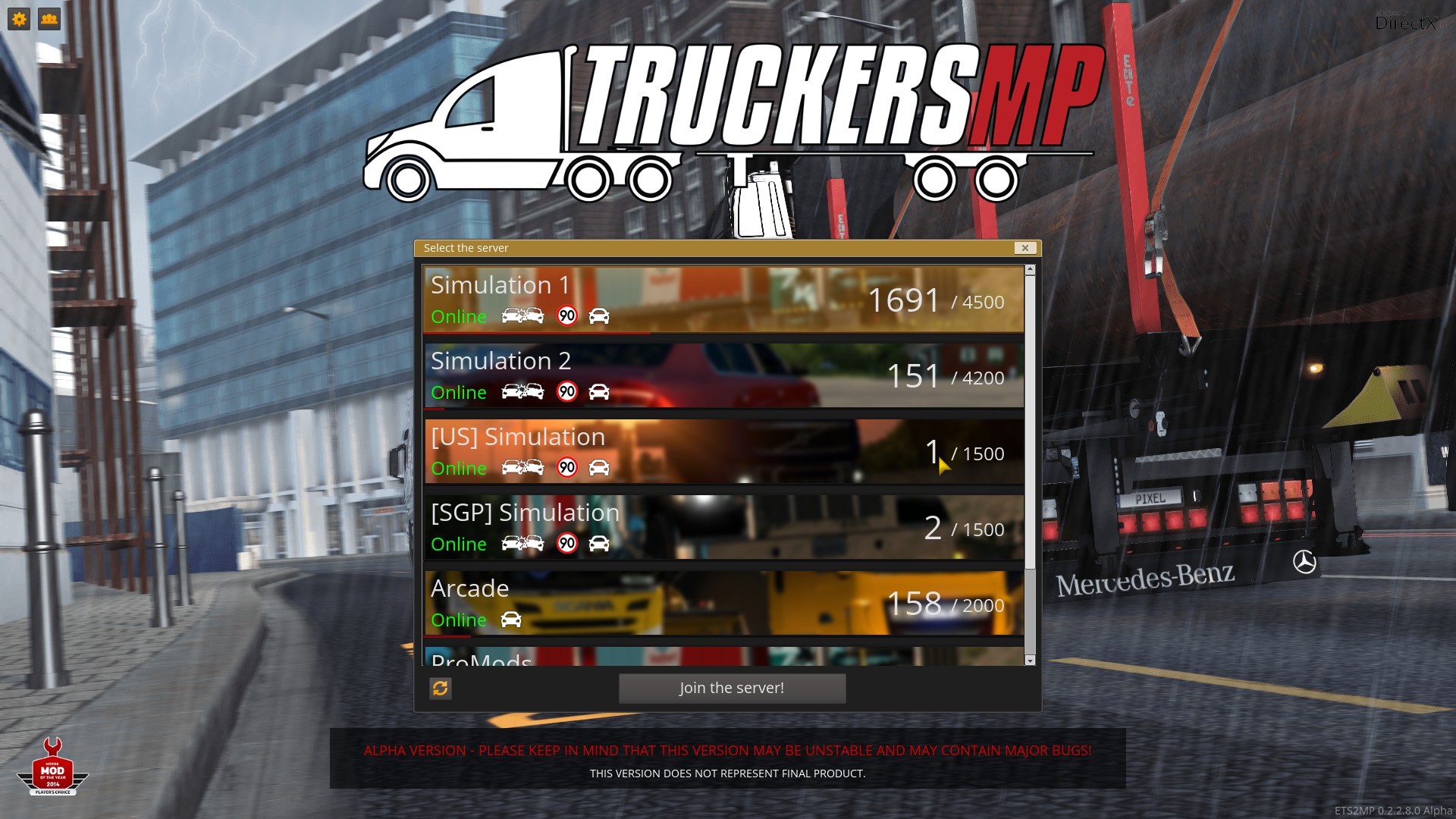
A driver profile where you already own a truck is recommended. Otherwise, it will not be possible to take on jobs in multiplayer through the freight market.
In addition to realistic servers where speed is reduced to 90 km/h, there are also so-called arcade servers where there is no speed limit. Multiplayer is compatible with all DLCs except for Heavy Cargo. How you can explore the roads with your friends is explained in the following section.
Options and Problems in ETS 2 through TruckersMP
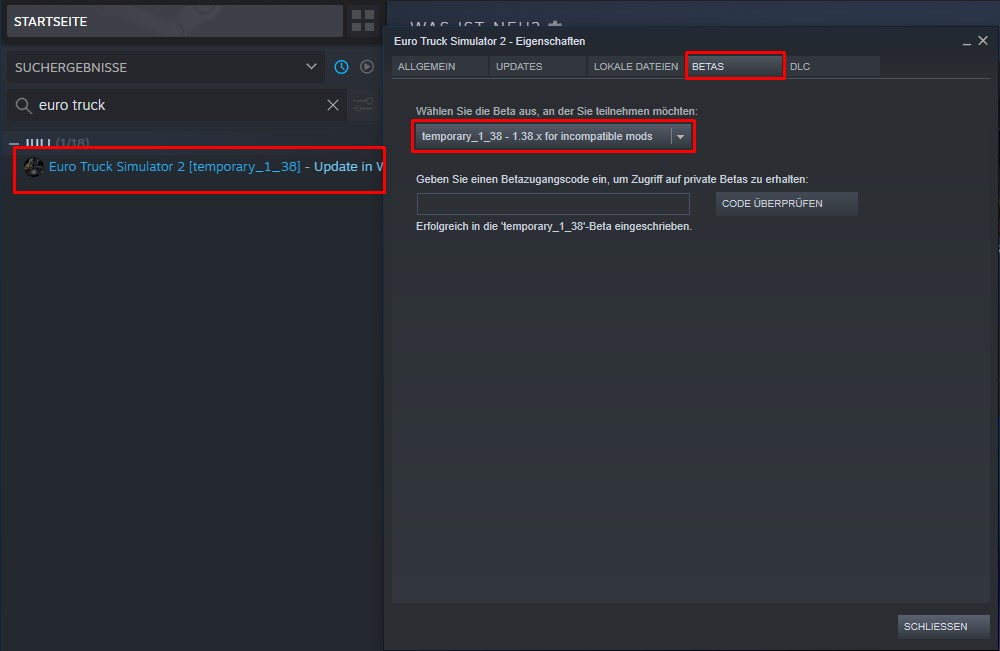
Solution to the error message “Unsupported game version detected”: It may happen that the error message “Unsupported game version detected” appears on startup. The multiplayer mod for Euro Truck Simulator is not always compatible with the latest official version. To solve the problem, it is sufficient to downgrade ETS 2 in the Steam library. The downgrade works as follows:
- Right-click on Euro Truck Simulator 2
- Select “Properties”
- In the new window, click on “Beta” in the top bar
- Select the respective version from the error message
- Close the window, Steam performs the downgrade
- Restart TruckersMP and click on “Launch ETS2” in the launcher
Authentication Error / Unable to log in to TruckersMP: One of the most common error messages is “Authentication Error”. To fix the error, the following steps may help:
- Ensure that the Steam profile is set to public
- Check TruckersMP login details and reset the password if necessary
- Error check ETS 2 / ATS 2 via Steam
- Reinstall TruckersMP
Known issues in multiplayer: It can happen that after logging in or completing a job, no new jobs appear on the freight market. To solve the problem, sleep or switch to a workshop. After that, new jobs will appear in the freight market.
What TruckersMP offers: TruckersMP places a strong emphasis on simulation. Those who violate the rules and get reported quickly receive a ban. The duration of the ban is determined by the severity of the offense.
The “VTC system” allows the creation of your own freight company. In addition to creating jobs, virtual hauliers can recruit new employees, write news, and post pictures.
Those who already have experience with mods can also use “ProMods” with TruckersMP. ProMods offers a larger map, new cities, and an even more realistic driving experience. For this, TruckersMP also provides its own servers.
The use of additional mods with TruckersMP: Whether certain mods work in multiplayer cannot be answered with a simple yes or no. It is worth taking a look at the TruckersMP forum.
The most important key combinations in multiplayer: In the multiplayer of Euro Truck Simulator 2 and American Truck Simulator 2, there are additional shortcuts that make communication and driving easier for you. We have compiled the most important ones for you:
- TAB: Opens the mod settings in game
- Y: Activates the text chat
- X: While holding down the key, you can activate the voice chat and speak
- /channel [id]: Used for in-game CB radio. [id] = 0 disables the radio
- /pm 123: sends a private message in the text chat to the player with the respective ID
- /r: Reply to the last received message
- /pinfo ID: Get all necessary info about a player. This is helpful for reporting on the TruckersMP website
- /fix: Repairs the truck. Works only when a trailer is attached
- /help: Provides an overview of all commands
Is the multiplayer official? No, the multiplayer in Euro / American Truck Simulator 2 is not an official extension. SCS Software accepts the mod but allows its use at your own risk.
Why the multiplayer in Euro Truck Simulator 2 is so much fun: Already in 2019, MeinMMO editor Patrick Freese praised Euro Truck Simulator 2. If you want to play freely and without worries, sit in your truck and drive across Europe. Euro Truck Simulator 2 is the perfect chill game – at least in singleplayer.
In multiplayer, things can get quite funny at times. Those traveling in a convoy experience some nice, quirky, and funny moments. We at MeinMMO recommend convoy trips with voice!
Only flying is better: You still can’t fly with a truck. If you want to fly and need even more horsepower, you should take a closer look at the probably best simulator 2020.

Your opinion is important to us!
Do you like the article? Then let us know!