


Today, on August 5th, the online RPG Phantasy Star Online 2 is being released on Steam. If you already have an account, you should definitely link it directly. Otherwise, you won’t be able to access your previous progress.

Update: Since 4:00 PM, the download for the game is active on Steam.
When does PSO 2 come out on Steam? On August 5th, Phantasy Star Online 2 will be available on Steam. There is no exact time, but since the online RPG is coming from America, it is likely that changes will happen at the earliest in the evening.
Many users are pleased because there were problems with the installation via the Microsoft Store. Some players even resorted to a separate client that was supposed to help Western players play the version from Japan.

What should you pay attention to during the Steam launch? With the launch on Steam, the installation is expected to become easier.
However, you should definitely link your account with the platform immediately. If you accidentally create a character or select a Player ID, a new account will be automatically created.
Then, you won’t have any chance to continue your previous progress in PSO 2 on this Steam account.
Link account on PC or Xbox One with Steam
Here’s how to link your account with Steam: On the official website of PSO 2, Microsoft has published a detailed guide. We have translated the steps for you into English:
- First, start PSO 2 via the Microsoft Store or on Xbox One.
- Go to the support menu and find the option “Issue Account Linking Code”. This code is valid for 15 minutes.
- After starting PSO 2 on Steam, select “Your Ship” and enter the code.
- Note: The code can only be used when you start the client on Steam for the first time. Do not create a character or Player ID before linking the accounts.
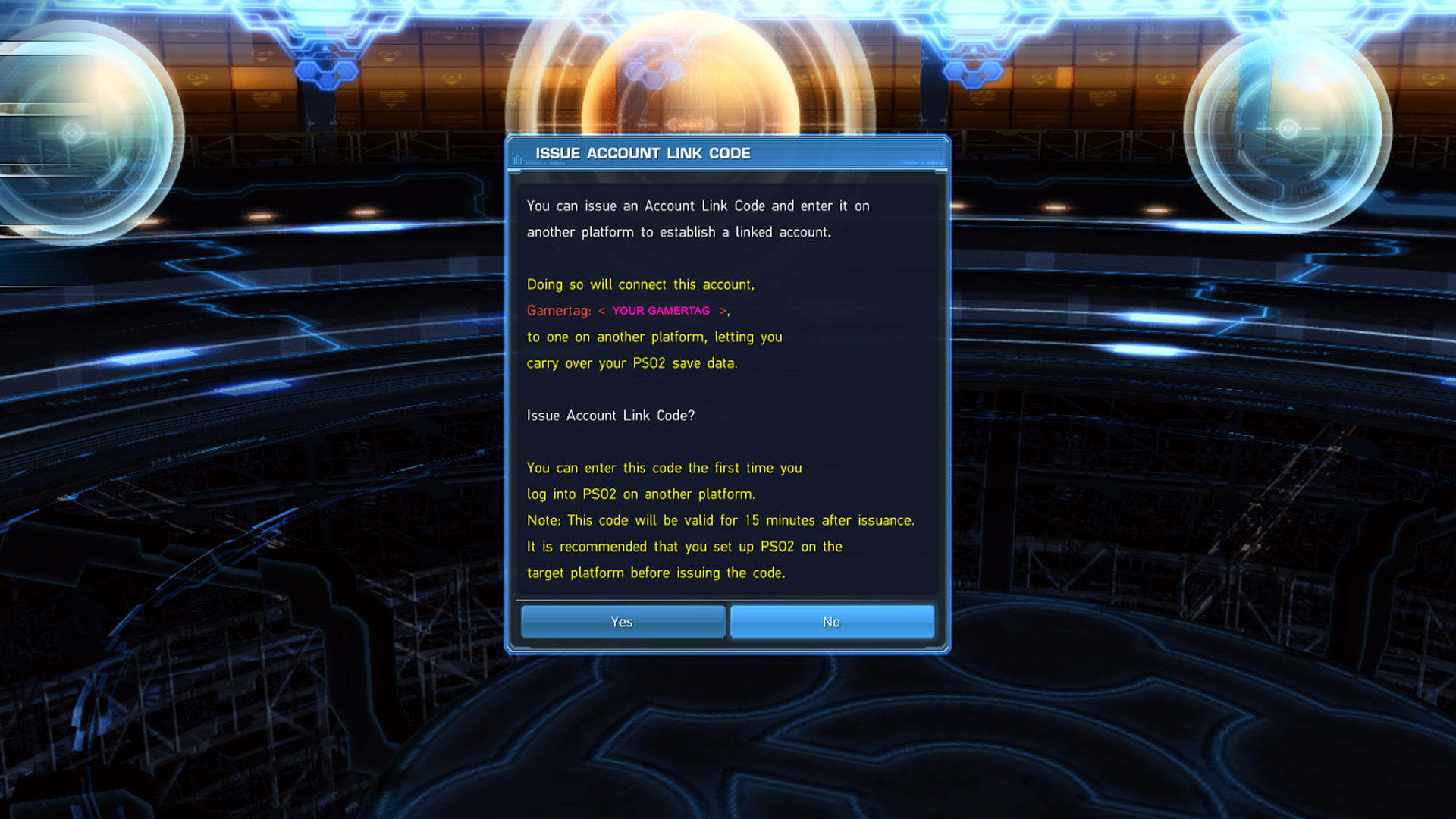
How to link Steam with other accounts: Of course, the step can also go the other way if you later want to use the Steam account for Xbox, after all, PSO 2 offers crossplay between platforms:
- Open the game on Steam and access the menu to find the “Account Linking Code”.
- Open PSO 2 on Xbox One or in the Microsoft Store, select “Your Ship” and enter the code.
- Again, no character or Player ID should be created.
Can links be removed again? An account can never be separated from its original platform. An account from the Microsoft Store will always remain such an account.
However, the account can later be separated from Steam or Xbox.
PSO 2 brings new content, planning a major rework for 2021
What’s next for PSO 2? Along with the Steam release, Episode 4 is also being released, which raises the level cap to 80 and brings new missions and PvP content.
For 2021, a major overhaul of Phantasy Star Online 2 is even planned. With “New Genesis”, a standalone game is coming out that promises an overhaul of the graphics and engine.
While you are expected to be able to transfer your characters, some functions will change and some things will therefore no longer work.
But until then, some time will pass that you can spend in PSO 2. Perhaps even one of these 8 new and promising MMOs and MMORPGs will be released by then.

Your opinion is important to us!
Do you like the article? Then let us know!