In FIFA 23 Ultimate Team, an Icon Pack caused trouble, but affected players might be pleased with EA’s compensation.
During the ongoing football World Cup, EA is introducing brand new Icon cards into the game weekly. These so-called “World Cup Icons” are stronger than their previous versions and can only be found in packs during the World Cup.
And those who have endured the insane grind and collected a whopping 35 WC tokens can get the Icon Pack “FIFA World Cup Icon SW.” This pack offers you 3 random WC Icons, and you have to choose one.
What was the error? Players who obtained the pack between December 2 and 6 were unlucky. They were only offered 3 cards from Team 2 of the World Cup Icons, even though players from Team 1, which had been released the week before, as well as Team 2 should have been included.
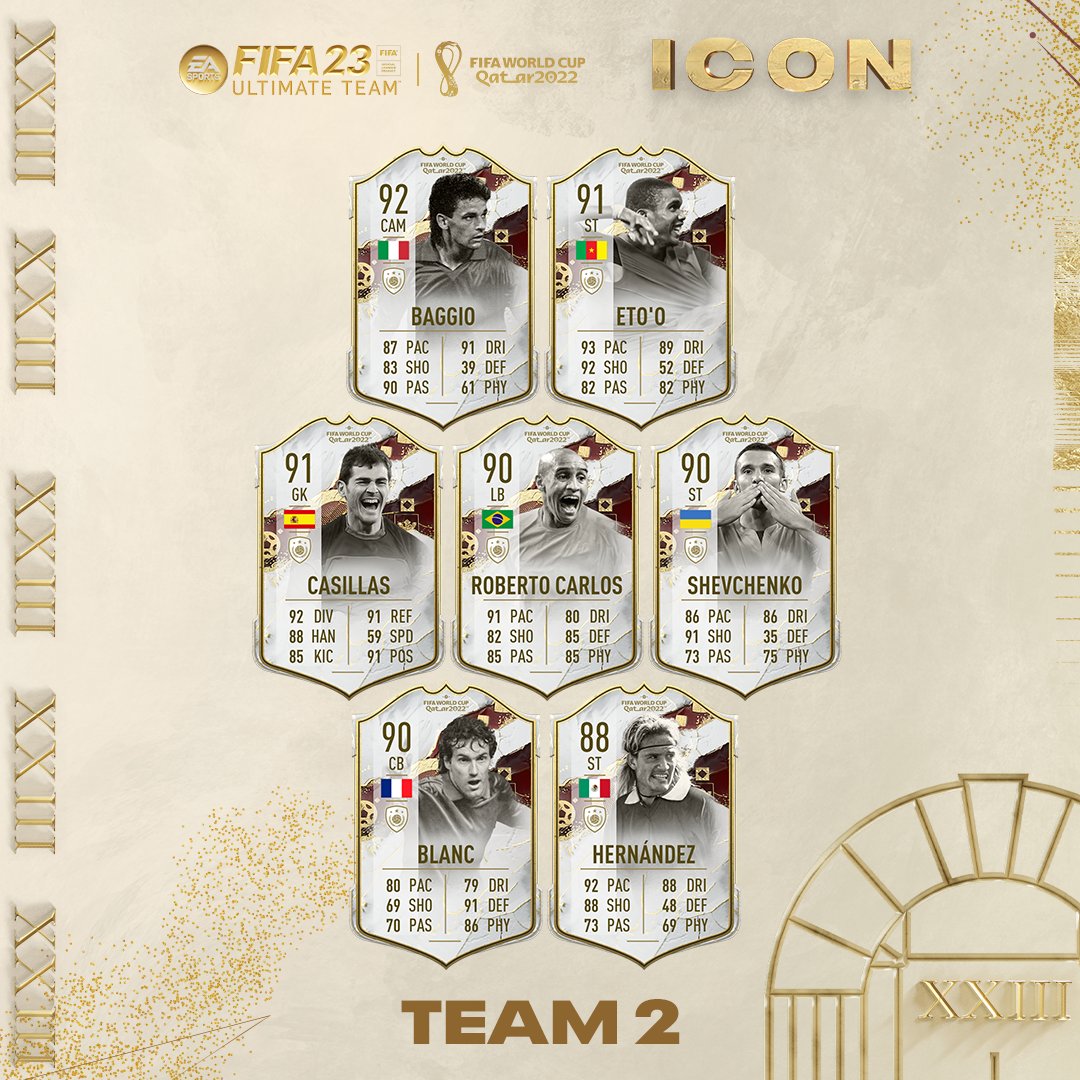
Which players are in Team 2 can be seen here:
All cards that could be included in the faulty pack.
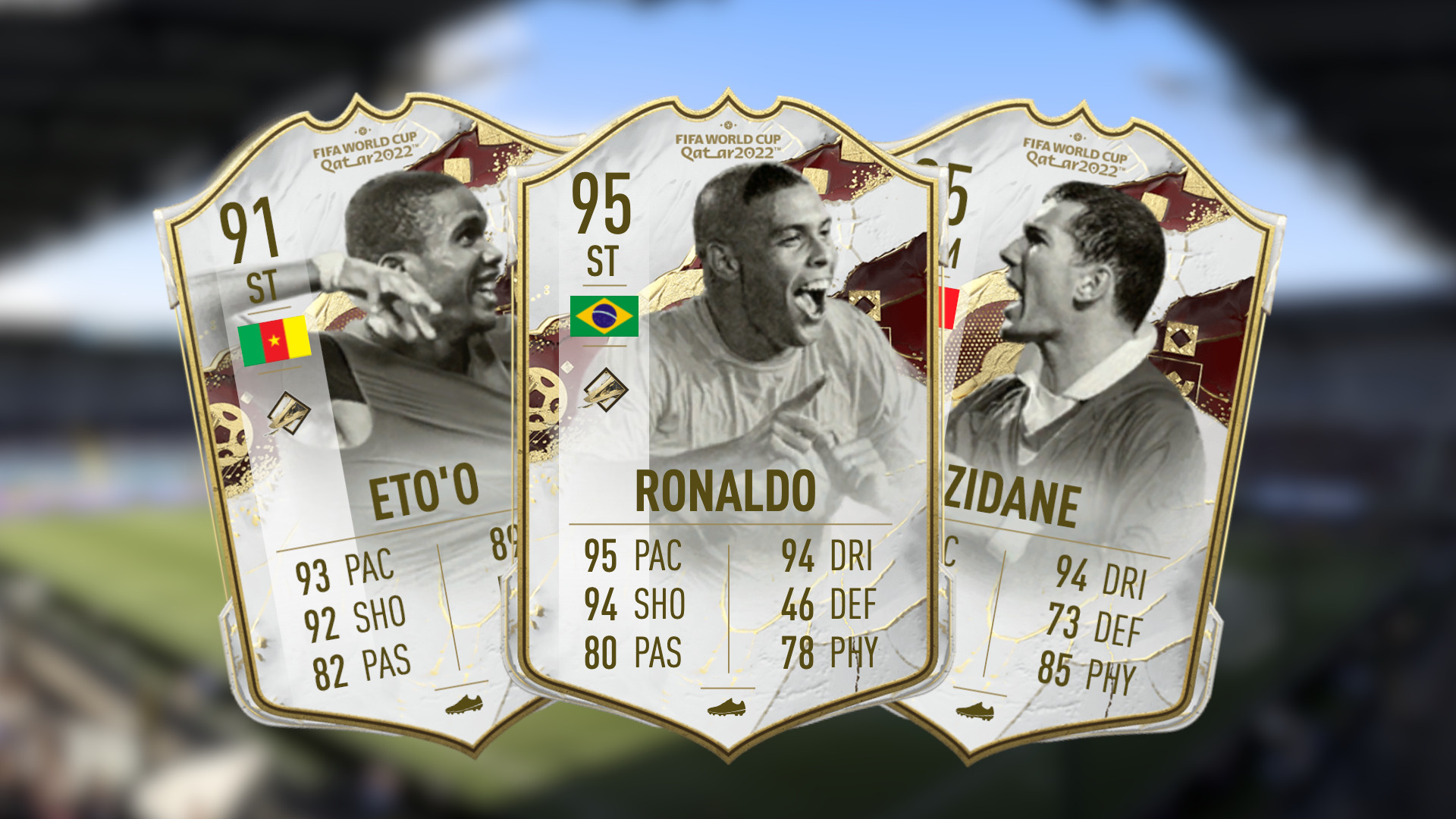
If the pack had been correct, players should have received cards from both teams. This would have given them the chance for top cards like Ronaldo (95), Zidane (95), Cruyff (92), Eusebio (92), and Butragueno (91).
This is the compensation: Via Twitter, EA announced that the error has been fixed and all players should now find the correct selection in the Icon Player Pick. Players who have already opened the pack during the specified period will receive a brand new player choice pack containing the correct cards from both teams.
The WC Icon card from the faulty pack can even be kept, meaning that affected players ultimately received 2 Icons.
Recommended editorial content
At this point you will find external content from Twitter that complements the article.
I consent to external content being displayed to me. Personal data can be transmitted to third party platforms.
Read more about our privacy policy.
This is what the community says: On reddit, the FIFA community expresses surprise at EA’s generous compensation. We’ve selected some interesting comments for you.
gstarguru: “Fair play for everyone who dared to take the risk. Didn’t think EA would do this.”
AGrimSituation: “Finally, I have some EA error luck.”
akinator2002: “Huge win for everyone who chose the pack.”
quinnco8: “Frustrating for everyone who opened the pack during Team 1.”
PatxiPunal: “Wow, that was unexpected.”
What do you think about the compensation? Are you affected and looking forward to another Icon Pack? Feel free to tell us in the comments!
If you want to know what the latest patch has changed in the gameplay, check it out here:
On December 9 at 1:30 AM German time, the Game Awards 2022 will take place. As usual, there will be some new trailers and announcements. We at MeinMMO will summarize what MMORPG fans should be looking forward to.
What kind of event is this? The Game Awards is an annual awards ceremony where the best games of the past year are announced. Additionally, there will be new trailers and game reveals every year that you shouldn’t miss.
We at MeinMMO will accompany the event with a live ticker during the night and will provide you with the most important news directly on Friday morning.
What interesting news will there be? For fans of MMOs and MMORPGs, there are definitely three highlights this year:
The survival MMORPG Nightingale will share new information (via MMORPG.com).
Airship Syndicate will present a new MMORPG developed in collaboration with Digital Extremes (Warframe) (via Twitter). It is called Soulframe.
Rumor has it that Diablo 4 will reveal a release date.
At such an event, there can always be unannounced surprises.
Note: Originally, this article contained information about Final Fantasy XIV. There was a typographical error. The information is, of course, about Final Fantasy XVI.
It is clear that Blue Protocol is set to be released in Japan in 2023. We have been waiting for precise information regarding the western release. However, that could change on December 9.
We expect a new trailer and information about the release.
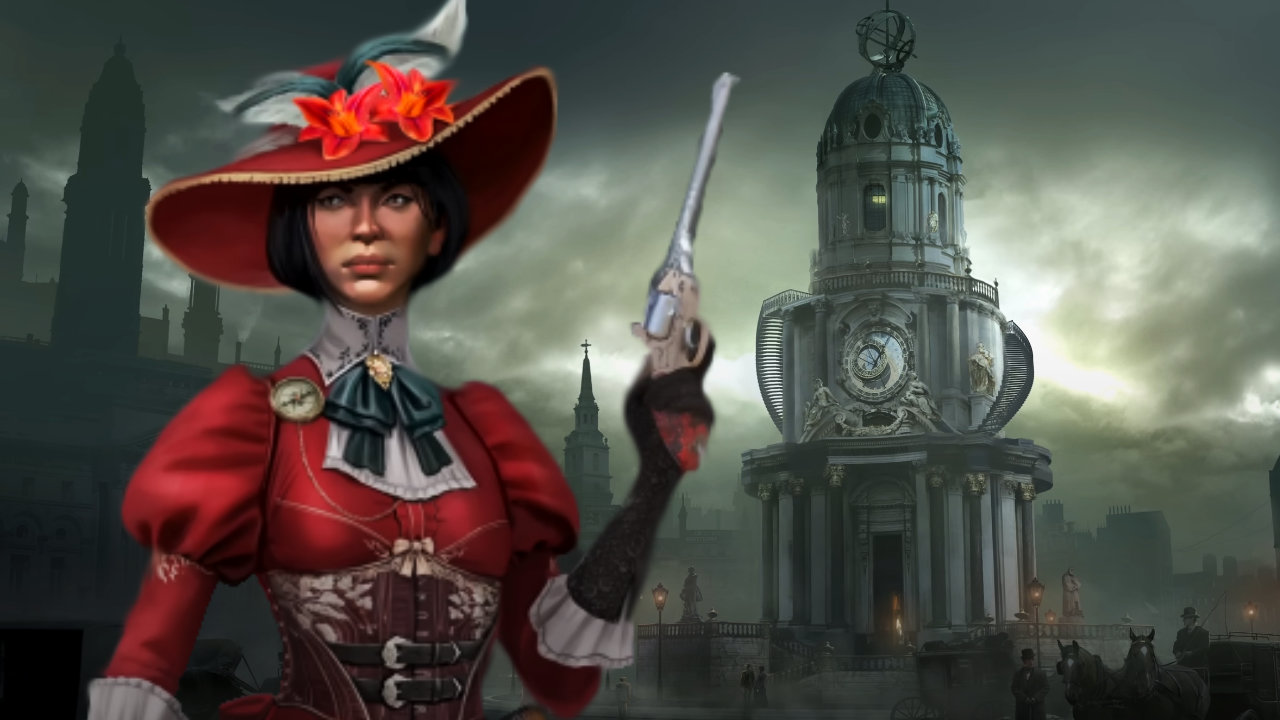
What can we expect from Nightingale? Nightingale is a new survival game for PC from former developers at BioWare. It is set in a Victorian fantasy world and focuses on PvE, exploration, crafting, and cooperative building.
The MMORPG was announced a year ago and could finally reveal a release date at the Game Awards.
Start video
Nightingale: In the new survival game on Steam, the Victorian era meets magic and fans love it
Which games should you keep an eye on if you like online games? As mentioned above, there are rumors about Diablo 4. Blizzard has officially said nothing about the Game Awards, but the release date and pre-order are expected to be announced (via Insider Gaming).
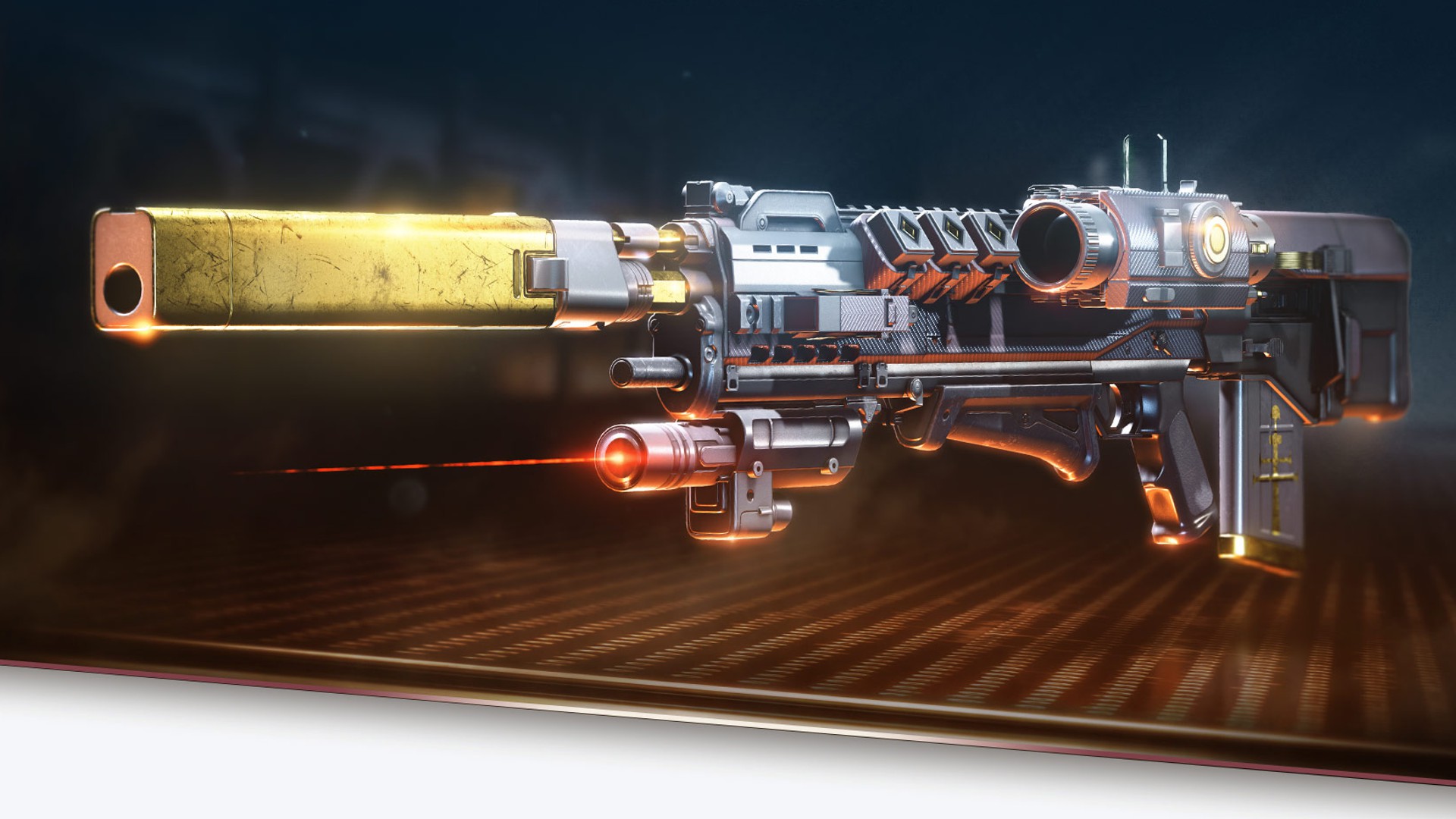
Destiny 2 starts Season 19 today, marking the final chapter of the “The Witch Queen” DLC. Guardians eagerly await fresh information, but Bungie remains tight-lipped until the end. MeinMMO summarizes all the important details about the new “Season of the Seraphs” in this overview article.
This article was last updated on December 9 with the latest info on Season 19.
What is a Season in Destiny 2? A season usually lasts three months and provides the game with new content. These are generally tied to a seasonal story theme. The big difference from traditional DLCs or expansions is that seasons do not release everything at once, but instead, roll it out over the entire three months.
Compared to traditional expansions, a season is cheaper and includes a ton of content for all players, meaning it’s free for every Guardian – no matter if they pay or not. You can purchase the current season separately and dive right into the action, even if you weren’t present for previous seasons.
When will we finally get concrete info on Season 19? In Bungie’s last TWaB blog, there was very little information about the upcoming content, with some cryptic hints.
The first concrete details about Season 19 were revealed in the trailer release, which was published on the “usual channels”, meaning on YouTube and Twitter. Experience the premiere of the Infiltrator, the Goddess of War and Machine:
Start video
Destiny 2 shows the season of the Seraphim in the trailer – announces the return of the Warmind Rasputin
Everything you need to know for the start of Season 19
The new ritual weapon “Veles-X” of Season 19 will again offer 3 playlist ornaments.
[toc]
When exactly does Season 19 start and how long will it last? It starts today, Tuesday, December 6, 2022. With the reset at 6:00 PM CET, it will then be time. The following season will run for 12 weeks, until February 28, 2023. This also marks the start of the new Lightfall DLC.
To keep players entertained for several weeks, you can expect among other things:
a continuation of the great Destiny Light and Darkness Saga with an Infiltrator, a Goddess of War and Machine.
new PvE activities – Heist Battlegrounds and the exotic mission “Operation: Seraph’s Shield”
A brand new dungeon “The Guardian’s Pillar”, with new Exotics and Western armor
fresh weapons, armor, and loot, including the new Arc armor ornaments
events that every player can participate in, such as the Triumph Moments and the Dawning 2022
numerous changes and adjustments to abilities and weapons
The Story of the new Season 19
Misraaks has decoded the relics of Nezarek and extracted their essence.
Like in the last Season 18, Bungie kept the further story a secret and what the Guardians can expect in the coming three months. However, there were still small hints on the official Bungie Twitter account ahead of time, revealing the new direction of the story that many suspected.
Recommended editorial content
At this point you will find external content from Twitter that complements the article.
I consent to external content being displayed to me. Personal data can be transmitted to third party platforms.
Read more about our privacy policy.
What did Bungie reveal with the tweet? Some story-savvy Guardians had already suspected that Season 19 revolves around the Warmind. And the latest picture on the Twitter account confirmed this suspicion.
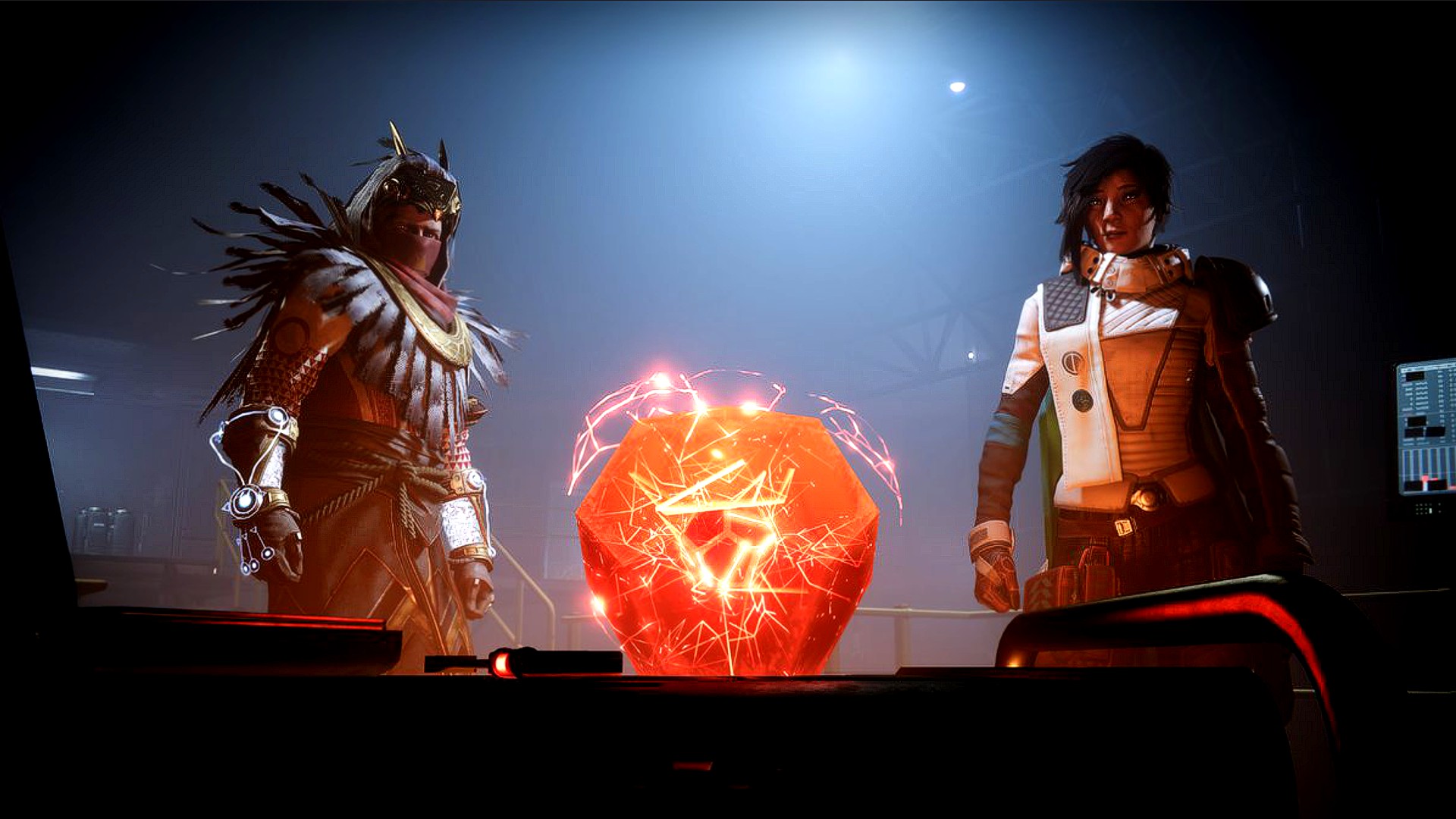
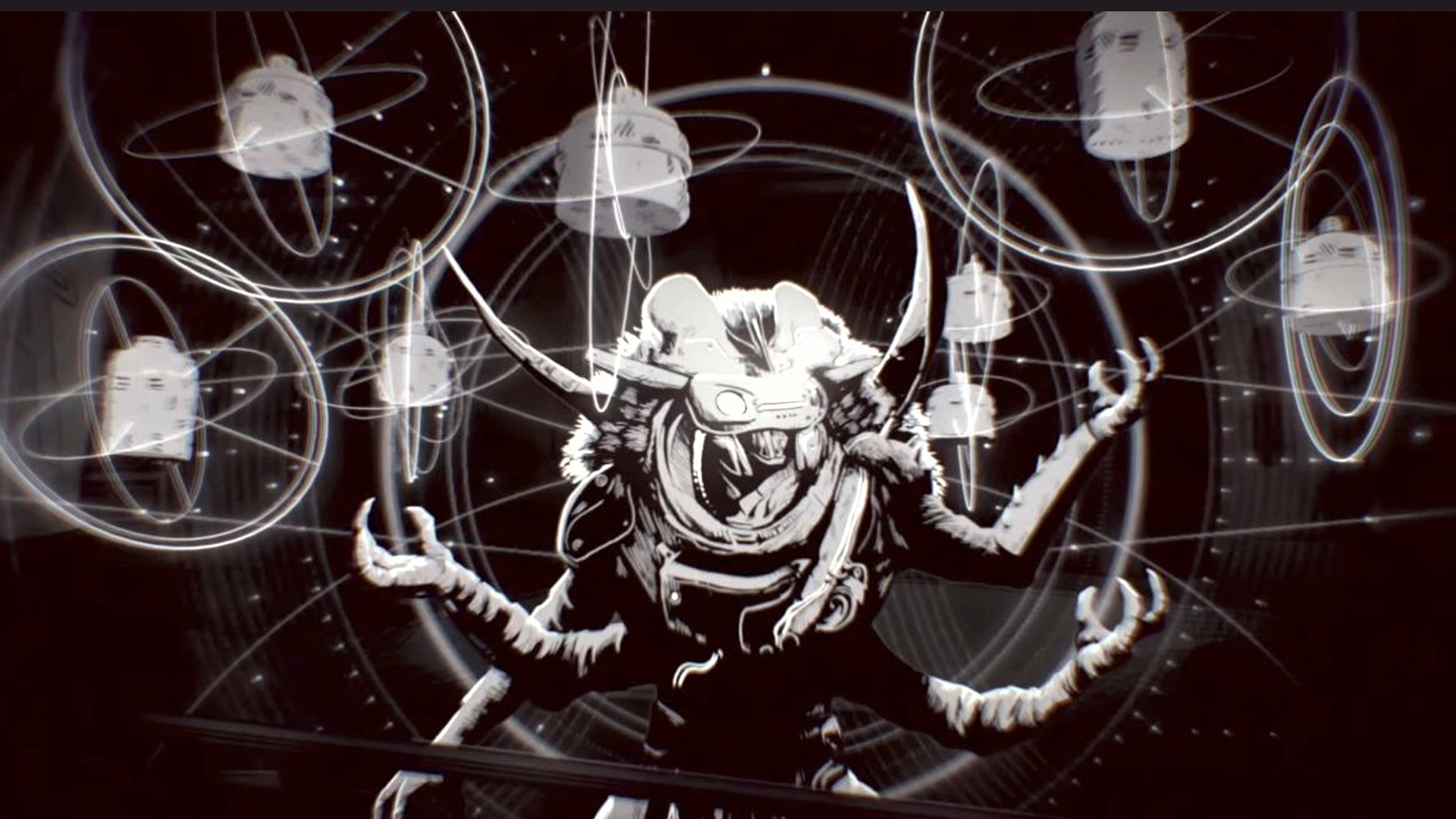
We currently know that Ana Bray, after the Warmind Rasputin was wiped out by the Pyramid ships, loaded everything that was left of him into an engram with the help of her ghost Jinjus and his light. The photo shows this as well as the typical flickering of the red Warmind theme around it.
Now in Season 19, Guardians will have to collaborate with Clovis Bray to reactivate the Warmind. Ana brings her grandfather to the H.E.L.M., where she has provided him with an Exo body. Through this, he can communicate with the Guardians and coordinate missions.
PvE content and activities in Season 19
In Season 19 titled “Season of the Seraphs”, Guardians can expect various PvE activities again. These include:
The Heist Battlegrounds
Seraphs will be deployed at various target locations to infiltrate BrayTech facilities, bypass modern defense systems, and eliminate whole hordes of Fallen enemies.
An exotic mission “Operation: Seraph’s Shield”
To successfully complete this mission, Guardians must gain access to the safest facility in the solar system: a BrayTech orbital platform over the Last City. Break through the various security layers each week and awaken Rasputin before it’s too late. The latter could hint at time pressure during the mission.
As well as the two events Triumph Moments MMXXI and the Dawning, the winter event
Celebrate the year by visiting your favorite locations and tackling new and long-awaited challenges with a passion that inspires future Guardians to greatness.
PvE highlight of Season 19: The highlight of the upcoming Season 19 will be the brand new dungeon “The Guardian’s Pillar”. Currently, nothing is known about its exact content. But that adds to its allure. Guardians love to explore the mechanics themselves and are surprised by the new weapons and armor.
When does the new dungeon start? The popular 3-player activity will start a bit later than the season itself. But you won’t have to wait long. It will kick off on December 9, 2022, at 6:00 PM.
What are Dungeons in Destiny? The so-called dungeons are among the most popular PvE content in Destiny 2. They are longer missions for up to 3 players and remind players with their challenging fights and puzzles of mini-versions of the major raids from the Destiny universe.
Until 2022, these PvE contents were always included and a fixed part of the expansion with which they were released – thus playable without extra costs. However, Bungie has revised its offering concept in this regard and eliminated the sale of dungeons as inclusivity offers. Now, their content has become more unique and sometimes more extensive.
Currently, Guardians have access to five of these PvE dungeons in Destiny 2:
The new season will also bring new rewards for all Destiny 2 players and additional items for buyers of the current Season 19.
The season pass for Season 19 costs 1,000 Silver – about 10 €
This is included in the season pass:
A new exotic weapon. Season pass owners receive “The Manticore” at level 1 – Free2Play Guardians only later in the pass.
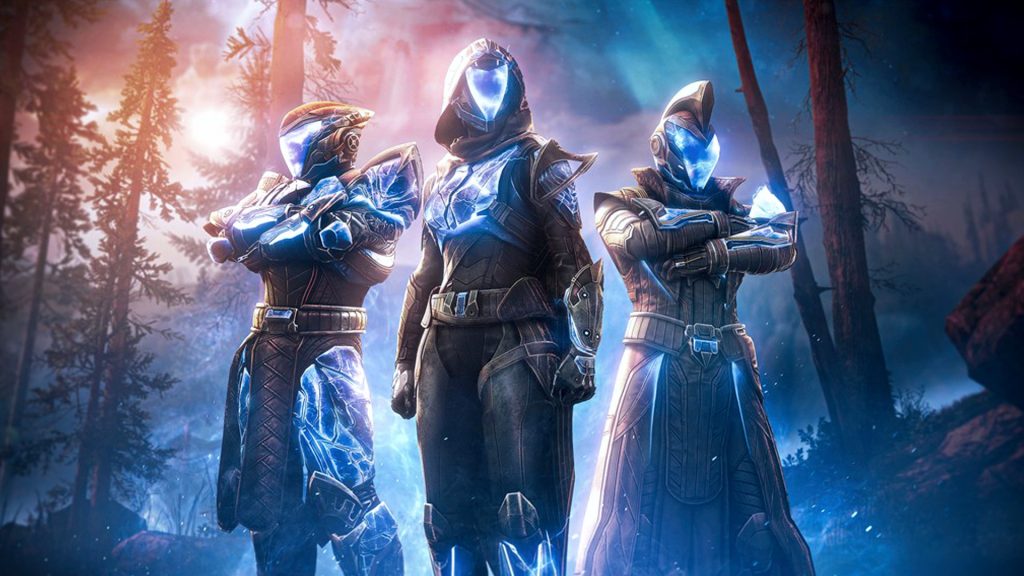
A new seasonal armor set inspired by the Seraph season
new cosmetics, such as the Arc armor ornament set
bonus XP, materials, and seasonal items
a story quest that progresses weekly
The Arc ornaments have been moved from Season 18 to Season 19.
New weapons and exotic mission
This is “Operation: Seraph’s Shield”: For one of the new Exotics, Bungie sends the Guardians on an exotic mission.
To successfully complete this Exo mission, you need to gain access to the safest facility in the solar system: a BrayTech orbital platform over the Last City. The location is within the “Deep Stone Crypt” raid. There, you will breach various security layers each week until February 28, 2022, and awaken Rasputin before it’s too late.
Once Guardians have penetrated deep enough into the facility, they first reach the new Season 19 Exo weapon “Revision Null”. A craftable weapon with 4 catalysts.
The new exotic weapon “Revision Null” from Season 19
This is how to get the 4 catalysts: Starting December 20, a further stage will be unlocked. In the following weeks, several catalysts can be collected that enhance the power of this mysterious exotic weapon.
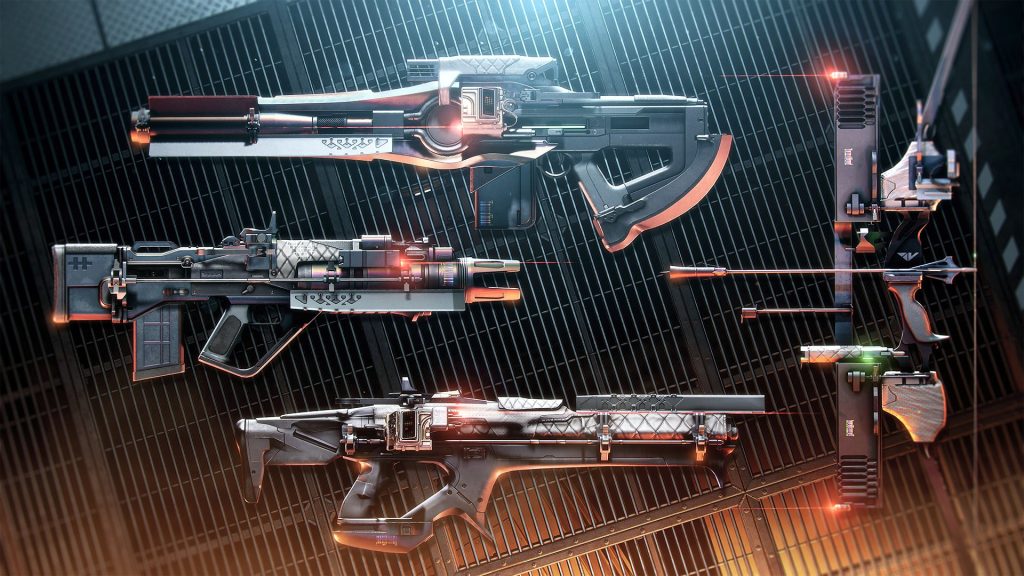
In addition to this Exotic, you will also receive legendary, high-tech Vanguard gear, crafted specifically for the best infiltration teams.
The new legendary weapons of Season 19.
Important adjustments and revisions in Season 19
Prior to Season 19, Bungie announced many contents of updates and sandbox adjustments that should make the Guardian’s life easier starting tonight. Numerous adjustments for more “Quality of Life”. Additionally, extensive changes are coming to weapons, PvP playlists, abilities, and more.
Crafting will include a revamped perk pool along with an origin trait. You will receive a guaranteed selectable weapon of your choice by purchasing it from the chest at the final boss.
For example, you will be able to obtain the Slug shotguns “Heritage” with the perks Reconstruction and Focused Fury, the hand cannon “Succession” with the strong combo of Voltshot and Rampage, as well as the scout rifle “Trustee” with Snapshot and Dragonfly.
Players can also expect an optimization of the perk “A Quiet Moment”. Bungie will also bring in 20 revised weapon perks to improve glaive hit registration.
Expect the new PvP Triumph Seal: On one hand, Bungie will introduce a new Crucible seal called “Glorious” and bring the popular Engram focusing to Lord Shaxx as well. This should provide you with more options to get the Crucible rewards you want.
Crucible weapons available for focusing in Season 19:
Stars in Shadow (Pulse Rifle)
The Dead Man’s Tale (Hand Cannon)
Frosted Orbit (Sniper Rifle)
Epitaph of the Survivor (Hand Cannon)
Verse of Sorrow (Auto Rifle)
Crucible Reversal (Hand Cannon)
Spring Tide (Fusion Rifle)
Out of Line (SMG)
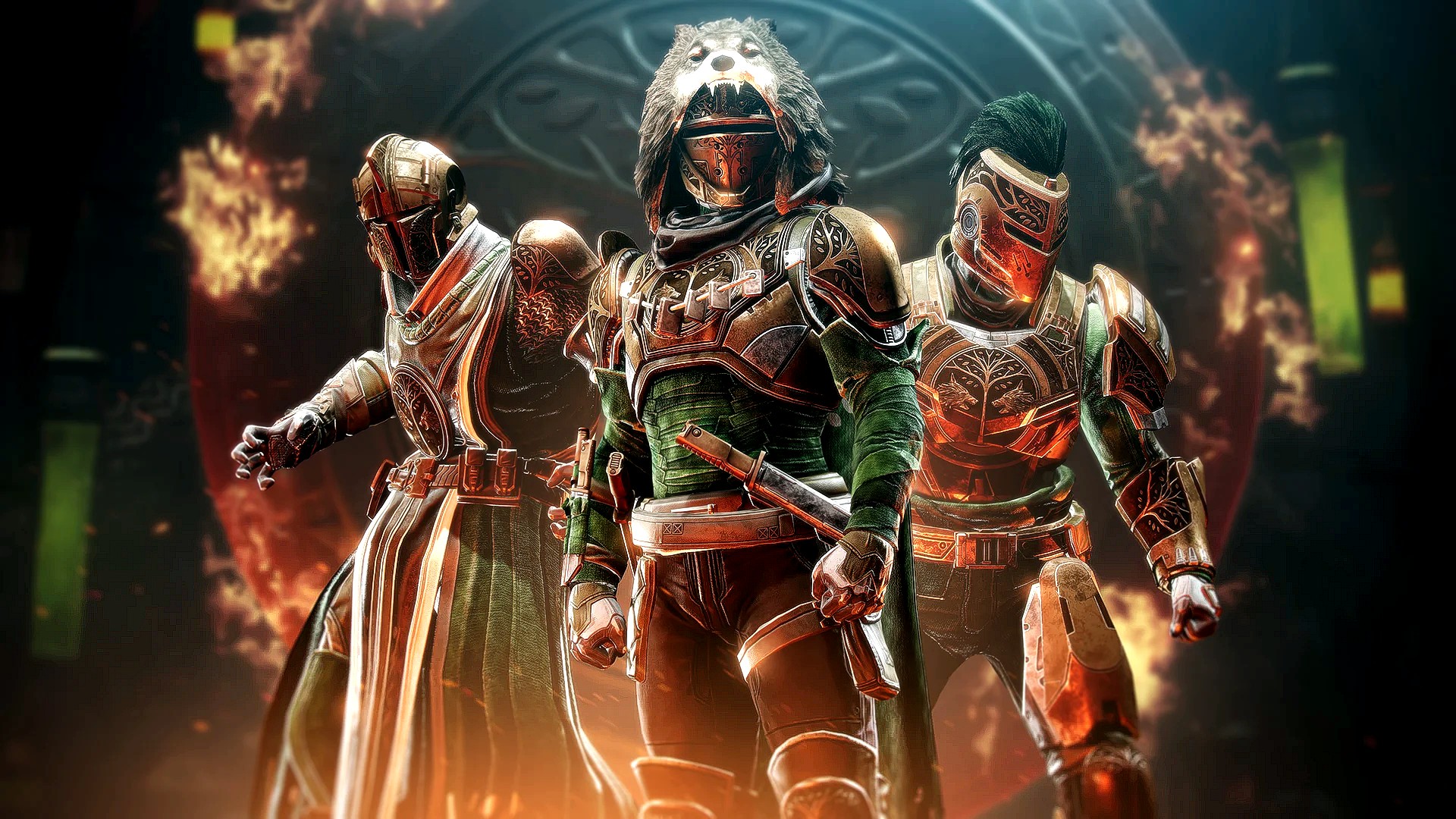
A new ranking system hits PvP: The completely overhauled true ranking system is mainly intended to help streamline the playlist structure in PvP and guide more players into the less frequented game modes. In addition, the Iron Banner armor rewards will be revamped.
Season 19 brings you an Iron Banner armor set from the era of the “Taken King”
To give you a better and especially short overview, we have summarized the most important details about the changes in Guardian vs. Guardian battles. Especially which matchmaking you can expect where.
Quickplay 6v6: This playlist includes the modes Conflict and Control and runs with skill-based matchmaking.
Weekly Rotation 6v6: Rotates weekly between Clash Control, Mayhem, Team Scorched, Rift, and Rumble. Here connection-based matchmaking is used.
Competitive Division/Freelance 3v3: This playlist randomly selects Survival, Rift, or Showdown and also uses skill-based matchmaking.
Crucible Labs: In Season 19, the Labs, Bungie’s PvP test environment, will have a version of 3v3 Rift with asymmetric maps. This mode uses connection-based matchmaking and additionally has a 25% reputation boost for motivation.
Private Matches: They remain unchanged. You can still play all game modes with friends,
Iron Banner Event: When Lord Saladin is in the Tower, his Iron Banner event replaces the Quickplay node. Iron Banner will use skill-based matchmaking starting Season 19 and will include a new mode called “Fortress”.
This is a mode where the objective is to capture and hold areas – just like in Zone Control. Apparently, Lord Saladin has made a deal with the Cabal Empress Caiatl, as she sends some Cabal turrets to spice up the battle.
When does the first Iron Banner of Season 19 start? Guardians can explore the new mode of Season 19 starting on January 3, 2023.
PvP Endgame “Trials of Osiris”: When the Trials are active on a weekend, they replace the Crucible Labs. The ticket-based matchmaking system will be maintained here. Freelance will likely no longer exist.
Adjustment of the PvP Quit Protection: Those who are not interested and leave a match early will continue to face penalties starting Season 19. The remaining time will be added to all suspension notifications, and the notifications will be displayed when clicking as well.
Let us know in the comments whether you will dive into the new Season 19 immediately after the Update 6.0.3 or take it slow. MeinMMO will stay on top of it for you and will diligently check all the contents and details of the new season over the coming days.
If you still need a refresher on the story during downtime or just want to enjoy some old story trailers, we recommend this article:
A user buys a used RTX 2060 for 10 bucks. The community finds this odd and wishes him luck. But then the surprise comes: The cheap graphics card actually works.
Graphics cards are currently quite expensive. And with the announcement of the RTX 4080 and RTX 4090, prices haven’t necessarily dropped. The trend is rather that in the future, prices for graphics cards will significantly exceed 1,000 euros – at least, according to Nvidia.
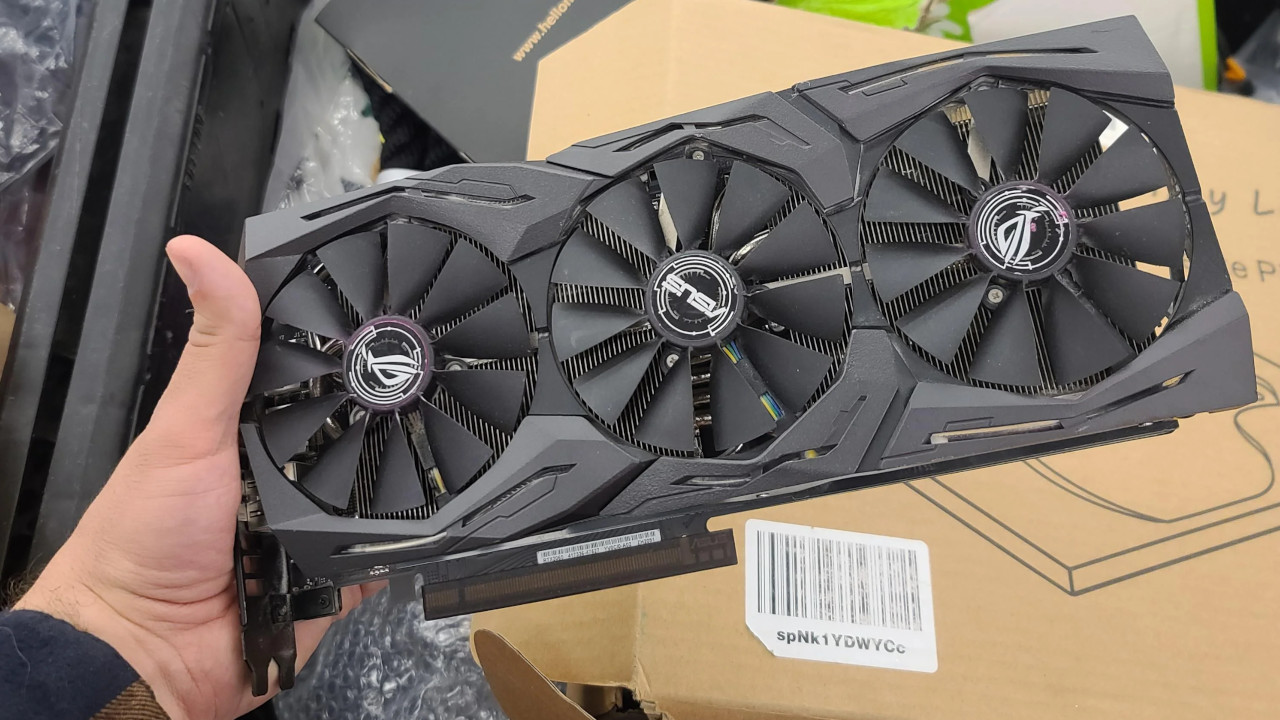
However, with the high prices, there are also some surprises. A gamer has now bought an RTX 2060 for 10 euros. This is still a mid-range graphics card, with which you can easily play at high resolutions like WQHD and even have a few small reserves for features like ray tracing.
Scalpers are trying to earn heavily despite the high prices. But many are now left with their products, as they seem to have misjudged the prices:
300-Euro graphics card for just 10 euros – “It most likely won’t work”
What exactly did the gamer buy? In his thread on reddit, he explains that he bought an RTX 2060 for 10 US dollars (around 10 euros) at a second-hand store. He also proves this with a receipt. You can currently get an RTX 2060 for an average of around 300 euros in stores (via geizhals.de). For the Strix edition of the RTX 2060 that the user purchased, prices are generally between 500 and 600 euros.
At that price, the gamer did not have high hopes. He himself writes: “It most likely won’t work, but I’m willing to try it at this price.”
The community is surprised by the low price. Some wonder which shop would come up with the idea to sell such a graphics card for a fraction of its price. Because on eBay, you would already get more money for a used RTX 2060.
The graphics card for 10 euros works, but was too large
How does the story end? In another post on reddit, the buyer explains what happened to his used graphics card. He has since installed it in his system, and the RTX 2060 actually works.
However, there was one problem: the RTX 2060 was too large, so he first had to remove a fan from his system to test the graphics card.
How does the community react? They are surprised and at least a little envious of the user’s luck. Because having to spend only 10 euros for a functioning RTX 2060 is a real stroke of luck. Someone writes (via reddit.com):
A really great find. I just upgraded from exactly this card and I will sell mine for no less than 200.
Another user jokes: “I’ll give you 15 dollars. That’s a 50% profit. A pretty good deal, if you ask me.”
Have you also found any surprising finds on the second-hand market that turned out to be real lucky hits? Tell us in the comments!
Sometimes, however, even the newest and fastest graphics card can cause problems. A gamer had bought the currently fastest graphics card:
With the new version 3.3 in Genshin Impact, Scaramouche, also known as Wanderer, will be a playable character. Here you will find all the important info about the character, such as banner duration, vision, and the materials needed for ascension.
Who is Scaramouche? The Genshin Impact character is known by various names, such as Wanderer or “Balladeer”. He is the sixth member of the antagonist group “Fatui Harbingers”, of which “Childe”, also known as “Tartaglia”, has already been added as a playable character to the roster. Now the Wanderer follows in the update to 3.3.
The voice actor for Scaramouche in English is Patrick Pedraza and in Japanese he is voiced by Tetsuya Kakihara. The Wanderer’s birthday is on January 3rd.
When is the banner available? The Wanderer banner titled “Reborn from the Ashes” will be available right at the start of update 3.3. After the update to the new version on December 7th until December 27th, 2022, the banner will be obtainable.
With the banner, you will receive the following 4-star characters with an increased chance alongside the Wanderer:
Faruzan (also new in update 3.3)
Gorou
Yanfei
Here you can see the trailer for version 3.3 featuring Scaramouche and Faruzan:
Start video
Genshin Impact Trailer Version 3.3 – „All Senses Clear, All Existence Void“
This is how the Wanderer fights
What vision does Scaramouche possess? The 5-star character will belong to the elemental type Anemo (Wind). His constellation is called “Peregrinus”. He is a main DPS who particularly shines in both melee and ranged attacks.
The Wanderer fights with the weapon type Catalyst. You can maximize his potential with the new weapon “Tulaytullah’s Memory” and the artifact “Chronicle of the Desert Pavilion”.
In the character demo for Scaramouche, you will get a first impression of his abilities:
Start video
Character Demo – „Wanderer: Of Solitude Past and Present“
What abilities does Scaramouche have? The Wanderer has the following talents:
Normal Attack: Yuuban Meigen
Normal Attack: Multiple Wind Blades that allow you to perform up to 3 attacks and deal Anemo damage
Heavy Blow: Consumes stamina, forms a high-pressure field after a short charge time, causing Anemo area damage
Hanega – Song of the Wind: You float above the ground, causing Anemo damage in the surroundings and you enter the state: “Posture of the Elegant Wind”
Kyougen – Five Ritual Pieces: Causes a vacuum and results in multiple Anemo area damage, finishing “Hanega – Song of the Wind”
Jadeflower: In the state “Posture of the Elegant Wind”, you have up to 2 different enhancement effects upon contact with the elements Hydro, Pyro, Cryo, and Electro
Here you can find two character trailers on YouTube about the backgrounds of Scaramouche: titled “The ‘Divine’ Will” and “Ashes“.
What is the state “Posture of the Elegant Wind”? The Wanderer floats in the air and can move while flying. Meanwhile, the so-called “Kuugoryoku” is consumed. If you “run” in the floating state, the “Kuugoryoku” consumption increases and you also move faster in the air.
If you jump in the floating state, you will also consume more Kuugoryoku and gain height. You can also hold the floating button to continue to rise into the air; however, this continuously depletes your Kuugoryoku.
Once your Kuugoryoku is completely depleted, your floating state ends. Even if you activate “Hanega – Song of the Wind” again while in the “Posture of the Elegant Wind”, the floating state will end.
His normal attacks and heavy blow are slightly modified in the “Posture of the Elegant Wind” and have an increased range and higher damage.
More about Genshin Impact can be found here at MeinMMO:
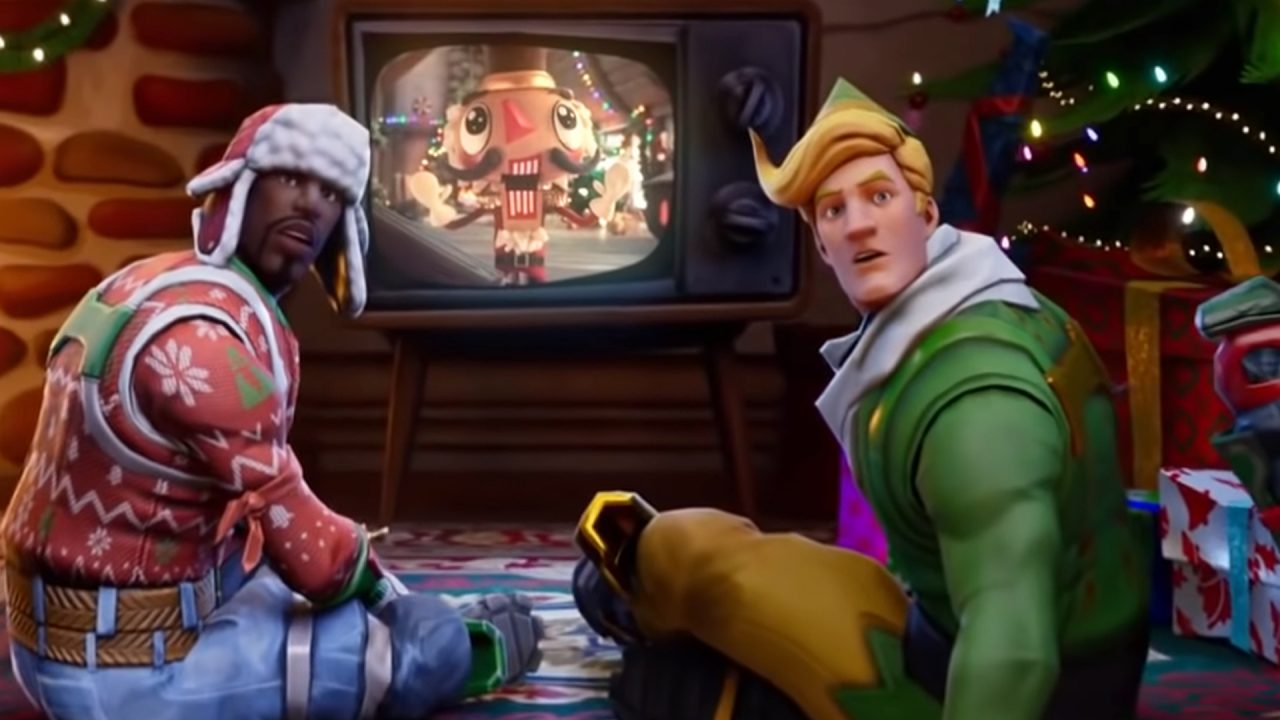
In Fortnite the trees are decorated and the gifts are unwrapped for the Christmas event 2022. We will show you when the event takes place, whether there will be gifts this year, and if you can expect a free skin.
Is there a Christmas event 2022 in Fortnite? Well, since Chapter 4 Season 1 has been released and players can enjoy themselves on the new map, some fans are wondering if there will still be a Christmas event at the end of the year.
In past years, Epic Games celebrated the Christmas season with a big event and 14 free items that could be opened like in an Advent calendar, one per day.
Epic Games has not mentioned anything about a Christmas event so far, but leakers have already found compelling evidence that a big event will happen again. We will show you all the important details in the following section.
Learn more about Chapter 4 Season 1 and what to expect in Fortnite here:
Start video
Fortnite: Gameplay trailer for Chapter 4 Season 1
All Important Information about the Christmas Event 2022
What’s the deal with the leak? Hypex, a well-known leaker of Fortnite, has published an important hint from Twitter user FortniteJPNews, showing the hut of the Big Baddie. This hut has often been used to stockpile the free gifts, so you can open them day by day.
Recommended editorial content
At this point you will find external content from Twitter that complements the article.
I consent to external content being displayed to me. Personal data can be transmitted to third party platforms.
Read more about our privacy policy.
This is a leak that not only shows a new hut of the Big Baddie but also two new skins and many wrapped gifts waiting to be opened.
So far, Epic Games has not said a word about an event, but it seems very plausible that the developers have prepared one.
At Christmas, hardly any updates are released. Furthermore, the second part of the story quest will not be released for another 42 days (as of December 6). So it makes sense for Epic Games to keep players engaged, so they have motivation to play even at Christmas.
When does the Christmas event 2022 start? We don’t know yet. A year ago, on December 16, 2021, the Christmas event started.
So it is quite possible that this year the event will also fall on a Thursday, but this time on December 15. Should official information come out, we will let you know.
Will there be gifts? In the leak from Hypex, many gifts can be seen in the background on the left side. So it is very likely that Epic Games will gift you something.
Is there a free skin for Christmas? Also for Christmas, Epic Games offers many cool items, including skins. A year ago, Epic Games gifted two skins in the event:
Winter Skin
Chrisabelle
This time, two new skins can also be seen in the leaked image. One is a female skin on the sofa with two braids, and another style of Fluff, Skye’s companion. He looks like a fluffy white yeti curled up on the floor.
We will keep you updated if new information about the Christmas event 2022 in Fortnite becomes known. Until then, feel free to let us know how you find Chapter 4 Season 1!
Fortnite has also removed one of the rarest emotes from the item shop just 3 hours after its release:
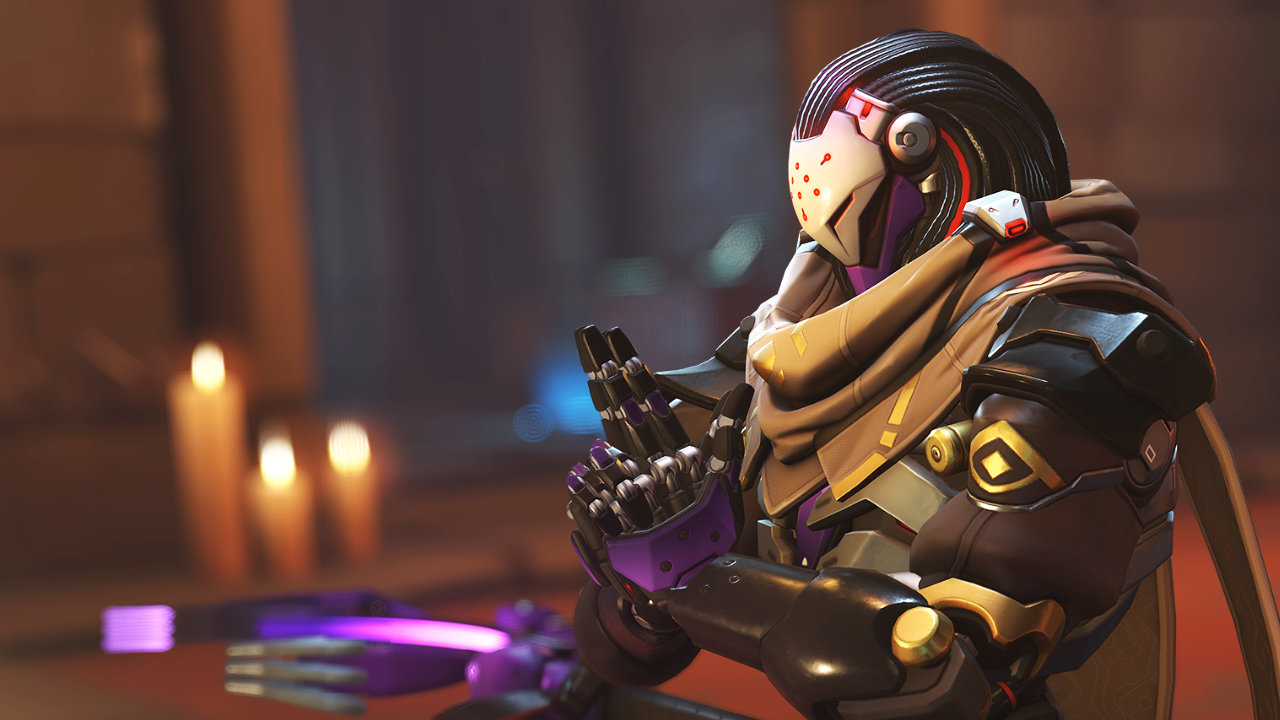
Overwatch 2 Season 2 starts on Tuesday, December 6, 2022, and brings new content such as the Tank Ramattra and the map Shambali Monastery. Furthermore, Blizzard is addressing one of the biggest criticisms from the community in Season 2.
What does Season 2 contain? The new content of Season 2 includes the new Tank “Ramattra” as well as the new map “Shambali Monastery”. Additionally, Blizzard announced the return of the map “Rialto”. However, the maps “Hollywood” and “Watchpoint: Gibraltar” have been removed from the map rotation.
In addition to a change in the map pool, Season 2 will also see balancing adjustments for Sojourn and Doomfist, as well as Ana, Bastion, Junker Queen, Kiriko, Mercy, and Symmetra (via overwatch.blizzard.com).
Already in October, there were initial considerations to nerf Genji, who was one of the most popular heroes along with Sojourn shortly after the release of the shooter.
Ramattra benefits from two different forms
What can the new hero do? The new hero of Overwatch 2 is named Ramattra and will be a Tank. According to Blizzard, he is supposed to stand out with aggressive abilities and a dominant playstyle.
Ramattra is armed with a staff called Void Accelerator, which has a primary and a secondary fire mode.
In the primary fire mode, Ramattra shoots nanites that are fired at high speed and do not lose damage over distance (suitable for long-range combat).
The secondary ability creates a temporary barrier that Ramattra places along a line on the ground.
Additionally, Ramattra has the ability to transform. The Tank then switches to the so-called Nemesis form, in which the Tank grows, increases his armor value, and gains new weapons. The Nemesis form lasts for 8 seconds after activation.
With the ability “Overwhelm,” Ramattra deals damage that hits all enemies within range.
With “Block,” Ramattra raises his arms in front of his face and reduces frontal damage. However, this ability, which has no cooldown, also decreases the Tank’s movement speed and does not protect against damage from behind.
Additionally, the Tank has the ability “Ravenous Vortex,” available in both forms. This is a sphere of nanites that slows down enemies, pulls them to the ground, and deals damage to them.
The crowning achievement for Ramattra’s loadout is his ultimate ability, “Destruction.” Upon activation, Ramattra immediately switches to Nemesis form and is surrounded by an energy swarm, similar to Zenyatta’s ultimate “Transcendence.” However, this does not have a healing effect like Zenyatta’s Transcendence; instead, it continuously deals damage to all enemies in range.
Start video
Overwatch 2 shows first gameplay of the new hero Ramattra: “I got goosebumps”
Blizzard makes adjustments to unlocking new heroes
Now, players either have to buy the Battle Pass to gain immediate access or reach a certain level in the free version of the pass.
What has Blizzard changed? For Season 2, Blizzard is changing the level required to unlock a hero. While players had to reach level 55 for Kiriko in Season 1, only level 45 is needed for Ramattra.
This initially sounds like a relatively small concession, but it reduces the grind for a new hero by several hours of gameplay.
The heroine Kiriko, introduced in the last season, will be unlocked in Season 2 through challenges.
Another issue that caused an uproar in the community is the prices for skins. Some players even miss the loot boxes from the first part.
Lost Ark has been struggling with technical problems for weeks. However, since the last update, a new issue has caused much frustration among users and high temperatures in processors. Easy Anti-Cheat could be to blame for this. We at MeinMMO summarize.
What problems does Lost Ark have? For weeks now, fans of Lost Ark have been complaining about issues with the MMORPG. Currently, the game tends to frequently lose connection to the server or simply crash.
Frequent patches from the developers aim to counteract the problem, but the last patch caused even greater discontent. Suddenly, some players noticed that their processor gets too warm while playing Lost Ark without any apparent reason.
How does the error manifest? An inexperienced user might only recognize the problem by the fact that their PC is somewhat louder than usual or that Lost Ark occasionally freezes. However, when looking at the numbers, a curious issue is revealed.
After 10 to 30 minutes in the game, Lost Ark suddenly starts to max out one of the processor cores at 100%. This also leads to an increase in processor temperature, causing the fan to work hard to compensate.
The load on this core remains at 100% until the game is closed, and sometimes even after that. Some users report having to restart their PCs to regain control of the processor load.
Update 15:33: This article was originally published on December 5. On the evening of December 5, Lost Ark released an update for Easy Anti-Cheat that aims to fix the problems. In our tests, it also worked on both test systems that showed issues.
We asked Amazon for a statement on how the incident occurred and will update this article as soon as we receive a response.
Hopefully, the developers can fix this by the time Geralt arrives in Arkesia:
Start video
The Witcher is coming to Lost Ark – New trailer shows why this fits really well
How to find out if you are affected
How frequently does the error occur? This is difficult to estimate. In the Lost Ark subreddit, there are several threads with over 300 upvotes discussing the issue. One of them currently even has 140 comments, many from users experiencing the same problems.
We at MeinMMO have tested it ourselves and were able to replicate the error on 2 out of 4 test systems. It didn’t matter which brand the processor was from. In our test, we had one system with a Ryzen 9 5900X and a slightly slower i7 4790. Both showed the same anomalies.
How can you find out if you are affected? First, you can keep an eye on your processor’s temperature. Some manufacturers offer built-in tools, but if you are somewhat lost, you can use external programs like CoreTemp.
Pay special attention to irregularities. Our test system with the Ryzen 9 5900X usually runs between 60 and 70 degrees in Lost Ark, and sometimes jumps to 80 to 83 degrees during loading screens.
However, once the error occurs, the system stays consistently at 85 degrees, completely independent of what we were executing in the game. This is a first indicator that something is wrong.
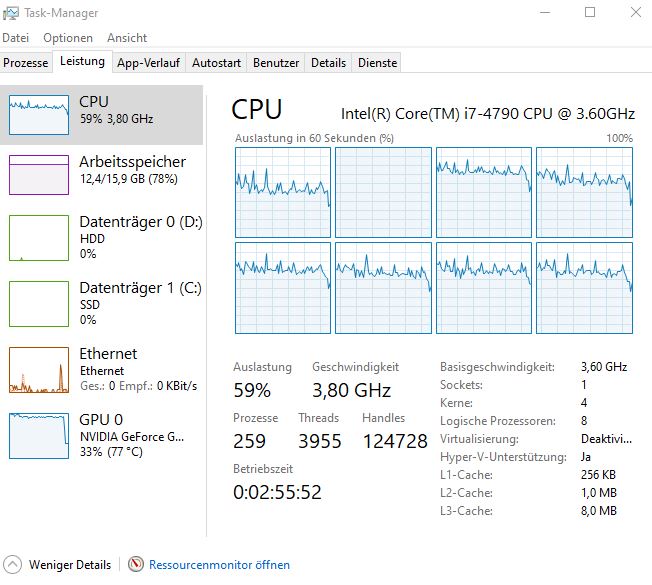
If you suspect a problem, you can confirm it through the Task Manager. Open it, select the “Performance” tab, and then right-click on the graph under “CPU”. Then select “Change Graph to” and set it to “Logical Processors”. Now you can see the load on your individual cores.
If one of them is continuously at 100%, then you are also experiencing the error and should keep an eye on temperatures and FPS.
If you are affected, the display should look something like this
Not dangerous, but simply annoying
What can overheating lead to? In the context of the problem currently occurring, it is not dangerous. You should not worry about your hardware as long as it stays within an acceptable temperature range. Minor spikes are accounted for by the manufacturers, and only overheating over an extended period would harm your hardware.
However, the problem is still annoying. Among other things, PCs can become very loud. Due to the extra heat, both test systems operated the cooling at 100%, even though that would not be necessary under normal gameplay without the error.
Some users also report experiencing fewer frames per second and other performance issues. This is because some processors reduce their performance to avoid overheating. Here, the error can be particularly irritating.
Furthermore, fans describe that lostark.exe continues to run after the game has been closed and keeps the processor at 100%, causing issues with other applications as well. Of our 4 test systems, this error only occurred on one. In this case, only a complete system restart helped, as lostark.exe could not be closed manually.
Can you do anything about it? Currently not. So far, there seems to be no fix for the problem that the community has found. Also, a remedy from the developers is not currently planned. In general, Amazon or Smilegate have not yet commented on the issues.
We have requested a statement from Amazon and will update this article accordingly as soon as we receive a response.
Lost Ark is demanding even without errors, as it simply looks good:
Start video
5 MMORPGs with the most beautiful graphics
Easy Anti-Cheat is to blame – Problem also in other games
What is causing the problem? This has not yet been definitively clarified. However, most fans assume that it is a bug on the part of Easy Anti-Cheat. Some indications support this.
The issues have only started occurring since the last EAC update, which we can confirm on one test system; unfortunately, we have no previous data for comparison on the others. Many fans agree that the last update is to blame for the problems.
Furthermore, for some people, not only does lostark.exe remain open after closing, but also Easy Anti-Cheat continues to consume processor power. Lastly, not only fans of Lost Ark report this problem.
Similar issues are also reported in other games that use the same version of EAC. There are currently reports of the problem in The Division 2 (via reddit). Battlefield 2042 is also supposed to be affected, as MeinMMO author Dariusz Müller reports.
What are the fans saying? They are primarily angry. Many are already annoyed with Easy Anti-Cheat in Lost Ark, as the tool is also responsible for the connection drops that have plagued the MMORPG for weeks. The error message EAC Offline is likely causing high blood pressure for some.
Therefore, the mood has dropped again with the new error. We would like to let some fans from the most prominent post on this topic have their say (via reddit):
TheAppledorian writes: “So that’s the reason why the game isn’t quitting for many right now. I wonder how many people are affected and don’t even know it.”
Frogtoadrat says: “I have the same problem. One core is always at 100%, and the fans are really loud. I constantly have to wait 20 or 30 minutes after closing the game until EAC finally shuts down.”
zoompooky writes: “This issue needs much more attention. Currently, I’m sorry to say, I must shelve Lost Ark for now. I can’t afford a broken CPU.”
tikzfu says: “Whenever EAC starts, there is now a high chance that it will take your core hostage until you restart the PC. I hate every second of this; it’s a bad joke.”
Are you affected by the problem? Have you encountered it in another game, or are you annoyed by it in Lost Ark? Please feel free to share your thoughts in the comments here on MeinMMO.
WoW Dragonflight comes with numerous secrets. A quest at a remote location on the Coast of Awakening provides you with the dragon pet “Spyragos.” However, you must offer various drinks to another dragon.
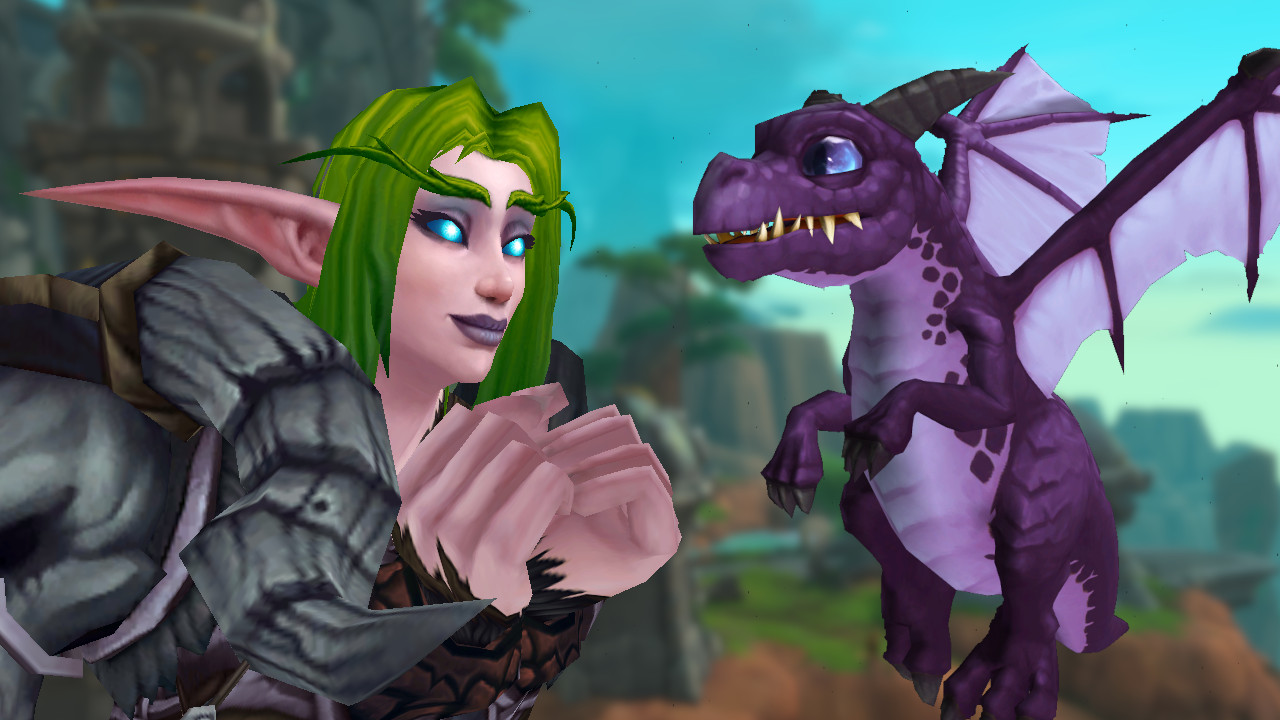
What kind of pet is this? Spyragos is a small, black-purple dragon hatchling that resembles the little dragon Spyro both in name and appearance. The pet also serves as a Battle-Pet with special abilities.
You get Spyragos for the quest “A Dragon Goes Blue.” In this quest, you must find 7 different drinks scattered across the Coast of Awakening that you cannot just find via the quest display.
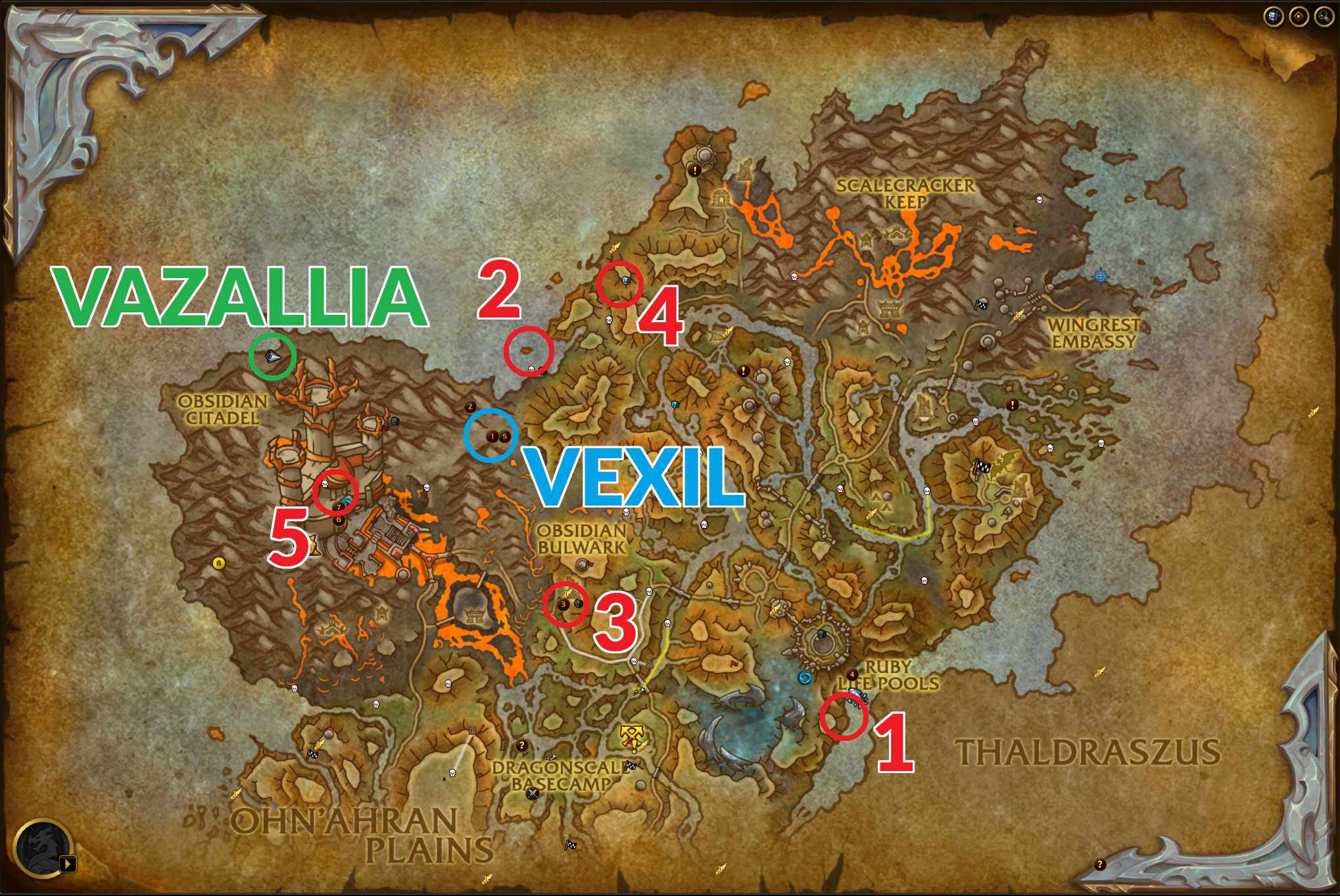
Where can I get the quest? You can find the quest giver in the west of the Coast of Awakening, in the leisure paradise “Hissing Cave” (coordinates: 20/39). The location is best reached via the new dragon riding feature.
You will find the location during the quest “Dragon Eyes”, but Vazallia is not always there. If she is not present, she flies around the area in dragon form and lands shortly thereafter. In this case, just wait a few minutes.
Talk to Vazallia and ask her what she is doing here. Then she will open the quest “A Dragon Goes Blue” for you.
WoW shows the main features of Dragonflight in the gameplay trailer, fans praise: “Finally hype again”
‘A Dragon Goes Blue’ – Here’s how to solve the quest
Vazallia wants you to get 7 different drinks. These are scattered across the Coast of Awakening. Some users on wowhead have already compiled where you can find the drinks.
But be careful with the first drink on the list: You get the “Flame Protector Rum” from merchant Vexil. To shop with her, you first need to complete a quest from Barren, as the characters in the area will otherwise be unfriendly.
We explain how to shop at Vexil in the video guide for the World Snail, which you can also buy there. You’ll also find all the new mounts in Dragonflight with us:
Start video
<strong>WoW introduces a new mount in the hotfix – Here’s how to get the aggressive world snail</strong>
Another drink on the list also requires some effort. For the Whirlwind Wine, you must buy a bottle of Kul Tiran Red from Kora Fullsail at the Obsidian Hold. With this bottle, you then have to go to the Skyhigh Observatory and throw it at the air elementals standing around there. The Whirlwind Wine will then land in your inventory.
The remaining 5 drinks are easier to obtain:
Spring Flood Brew – In a cave in the southeast at 63/80, guarded by Lago, the Drowned
Bubbling Punch – In a shipwreck on the northern coast (39/38)
Little Shooter – Sold by First Mate Kaleson at the Obsidian Hold (43/67)
Crash-Bang Booze – In a treehouse on a mountain in the north (47/31)
Some users point out that you definitely should not drink the drinks yourself. At least the Spring Flood Brew apparently has a respawn timer of up to an hour. So if you don’t want to wait unnecessarily long, you should exercise self-control.
Are you looking for a suitable flying mount for your new companion? There is a secret mount that you can easily buy with just a few steps:
If you want to take out your opponents in CoD Modern Warfare 2 or Warzone 2 in a particularly impressive way, you can execute an execution. These are particularly brutal finishing moves that will immediately take out your opponents. MeinMMO explains how to do it.
What are executions? Executions or finishers are specially animated attacks that allow you to take out opponents with the press of a button. The camera switches to a third-person perspective, and then you will see an animated sequence.
MeinMMO shows you how to use an execution and provides a few tips & tricks on landing more finishing moves.
Properly Using Executions
How do you perform an execution? To execute such a finishing move, you need to be behind your opponent.
Press and hold the button for the melee attack.
On the PlayStation, this is typically “R3” or “Circle”; on the Xbox, it’s “RS” or “B”. On PC, it’s the “V” key.
Your operator will then perform an execution.
What sounds simple can turn out to be difficult in the game. You need to sneak up behind an opponent without being detected. If the enemy spots you before you can execute the move, you will likely catch a bullet.
You can watch the gameplay of CoD Modern Warfare 2 & Warzone 2 in the trailer here:
Start video
CoD Modern Warfare 2: Trailer shows multiplayer and Warzone 2.0 – New third-person perspective is included
Increasing Chances for Executions
How do I land more executions? However, if you pay attention to a few things, executing finishing moves isn’t that hard.
First, you should adjust your loadout, as some perks and weapons can help you. By combining these elements, you can drastically increase your chances of executing an execution.
Pistol or knife as secondary weapon
Equipping these weapons allows you to move faster. This way, you can navigate the map quicker and position yourself behind opponents. A knife also lets you neutralize an opponent quickly if your execution fails.
Flashbangs and stun grenades
These tactical items can help you prepare for an execution. Blind or stun an opponent, and then sneak up on them from behind.
Throwing knife
As lethal equipment, you should carry the throwing knife. A hit with the throwing knife is enough to take out an opponent, which can save your life if your attempt fails.
Ghost and Cold-Blooded Perk
These perks make you invisible to enemy UAVs or killstreaks. Thermal sights will only show your operator as a gray outline. You can navigate the map unseen this way.
Dead Silence Field Equipment
Makes you invisible to UAVs for a limited time and additionally allows you to move faster than normal.
How can you unlock executions? Previously, executions had different rarity levels and were bound to operators.
If you wanted to use a particularly elaborate execution, you often had to go through the shop. The most spectacular finishing moves could mostly only be acquired as part of operator bundles.
In Call of Duty: Modern Warfare 2, however, all executions can be performed by all operators. During Season 1 / 2022, there are around 32 different executions.
Most of them are tied to unlocking an operator. It is very likely that more executions will be implemented with future seasons.
Can executions also be used in WZ2 & DMZ? Yes! You can also use executions in Warzone and in DMZ.
The mechanics work just like in multiplayer. However, keep in mind that you become easy prey for other opponents while performing a finishing move.
While it is considerably easier to perform an execution on an opponent who is already on the ground, you should still watch out not to be targeted by their teammates.
New World received the new update 1.8 today, on December 6th. This brings back the Winter Convergence Festival and includes a new dungeon as well as adjustments to guilds and crafting. We at MeinMMO will tell you everything important and attach the German patch notes.
What are the highlights of the new update?
The Winter Convergence event is returning. You will find festively decorated settlements, old tasks, and new rewards. Additionally, there is the Winter Warrior as a new world boss, which functions similarly to the turkey from last time.
There is a new mutated version of the expeditions Starstone Barrows and Amrhein Excavation. It will be a mash-up in which enemies from both dungeons appear, bringing a whole new touch.
Discounts for certain recipes will be introduced in crafting. Additionally, some of them will no longer be blocked by crafting station ranks, like the merging of gems, which will now be possible in the settlement of any rank.
Overall, the last major update of the year is very extensive. In addition to the major highlights, it also brings numerous bug fixes and balance adjustments. Essentially, there is something for every type of player, only PvP fans miss out aside from the balance.
The maintenance work is expected to take about 2 hours. The servers should be back online at 16:00. We will keep you updated here should the downtime take longer.
The X, Y, and Z coordinates for players have been removed from the “Show FPS” option in the visual settings.
Important Troubleshooting
A bug has been fixed that caused the “Auto Run” feature to be disabled after using portals or gates.
A bug has been fixed that caused players to constantly slide in “Threshold of Death”.
A bug has been fixed where resources were blocked by campsites.
A bug has been fixed that allowed players to enter the Ennead without completing the prerequisite quest.
A bug has been fixed that caused the scoring in Dynasty Shipyard to use incorrect values.
A bug has been fixed that caused settlement and outpost taverns to have incorrect names.
Bug fixes have been made regarding visual effects, materials, and collisions in the Sulfur Sand Desert.
The staircase of the mountain temple and the surrounding cliffs have been updated to make the path smoother.
The cooldown for bosses has been updated.
A message has been added when a player tries to fish or start a music performance while in combat.
The ability to invite players without factions to companies has been added.
The wording has been changed to more accurately reflect the cooking of bait that can be crafted.
A bug has been fixed that caused animation issues when clicking on an open song title in the song selection menu.
A bug has been fixed that caused Grace O’Malley’s Polish voiceover to break.
A bug has been fixed that caused the color of the faction control point to change when the owning company changed its emblem or name.
A bug has been fixed that caused the Wind Circle War Camp not to appear on the map.
A bug has been fixed where removing a player from a performance sometimes led to an infinite recursion.
The spawn rate of Fay, the last protector, has been increased when multiple players are in the area.
It has been prevented that music performances can start in houses.
An invisible tree in Harmony has been removed.
A bug has been fixed where players could get stuck in run animations when trying to place building materials.
Sulfur Sand Desert
A gypsum oven has been added to the Sulfur Sand Desert settlement.
The cutscene for the quest “Decoding the Secret” has been adjusted to allow full duration of voice output in all languages.
The drop rate of the item “Cactus Flower” for the quest “Flowers in the Sand” has been adjusted.
The map marker for the quest “Decoding the Secret” has been adjusted.
Adult Highland Scorpions in the Sulfur Sand Deserts have been adjusted.
Sand beds of Ta-Bitjet: The slime affix has been removed from young scorpions spawning from rotten eggs. Young scorpions near the waypoint are unaffected and are still slimy.
A bug has been fixed that caused the screen to be blurry when opening the journal during the quest “Snake Head”.
A bug has been fixed that caused interactions at the Temple of Thoth teleporter to duplicate.
A bug has been fixed where not all servers were marked for the quest “In Honor of the 19”.
A bug has been fixed where the map marker was missing in the quest “The Demonic Cauldron”.
A bug with the animation of the Sand Soldiers in Jupiter Grove has been fixed.
A bug with the visual effects in the exit portal of the Apophis trial has been fixed.
Wrong name of the target AI for the quest “The Claims of the Gods” has been fixed.
Hellmouths now have the correct compass symbol.
Players can now visit Rare Fishing Spots of the Rowers and Secret Oasis Fishing Spots without wading deep into the water.
Line breaks in Imhotep’s dialogue have been removed to improve subtitle display.
Redundant map marker during the quest “The Antiquarian’s Dream” has been removed.
Redundant quest marker on the interactive object “Old Pillar” has been removed.
Unnecessary map markers in the quest “Power of the Ancestors” have been removed.
The marker for the entrance to the Trial of the Nine Gates now remains for the entire duration of the puzzle.
The respawn rate of Imhotep has been updated.
The text of the map marker for the quest “Eye of Horus” has been updated.
Expeditions
Barnacles and Gunpowder
A bug was fixed that caused some of the alligator hatchlings’ attacks in Barnacles and Gunpowder to deal no damage.
A bug was fixed which caused Admiral Gunpowder’s barrels to get stuck in walls and go through gates.
Dynasty Shipyard
A bug was fixed that caused the boss music in Dynasty Shipyard to stop playing when the group died during the boss fight and tried again.
Garden of Origin
A bug in the Garden of Origin was fixed that caused the poison stock of the Rotting Gardener to persist even after the group was cleared.
A bug was fixed that caused the interaction for using the Purifying Flame in the Garden of Origin to sometimes not occur.
Music now plays in the Garden of Origin.
Lazarus Instrumentarium
A bug was fixed that caused Chardi’s radiation attack in the Lazarus Instrumentarium to deal no damage to players running into a wall.
Starstone Barrow Hills
A collision bug was fixed that allowed players to bypass the fog wall in the Starstone Barrow Hills.
The description for the expedition to the Starstone Barrow Hills was updated.
Heart of the Stormwind
A bug was fixed that caused the relic shrine to disappear when the bearer died.
The brightness of the “Whirling Dragon” attack by the shield maiden Lai in the Heart of the Stormwind expedition was reduced to be more suitable for players with light sensitivity.
The collisions in Isabella’s arena in the Heart of the Stormwind expedition were made more precise.
The Depths
A bug was fixed that caused incorrect footstep effects to be played in expeditions at times.
A bug was fixed that caused Thorpe’s attack “Hunger of the Void” not to deactivate after his death.
Commander Thorpe’s room was additionally illuminated.
A bug was fixed that caused players to fall out of the expedition during the Thorpe fight.
The Ennead
The Ennead expedition has been added with rock footprints.
A bug has been fixed that caused enemies on the creator’s terrace not to reach players behind obstacles.
A bug has been fixed that prevented General Crassus from receiving subtitles for his death.
Mutators
A bug has been fixed where the tooltips of the Flammability mutation displayed outdated information about harmful AI. The part about harmful AI has been removed and these tooltips have been clarified.
Minor changes in how drops from uniquely named mutator items function.
Custom sound effects for the chest celebration at the end of a Mutated Expedition have been added.
Tasks
Missing voiceover for the following NPCs added: Guardian Lin, Guardian Reynolds, Commander Hakim, Alchemist Zhi, Hughes Ducquet, Yonas Alazar, and Judge Hansen.
It has been clarified where certain tasks of the Syndicate faction can be completed.
A bug has been fixed that caused a marker to be placed outside the map for the quest “Looting the Kelleher Farm”.
A bug has been fixed that prevented players from completing the quest “Foreman’s Ledger in Amrhein”.
A bug has been fixed that caused completed quest markers not to appear on the map or compass.
A bug has been fixed where the bones in the quest “Bones for Snarchimedes” were not counted. The quest has been reactivated.
A bug has been fixed where faction quests did not display the correct location on the map.
A bug with the quest “Home of the Harvester Expedition” has been fixed so that the player no longer needs to be at the location of the destroyed obelisk. The player can now join the expedition from anywhere in the world, and it will continue successfully.
Several bugs with missing or incorrectly labeled lore pages around Aeternum have been fixed, which prevented players from achieving successes.
A typo in the lore “Among Colleagues” has been fixed.
Typo in the rewards for the main storyline quest has been fixed.
The quests “Seizing Twilight”, “Gloomy Focus”, and “Hold Back the Night” can now be reset to provide the necessary quest schedule again.
The lore note in First Light that kept players in a reading animation has been removed.
The corruption remnants at the Daughters’ Well after completing the quest “Adiana’s Fountain” have been removed.
The weight of the transfer seal, the transfer trailer, the transfer symbol, and the transfer protection used in the armor of the Wyrd protection, the darkened active ingredient, the dark active ingredient, the shadow active ingredient, and the sinister active ingredient used in the armor of the veiled intent, as well as the spark of combat, the spark of adrenaline, the spark of willpower, and the spark of impulse used in battle fervor, has been removed.
The quest for the faction mission “Eradicate the Corrupted (Elite)” has been removed due to a missing interaction point.
Kills of South Wall scouts now count for Wooden Hearts and Iron Heads in the quest “Forging the Azure Destroyer”.
Tiger now drops Great Animal Tooth.
The last two side quests from William Heron regarding Amrhein and the Starstone Barrows can now be completed by all players who have completed the main storyline quests of the Everfall story.
The loot from empty faction missions will no longer be displayed as lootable and cannot be looted until reset.
A bug has been fixed in quests where players had to enter an expedition as a step. They can now be completed either through group search or by using the door.
Bug fix that caused the city projects of the Sulfur Sand Desert to target the wrong animals.
Bug fix that caused faction hunting missions with “The Expansion” as a target to not be completed.
Murder and collection count for legendary weapon quests has been reduced.
Captain Korrapati and Susanne have been moved to a location nearby to avoid spawning issues.
Bug fix that caused Rotten Egg to not reappear after destruction.
Bug fix that prevented progress in “Search for the Huntress” after crafting the weapon ‘The Huntress’.
AI Innovations
World AI
A bug was fixed that caused the cloud colossus animation to stutter during the patrol walker navigation.
A bug was fixed that caused the eye beam attack of the corrupted cyclops to deal no damage.
A bug was fixed where the smoke trails of the lost navigator’s pistols originated from the wrong weapon.
A bug was fixed that caused the ancestor mage spawns to not die instantly when they reached 0 health.
The pathing of wolves and other AI creatures while patrolling was improved to ensure they reach their target more accurately.
The camera shake range caused by the corrupted cyclops was reduced to 7 m.
A bug was fixed that caused the AI to sometimes veer left while moving.
A bug was fixed that caused corrupted enemies to not play their running animation while navigating.
A bug was fixed that caused enemies to show a “Stunned” symbol when they were not successfully stunned by an attack.
A bug was fixed that allowed lasers to penetrate the arcane shield barrier.
Even tier enemies were removed from Endless Fall.
The spawn positions of archers during the entropy wave event in Treachery were adjusted.
AI Opponents in Expeditions
A bug has been fixed that caused Anpus Hellish Strike to send players over the threshold of death.
A bug has been fixed that caused a victory with Archdeacon Azamela not to trigger correctly when all players were at the threshold of death.
A bug has been fixed that caused Thorpe’s Dark Calls fire to not continuously damage the player.
A bug with the passive AI in the Heart of the Stormwinds, which ignored threat and provocation, has been fixed.
The damage dealt by Herus’ “Divine Destruction” has been reduced.
Changes in Combat
Mechanics
A bug has been fixed where the quick cancellation of a light attack during multiple rolls caused stamina to enter a state of exhaustion.
Fixed a bug that caused players to get stuck in the “Roll to Evade” animation when switching weapons too quickly.
Interactions are now disabled while aiming.
Status effects now apply the strongest stack instead of the last stack when targeting.
Weapon Updates
Important Bug Fixes
Fixed an issue where the weapon coating was not always displayed correctly after the weapon was moved to a different equipment slot.
All dampenings for magical weapons have been updated for weapon switching. Switching magical weapons should now be more predictable.
Thunder Rifle
Fixed a bug that allowed players to use a claw shot on their own ice pillar.
Fixed a bug that caused the effects of the ultimate “Unloading” of the Thunder Rifle to persist when switching weapons.
Fixed a bug that caused shrapnel grenades to not always detonate in sync with each other.
Fixed a bug that caused the effects of the Thunder Rifle’s passive weapon “Lucky Streak” to persist when switching weapons.
Bow
Fixed a bug that led to incorrect arrow projectile sizes when the bow’s passive arrow range was used. Now all primary arrow shots have a radius of 0.15 and all charged shots have a radius of 0.33.
The projectile “Dodge Shot” has been updated to work correctly with passive arrow range of 0.33.
The size of the explosive arrow projectile has been updated from 0.05 to a radius of 0.33.
Fixed a bug that caused unnatural animations after firing a cannon shot while idle or running backward.
The recovery time before the dodge window after the last shot of the bow’s quick shot has been increased. Previously, the dodge cancel window was too short after the shot, allowing players to easily bypass the recovery of the last shot and end the action before the arrow hit the target.
Greatsword
Fixed a typo in the tooltip for the upgrade “Relentless Refresh.”
The tooltip for the passive skill “Flawless Defender” has been made clearer.
Fixed a typo in the description of the mastery node “Intimidating Roar” of the greatsword.
The tooltip for “Flawless Defender” has been updated to clarify that “Ripped” only applies to attackers hitting the player while the effect is active.
The tooltip for the greatsword’s “Ultimate Unquenchable Defiance” has been updated to provide additional clarity on the healing bonus that requires a successful block.
The tooltip for “Relentless Power” has been updated to better describe its functionality.
Fixed a typo in the tooltip for the upgrade “Relentless Refresh.”
Reduced the strength of the crosscut skill “Crosswise Execution” from 100 % to 50 %.
The greatsword “Hard Times” can now be crafted with matter.
The greatsword of the Black Watch can now be crafted with expedition matter.
Battleaxe
A bug was fixed that caused the skill “Mahlsturm” to absorb projectiles from allied and neutral players.
Axe
The tooltip for the axe “Wilder Ansturm” has been clarified to indicate which attack staggers.
The description of the skill “Anhaltende Behinderung” of the axe has been made clearer.
A bug was fixed that could trigger “Dem Tod entgehen” while lying on the ground.
A bug was fixed that caused the animations for “Gezielter Wurf” of the axe to distort the player’s face.
The Rending Throw has been updated to not interrupt the player’s movement during the throw. The timing of the attack and cancel windows has been adjusted to better fit the new functionality.
Social distancing has been updated so that the player’s movement during the throw is not interrupted when moving forward or sideways, but if moving backwards or inactive, they will back away.
The timing of the attack and cancel windows has been adjusted to better match the new functionality during movement. The stagger from Social Distancing has been removed to compensate for the additional versatility and ensure the skill remains primarily focused on range. Furthermore, damage has been increased from 100 % to 115 % weapon damage, and slow has been increased from 25 % to 30 %.
Life Staff
A bug has been fixed that caused the upgrades “Shared Burden” and “Rebound” of Divine Embrace to not consistently bounce to nearby targets upon activation.
Bug fixed where the passive Life Staff skill “Effectiveness” was triggered when taking damage over time from Runeglass gems.
Musket
A bug has been fixed that caused musket impact effects to play even when the shot missed.
A bug has been fixed that caused the cooldown of the musket sharpshooter stance to not always trigger.
The player can now move while throwing the sticky bomb.
The stagger of the sticky bomb has been removed to improve usability.
Charging “Power Shot” and “Powder Burn” can now also occur while moving.
The damage reduction of the musket has been adjusted so that damage is reduced by 60% at full 125 m and by 30% with the passive skill “Ballistic Advantage.” This is an increase from the previous 37.5% and 18.75% with Ballistic Advantage.
Passive skill “Ballistic Advantage”:
The passive skill has been updated to no longer completely remove damage reduction, but to reduce damage reduction by 50% at more than 50 m.
Keep you in sight:
The passive skill has been updated and now applies to all hits, not just headshots and critical hits.
The functionality of the “Empowering Sharpshooter Stance” effect has been updated. Previously, there was a strong empowerment with every hit from the sharpshooter stance. This was incredibly powerful in PvP. The effect has been updated to now grant a stack of 4%-15% boost (depending on the armor value and weapon/armor) for each hit in the sharpshooter stance.
The effect is stackable up to 4 times.
The duration of the boost has been extended from 3 seconds to 6 seconds.
The boost is now removed upon exiting the sharpshooter stance.
Spear
A bug was fixed that prevented base attacks from being dampened during the spear throw recovery.
Movement speed is no longer completely halted when throwing the spear. Additionally, the spear is now thrown when pressing the skill key while aiming, instead of being sheathed again.
Wicked Gauntlets
A bug was fixed that caused the enhancement “Rending Essence,” “Overwhelming Essence,” not to trigger when the opponent died before the debuff wore off.
Fixed a bug where the passive Wicked Gauntlets skill “Empowering Proximity” and its associated tooltip were displayed incorrectly in French.
Ice Gauntlets
The ability input when exiting Ice Grave after activating the ability was delayed to match the behavior before version 1.7.0.
Fire Staff
The “Smolder” damage over time effect of the “Flamethrower” ability, as well as the passive skills “Scorching” and “Blazing Spectacle,” were increased from 6 % to 10 %.
The base damage of the Fire Staff weapon was increased by 3.5 %.
The description of “Meteor Shower” has been updated to include information on how the initial damage occurs with volume input and not just on the first cast. The tooltip has also been updated to include the effect range.
Effects
A bug has been fixed that caused the “Amplifying Whirlwind” effect to combine the slashing damage bonus and “Amplification” into a single effect, preventing players from receiving all the benefits of both effects. The effect has been split into two effects and both effects have been correctly categorized.
A bug has been fixed that caused the Rune Glass Provocation gems not to work properly with the AOE provocations “Berserker”, “Riposte”, and “Defender’s Resolve”.
A bug has been fixed that caused the “Elemental Damage Counter” effect not to deal damage to all targets hit by the next attack.
A bug has been fixed that prevented effects providing additional damage instances (e.g. Chain, Eager Slasher, Expanded Frosty, etc.) from granting Heart Rune charges.
A bug has been fixed where the base duration and maximum duration of the “Strengthening Counter” effect were set to the same value. The base value should be lower. The duration of “Amplification” has been reduced from 6 to 4 sec.
The tooltip for “Eager Tempo” has been updated to match the updated duration of 5 sec. Additionally, the maximum duration has been increased, allowing any effect that extends the duration of haste effects to also extend the duration of “Eager Tempo”.
The tooltip for the “Mortal Empowerment” effect has been updated to clarify its functionality.
A bug has been fixed that caused the cooldowns of the Rune Glass Provocation gems “Energy Giving”, “Siphoning”, and “Sucking” to prevent threat generation and provocations while the cooldown was active.
The triggering logic for all effects and passive skills that activate on the start or end of the ability has been updated. This update fixes the activation of effects when the abilities are not executed.
A bug has been fixed that caused the “Persistent Consumption” effect to have no impact on the food duration of “Desert Sunrise”.
Heart Runes
The visual effects of the Heart Rune skill “Vine” are now visible at a distance of 75 m.
A bug has been fixed where the Cunning Heart Rune in Stone Form did not follow the same naming convention as the other Heart Runes.
Heart Rune: Stone Form: “Reinforcing Form” now applies “Enhancement” separately from the status effect “Stone Form”.
Cannon Shot:
Base damage has been increased by 20 %.
Explode:
Critical damage multiplier has been reduced from 1.3 to 1.2.
The Escalating Explosion damage bonus has been reduced from 30 % to 20 %.
Updates to Game Modes
Invasions
A bug has been fixed that allowed multiple Doombringers to overlap.
Outpost Rush
A bug was fixed that caused invitations from other group members to be revoked when another member accepted an invitation.
A bug was fixed where the healing pop-ups were visible when the buff was obtained by killing Baroness Hain in Outpost Rush.
A bug was fixed where the queue window did not always close after invitations for 3v3 arenas and Outpost Rush appeared.
Handled Potion of Toughness has been removed from the armory.
When a factionless player is killed in Outpost Rush, the player icon is now displayed on the “Death’s Threshold” screen accordingly.
Speculative fix for a rare bug that caused players to only see the “Random” option (which does not work) when trying to respawn in Outpost Rush.
A bug was fixed that required a double key press to display the results of Outpost Rush.
A bug was fixed where the waypoints for the main story quest were displayed during Outpost Rush and 3v3 arenas on the compass.
PvP Arenas
A bug was fixed that caused attributes not to display correctly when players were in the spectator box.
A bug was fixed where an arena invitation was accepted while in an expedition. Opening an expedition now removes active invitations from the player.
War
A bug has been fixed where war invitations were not displayed when a player was logged out or retreated to the main menu when they were sent.
A bug has been fixed that caused certain fortifications for war and invasion to sometimes begin with a cooldown when they should not have.
A bug has been fixed where wars could sometimes not be moved properly after a server crash.
A bug has been fixed where active wars incorrectly displayed December 31 as the date.
Economy, Progress, and Equipment
Territory Ownership
To mitigate damage from a reduction in completed city projects after the removal of EP from quests on the city board, we have lowered the amount of contributions required to complete city projects. If a city project would have met the new criteria before the update and the timer only ends after the update, the project will be completed when the timer runs out, even if the UI might indicate that it is still active.
The territory reputation gained from quests on the city board has been increased by 40 %.
Equipment and Loot Overview
Some named enemies in the Sulfur Sand Desert can now wear the crafting attire “Smelting Refinement”.
The rarity for certain blueprints has been changed from Epic to Legendary to match the craftable item.
The tooltip for Shadow Shards has been adjusted. The tooltip for Shadow Shards should now be easier to understand.
Items rolled with plaster casts now have a chance of rolling a blank gemstone slot instead of a filled gemstone slot. This fixes a bug where certain types of items rolled from plaster casts could not be rolled to Legendary due to issues with gemstone slots.
For the bow “Setcheh’s Beast Fangs,” the effect “Plague Strikes” has been changed to “Plague Critical Hits.” For the life staff Petra Ataraxia, the property “Plague Strikes” has been changed to “Refreshing.”
The Privilege Tulip has been renamed to “Naturally Cold,” and the text has been changed to “Some things are just inherently cold.”
The Static Shock Axe should now have the expected attribute values.
The icons for weapon blueprints have been updated for better recognition of the weapon symbols.
The Endless Band has been updated so that the first effect is now additional health instead of luck.
The crafting plan for certain weapons with a filled gemstone slot has been updated to include the gemstone in the crafting plan.
The name of the effect “Spirit Bond” has been changed to “Soul Bond,” and the description has been adjusted.
The war/invasion ammunition has been updated and now has no weight.
The Heart of Maahebgal now has no effect for increased critical hit chance. Instead, it now has an effect for reduced poison duration.
Runeglaze markings have been updated to make the symbols easier to read.
Changes in Loot, Equipment, and Rewards
The loot buckets have been adjusted to allow for more named items to drop. These items are now in the global bucket but may be added for specific bosses or creatures in the future.
The named enemies in the Sulfur Sand Desert have been given the “Fisher Collector” set.
The loot for rare trophy components has been adjusted to make acquiring them less frustrating.
Armadillos now drop venison when skinned, while still dropping armadillo meat as a rare drop.
Epic weapon quests now reward a clay ball for each completed quest in any quest line.
Glyph Stones now have the same chance to drop from containers as they do from enemies. The drop rate for Glyph Stones that drop from particularly small landmarks has been increased.
Music sheets awarded by crafting stations now drop only once per day and station.
The music sheets for the Weaving Song, Daily Soup, and Home can now be acquired by using the crafting stations Loom, Cooking, or Engineering. The player’s first craft at each station has a 20% chance to receive a music sheet.
The “Loot Search” quest now rewards a ring.
The notable great sword Wodao is now displayed correctly as level 5 in the crafting menu.
To prevent bots from farming coins at the initial quests, we have reduced the number of coins awarded at entry-level quests until players reach their first settlement.
Important bug fixes
A bug has been fixed where the Axe Marauder had an incorrect strength attribute.
A bug has been fixed where the Blight of the Axe had an incorrect strength attribute.
A bug has been fixed that caused the Illusion Elemental to not drop Obsidian Gypsum.
A bug has been fixed that caused many rewards from named quests to not display correctly as named items.
A typo in Chitin armor pieces has been fixed.
A bug has been fixed that caused the Greatsword Wodao to drop from R4 of the Shipyard Mutator of the Dynasty.
A bug has been fixed where the icons for some items were not displayed correctly.
A localization bug has been fixed where the ring “Finger Curse of the Tormentor” was incorrectly referred to as “Finger Curse of the Herald”.
A bug has been fixed where the Crystalline Crusher Warhammer did not use its updated appearance.
A bug has been fixed that caused named PvP items to lack animated frames.
A bug was fixed where crafted dresses did not have the correct chance for attributes and gem slots due to player feedback. Well done, adventurer!
The crafting plans for greatswords have been adjusted for Timeless Shards and Golden Scarab, so the attributes require the correct crafting mods.
A bug was fixed that caused some named elite enemies of level 60+ not to drop Obsidian Gypsum.
A bug was fixed that caused some Small Cacti not to drop bonus particles when using a 600+ Scythe with a blessing effect.
A bug was fixed that caused the expedition access interface to not display certain items with the correct armor value.
A bug was fixed that caused some items from drops not to yield the correct salvaged items.
A bug was fixed that caused certain items (Desecrated Hammer, Dark Fire Mage’s Wand, Hellstrike, Frost Wall, Heartvine Jewelry, Trundraw Guardian Musket, Cave Creeper) to not drop as expected from the Depths Mutator. These items should now drop more frequently in this mutator.
Bugs were fixed that caused the AI to drop items in a large armor value range when your expertise was high.
Bugs were fixed that caused specific named mutator items not to appear on the expedition interface.
Graphics glitches fixed for the following:
Clothing Skin “Fallen Spirit”
Metal Raven Gloves
Clothing Skin “Bloodthirsty Count”
Boots of the Deathly Crown
Shirt of the Lost
Hypatia Armor Skin
Helmet “Help of the Deep Source”
Frost Wall and the Ice Gauntlets of the Creeping Cold
Pants “Pharaoh’s Death Shirt”
Titania and Leggings Skin of Sprout of Darkness
A visual bug has been fixed that caused the axe of the mad warrior to be held incorrectly.
A bug with the facial animation for the emote “Headbang” has been fixed.
The scout hood has been adjusted to cover hair.
A bug has been fixed that caused the wrong animation to be played for the emote “Shrug Dance”.
Housing
No building plan is required for the creation of the Motherly Love sculpture.
For the Ash rocking chair, ash wood is now used instead of maple wood according to the manufacturing plan.
The first house purchase now costs a flat rate of 5000 Talers. Rank-1 houses are now unlocked with Level 1 Territory Reputation (previously Level 10).
Fixed a bug that prevented housing points from updating after purchasing a house.
Territory Reputation is now disabled for use with housing points. This is a temporary measure while we work on improving the points system.
Housing decorations will no longer be shown in the decoration menu until loading is complete.
Players can now remove all furniture in their house through the house management screen. Removed furniture will be returned to the settlement storage.
Progress
The requirements for the achievements “Skilled Person”, “I Can Do This”, and “General Contractor” have been changed based on player feedback to be more reasonable.
Taxes
The “Change Taxes/Fees” button in the Governor’s office has been removed, as the tax rates are now fixed.
Skills
Crafting
The requirements for the station rank have been adjusted, and the requirements for the trade skill for material conversion have been lowered from 150 to 0, as we no longer have ranks for refinement materials.
The description for rune glass settings now indicates that players can embed a gemstone at a stonecutter’s table.
A bug has been fixed that caused crafting materials for higher rank breaks to yield less experience in stonecrafting than crafting materials for lower ranks.
A bug has been fixed that caused expedition replica greatswords to have engineering disassembly tables instead of blacksmithing disassembly tables.
The three plans for shields that enabled the use of the rune stone stopwatch have been removed, as it makes no sense to craft a shield with an armor value of 600 since legendary shields cannot be rolled.
The crafting categories for blacksmithing and engineering have been revised.
The rune stone stopwatch now requires a rank 5 stonecutter’s table.
A bug has been fixed that prevented players from earning XP at certain crafting stations.
High-tier Wyrd gear obtained through the tasks of Violante Severino in the Weaver Mire can now be crafted without consuming the lower-tier gear. Blocked players should now be able to complete this task line.
Fixed a bug where crafting interactions were interrupted or stopped working under high-latency network conditions or many packet drops.
Harvest color was previously available in kitchens of rank 3, but due to the required rank, it was intended for kitchens of rank 4. It is now unlocked in rank 4 kitchens.
A bug has been fixed that caused the wrong effect to appear as disabled on the crafting screen when the item was not crafted with a higher armor value. Likewise, the tooltip on the crafting screen was updated to hide the correct disabled effect.
A bug has been fixed where the rank label for items without rank appeared in crafting stations kitchen, smelter, or plaster oven.
Fishing
Adjusted fishing for casting when standing on elevated platforms away from the water’s edge.
UX/UI/Social
In-Game Shop
A bug was fixed that caused item skins not to be removed when players logged back in.
A bug was fixed that caused the wrong preview animations to play when switching quickly between weapons.
A bug was fixed that sometimes displayed the wrong world name in the world transfer confirmation popup.
A bug was fixed where players had to continuously reload the thunder cannon during the skin preview.
A bug was fixed where the idle animations of weapons did not play correctly after the shield preview in the shop.
A bug was fixed where the shop preview did not show the correct preview if a skin was already equipped.
A bug was fixed where the animations during the emote preview in the shop were not functioning correctly. Moving in and out while the emote symbol is displayed no longer interrupts the preview animation.
Players can now search for accented words without using the accents.
Trading Post
Contracts viewed at the trading post now correctly display expertise scaling information.
The error message when joining a music performance using the trading post has been updated.
Fixed an error where the characters of attribute items were not displayed correctly at the trading post.
Fixed an error where the additional pouch effect icon was displayed incorrectly at the trading post.
Important bug fixes
A bug has been fixed that caused locked players not to appear in the list of locked players.
Bug fixed that allowed players removed from a company to still see company-specific messages in chat.
A bug has been fixed that prevented characters from being removed from the friends list after a world merge.
Bug fixed that caused Azoth vials and Azoth currency to have the same symbol. The symbol for Azoth currency is now a blue crystal.
A bug has been fixed that caused currency ingredients to not be listed correctly in the crafting menu.
Bug fixed that caused the area reputation displayed on town board projects not to reflect the area reputation of music performance boosts.
Bug fixed that caused the settlement name to be displayed instead of the expedition name on the compass when entering expeditions from other locations.
Bug fixed that caused the Pharaoh’s longsword to display the wrong symbol.
Inconsistent fonts in popup dialogs that appear in combat and when fishing or playing music have been updated.
Rank etiquette for items without rank in the crafting stations kitchen, smelter or gypsum kiln is no longer displayed.
Fixed an issue where the HUD displayed multiple notifications overlapping during invasions.
The symbols for instruments are now larger, making the instruments easier to recognize.
The campsite skin tooltip has been revised to match the current functionality in the game. Players can apply skins at the campsite instead of in their inventory.
Members of a company without faction affiliation now display their company crest and faction colors.
The icon for treated silk has been updated.
The counter for “remaining normal expeditions” has been removed from the soultest “Necropolis of Sutekh” as it doesn’t output an expedition counter.
A dark background has been added behind the newsletter button in the main menu to make it more visible.
A new unread icon has been added to the world history pages.
A warning countdown timer has been added to musical performances when an inactivity timeout is impending.
The double-click to learn a plan is no longer available in the action menu while the item is in the settlement stash. The player can still learn the plan while in the settlement stash by selecting the option in the item’s action menu; double-clicking simply moves the item into the player’s inventory.
The flickering has been fixed when “Show Weapons Always” is turned off. Hiding weapon abilities when using a gathering tool.
A capitalization error in the PvP arena spectator notification has been fixed.
A bug has been fixed that caused the engineer icon in the header of the forge to not display the correct icon.
A bug has been fixed that prevented the “Loading”, “Crafting”, and “Settings” screens from closing like all other screens when clicking outside their main window area.
A bug with unlocking the first Mutated Expedition has been fixed. The reward is now correctly centered on the reward banner.
A bug has been fixed where the attributes did not display correctly when a shield was equipped without a sword.
Fixed a bug where platinum used the wrong icon when tracked on the compass.
A bug has been fixed where runestone items and chitin padding stated they could be inserted into any item with a socket. The text for each item has been updated to mention the specific types of items they can be inserted into.
A bug with misaligned icons for Legendary Fish has been fixed, so they now match the model in the game.
Some cases have been fixed where an item displayed a lower rarity than it should have.
Blueprints now show the correct rarity.
Card filters are now saved across sessions.
The trading skills screen has been updated to now show three instead of four reward tokens.
When crafting with the last mod item, it will now be correctly deleted before the next crafting.
A bug has been fixed that caused the warning before checking into an inn to not display correctly when leaving the town.
A bug has been fixed that caused a skill-specific effect to display the wrong symbols.
A bug has been fixed that caused the dropdown menu to not function properly when selected.
A bug has been fixed that caused the conversation window with an NPC to briefly reappear after completing a quest.
A bug has been fixed where inconsistent fonts were displayed when players tried to fish or play music in combat.
Father’s Care Longspike Shield and Orichalcum Longspike Shield can now be dyed.
The correct cuff ring for Stormbound Abyssal Bracers has been rendered.
The bag with discarded items now shows the correct weight limit.
A bug has been fixed that caused the Breaker and Sociable armor sets to display as medium instead of light equipment weight.
A bug has been fixed where Amethyst-based rune glasses did not apply the correct visual effects when used in weapons.
A bug has been fixed where the faction symbols in the company list were not updated to reflect the current affiliation.
The unusable dye slots of the Stormbound Long Spear Shield, Round Shield, and Tower Shield have been removed.
A bug has been fixed that caused the player’s weapons to not be hidden when the faction mission board was displayed.
A bug has been fixed that caused items from the Summer Medleyfaire food to grant the status effect “Full” for too long.
A bug has been fixed where the Orichalcum Long Spear Shield could not be dyed.
A bug has been fixed where animations were interrupted after an AFK kick in the shop.
A bug with armor dyes has been fixed, which caused the fabric of an equipped skin not to be removed from the underlying armor when the dye window was opened.
A clipping bug when crawling for Baalphaz’s cloak has been fixed.
A clipping bug when holding a weapon for the Twitch drop armor skin “Death’s Embrace” has been fixed.
A bug with Imhotep’s Sandstorm phasing has been fixed.
The duplicate insignia image in the plant insignia pack has been corrected to display the correct hemp plant image.
French localization for “Amrhein” has been corrected to capitalize the expedition.
The descriptions for named weapon plans have been updated to ensure consistency.
The clothing skins “Dune Explorer” have been renamed to “Seething Sand” to better match their designation.
The pondering emote has been updated so that its sound effect ends at the same time as the animation.
The weapon preview no longer breaks when you have no weapons equipped but a shield.
You can no longer access the inventory while you are under objects that prevent you from standing.
A bug that led to crashes has been fixed.
A bug has been fixed that caused some shields in the faction shop to display as the wrong shield type.
A bug has been fixed where the camera and movement speed of a player would get stuck in a bad state when teleporting in or out of an instance while targeting with some ranged abilities.
A bug has been fixed where the new food in the sulfur sand desert showed “Sated” for 70 instead of 60 minutes.
A bug has been fixed where an error message in the tooltip “Buy Transfer” was not correctly localized.
The user interface for the crafting and trading skills event now clearly explains the experience gain and bonuses in the tooltip.
The great sword icons have been updated to improve visual quality.
The images for mastery with sword and shield have been updated and now also include a shield.
Quality of Life Improvements
A bug on the container opening screen that caused stackable items to be displayed multiple times when creating a new stack has been fixed.
A bug that caused musical instruments to display weapon attributes on the crafting screen has been fixed.
Inventory and storage now allow sorting in ascending and descending order.
The display of journal documents has been redesigned.
The “Area Planning” screen now shows the total number of coins.
The trading skill plan list has been updated to show more accurate tooltips for unlocked items.
The tooltip for equipped weapons will no longer display after interacting with the “Craft” button.
The message when the player cannot chat has been updated.
A new message when the player is on a full server has been added.
The error message when players cannot create a character in a full world has been updated.
The display of the loot ticker has been improved to highlight the best items.
When players have no other items to compare, the tooltips will now only show item information without the comparison UI.
Audio
A bug with the voice output of the NPC Tomash Kovalenko has been fixed.
Issues with the French voice output of various NPCs have been fixed.
Fixed a bug that caused audio and player animation to stutter when attempting a fast travel.
Fixed a bug where dusk spirit camp skins played the campfire ambient sound even though they had no campfire.
When using the emotes “Digging Up Grave”, “Panic”, and “Stab”, a sound is now played.
The sound effects for the hellmouths have been polished.
A bug was fixed that caused impact sounds not to always play when taking melee damage from the Lost Knight’s warhammer.
A bug was fixed that caused certain camera angles to muffle the sound of the grimoire lectern.
A bug was fixed that caused the “Singing Fish” item to not play music when players left and returned to the area.
A bug was fixed where the sound for sheathing the sword not always played when selecting an instrument during musical performances.
The clapping sound effect of musical instruments has been removed.
The turkey pet has been updated and now features unique sound effects.
A bug was fixed that caused the sound effects for destroying nodes in the “Emerging Threat” quest not to play.
Multiple impact sounds in the Sulfur Sand Desert have been improved.
The sound effects for the turret beam in the Sulfur Sand Desert have been improved.
A bug was fixed that caused the sound effects of the Azoth Reflector to be too quiet.
A bug was fixed that caused corruption nodes during the “Adiana’s Fountain” quest to not play sound effects.
The sound effects for the bandits in the Sulfur Sand Desert have been updated.
The sound effects for several ancients in the Sulfur Sand Desert have been updated.
A bug was fixed that caused the rotating puzzle rings not to play sound effects.
The timing has been adjusted and some of the sound effects for the sandworm have been polished.
Missing voice output for Johanna Maes fixed.
The voice output for Commander Maximo and Imhotep has been corrected.
Players no longer hear musical instruments when interacting with quest NPCs.
Cut-off dialogue for Imhotep in localized languages fixed.
The volume of thunder played in the intro video sequence has been adjusted.
What do you think of the new update in New World? Do the changes appeal to you?
This is an AI-powered translation. Some inaccuracies might exist.
The biggest streamer on Twitch, Kaitlyn “Amouranth” Siragusa (29), shocked her viewers in October with the revelation that she is married and being controlled by her husband. Meanwhile, she claims to be single now, but a fan is reportedly concerned about the streamer’s safety and made her a special gift.
Why are fans concerned about Amouranth? On October 15, Amouranth, who had built a reputation as a self-determined and ambitious businesswoman, revealed that she is married. However, her husband requires her to pretend to be single.
Amouranth also explained that her husband had a significant influence on her content: He allegedly pressured her to stream a lot and to always present herself provocatively. He even threatened her dogs and her financial security for this.
What kind of gift did Amouranth receive now? In a stream, Amouranth opened a package she received from an anonymous viewer, apparently on the occasion of her 29th birthday on December 2.
Included in the package were the equivalent of €66,000 in cash, self-defense items including a taser, a new iPhone, and a letter.
What did the letter say? The anonymous viewer describes in his letter what the items in the package are about. Apparently, everything revolves around the streamer’s safety:
I have provided some important means of self-defense as well as some cash to ensure that no financial manipulation can restrict your determination.
From the letter of the anonymous viewer
Although Amouranth earns quite well with her content on platforms like Twitch, OnlyFans, and her own companies, the viewer seems concerned that someone like the streamer’s husband could take control of her finances. With the cash, she would always have some leeway.
Also, the phone is not just a luxury gift but something that is supposed to ensure Amouranth’s safety: It is a prepaid device that still needs to be activated, so no one knows the number.
Additionally, there are two phone numbers that Amouranth can save in the phone if needed:
the number of a personal security service, which the anonymous donor is also covering. “In case of an emergency, if the other items in the package are not sufficient,” the letter states.
the second number is the personal number of the anonymous sender. Should Amouranth need anything, she can contact him at any time, according to the letter writer.
Recommended editorial content
At this point you will find external content from Twitch that complements the article.
I consent to external content being displayed to me. Personal data can be transmitted to third party platforms.
Read more about our privacy policy.
How did Amouranth react to the gift? The streamer was initially visibly surprised by the generous gifts. After Amouranth counted the money, she exclaimed: “Who are you?” She then explained that she initially thought the money was fake.
Apparently, Amouranth initially assumed that the package was a joke from a content creator on YouTube.
Recommended editorial content
At this point you will find external content from Twitch that complements the article.
I consent to external content being displayed to me. Personal data can be transmitted to third party platforms.
Read more about our privacy policy.
Particularly impressive for Amouranth was apparently that the anonymous donor does not seem to expect anything in return for his gift: The letter does not contain a creepy “Run away with me, please marry me,” as is usually the case, the streamer said.
After clips from the stream were shared on Twitter, Amouranth commented more on the gift: She is very grateful, but initially did not want to mention anything as long as the money was still in her house. However, it is now in the bank. So it does not seem to have been counterfeit money (via Twitter).
In a comment, Amouranth wrote that while others might be excited to receive so much cash, for her, the situation was a bit nerve-wracking. She had consulted with her assistants for a long time about how to handle it (via Twitter).
Whether it is a sincere gift or if the situation will be clarified in a YouTube video soon is still unclear. Some viewers apparently saw parallels to actions that YouTuber MrBeast has shown in the past.
Other gifts have also caused excitement on Twitch:
In Pokémon GO today, on December 6th, the Spotlight Hour with Felino begins. We show you everything about the bonuses, shinies, and times of the event.
What kind of event is this? Every Tuesday, a Spotlight Hour takes place in Pokémon GO. This is a one-hour evening event where a selected Pokémon is in focus. At the beginning of each month, Niantic announces the participants for the upcoming Spotlight Hours.
This is accompanied by a bonus that is also active for one hour. Today you will encounter Felino and receive additional stardust. We show you the details here.
Spotlight Hour on December 6th – Start, Bonuses, Shiny
When does it start? As you are used to, the event starts at 6:00 PM German time and lasts for one hour. It ends at 7:00 PM.
What bonuses are there? During the event, you will encounter Felino almost everywhere in the wild. The Pokémon is from the second generation and is of the types water and ground.
For even more encounters with Felino, you can ignite your incense.
Additionally, you will receive double the amount of stardust for catching Pokémon. This applies to all your catches, even if you are raiding at that time.
In the next Spotlight Hour, Seemops will be waiting for you:
Is there Shiny Felino? Yes, you can catch shiny Felino in Pokémon GO. In the following graphic, we show you the comparison between the normal and shiny variant:
Is the Spotlight Hour worth it today? Felino itself is rather uninteresting in PvP and PvE. Its evolution Morlord can at least reach the lower middle tier in the Super League, but is otherwise also unremarkable.
We recommend taking part in the event mainly for the stardust bonus. This way you can fill your resources well.
“Green Hell” is a survival game on Steam, where you fight for your survival in the Amazon jungle. Dangers lurk around every corner, and you need to watch out for animals and diseases. The game is currently on sale for €15 and has 87% positive reviews.
What kind of game is Green Hell? It is a survival game with open-world and crafting elements.
The player is thrown into the setting of the unexplored Amazon rainforest. Without equipment or food, one tries to find their way in the green hell. The goal: to escape. As the game progresses, you will uncover how you ended up in this situation and stumble upon unpleasant truths.
Here you can see a trailer about animal husbandry in Green Hell:
Start video
Green Hell – Animal Husbandry Trailer
Defy the numerous dangers in the jungle
What is the gameplay like in Green Hell? Green Hell places emphasis on realism. It incorporates real survival techniques in the game, such as building fire pits or setting animal traps. Your injuries are also modeled realistically and can sometimes look quite severe.
The setting is the Amazon rainforest, parts of which have been carried over from reality into the game. You will find numerous plants and animals that behave according to their species. Since an update on August 1, 2022, you can also tame capybaras, peccaries, and tapirs, and build a small animal station.
The player starts without equipment and crafts tools and buildings using their surroundings, such as a shelter. Weapons can also be created, which are necessary for hunting or defense.
Here are some screenshots from Green Hell
Because the jungle is a dangerous place. Wild animals, tropical diseases, and your own psyche are your enemies. If wounds are not treated in time, you can die from them.
The game places an emphasis on the psychological aspect that survival in such an extreme situation brings. There is a dedicated display that reflects your mental state. Certain actions, such as consuming maggots, will decrease the value, but it will also increase with beneficial actions. If the value drops too low, you will experience grim hallucinations.
Do you have an absolute favorite game on Steam or know hidden gems that deserve more attention?
Then leave us a comment on that or send us your game recommendations to the email address [email protected] with the subject “Game Recommendation”. Maybe your game will be the next one featured on MeinMMO.
How do players rate Green Hell? On Steam, the game is rated very positively. Out of a total of 38,463 reviews, 87% are good (as of December 6, 2022, via Steam).
The game is said to be challenging according to comments, and the dangers in the jungle are not to be underestimated. The game is said to be a lot of fun both in single-player mode and in co-op mode.
How much does Green Hell cost? Currently, the game is on sale: Instead of €20.99, you currently pay €14.69, which is 30% less. The promotion ends on December 19, 2022 (as of December 6, 2022).
In Fortnite, one of the rarest emotes finally made its way back to the item shop after nearly 4 years. This has caused a stir in the community, but after 3 hours, the emote was gone again. What happened?
What kind of emote was it? One of the rarest emotes briefly made it into the shop. It was the emote “Tidy”. This move was inspired by Snoop Dogg and required you to repeatedly swipe.
For many, a dream came true on the night of December 6, as some collectors didn’t even have this emote in their collection. It hadn’t returned to the item shop for 1455 days, almost 4 years.
So today was the day, but after three hours of its return, Epic Games canceled its decision and sent the emote back to the vault.
Here we have embedded the trailer to the gameplay of Chapter 4 in Fortnite again:
Start video
Fortnite: Gameplay trailer for Chapter 4 Season 1
Players are flipping out because their emote is no longer OG
In the Fortnite community, there are still some players who refer to themselves as OG. These players have been around since the beginning and own many rare items, with which they brag in front of all the other fans. For this reason, a huge outrage broke out on Twitter, as many of these OG players went wild.
They cannot understand why Epic Games brought this emote back to the shop and why they are robbing them of these moves of their OG status. Many players comment under the post of Fortnite leaker Shiina and Hypex as follows:
@Defaulting12 : “I’m shaking with rage, I’m crying so hard!!! That was my last rare emote and now it’s gone to these absolute noob losers!! […]”
@JackDoh87643094 : “Dude, I had it OG … first they ruin their game with Chapter 4 and now they bring back my OG item …”
@quantavioussy : “BRO, THAT WAS ONE OF THE ONLY OG EMOTES I HAD NOW”
Why was the emote removed? No one really knows. Epic Games released a short statement on Twitter stating that there was a shop area active for a short time and that it has now been deactivated. They are working on implementing further variations of this shop area.
It is not exactly known why it was removed, but we believe it was an oversight and these items were probably meant to be offered at a later point in the season.
What do you think about Epic Games leaving the emote in the shop for only 3 hours? Do you think it’s a shame or were you able to treat yourself to the emote? Feel free to leave us a comment!
This is an AI-powered translation. Some inaccuracies might exist.
Trainwreck claims to have a good understanding of Twitch and its fundamentals, as he has been one of the top 5 Twitch creators in the world for 16.5 months and is currently among the top 10 Twitch creators in the world.
Another major streamer who no longer streams on Twitch is Dr Disrespect:
Start video
DrDisrespect was a celebrity on Twitch – His ban remains a big mystery to this day
Which Twitch competitor is it about? The new competitor for Twitch is the streaming platform Kick.com.
As stated in a TwitLonger by Trainwreck, Kick.com aims to focus more on the needs of creators.
Among the features that will be introduced on the platform in the future is a “95% to 5%” split of subscriber revenue. In addition, “tips”, which are called “Bits” on Twitch and “Kicks” on Kick.com, will go 100% to the streamers.
Furthermore, Trainwreck speaks of an innovative creator program from Kick, where streamers receive a regular income. This income is based on the number of hours watched and the total number of viewers a streamer has.
“Twitch has built its empire on our backs”
What does Trainwreck say about Twitch? Trainwreck accuses Twitch in his Twitlonger of taking a large portion of the streamers’ revenue, despite providing, in his view, a small contribution:
“Twitch does almost no marketing for streamers, no discovery, and offers only limited help in building their business. The streamers are only successful due to the blood, sweat, and time they invest themselves. Twitch merely plays the role of a website host. Given their contribution, it is absurd that they withhold 50% of our revenue.”
He also states that Twitch has “lost touch with reality”. Twitch is said to have built an empire on the backs of the streamers and then forgotten them.
“At some point, Twitch lost touch with reality. In the past, Twitch felt like a place made for us and by us. But Twitch has built its empire on our backs and then forgotten us. They have lost the reason why Twitch became number one in the first place.”
What does Trainwreck aim for with Kick? As can be gleaned from the Twitlonger, Trainwreck wants to help streamers succeed on Kick “where Twitch has let them down”. For this purpose, the 31-year-old joins kick.com as a consultant and non-exclusive broadcaster.
One goal of Trainwreck and Kick.com is to create a streaming platform that is not just for large streamers with paid contracts, but is also aimed at small and medium creators. According to Trainwreck, these are “the foundation and backbone of all live streaming platforms”.
A streaming platform that also tried to dethrone Twitch was Mixer. For this, they even secured the extremely successful streamers shroud and Ninja. However, in 2020, Mixer’s efforts ended, and the platform was shut down.
The preseason of League of Legends is characterized by many transactions among the players. In the upcoming season, many players will not start with their old teams. The same goes for the young talent from Evil Geniuses. What exactly happened with the team?
What is happening in America? In League of Legends, there are occasionally teams that become noticeable externally. Recently, there was a huge uproar about G2 Esports, who fired the CEO for celebrating with the wrong people.
This time, it is about the League of Legends team from the LCS, Evil Geniuses (EG), and the player Kyle “Danny” Sakamaki (18). This player is contracted with EG as an ADC. There, he had a fantastic season. However, now a tumult has formed around him.
The young player took a break from his professional career over the summer. The reason was probably personal circumstances. As a result, he missed the championship final. Meanwhile, more and more problems accumulated within the team.
This has led to Danny’s break likely being extended, and it is apparent that he will not play for EG at the beginning of the upcoming season, as reported by dotesports (via dotesports.com).
The reasons for this decision have partially become known, and the Evil Geniuses team is now facing significant criticism. An outside company will be brought in to assess the circumstances within the team.
Faker has been perfectly portrayed several times in the videos of the Worldsof League of Legends:
Start video
LoL stages its biggest professionals in a trailer so perfectly that I still get goosebumps 4 years later
CEO wants to smooth things over: “We take it damn seriously”
How did all this come to light? The European commentator Marc Robert “Caedrel” Lamont showed a chat log in his livestream on Twitch. A family member of Danny is said to have spoken about the circumstances at Evil Geniuses.
EG has portrayed a facade to the outside that everything is very familial, but that was probably not the case. It seems to have gone so far that they turned to the players’ association for help. The player himself, however, does not want to make a big deal out of it.
Even Danny’s personal lane coach allegedly intervened on his behalf and wanted to approach the players’ association. Subsequently, he is said to have been fired by the team. It seems that all of this stems from certain individuals having a misguided view of specific matters. However, it is already too late to work on that.
If you want to watch the Twitch clip, we have embedded it here for you:
Recommended editorial content
At this point you will find external content from Twitch that complements the article.
I consent to external content being displayed to me. Personal data can be transmitted to third party platforms.
Read more about our privacy policy.
What is the response from the organization? The CEO of Evil Geniuses appears completely taken aback and has commented on Twitter regarding the incident. Nicole LaPointe Jameson speaks to EG’s fans about how the allegations against the team are absolutely unfounded.
She cannot disclose further information due to the confidentiality agreement, but it is very important to her and the organization how the players are doing. She sees the players and even their families more often than her own.
During the video, she emphasizes that they are really damn serious about focusing on the well-being of the players. Furthermore, they have now brought in another company to review their treatment of players and in the LCS, so that the allegations can be addressed.
All the allegations stand in stark contrast to how Evil Geniuses presents itself externally. And even though they want to support the players, one thing is already certain amidst the turmoil: Danny will not start the season for EG in 2023. Instead, FBI from 100 Thieves will play as ADC.
What do you think about the whole issue? Is the success of the organization important, or should it primarily be about the well-being of the players? Let us know in the comments.
In Pokémon GO a new feature has been activated: the capture cards. How you can use them, we will show you here.
What’s happening in Pokémon GO? In Pokémon GO, today, on December 6, 2022, the new event “Mysterious Blade” launches. The event brings new monsters, changes the spawns, and some bonuses are now active.
In addition, a new feature has been activated in Pokémon GO: The new “capture cards” are now available.
How to use capture cards in Pokémon GO
What is a capture card? You can display your monsters in the form of a “capture card,” which shows various things:
The Pokémon
A background that matches the type
The CP of the monster
The way you caught it – such as Raid, surprise encounter, or similar
The catch date and location
The ball used
The monster appears as you find it in your collection. Best friends have the corresponding badge, and shiny or costume variants are displayed accordingly.
In addition, you have the option to replace the “standard” image with an AR snapshot. It could look something like this:
The cards also let you take a photo
What does the capture card bring? The capture card is purely a social feature. You can post the card on social media or send it to your friends when you want to share your latest catches. It is likely thought of similarly to the overview at the end of the adventure smoke.
Currently, they are not collected in-game, like postcards.
How do I use the capture card? If you have just caught a Pokémon or click on it in the collection, you just need to click on the menu at the bottom right (the three lines where the rating and sending options are).
There you will now find the new option “capture card,” between the candy conversion and the tags.
Restriction: As of now, the feature is only possible with monsters that you have actually caught. Pokémon hatched from eggs or those you have received through trades cannot currently be immortalized as a capture card.
What do you think of the new feature? Can you make something of it, or is the capture card not for you? Tell us in the comments!
With WoW: Dragonflight comes a lot of fresh air to Azeroth. The MMORPG wants to reinvent itself, and thus the professions are getting a long overdue update. The system promises more depth and aims to keep players engaged in the long term. We explain how it works.
What’s new? In Dragonflight, all primary professions have their own talent trees. There, you unlock new recipes, abilities, or enhancements, for example. The further you progress in the talent trees, the bigger bonuses become available.
You can decide whether to craft high-quality items or increase your efficiency by, for instance, learning to create more items from a certain quantity of materials. However, before you start gathering, you should check this out: WoW gives you a bag with 34 slots, perfect for all collectors.
However, keep in mind that these talent trees are only available for primary professions. Currently, there is no comparable system for fishing, cooking, and archaeology.
How do I progress in the talent trees for professions? Similar to the talent trees for your class, you need to invest points into the profession talent points. You earn these knowledge points from a variety of different activities. Some of these are one-time rewards, while others come from sources you can repeatedly access.
But don’t worry, you don’t have to plunge headfirst into the grind for knowledge points. Rather, the system is designed so that you automatically receive the points over time. Nevertheless, there are a handful of tricks that can give you a slight head start right at the beginning of the expansion.
However, bear in mind that currently, there is no possibility to refund knowledge points that have already been spent. So choose wisely!
Check out the new features of WoW Dragonflight in the gameplay trailer:
Start video
WoW shows the main features of Dragonflight in the gameplay trailer, fans praise: “Finally hype again”
Reaching the Master Crafter with Knowledge Points
What is already known about knowledge points?
To apply knowledge points, you first need to raise your professions to level 25.
You can start collecting knowledge points as soon as you enter the Dragon Isles. However, some will only become available during the expansion.
Knowledge points are profession-specific. So if you find an item that rewards you with knowledge points for alchemy, you cannot use it to increase your tailoring skill.
There are different methods to earn knowledge points for the various professions. Additionally, it is highly likely that more methods will be introduced throughout the expansion.
How to Gather Knowledge Points for Your Professions
There are various methods by which you can increase your knowledge for professions. Some are one-time rewards, while others you receive from repeatable quests. For some professions, you can gather some knowledge points early on, while others take a bit longer before you can earn knowledge points.
Recipes
When you craft an item for the first time using a new recipe, you receive 1 knowledge point, 5 Artisan’s fervor, and experience points. Artisan’s fervor is a crafting material that you need for many recipes on the Dragon Isles.
For? Crafting professions
Repeatable? No
Gathering
You receive one knowledge point when you mine a resource for the first time. There is one point for each basic resource and an additional knowledge point for modified resources. The system is well illustrated by mining: You receive one knowledge point when you mine Draconium ore for the first time. You receive another knowledge point when you mine Rich Draconium ore for the first time.
Unfortunately, skinning professionals have a hard time. They cannot earn knowledge points through skinning. But don’t worry, that will change once you have access to world quests.
For? Gathering professions
Repeatable? No
Rare Resources
When you go searching for resources, you may find special, rare resources with some luck. These are consumables that grant either 1 or 3 knowledge points.
The items that grant you a knowledge point can be used as often as you find them. The items that reward you with 3 knowledge points are much rarer. You can only find one item per week.
For? Gathering professions
Repeatable? Yes
Hidden Master Crafters
Scattered across the Dragon Isles, you will find master crafters who are just waiting to be discovered by you. They do not offer quests, but reward you with a solid 5 or 10 knowledge points and 50 Artisan’s fervor when you talk to them about your professions. Find, click, choose dialogue options, and claim your reward. You need to be at least profession level 25 to receive the rewards. We have included the exact coordinates:
Alchemy: Grigori Philoentest in the zone “Coast of Awakening” – 60.92 / 75.84
Skinning: Zenzi in the zone “Coast of Awakening” – 73.34 / 69.72
Blacksmithing: Grekka Ambosshieb in the zone “Coast of Awakening” – 43.32 / 66.60
Enchanting: Shalasar Glimmerdust in the zone “The Plains of Ohn’ahra” – 62.42 / 18.70
Herbalism: Hua Greenpaw in the zone “The Plains of Ohn’ahra” – 58.42 / 50.04
Leatherworking: Erden in the zone “The Plains of Ohn’ahra” – 82.45 / 50.67
Engineering: Frizza Summkruberl in the zone “The Azure Mountains” – 17.8 / 21.7
Inscription: Lydiara Whisperfeather in the zone “The Azure Mountains” – 40.20 / 64.3
Jewelcrafting: Pluutar in the zone “The Azure Mountains” – 46.23 / 40.84
Mining: Bridgette Holgrab in the zone “Thaldaszus” – 61.42 / 76.95
Tailoring: Elysa Strahlwicker in the zone “Valdrakken” – 27.96 / 45.79
For? All gathering and crafting professions
Repeatable? No
Treasure
As is now customary, you can also find plenty of secret treasures on the Dragon Isles. These are usually hidden in somewhat inaccessible locations. What’s new, however, is that some treasures contain items that can increase your profession knowledge by 3 points.
For? Crafting professions
Repeatable? No
Shards of Knowledge
The Shards of Knowledge are rewards you receive for completing quests and treasures like the Expedition Scout Pack. The items themselves do not grant knowledge points; they must be turned in at the NPC “Khadin” in “The Plains of Ohn’ahra.” First, however, you need to complete a quest line that starts with Miguel Heller in the Plains of Ohn’ahra. You receive 1 knowledge point for each Shard of Knowledge.
Additionally, you receive 10 shards for completing the achievements “Apprentice of the Dragon Isles Crafting Quests,” “Journeyman of the Dragon Isles Crafting Quests,” and “Master of the Dragon Isles Crafting Quests.” For this, you have to complete 100, 250, and 500 crafting quests respectively.
For? All gathering and crafting professions
Repeatable? Yes
Quests
You can also earn knowledge points through weekly quests. You receive these from the profession teachers in Valdrakken. You must have reached at least level 68 to gain access to these quests. When you complete the quests, you will be rewarded with 3 knowledge points.
For? All gathering and crafting professions
Repeatable? Yes, every 2 weeks
Draconic Treatises
Draconic Treatises are consumables that can be crafted by scribes. These can be used once per week to receive a knowledge point. However, creating these requires relatively many materials. Since these items become soulbound upon pickup, you must place a crafting order.
For? All gathering and crafting professions
Repeatable? Yes, once a week
Dusty Diagrams
At Rabul, the equipment master of the Crafting Consortium, you can purchase “Dusty Diagrams” for your respective professions. These grant a hefty 15 knowledge points! However, they are becoming increasingly expensive. Initially, they cost 100 units of Artisan’s fervor, and the next diagram will already cost you 150 units. From the third one, you need to pay 200 Artisan’s fervor.
What do you think of the professions in WoW: Dragonflight? Are the changes exactly what the professions needed to be relevant again? Or do you find the new system too complex? Share your opinion in the comments!
The Community Day in December 2022 at Pokémon GO is now known with all details. See here which Pokémon will appear and with what bonuses it will be accompanied.
What kind of event is this? Normally, Community Days in Pokémon GO focus on a specific Pokémon and are accompanied by bonuses. Together, the whole event is active for a few hours on one day of the weekend each month. But December is always special. Here, all Pokémon from the last 2 years come together.
We show you an overview of each Pokémon that you can encounter during the Community Day in December 2022, what special moves are available to you, and when which bonuses will take place.
Community Day December 2022: Start, Bonuses, Pokémon, Moves
What can you encounter when? The Pokémon from the C-Days in 2022 can be found in the wild and in a Limited Research. The Pokémon from the C-Days of 2021 can be found in eggs, raids, and a Limited Research.
When does it start and end? The Community Day in December runs for two days:
Saturday, December 17, from 2:00 PM to 5:00 PM local time
Sunday, December 18, from 2:00 PM to 5:00 PM local time
There are bonuses that remain active beyond the event time.
What bonuses are there?
Double XP for catching Pokémon
Double Stardust for catching Pokémon
Double Candy for catching Pokémon
Half hatch distance for eggs placed in incubators during the event
Double chances for XL Candy when catching Pokémon (For trainers from level 31)
Lure modules activated during the event last for 3 hours
Incense activated during the event lasts for 3 hours (Does not count for Daily Adventure Incense)
An additional special trade per day (Max. 2 per day)*
Trade costs reduced by 50%*
*The trade bonuses are active on both days from 9:00 AM to 9:00 PM local time.
In addition, there is a €1 ticket for the Community Day 2022, which unlocks a special research.
The event is accompanied by a Limited Research on both days.
All Pokémon at the C-Day in December 2022
What you need to know: Different Pokémon will appear on both event days. The shiny chances are as increased as in the original C-Days.
Keep in mind that the event Pokémon can also appear on Saturday and Sunday between 9 AM and 9 PM.
Wild (Saturday) from 2:00 PM to 5:00 PM: Sandshrew*, Alolan Sandshrew*, Alolan Geodude*, Spritzee*, Seaking*, Velursi*
Wild (Sunday) from 2:00 PM to 5:00 PM: Teddiursa*, Galarian Zigzagoon*, Staravia*, Rockruff*, Litwick*, Capuno*
Rarely, you can also encounter Bulbasaur*, Dratini*, and Mudkip* on both days.
Pokémon marked with a star (*) can be found as shiny.
Raids (on both days): At level 1 raids, you encounter
Machop*
Eevee*
Roselia*
Swablu*
Spritzee*
Shinx*
Feebas*
Snivy*
TePig*
Oshawott*
Dartrix*
Eggs: The following Pokémon from the C-Days of 2021 hatch from 2 km eggs that you find during the event:
If you evolve the following Pokémon (except Ursaluna) on December 17 or December 18 between 9 AM and 9 PM local time, they will learn these moves:
Venusaur learns the charge move Flora Statue
Sandamer learns the charge move Night Slash
Alolan Sandamer learns the fast move Dark Claw
Alolan Golem learns the fast move Walzer
Dragonite learns the charge move Draco Meteor
Pachirisu learns the charge move Acrobatics
Swampert learns the charge move Hydro Cannon
Walrein learns the fast move Powder Snow and the charge move Ice Spear
Staraptor learns the fast move Wind Gust
Scrafty learns the charge move Poltergeist
Tranquill learns the charge move Twister
Ursaluna learns the charge move Strength if you evolve it during a full moon. The full moon is active Saturday from 2:00 PM to Sunday at 6:00 AM. And then again on Sunday from 2:00 PM to 9:00 PM.
What do you think of the outlook for the Community Day in December 2022? Do you have any highlights that you definitely want to take part in?