

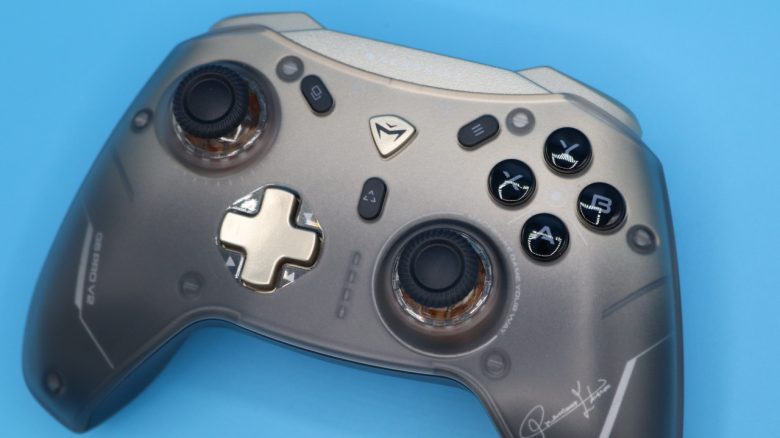
The Machenike G5Pro V2 is a gaming controller for PC with interchangeable switches under the thumbsticks and costs around 60 euros. MeinMMO editor Benedikt Schlotmann has played with the controller for several months and is mostly enthusiastic.
Machenike is less known in Germany, but a larger company in China that offers numerous gaming products such as keyboards, mice, laptops, and also controllers.
At 60 euros, a bit more expensive than the official Xbox controller, I bought the Machenike G5Pro V2 privately on Amazon because I wanted to know: Can a controller from the manufacturer Machenike offer something for the money? And yes, I was positively surprised.
Machenike G5Pro V2 in review, quick overview:
- Included items, design and structure
- Processing
- Software
- Ergonomics, weight, and battery life
- Gameplay
- Conclusion
Included items, design and structure
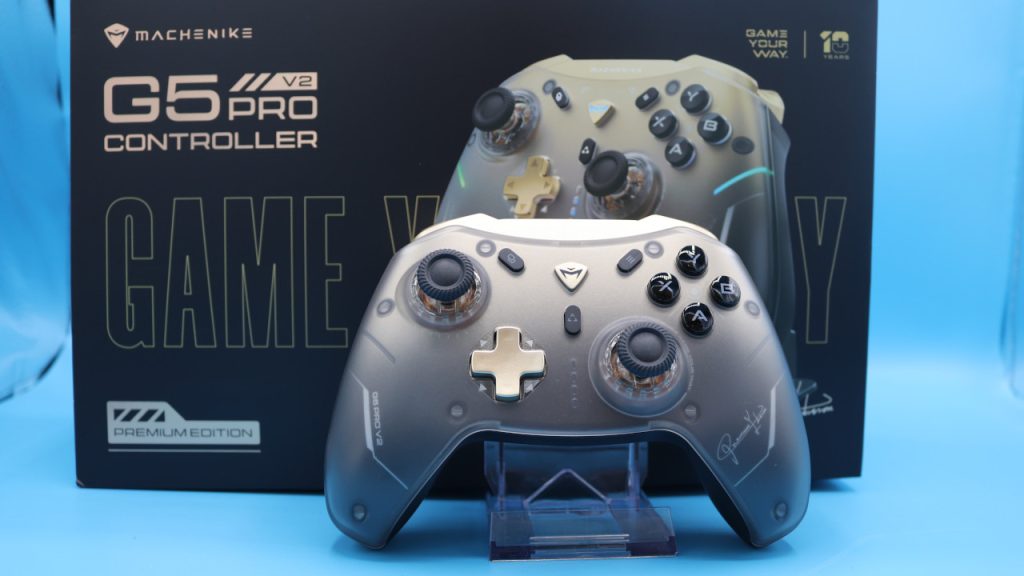
What is included? The Machenike G5Pro V2 comes with a decent set of included items: Besides the controller, there is also a USB-C cable to connect the controller to the PC or the docking station to the PC. Additionally, the package includes the wireless adapter for the wireless connection. Furthermore, the approximately 10 euros more expensive version of the Machenike G5Pro V2 also includes a practical docking station.
Design and structure: In design, the controller is initially unremarkable and strongly resembles the standard Xbox controller. Both controllers utilize the same button layout and are wireless.
Compared to the official Xbox controller, the Machenike model also features subtle RGB lighting. This is a nice idea and looks good while the controller is docked. However, once I play with it, my hands cover the RGB lighting almost completely.

There are additional differences: On the back, the Machenike controller offers the option to adjust the triggers to be longer or shorter and has two additional buttons on the back in the thumb area. Paddles are more ergonomic and easier to handle, yet the buttons are still well accessible.
The controller can be used wired or wirelessly, but it does not support the “Xbox Wireless” standard. For this reason, it is also not compatible with the Xbox.

Processing
The Machenike G5Pro V2 features a full plastic body and does not first differ from many other controllers in the same price range.
The important differences lie in the details:
- On the one hand, there are optical microswitches under the XABY buttons and under the triggers. You feel and hear a distinct click with every activation.
- On the other hand, the controller features hot-swappable Hall joysticks. You can not only remove the joysticks but also replace the switches underneath. However, no additional switches for the joysticks are included in the package.
On Amazon, I couldn’t find the replacement switches for the joysticks anywhere, on AliExpress you pay between 4 and 6 euros plus 2.50 shipping costs. Even directly from the manufacturer, you won’t get spare parts.
What I also find unfortunate: Unlike the official Xbox controller, the battery in the Machenike model cannot be removed; it is permanently installed.

Software
Basically, there is supposed to be software for the Machenike G5Pro V2. The problem: I can’t find it anywhere: The manufacturer only offers a driver version for the predecessor on its website. According to product images, there should be software available to set up the controller. However, I have not found it anywhere. Even relevant forums couldn’t help me.
In desperation, I even installed the old software center from Machenike (2023). The downside is: The software is entirely in Chinese and thus did not help me further.
At least: The controller can also be used excellently without software, but it is still a shame.

Ergonomics and weight
How heavy is the controller? The controller feels good in my hands. I find the weight comfortable in everyday use. Overall, it is also a bit lighter than other controllers:
- The Machenike G5Pro V2 weighs 255 grams on my scale.
- The official Xbox controller weighs 274 grams with the installed battery and is therefore somewhat heavier in comparison.
- The TurtleBeach Stealth Ultra, my favorite on PC, weighs 256 grams and is similarly heavy as the Machenike controller.
- The Xbox Elite 2 Wireless Controller is significantly heavier at 345 grams and even weighs another 15 grams more when using all four paddles.

Ergonomics: The Machenike model and the official Xbox controller are very similar in size: both are roughly the same size and have similarly large grips and both have light grooves on the back to give the hands better grip.
The controller also offers additional buttons above the triggers and on the back. I find the buttons between the triggers (M1 and M2) rather difficult to reach in practice, even though I have large hands.
The buttons on the back, however, are well accessible and are exactly at the height of my middle fingers. While paddles are more ergonomic and easier to handle, the buttons of the controller are still easy to reach.


Gameplay: Fantastic click feeling
How does it feel to play with it? Thanks to the microswitches under the buttons, every click feels crisp and precise. Each button press leaves a clear, clicking feedback under your fingers. It feels like clicking with a mouse. The official Xbox controller feels comparatively spongy and imprecise because you can press the buttons, but you don’t get real feedback whether you pressed the buttons.
The controller feels good in daily use, and all buttons are easily accessible, except for the two extra buttons between the triggers. Those are simply unreachable for my large hands. The back buttons (back paddles for other controllers) are within reach for my hands and serve me well in daily life, at least when I don’t accidentally activate them.
I find the idea of being able to swap the switches under the joysticks super, but it plays, at least practically when I’m using the controller on the PC, no practical role.
Conclusion:
For whom is the controller worthwhile?
- Depending on the color, the price of the official Xbox controller ranges between 64.99 and 74.99 euros, but you can also get it for around 50 euros.
- The Machenike G5Pro V2 is priced in between: With the docking station, it costs 67 euros, without the station it’s 10 euros less.
If you do not need dedicated software, do not need a replaceable battery, and don’t necessarily want to play on Xbox, then the Machenike G5Pro V2 is in my opinion always the better choice than the official controller and costs almost the same. However, if you need your controller to be compatible with Xbox, then the official controller is still the better choice.
Alternatives:
- The Elite Wireless Controller Series 2 is available as a Core Edition for around 110 euros. I find the build quality a bit better. However, additional components like paddles are only available for an extra fee (around 25 euros) or you have to buy the complete package from the Elite Series V2 directly.
- The Razer Wolverine V2 is now available for around 70 euros and is also a high-quality controller with mechanical buttons and adjustable triggers.
- The TurtleBeach Stealth Ultra is quite expensive at around 150 euros, but it offers you magnetic thumbsticks and mechanical switches.
You can also find more controllers in our buying guide for controllers for PC and Xbox.

Your opinion is important to us!
Do you like the article? Then let us know!