

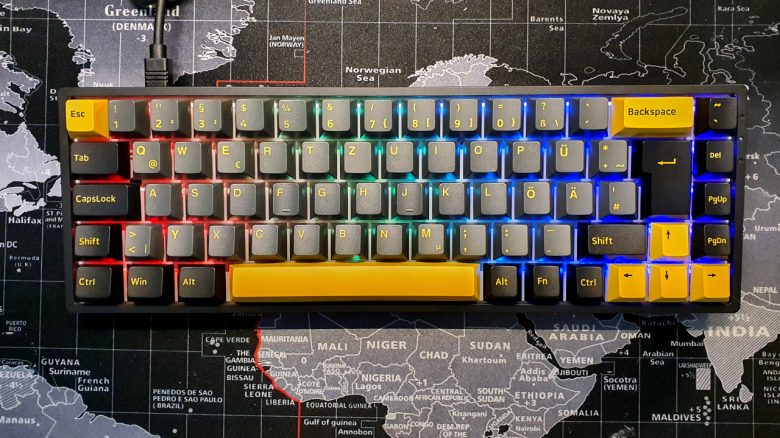
With the Akko 3068 B-Plus, there is a small gaming keyboard with many premium features. But is the keyboard really as good as it looks on paper? MeinMMO editor Benedikt Schlotmann has tested the keyboard for you.
Which keyboard is it about? With the Akko 3068 B-Plus, the manufacturer Akko offers a small 65-% format keyboard. Therefore, it does not have a number pad or function keys (F-keys). The keyboard can be used wirelessly, offers swappable Hotswap switches, and PBT keycaps.
But is all this enough for a recommendation? I have tested the keyboard extensively and will tell you whether purchasing the Akko 3068 B-Plus could be worthwhile for you.
Who tested it?
I am the Tech Editor at MeinMMO and have a passion for peripherals, testing mice, keyboards, and gaming headsets. I have been testing hardware for our readers at MeinMMO since 2019. Especially gaming mice are among my absolute favorites. In addition to the PS5, I also play on my Steam Deck.
Caseking provided me with the Akko 3068 B-Plus for testing.

Benedikt Schlotmann
Hardware editor MeinMMO
Features and technical details:
| Design/Interface | wireless (Bluetooth, wireless) and wired |
| Key type | mechanical switches (Jelly Purple) |
| programmable keys | Yes |
| Lighting | Yes |
| Compatibility | PC (with software) |
| Package contents | keyboard, switch and keycap mounting tool, extra PBT keycaps in yellow, manual |
| Special features | 65-% design with arrow keys |
| Price (RRP) | 99.99 Euros |
Oops, unfortunately this affiliate widget is no longer available. |
Package contents, design and construction
What does the package include? In the box, besides the keyboard, you will also find some other keycaps. For example, an extra spacebar, yellow escape and arrow keys, and different sized enter keys.
The additional enter keys are actually not very helpful, as they do not fit a keyboard with a German ISO layout. A wrist rest is not included in the package.
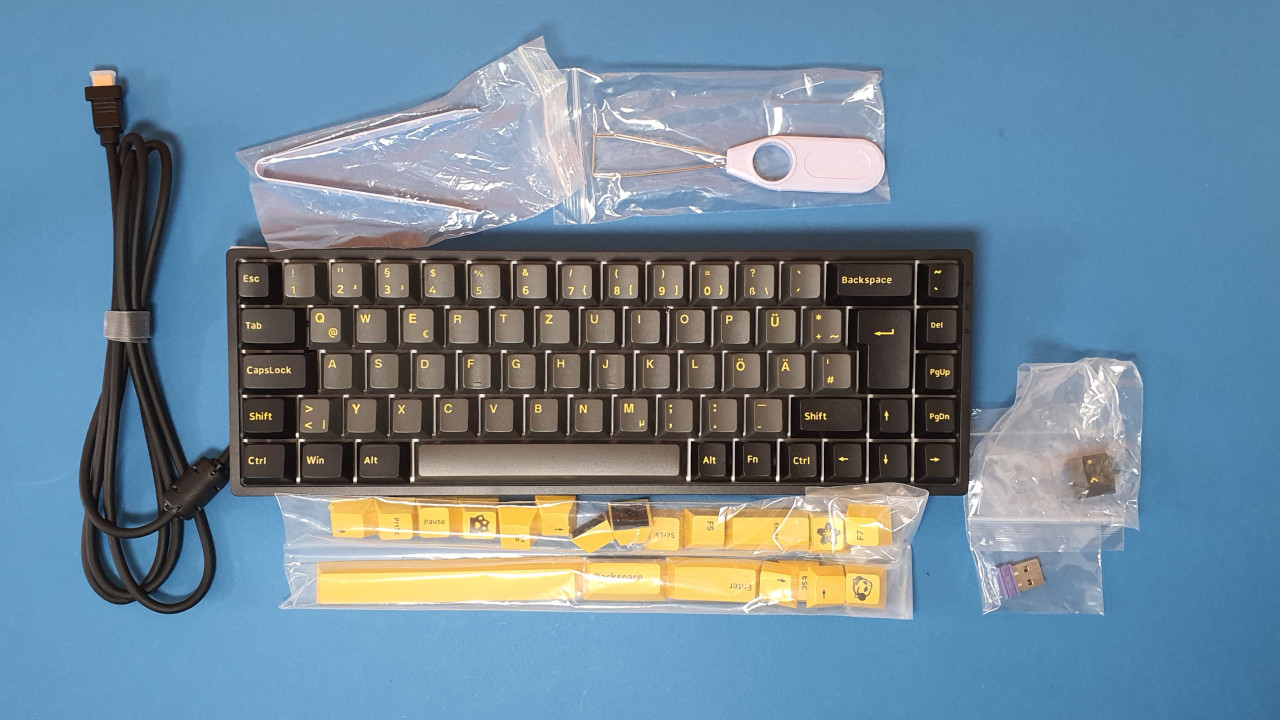
How is the keyboard constructed? The keyboard comes in a 65-% design. The keyboard ends to the right of the arrow keys and does not provide a function key row (F keys). The USB-C cable can be detached from the back, and the model can be used wirelessly via Bluetooth or a wireless adapter.
Not only can you change the keycaps, but you can also swap the switches. Because Akko uses so-called Hotswap switches.
What does the keyboard look like? The keyboard comes in a simple black, the keycaps vary between black and dark gray. The switches are completely covered by the keycaps. With the included keycaps, you can give the keyboard a yellow touch. This actually looks pretty good.
The supplied keycaps are not transparent. The keyboard lights up in colorful and beautiful colors, but in the dark, you can only see the silhouette of the keycaps, not the lettering. However, you can generally replace the keycaps with transparent keycaps at any time.
Manufacturers like HyperX, SteelSeries, or Corsair now offer all PBT keycaps in German ISO-DE format.
Build quality
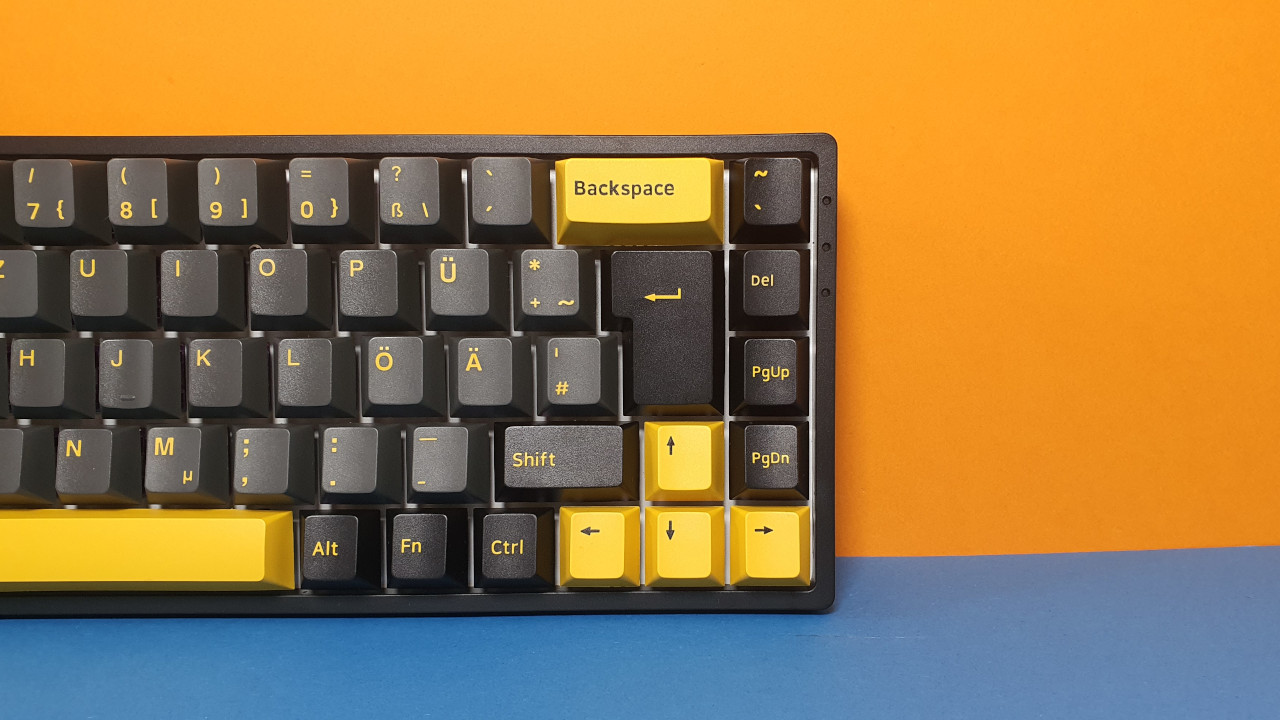
The keyboard uses a pure plastic body without metal. In a price category under 100 Euros, I do not expect an aluminum coating or metal reinforcement.
It is positive to note that I can almost fully disassemble the keyboard: The cable, the keycaps, and the switches are all detachable and replaceable. In case of a defect, I can therefore quickly replace certain parts myself. Moreover, Akko uses PBT material for the keycaps. This feels much more valuable in everyday use than ABS keycaps. Additionally, PBT keycaps do not look worn out after just three days, as if I had been using the keyboard for months.
Software
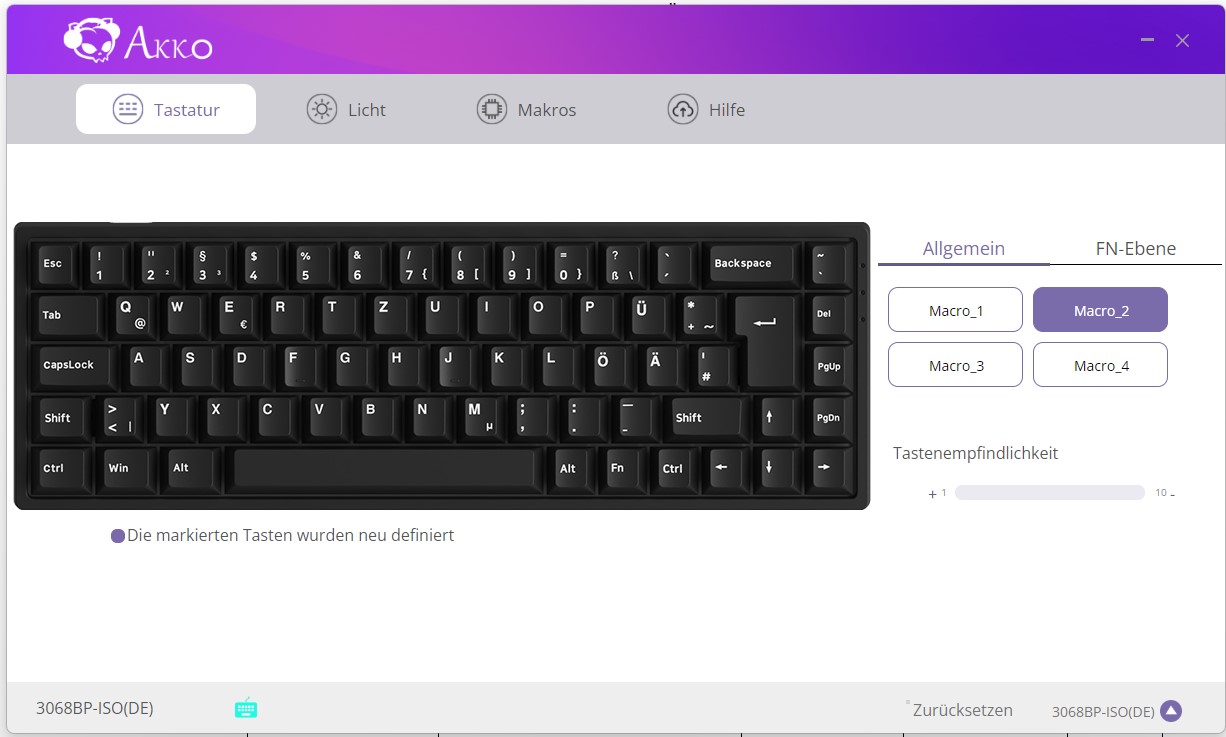
The Akko 3068 B-Plus uses the “Akko Cloud Driver” software. The performance of the software is mediocre and quite slow. However, this is usually not a major problem in everyday life, as the keyboard also works without software.
I find it annoying that there is no battery level indicator in the software. Otherwise, the software is clear and fully in German.
Macros can be set up easily, and drivers for the keyboard can be updated without problems. However, with a RAM load of 250 MB, the software is not exactly slim either.
On the next page, you can read all about the ergonomics and the keys of the keyboard. In the conclusion, you can find out who I can recommend the keyboard to.

Your opinion is important to us!
Do you like the article? Then let us know!