

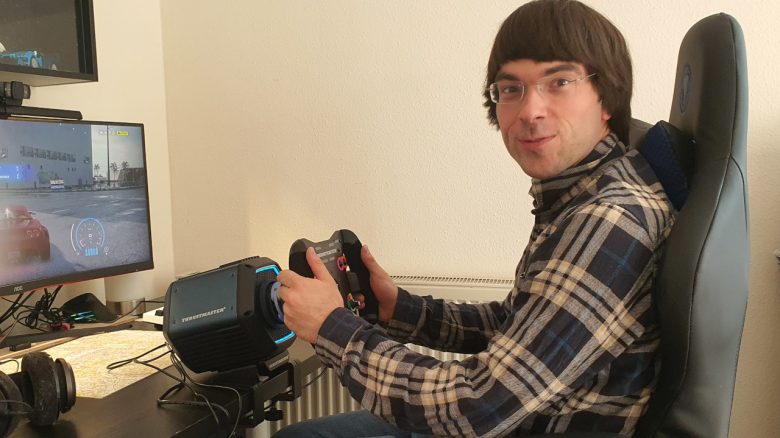
What is it like to swap your beloved keyboard for a steering wheel? MeinMMO editor Benedikt Schlotmann tested the Thrustmaster T818. You can read his impressions in the following article.
Anyone who wants to experience racing games or driving simulations on a PC can either play with a mouse and keyboard, gamepad, or steering wheel. I played for years only with a mouse and keyboard and was always happy with it.
Now, the manufacturer Thrustmaster offered me the opportunity to test their new T818 Base. For the test, I swapped my mouse and keyboard for a steering wheel and pedals. You can read my experiences with the device and whether the investment is worth it in this article.
Who tested this?
I have been testing hardware for our readers on MeinMMO since 2019. Besides gaming mice, gaming headsets and keyboards are among my absolute favorites. I have a dozen headsets hanging in my closet both professionally and privately. When I’m not dealing with peripherals, I build with construction bricks.
Thrustmaster provided me with the T818 Base, a set of steering wheels and pedals for testing the base.

Benedikt Schlotmann
Hardware editor MeinMMO
Contents, Appearance and Setup
What’s all included? The T818 comes with a basic set of accessories. In the box, besides the base, are:
- Power supply
- USB-C cable
- Adapter for steering wheels
I definitely need the power supply and USB cable to power the device and connect it to my PC in the next step. The adapter is only needed if you want to use an old steering wheel with the base.
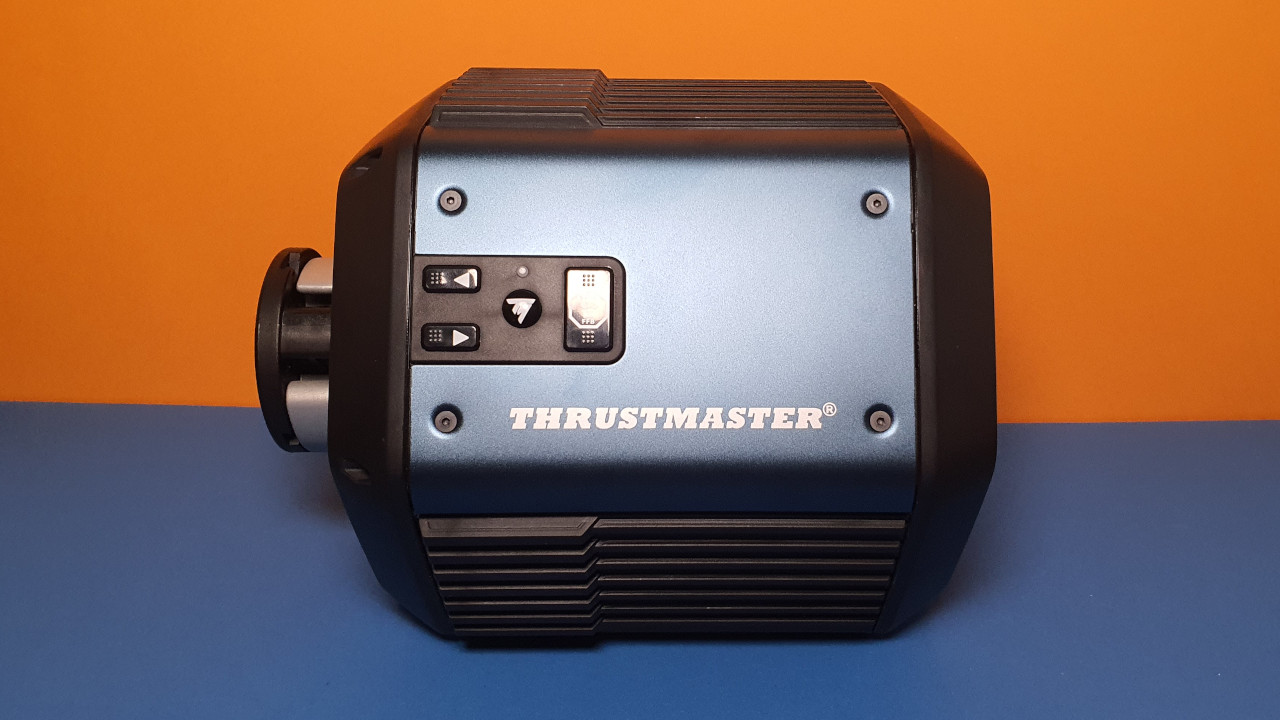
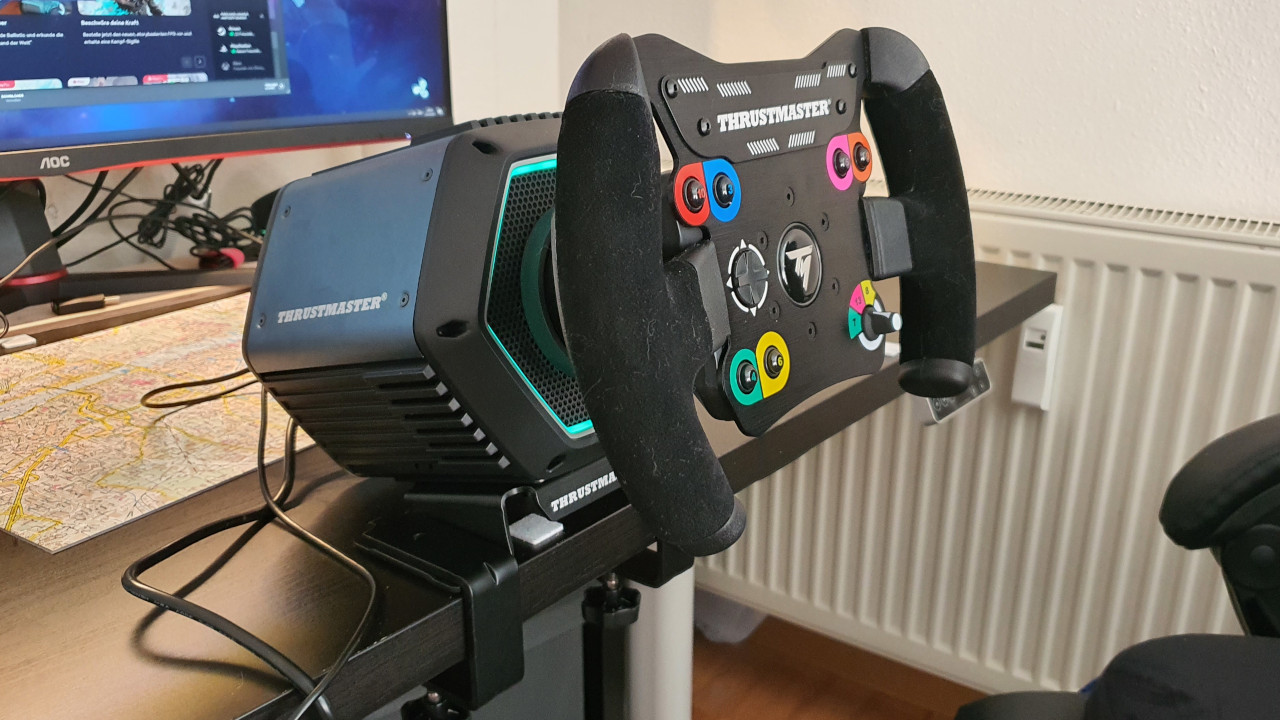
On the side of the model, there is a control panel with 4 buttons: Two action buttons (with arrows), another button to change the pedal mode (Loadcell / no Loadcell), and a fourth button to change the steering angle. For this, a Thrustmaster steering wheel is required. The buttons are easily accessible when the device is directly in front of you.
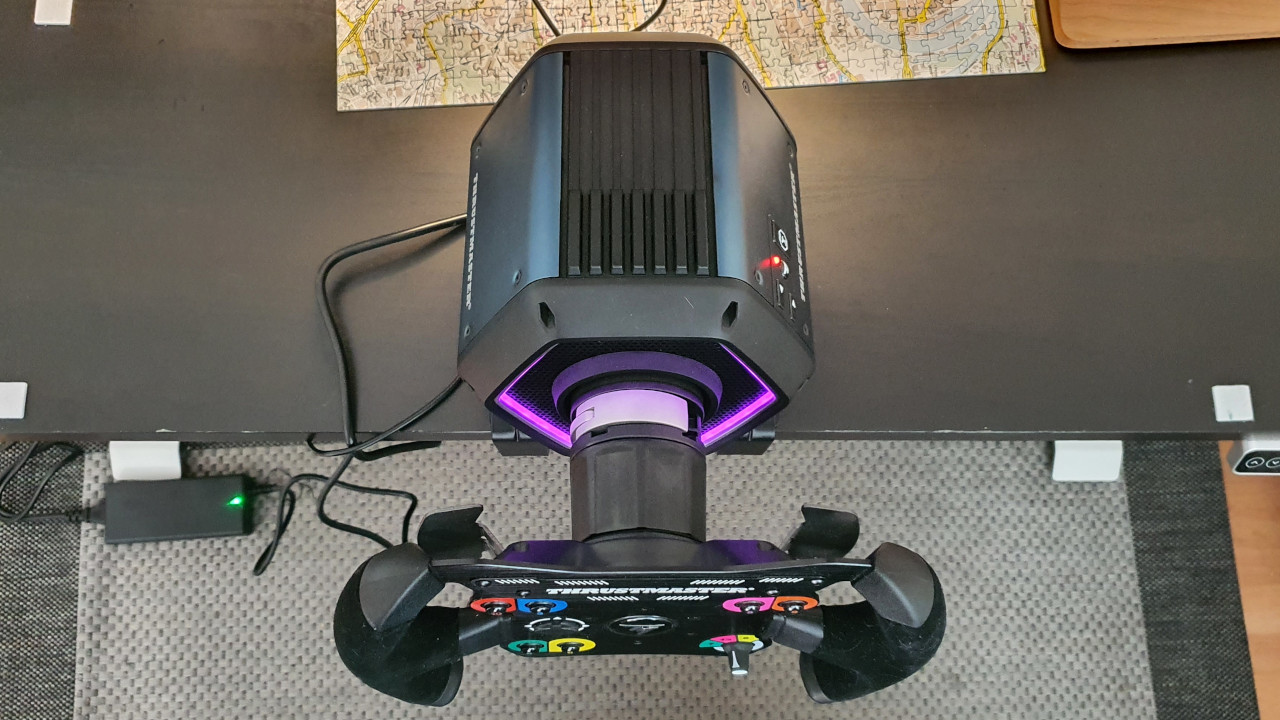
Otherwise, there is a built-in LED ring on the front, which remains without function.
Mounting materials, such as clamps or a plate, are not included in the scope of delivery and must be purchased separately.
What technology is being used? The Thrustmaster T818 utilizes “Direct Drive”. In addition, there are two other systems with gear and belt drives. “Direct Drive” is said to be the most realistic and accurate technology and can generate particularly strong force feedback effects. However, this also affects the price, as the other systems are significantly cheaper.
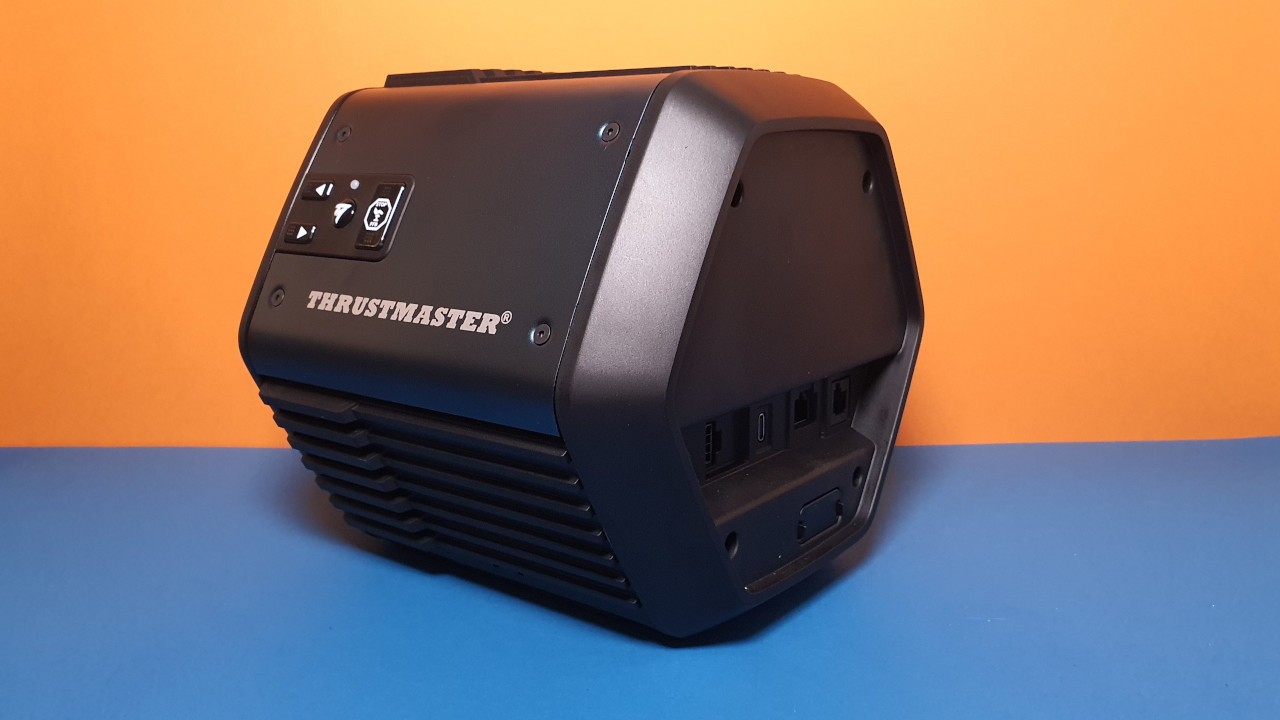
How does the setup work? A printed manual is not included with the T818; instead, there are a few short instructions on the box of the T818. And that is somewhat insufficient when you don’t set up such a system every day. The official support website of Thrustmaster is anything but clear and doesn’t explain what I really need from it and whether any of the many PDF files can really help me.
The manufacturer Thrustmaster states on their website that you can “exchange racing wheels in just 5 seconds and without tools”; however, I need significantly longer.
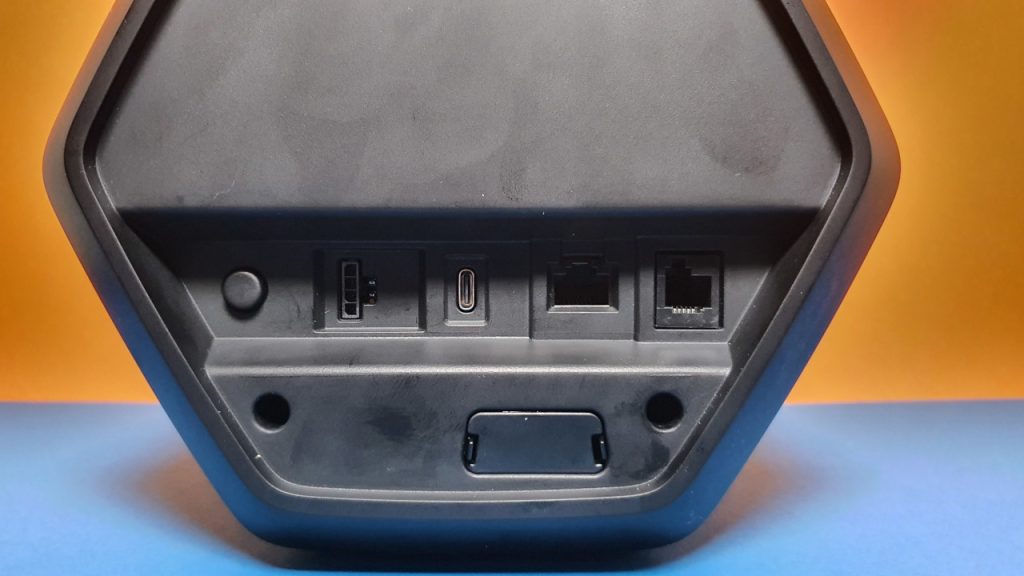
Initially, the steering wheel did not want to start. This was because the knob for attaching the steering wheel was not properly secured. However, the manufacturer also provides no hints on what to pay attention to during assembly. The rest is then very easy: plug the power cable into the back and connect the USB-C cable to the PC. The pedals are only plugged in at the back and work right away.
Here I encountered the next problem: The T818 does not want to start when I connect the device via a USB hub. When I connected it directly to a port on the computer, it started without any issues. Overall, I had expected the setup to be somewhat simpler.
Processing
The T818 is robust and quite heavy. After all, the base weighs around 5 kg and does not fit on every table. The direct competitor, the Logitech G PRO Racing Wheel, also weighs 5 kg.
Additionally, the housing of the T818 Base consists mainly of a lot of plastic and several aluminum plates. This gives the device a high-quality impression. The hinges for attaching the steering wheel are also made of metal; the adapter for the steering wheel is made of plastic only.
Fingerprints are quickly visible on plastic and metal. However, this is hardly noticeable on the back since you only see the device from the front when playing, and your gaze is mostly directed at the monitor.
First Impressions with the Thrustmaster T818
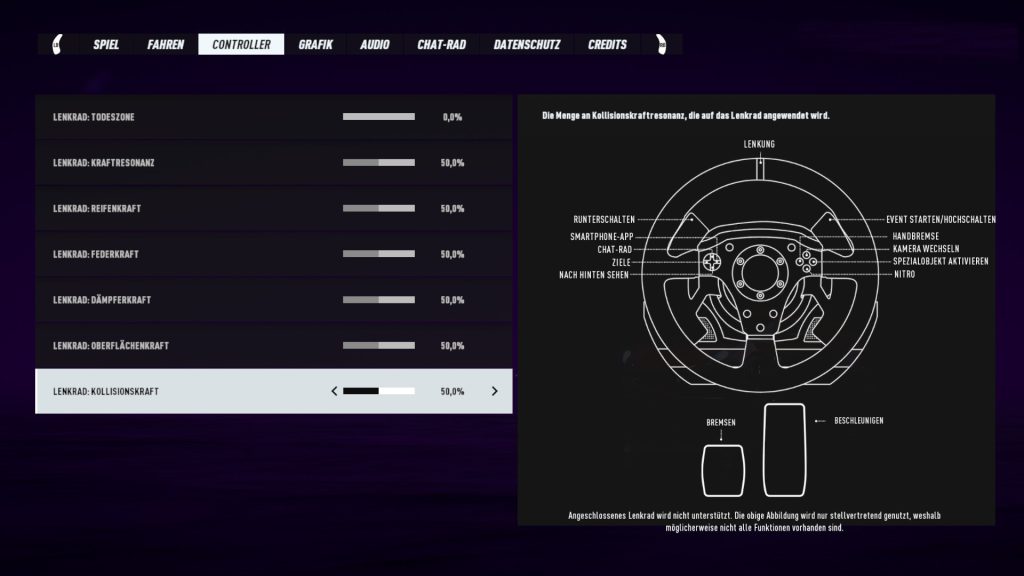
What did I play? My first sessions were played in the arcade racer “Need for Speed: Heat.” Here I can take a few rounds against the AI without consequences. The game warns that the T818 is not supported, but the steering wheel can be operated without any issues. Only the buttons cannot be remapped.
I then had more sessions with Euro Truck Simulator 2. Here, the simulation is more at the forefront than action-packed racing.
Positive Experiences with the Thrustmaster T818
The first experiences were quite chaotic, as I have previously played racing games exclusively with a mouse and keyboard. In the first few minutes, I felt like I hit every bush and every guardrail and was startled every time the steering wheel vibrated or resisted under my hands when I went off the road and drove cross-country instead of on the asphalt.
This is where the integrated force feedback shows its full strength, and I actually liked it after the initial shock moments. Rarely has a roadside ditch felt so realistic.
However, it also shows that this device is not just a toy: If you let go of the steering wheel out of sheer fright, it quickly spins around and can hit your hands and fingers if you’re not careful. Therefore, this definitely does not belong in the hands of children.
Another experience is that the steering wheel requires a lot of arm and hand work, as I am constantly turning and cranking. With pure keyboard control, both hands are relatively calm on the arrow keys and a few special keys. This was very tiring at first, but it makes the racing game much more immersive. After my first two races, I was drenched in sweat.
I also notice that I am much more precise with the steering wheel and pedals than with the keyboard. For example, in Euro Truck Simulator 2, I am more accurate when parking the cargo than when I have to nudge the thing into the parking space with the keyboard. With the pedals, the acceleration can also be dosed much finer than when I’m hammering on the arrow keys.
Moreover, the force feedback plays a subordinate role in a simulation since I don’t maneuver a heavy truck as quickly through oncoming traffic as I would with a speedy racing car.
Negative Experiences with the Thrustmaster T818
If I want to use the steering wheel, I feel like I have to rearrange half my desk. The system requires a lot of space. Additionally, the tabletop cannot be too thick for the mounting device. Therefore, I had to remove my glass panel and mousepad from the table every time to securely mount the steering wheel. Without mounting, the steering wheel is very unstable and tips over during movements or when “force feedback” is activated.
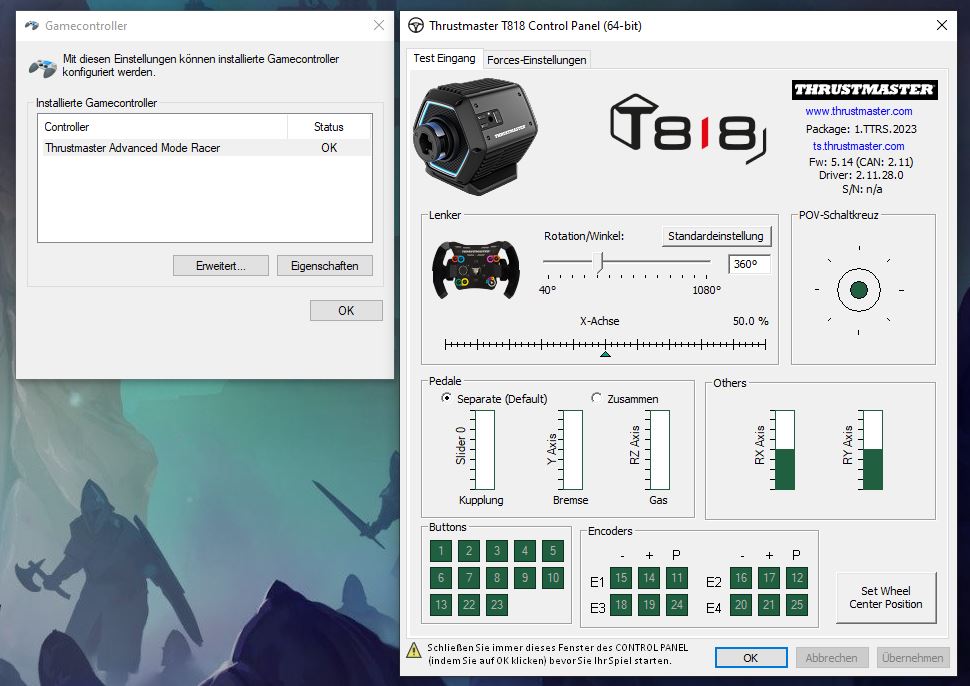
Furthermore, the software used with the Thrustmaster T818 is anything but intuitive. The software interface feels outdated and unworthy for a €650 model. At least there is a chance that Thrustmaster will improve the software in the long run.
Initially, the device also didn’t want to work. This was because the steering wheel simply wouldn’t start when I tried to connect it through my USB hub. It worked perfectly when I connected it directly to a USB port on the computer.
Conclusion: Good device with startup difficulties, but not suitable for my daily life
Would I buy such a device privately? Probably not, and it’s not even because of the price of €649. I am convinced by the processing, and the small technical problems resolved themselves.
Rather, it’s a big effort that stands against the fun: I would have to rearrange my desk every day for a session to use the equipment.
Although it goes very quickly after the third time, it is still cumbersome and costs me 10 minutes each time. That is too much for a few evening rounds in Need for Speed or other arcade titles. Everything feels more precise and accurate (especially in a simulator like Euro Truck Simulator 2), but I’ll stick with the mouse and keyboard and forego the immersion.
Can I recommend the device? If you are looking for a well-engineered model and want to play racing or simulator games in the long term, I can recommend the Thrustmaster T818 to you.
And you should have a passion for racing games because the €649.99 for the base excludes the costs for the steering wheel and pedals. So, if you don’t yet have a racing set and need to buy everything new, you’ll easily pay more than €1,000.
You can currently buy the Thrustmaster T818 Base directly from the manufacturer. You can also currently pre-order another set on Amazon:
What alternatives are there? Especially if you want “Direct Drive”, the alternatives are currently limited to a few options. And they are all not cheap:
- For 650 euros, you can get the Moza R5 Racing Bundle, which includes a complete set consisting of a base, steering wheel, and pedals. In the GameStar test, the Moza R5 made a good impression and is considered a price-performance hit.
- For “Logitech’s G Pro” racing wheel with “Direct Drive”, you will pay around 1,099 euros, where you will have to buy pedals and steering wheel separately.
- With the Fanatec Podium Racing Wheel F1, there is a third set, where the price for the bundle is more than 1,300 euros.
Otherwise, you can also look for significantly cheaper sets or options that don’t offer “Direct Drive”. We have also tested a beginner set for aspiring racers on MeinMMO:
Gaming steering wheel Thrustmaster T248 in test – better than the Logitech G920?

Your opinion is important to us!
Do you like the article? Then let us know!