

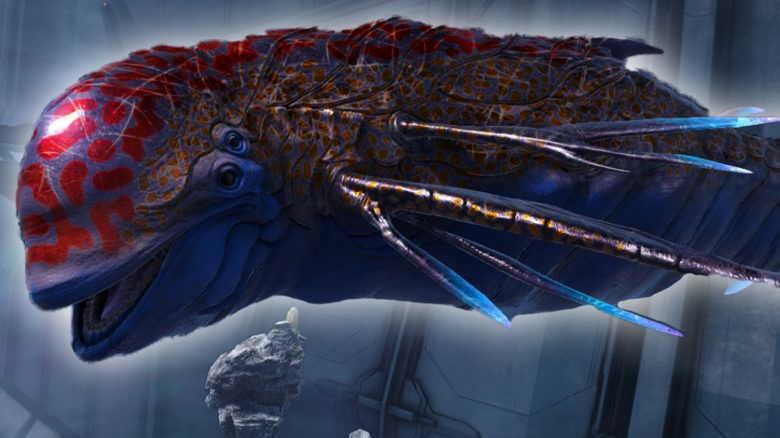
With the second part of the Genesis expansion in ARK: Survival Evolved, there are some new creatures that you can also tame and ride. In the MeinMMO guide, we explain how to quickly and effectively tame the space dolphin “Astrodelphis.” Additionally, you will learn how to craft the saddle and what preparations are necessary.

Once tamed, the Astrodelphis is versatile. Thanks to the Starwing saddle, it supports you both in combat and while exploring the space sector, as well as in transporting resources. This agile creature is a true all-rounder for your adventures on the new map.
It was introduced with the second part of the ARK expansion Genesis.
Finding and Taming the Astrodelphis
In the space zone, the Astrodelphis lives and hovers in the space. They leave bluish shimmering trails when flying through space. The animals themselves are curious and swim around you. If you get too close, they will attack you.
Here’s how to tame the Astrodelphis: Pet the Astrodelphis on PC by pressing the “E” key (“Y” on Xbox, Triangle on PS4) to initiate the taming process. Move alongside the creature. This only works if the creature is not aggressive. If it attacks you, fly away a bit and wait until the Astrodelphis’s movements have slowed down.
After you have petted the creature, approach its head from the front and feed it Element. The number of Elements required can vary.
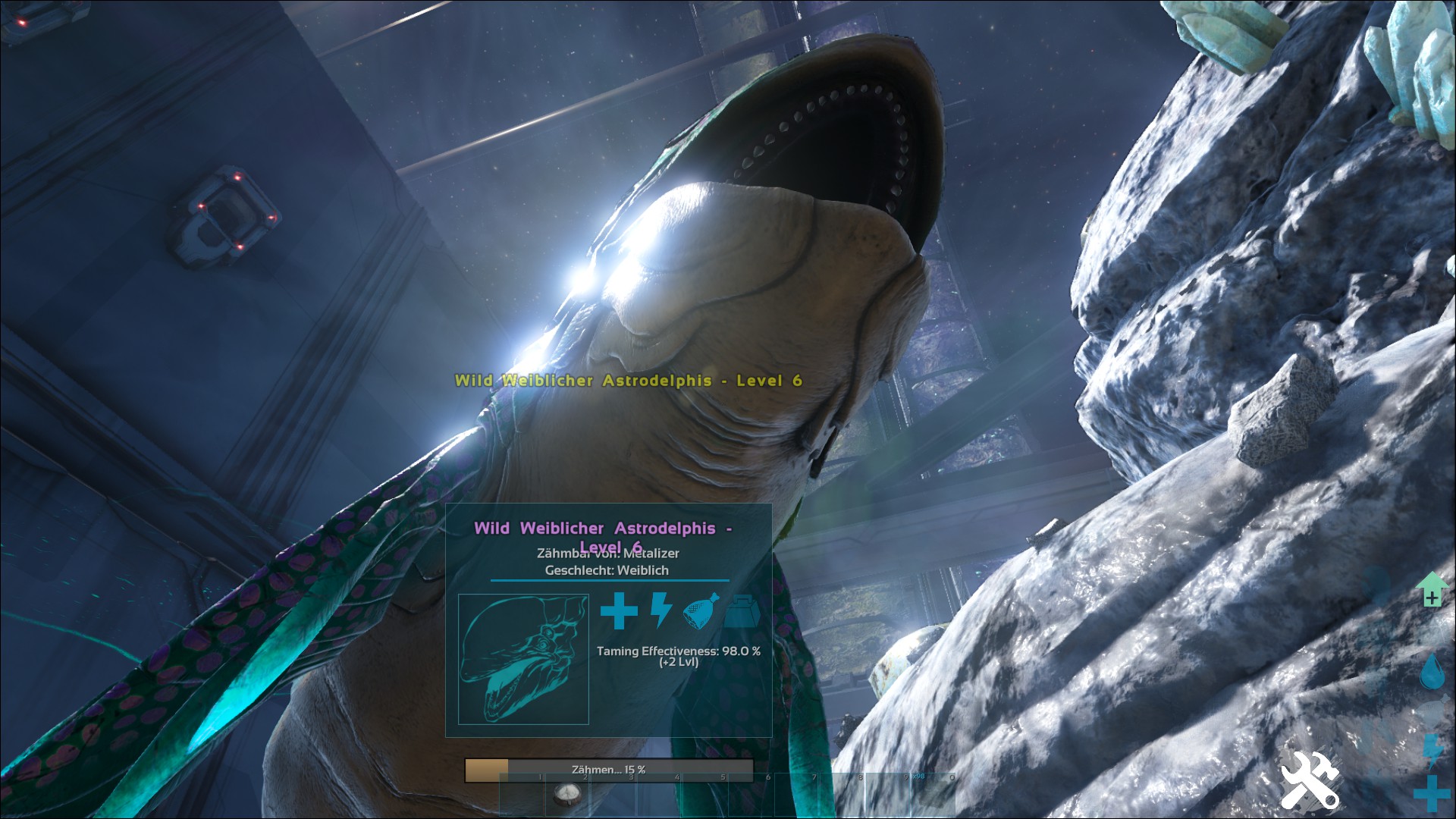
Here’s how to speed things up: Taming works much easier in tandem. One player pets the Astrodelphis while the second player feeds the creature with Element. Especially in zero gravity, switching between the head and body of the animal can be a challenging endeavor.
After each petting, you feed the Astrodelphis again. Depending on the level of the animal, the process can take some time. Try to isolate a low-level Astrodelphis at the beginning to internalize the process and avoid being attacked by other creatures.
Once you have successfully tamed the Astrodelphis, you can give it a name as usual and equip it with a saddle.
The English-speaking YouTuber “Cjthecheesedj” explains the taming process in detail in his video:
Taming the Astrodelphis – What You Need
To tame the Astrodelphis, you need the resource “Element.” Before you head out to tame an Astrodelphis, you should prepare well. Taming can take a lot of time, depending on the creature’s level.
Even though the Astrodelphis is a carnivore and feeds on meat, you will tame it with “Element,” the primary component for gear at Tek-level. And the space dolphins have a pretty big appetite.
Farm Element Quickly and Efficiently
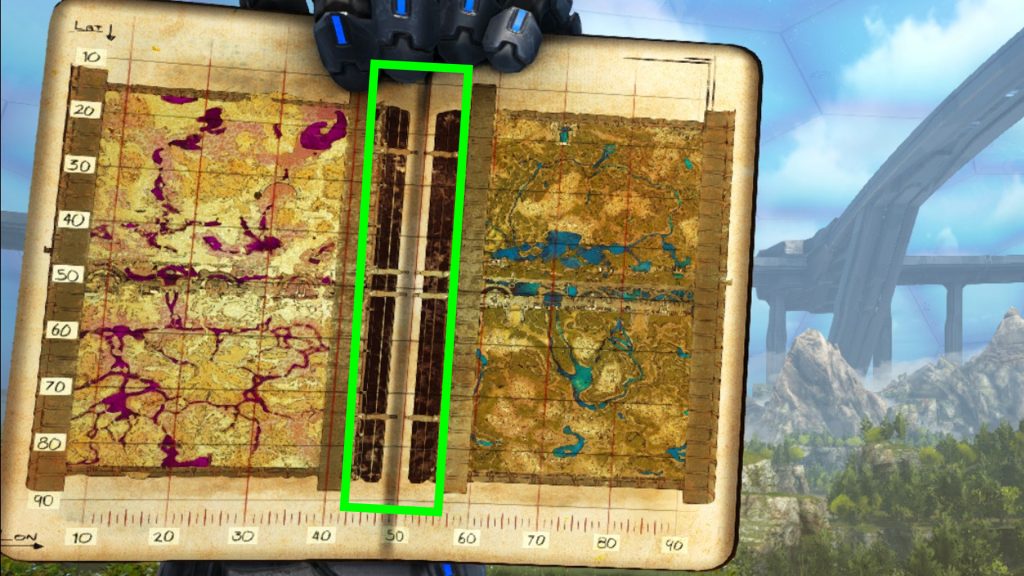
You can collect Element very efficiently with an Ankylosaurus. To do this, head to the middle area on the map in Genesis Part 2. On the meteorites, you will find blue crystals, which you can mine with the Ankylosaurus’s club. In addition to Element, you will also get metal, stones, and elemental shards, which you can craft in the Tek-replicator to operate Tek-structures.
The meteorites respawn automatically after 24 hours in the game. The resources you find in the biome also change. So, you need a bit of luck and patience. Alongside Element, oil and mutagel also spawn in the zone. Element itself is very light, and you should collect as many stacks as possible. You will also find them in the same zone as the dino itself.
Crafting the Astrodelphis Starwing Saddle
A highlight is the saddle for the Astrodelphis. With it, you transform the creature into a fighter jet that can fire plasma projectiles. You unlock the blueprint for 60 Engram points at level 120.
This saddle is crafted in the Tek-replicator.
For crafting, you need the following resources:
- 140x Black Pearl
- 370x Crystal or Primal Crystal
- 55x Element
- 2500x Metal Ingots or Scrap Metal Ingots
- 500x Polymer, Organic Polymer, or Patchy Nodules
You equip the saddle as usual through the inventory of the Astrodelphis. After that, you sit in the futuristic cockpit and can travel stylishly through the vacuum of space.
Special Abilities of the Saddle: If you add the Element to the inventory of the Astrodelphis, you activate the jet mode by pressing the left CTRL key of the Starwing saddle and move even faster through space. With “C” you perform a looping, and with the space bar, you activate an electric charge that stuns nearby enemies. If you double-tap one of the directional keys, you perform a barrel roll on the Astrodelphis.
On Xbox and PlayStation 4, you perform the actions as follows:
- Looping Xbox and PlayStation 4: Press the right stick
- Electric Charge Xbox: A
- Electric Charge PlayStation 4: X
- Plasma Charge Xbox: Right Trigger (RT)
- Plasma Charge PlayStation 4: R2
- Jet Mode Xbox: RB
- Jet Mode PlayStation 4: R1
With the right saddle, the Astrodelphis is a faithful companion that not only performs well in battle but also provides great assistance during exploration. A similarly loyal companion is the giant turtle Megachelon, which you can also tame.
How do you find the Astrodelphis and for what activities do you use it? Let us know in the comments!

Your opinion is important to us!
Do you like the article? Then let us know!