

Fortnite: Battle Royale finally offers the possibility of account merging. This allows you to connect your progress and in-game currency from one console account to another.

What is Account Merging? Account merging is a feature that was announced back in 2018. At that time, the sensational news spread around the world that Fortnite enabled crossplay between all platforms, including PlayStation 4 and Xbox One, for the first time.
But what about accounts that were already firmly registered on a PS4, Xbox, or Switch? Progress on those accounts was previously locked, but thanks to account merging, it is now possible to transfer progress, skins, and V-Bucks from one account to another and merge both accounts into one.
All information about Account Merging
How to connect your accounts: Through account merging, you can merge either your Xbox One, PS4, or Switch account into one. You choose a primary account and a secondary account. The secondary account will then be incorporated into the primary account. However, there are some limitations, and you must consider the following things:
- Account merging only works if one account is created on Xbox One or Switch and the other on PS4.
- The account must have been created before September 28, 2018.
- Your account must not be suspended or disabled at that time.
- All items, skins, and bucks from the secondary account are locked for 2 weeks after the merge, so think carefully about whether you can do without your favorite skin for that long!
- Make sure you have access to all email addresses associated with the accounts.
- All your items in PvP mode will be transferred. In Save the World, llamas, defenders, heroes, schematics, survivors, XP, as well as upgrading and advantage materials will be transferred.
- Warning: Items such as Unreal Marketplace items, creative mode islands, Save the World account levels, and progress will not be transferred from the secondary account!
- You can request account merging on the Epic website.
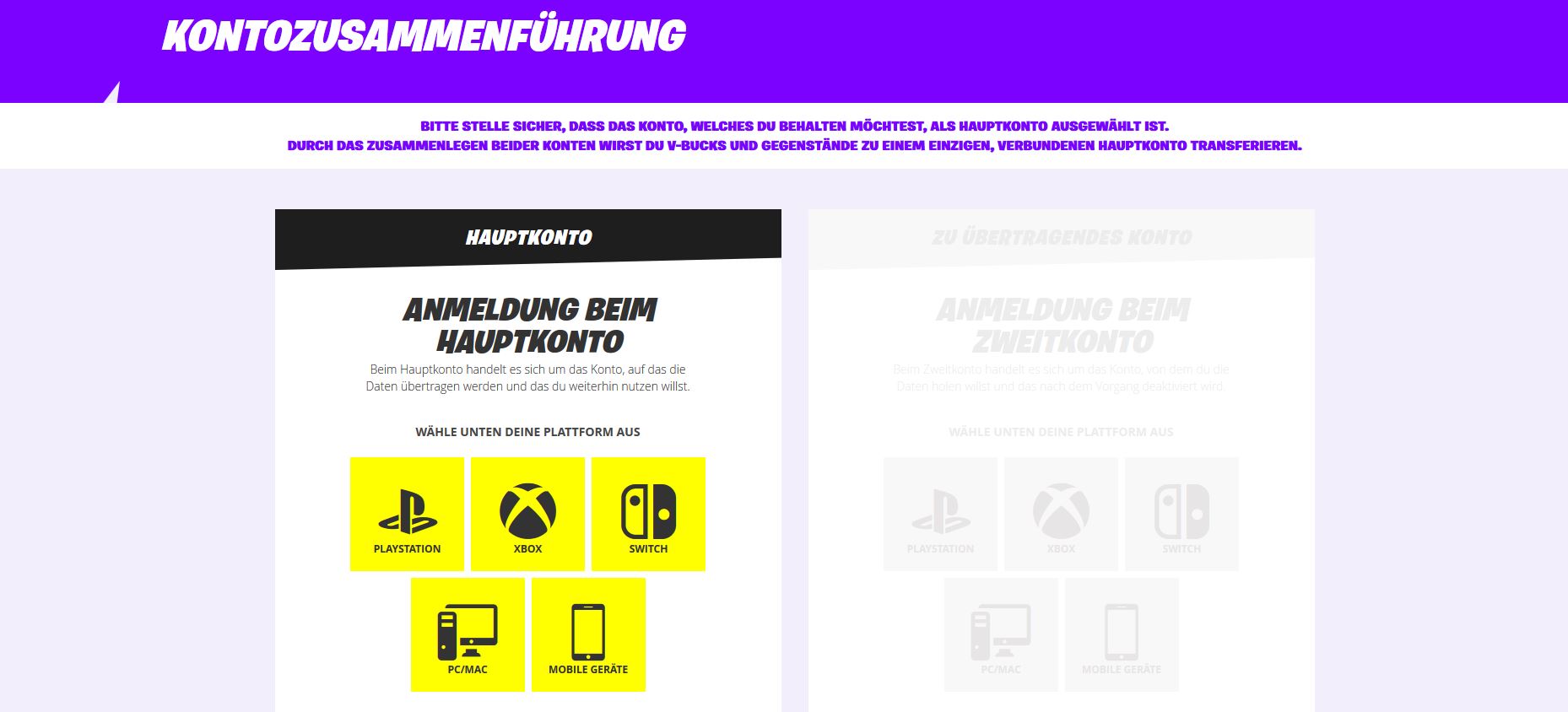
If you have done all this, the accounts are now one single, universally usable account.
Help! My items are not there! Don’t worry, your items and V-Bucks should appear on the new shared account within 2 weeks.


Your opinion is important to us!
Do you like the article? Then let us know!