


At the launch of Anthem, you can play with four Javelins. However, some players cannot find the option to switch between the Javelins.

Unlocking new Javelins: New exosuits are unlocked by reaching levels 2, 8, 16, and 26.
In what order do I unlock Javelins? You decide that yourself.
Once you reach level 2, you can choose one from the four Javelins. There are Ranger, Interceptor, Colossus, and Storm.
With each new level you reach, you get to choose again which suit you would like next. You can find the option in the Forge. In the corresponding menu item, you will make your choice.
The 4 Javelins in Anthem – Which class suits me?
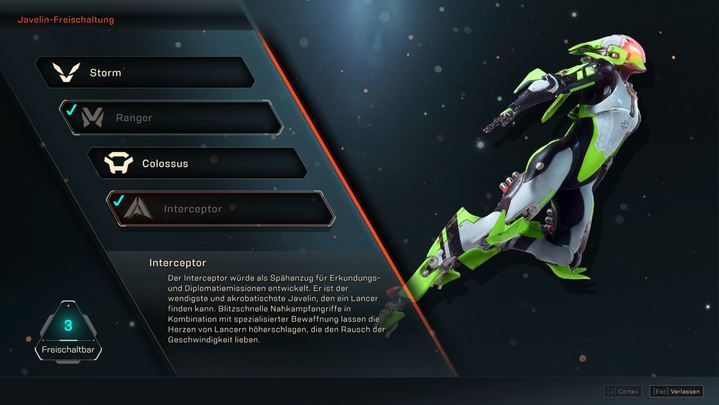
How to switch between Javelins
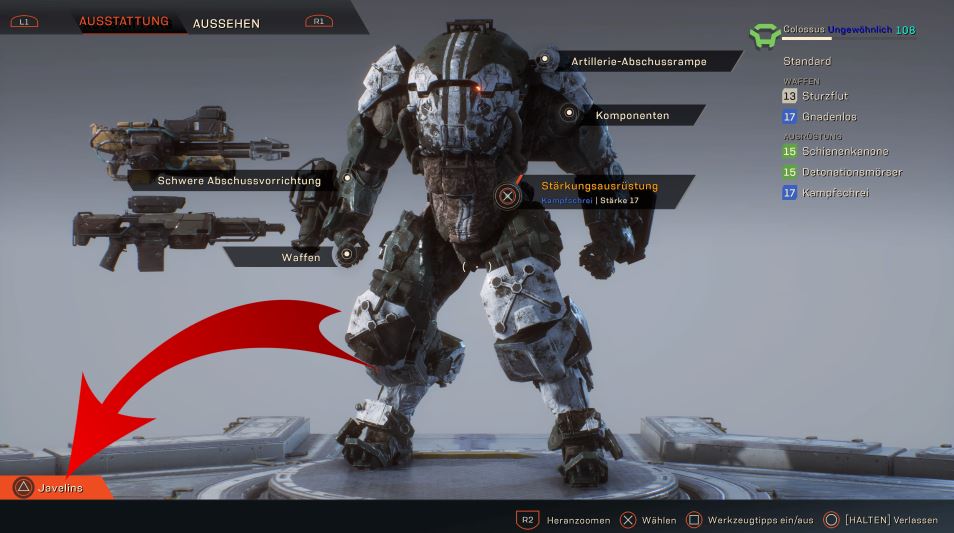
Go to the “Forge” menu item: Here you will find a menu item with the Javelins in the bottom left corner. There is an orange tab that says Javelins. You need to click on this.
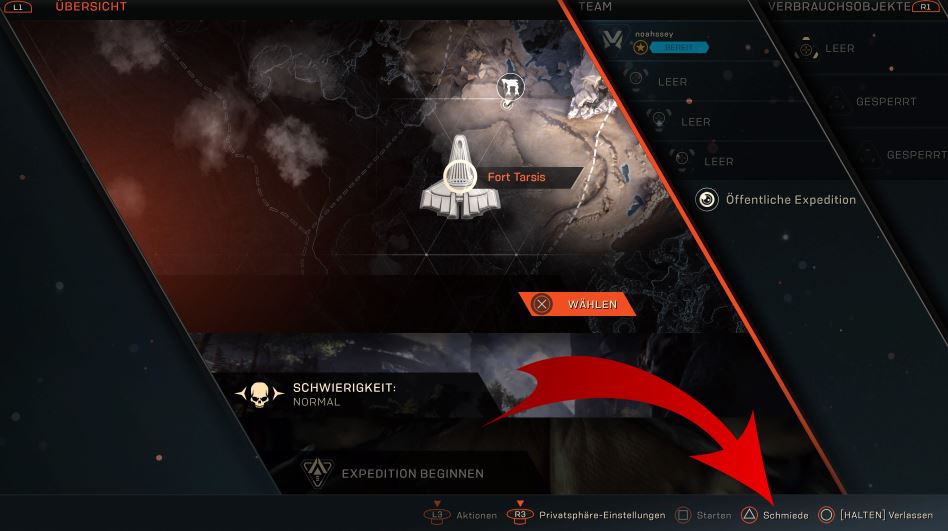
Switching in Fort Tarsis and mission menu is possible: If you are already in the menu where you choose a mission, Freeplay, or a raid, you can still switch the Javelin.
In the bottom right, you will find a tab called “Forge,” from which you also have access to your Javelins and loadouts.
Now click on the name of the Javelin of your choice: A new menu opens, in which you see the names of the Javelins on the left. Click here on the name of the Javelin of your choice.
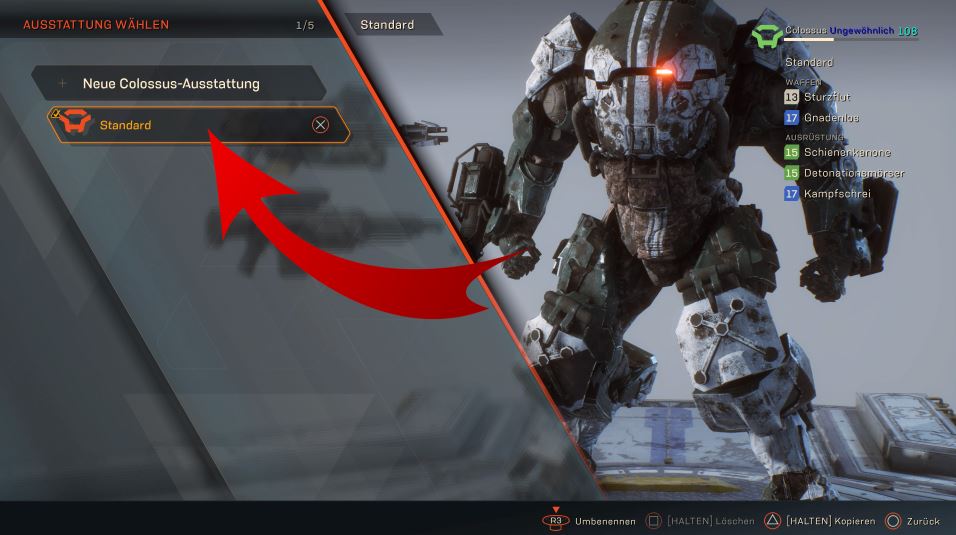
Click Standard: It is not enough to simply click on the name of the Javelin. When you click it, another menu opens. Here is a tab called “Default Loadout” or “Standard.” Only when you select this will you have switched your Javelin. You will now also go on missions with this when you start one.
The currently active Javelin is now also visible in Fort Tarsis, where you can get into the Javelin to set off on a mission.
More info about Javelins: Javelins all have individual abilities and playstyles. For those who want an overview of the skills and a quick explanation of how the skill system works in Anthem, check this out:


Your opinion is important to us!
Do you like the article? Then let us know!