

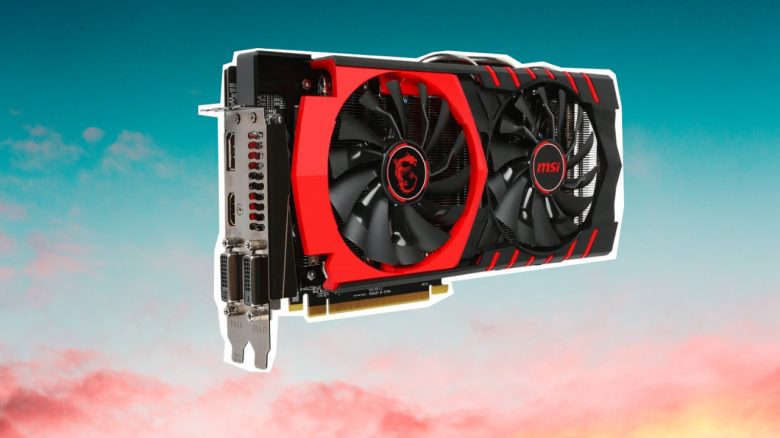
Graphics cards can get hot under load. But how hot should a graphics card get at most before you need to worry?
The hardware in your gaming PC can quickly get very hot under load or in the summer. But how many degrees are actually okay, and at what temperatures should you start worrying about your graphics card?
MeinMMO explains everything you should know about the temperatures surrounding your graphics card and what is advisable.
The official temperature limit is above the recommended temperatures
What are the official figures from the manufacturers? Manufacturers list the temperatures for graphics cards as “maximum operating temperature.” This is the maximum that graphics cards can reach, but not necessarily should:
- For Nvidia, the maximum operating temperature is between 95 and 100 degrees.
- For AMD, the maximum operating temperature ranges between 90 and 100 degrees.
- For Intel, a maximum temperature of 100 degrees is stated.
If you want to be absolutely sure, check the specifications of the GPU from the respective manufacturer. Depending on the performance class (budget, mid-range, high-end), the numbers can be different.
Generally, it is better for the graphics card if it does not permanently reach its temperature limit. High temperatures can lead to wear and tear over time, which makes your hardware age faster.
How hot should my graphics card get at most? Basically, there are two situations to distinguish: Is your graphics card idle and has nothing to do, or is it under load and has to calculate things? The following numbers are considered advisable for graphics cards:
- At idle: Between 30 °C and 55 °C
- Under load: Between 70 °C and 85 °C
If your graphics card regularly exceeds 85 degrees or even reaches 90 degrees, we would recommend optimizing the cooling in the case.
If your graphics card is permanently too hot, it can shorten the lifespan of your GPU
What happens if my graphics card gets too hot? If your graphics card gets too hot, it reduces its performance to cope better with the temperatures. This means a reduced framerate for you.
In the long run, constantly high temperatures can damage the internal components, decompose the thermal paste, and increase the wear of the fans. Ultimately, this shortens the lifespan of your graphics card.
How can I check my temperature on the PC? This is particularly easy with the free software “HWMonitor,” which you can download directly from the manufacturer.
Are you looking for the best graphics card for gaming in 2025 or just a good upgrade for your gaming system? MeinMMO presents the best and recommended graphics cards for gamers that you can currently buy: The best graphics cards in gaming for every budget in ranking

Your opinion is important to us!
Do you like the article? Then let us know!