The hardware manufacturer Hori, known for its high-quality fighting game controllers, is set to conquer the PC market with the mechanical keyboard Edge 201 and the accompanying mouse Edge 101. Will they succeed?
The Japanese company Hori was known until recently mainly among fighting game enthusiasts, as the company’s fight sticks were among the top devices on the market, featuring high-quality microswitches and a robust construction. They are also attempting to branch out into console peripherals, like the TAC Pro.
Since early 2016, the Japanese have been pushing into the PC market, and have introduced their first models, the mechanical keyboard Edge 201 and the mouse Edge 101, which are also supposed to meet high demands. But is Hori’s first venture into the PC market worth it?
Edge 201 – No-nonsense Keyboard
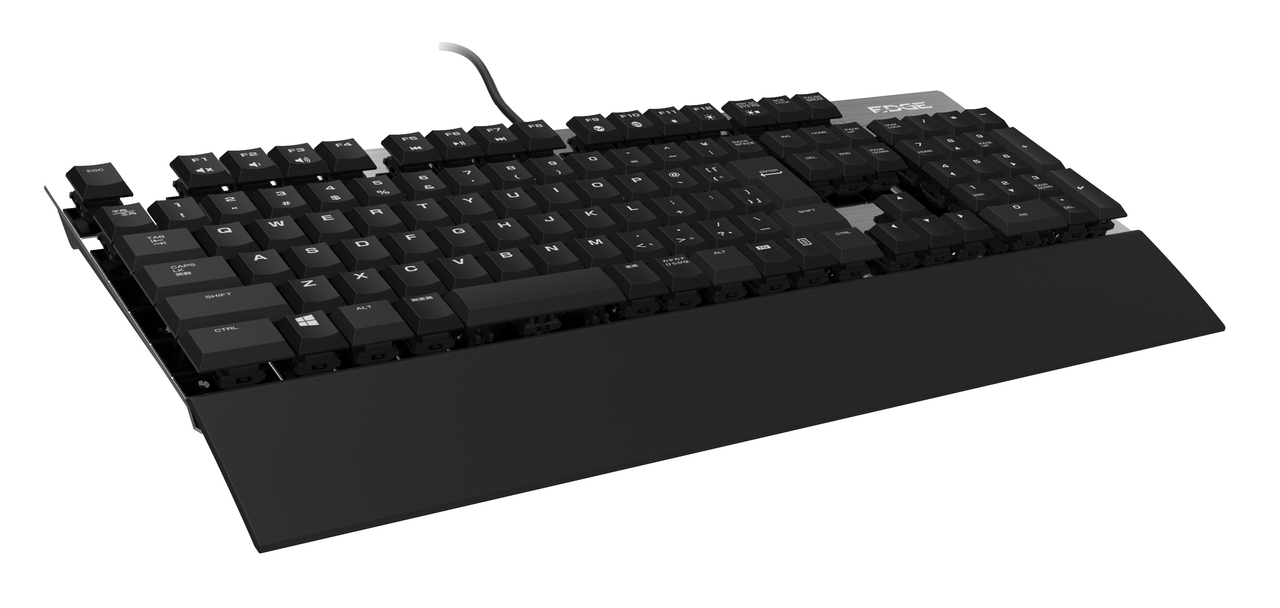
The Edge 201 keyboard is a real eye-catcher! It is wrapped in aluminum, making it robust and durable. Also positive: The keyboard is compact and thanks to the slimline keys (known from laptops), it is flat.
Despite the metal surface, the Edge 201 is lightweight, weighing only 950 grams. The keyboard’s microswitches are custom-developed by Hori and are of similar high quality to those used in the fight sticks. Pleasantly, the key presses are audible – as is typical for mechanical keyboards – but overall quiet enough not to be bothersome.

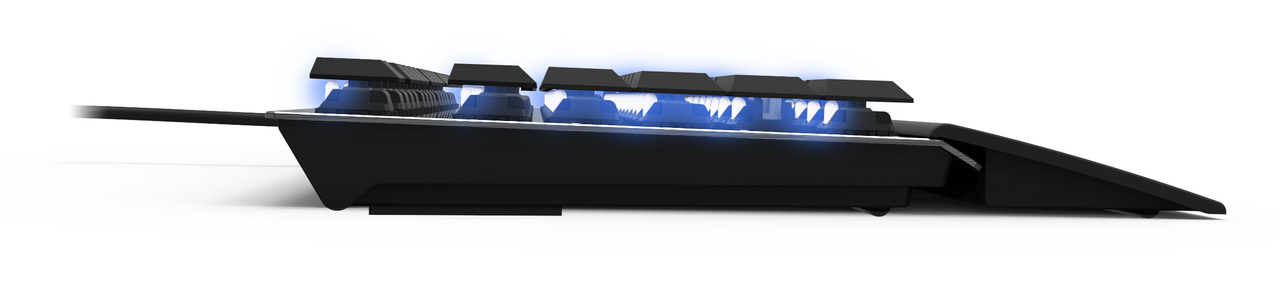
The key microswitches are embedded directly in the metal surface, so they seem to float above the aluminum, depending on the viewing angle. For cleaning, the keycaps can be removed from the switch and easily replaced. A blue LED under each key provides illumination, but does not fully light up the entire word for larger keys like “Enter” or “Ctrl”.
You can also only adjust the brightness of the keys; unfortunately, other colors are not possible. Additionally, the keyboard is limited to the typical keys of a PC keyboard. Extra buttons, such as multimedia keys, are absent. The keyboard also has no USB or headphone connections.
The Features of the Edge 201 Keyboard
- Massive construction, yet lightweight
- High-quality microswitches from proprietary development with flat slimline keycaps
- Completely programmable
- Blue backlighting
- No extra keys
- No USB or audio ports
Edge 101 – The Mouse for Real Men!
The Edge 101 mouse is a solid chunk. It is designed for large men’s hands and is appropriately sized. The buttons are nicely big and can be color-customized. Overall, the wired optical mouse features 11 buttons and a scroll wheel. The buttons are programmable. A special button allows for different DPI settings.
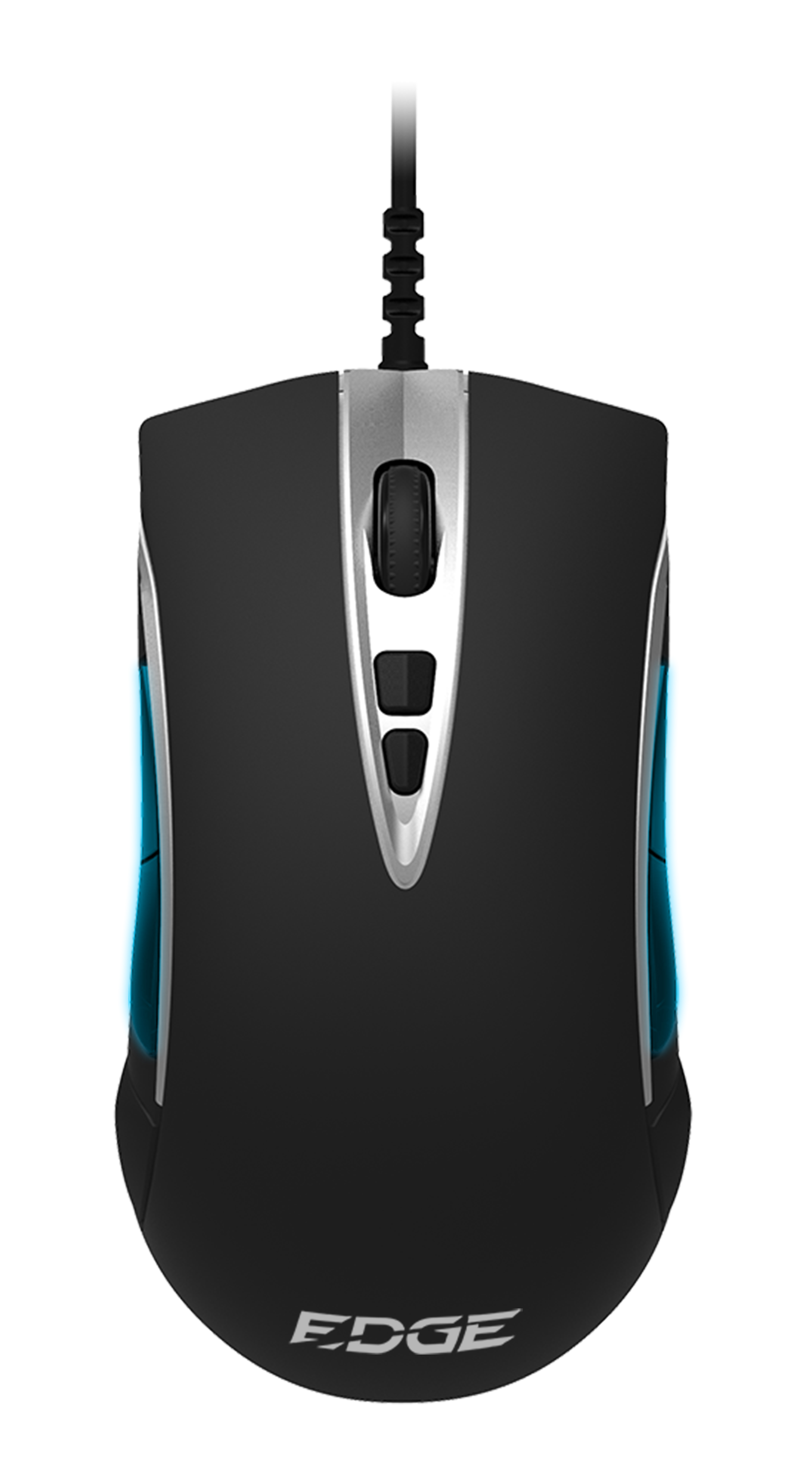
Praiseworthy: The mouse has a symmetrical design, making all buttons accessible for both right- and left-handed users. The mouse is solidly constructed and heavy. Weighing 130 grams, it sits comfortably in hand. If that feels too bulky, you can remove a metal plate on the bottom and reduce the weight by about 25 grams.
The mouse feet are also metal. This allows it to glide smoothly and precisely over common mousepads. However, the surface of the mouse is made of plastic and is not rubberized, so it can become slippery when hands are moist.
The Features of the Edge 101
- 50 to 6,400 DPI – adjustable via DPI button
- 11 freely programmable buttons including scroll wheel
- High weight can be reduced with removable metal plate
- Large mouse for large hands
- Thanks to symmetry, also usable for left-handed people
- Solid construction
Edge 201 and 101: Keyboard and Mouse in Practical Testing
The Edge 201 is aimed primarily at gamers and heavy typers with its robust construction and quick key presses. It succeeds in this regard. The typing comfort on the mechanical Edge 201 is significantly better than on a typical rubber dome keyboard.
The key presses are precise and due to the compact and flat design, they are also pleasantly reachable. Given its robust design, the Edge 201 should also last a long time. The manufacturer claims a lifespan of at least 75 million presses per key before it gives out.

In gaming, the Edge 201 scores by allowing you to press almost all 109 keys simultaneously, and all are registered by the system. Thus, the so-called “ghosting” – the loss of signals with too many simultaneous presses – is not a concern with the Edge 201.
While we couldn’t verify if the Hori microswitches behind the keys are indeed 25% faster than those from Cherry or Kailh, these little guys are definitely fast! The keys are easy to press and, thanks to the slimline design, have a short actuation distance, allowing for quicker actions from agile fingers than on a larger dimensioned keyboard.
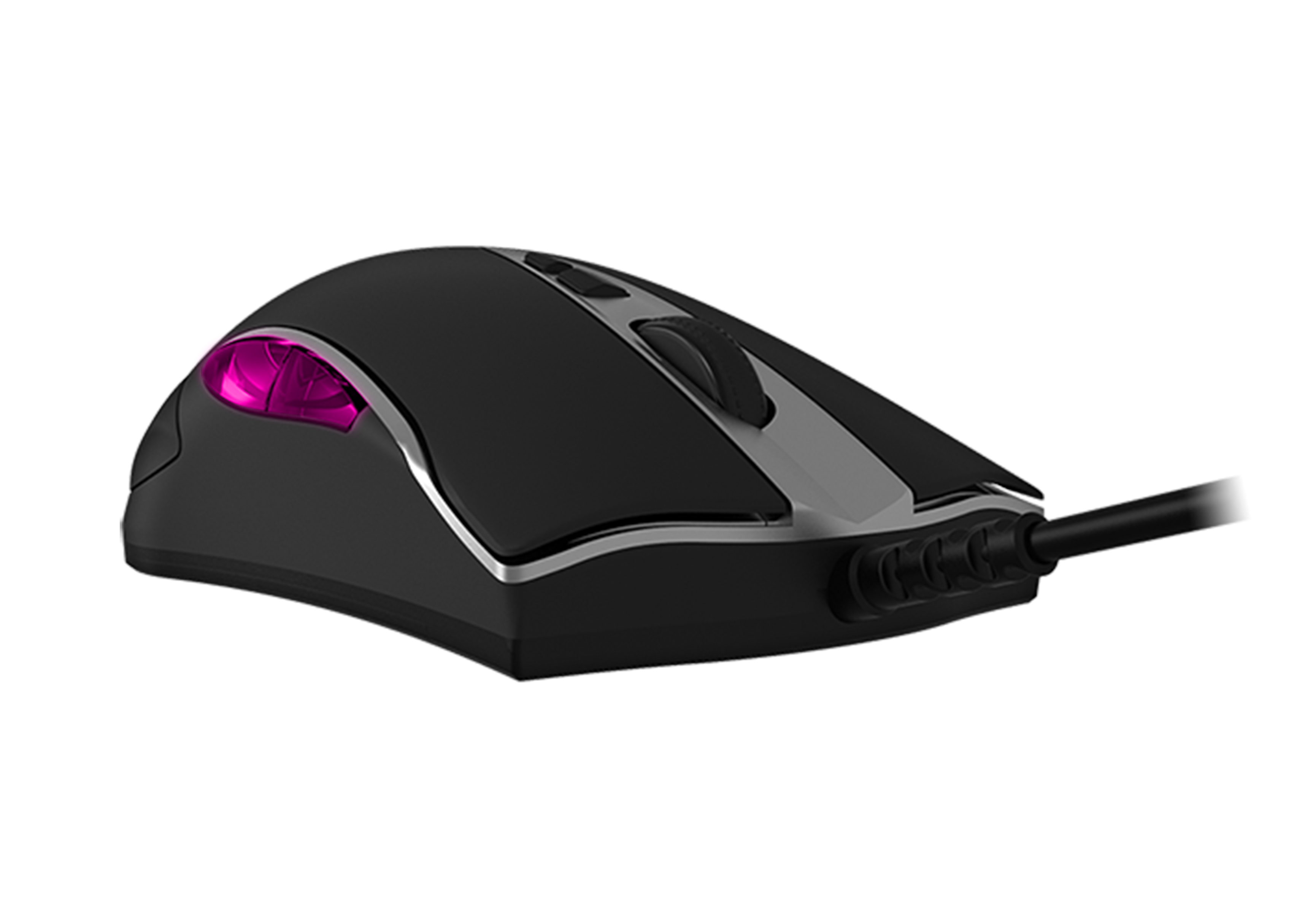
The Edge 101 mouse impressed us in testing with its high-quality construction and weight. The high weight ensured that this hefty piece sits well in the hand and with its metal feet, the mouse glides precisely over the mousepad.
The DPI goes up to a value of 6,400 and can be adjusted in four stages via a special switch even during gameplay. Ideal for shooter gamers, who need different DPI for sniping than when dashing from cover to cover. However, due to the lack of rubberization, the mouse can indeed slip at times. This flaw is even more pronounced given the otherwise high-quality manufacturing.
Software Provides Variety
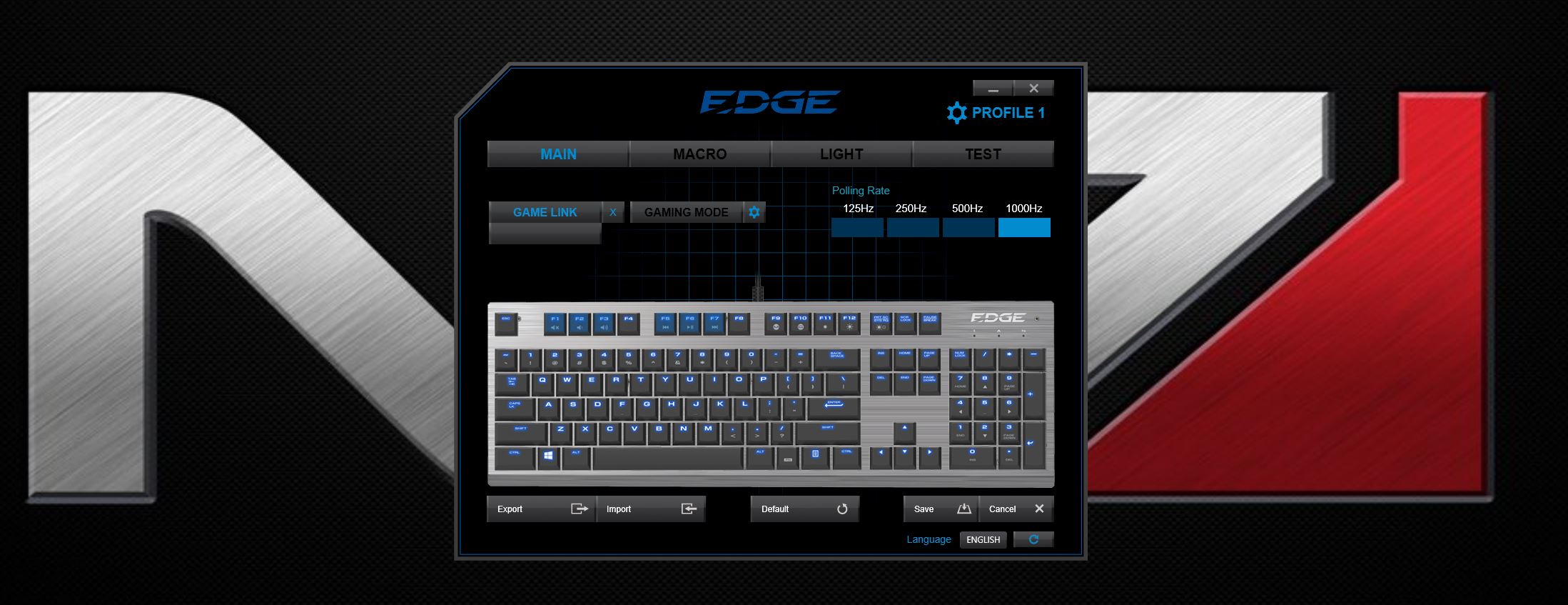
The Edge 201 has only 109 keys but can be easily programmed using the straightforward Hori software. Most keys can also be assigned double functions, and macros are not a problem.
The missing media keys can also easily and conveniently be assigned to the F-keys, which already have an appropriate preset for this purpose. Additionally, you can set various user profiles and activate and switch them any time using the “FN key”. There is also suitable software for the Edge 101. The mouse can likewise be freely programmed, and the general DPI and the intervals of the DPI switch are adjustable.
If you are worried about the closely spaced and “floating” keys, you can rest assured. The keycaps can be easily pulled off the switch with light force, and the underlying switch is well made, making it easy to clean.
Edge 201 Pros and Cons
| Pros | Cons |
| High-quality aluminum construction | No additional keys |
| Futuristic design | No USB ports |
| Easy to clean | No audio ports |
| 109 freely programmable keys | Only blue backlighting available, no color spectrum |
| Precise microswitches with tactile feedback and high durability | Illumination on large keys not optimal |
| Slimline keys with shallow actuation depth for fast presses | Expensive |
| Various user profiles and macros | |
| Lightweight | |
| Non-slip |
Edge 101 Pros and Cons
| Pros | Cons |
| Large and heavy | Missing rubberization can lead to slipping |
| Can be made lighter by removing the plate | Only 6,400 DPI maximum |
| Sits well in large hands | Possibly too large for small hands |
| Ideal for left-handed users | Only side buttons are illuminated |
| 11 freely programmable keys | |
| DPI adjustable during gameplay | |
| Fast and precise |
Jürgen’s Conclusion
Both devices pleased me in testing and stood out due to their high-quality construction and precision. Compared to my old keyboard, the Edge 201 was vastly superior. I could type faster, and the precise keys were a significant advantage while gaming.
However, the high quality comes at a price, as the elegant aluminum piece costs a hefty 139 euros. For this high price, I would have appreciated a few additional features, such as an audio or USB port. After all, you can never have enough USB ports! What really bothers me, however, are the lack of lighting options. Couldn’t Hori easily have included LEDs of different colors, rather than just the blue ones?
Nevertheless, I am completely satisfied with the Edge 201, and anyone looking for a high-quality, durable, and powerful mechanical keyboard without frills will get just that! The same goes for the Edge 101 mouse. In my opinion, it deserves more color customization options as well, but for 59 euros, you get a massive mouse that fits well in the hands of left-handed and large users, and with its 11 buttons, it leaves little to be desired. If Hori had added a rubberized coating, it would be even better!
The Edge 201 keyboard and the Edge 101 mouse are available via the provided links on Amazon.