A deck tracker is a small helper program that displays, for example, your own deck and the cards drawn. It is therefore extremely practical for the game. How or which of these programs does one install? And is it even legal?
What does a deck tracker do?
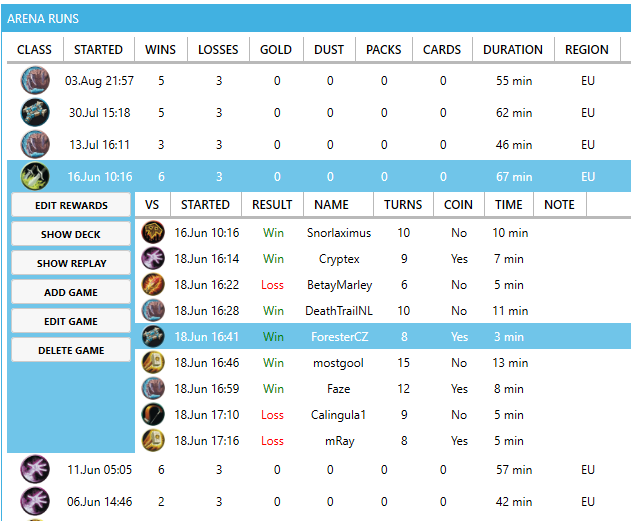
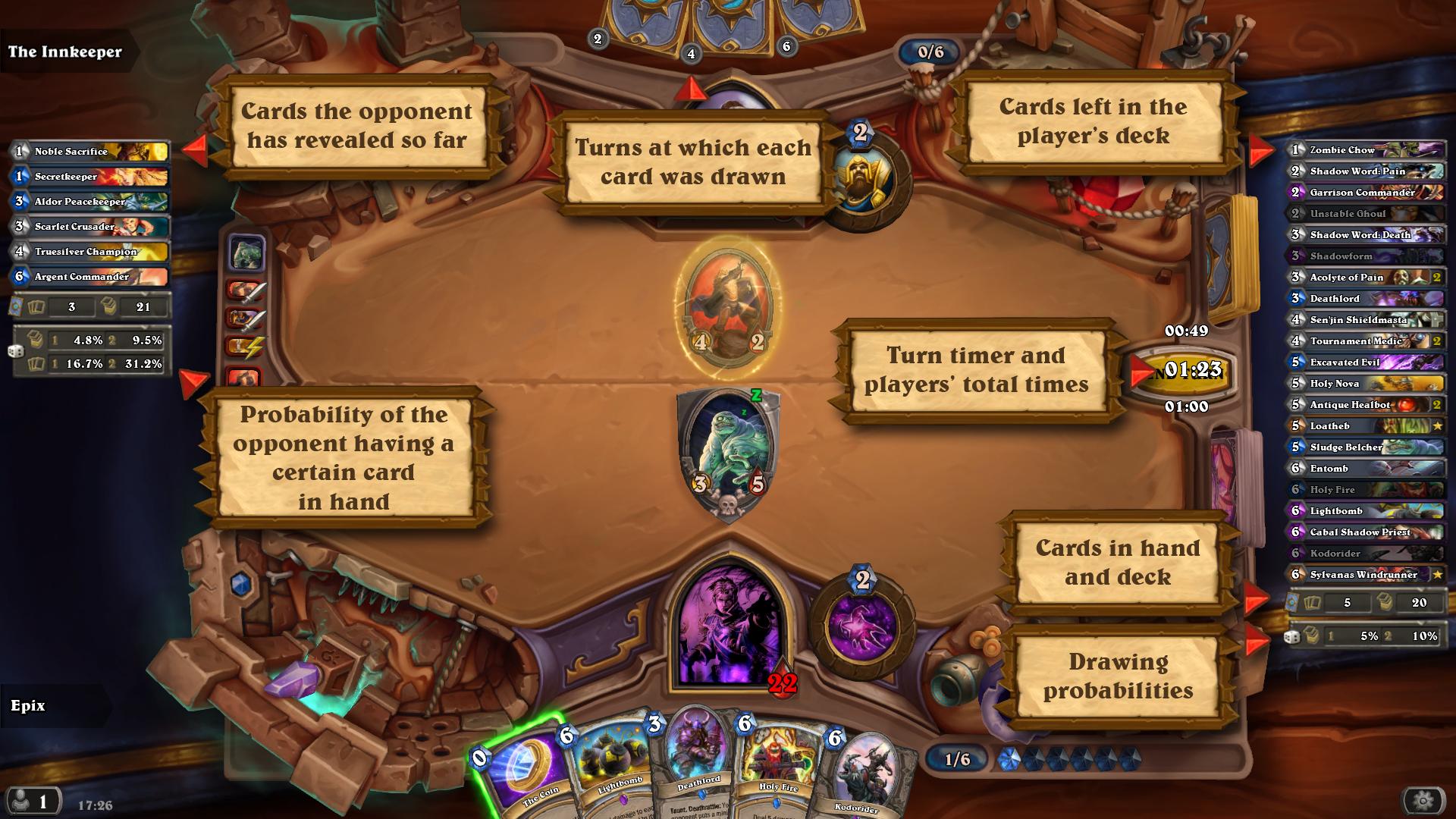
Essentially, it logs your own and your opponent’s deck, with the scope usually determined by the user. Possibilities could include:
View of the remaining cards that can still be drawn
As well as counting your own hand
Displaying what the opponent has played so far
Marking cards that the opponent has obtained through certain effects
Also, the cards he kept during the mulligan are marked
Saving decks so they are easier to restore
Displaying how much time you have left
An overview of possible secrets if the opponent has played one
In summary, it can be said that you obtain numerous data. Such a volume that one could hardly evaluate in the limited turn time without this program. This raises a new question:
Is a deck tracker allowed?
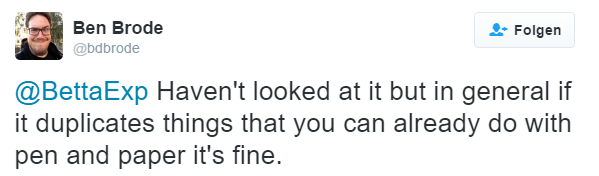
It is absolutely justified to ask this. The advantages obtained are certainly not insignificant. Ben Brode has commented on this:
Ultimately, all functions can be replicated with a pencil. However, this neglects the fact that there simply wouldn’t be enough time for that. Nevertheless, one should be able to rely on his statement, after all, he is the lead designer.
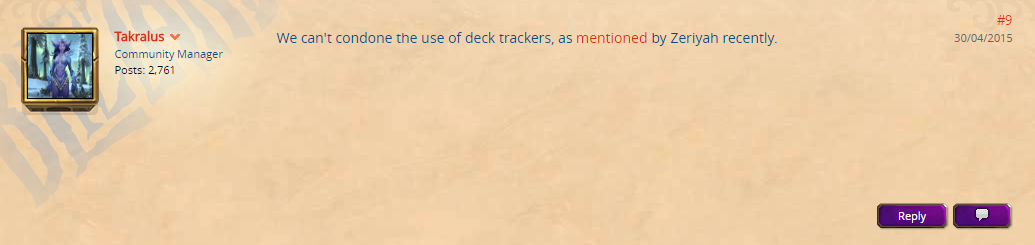
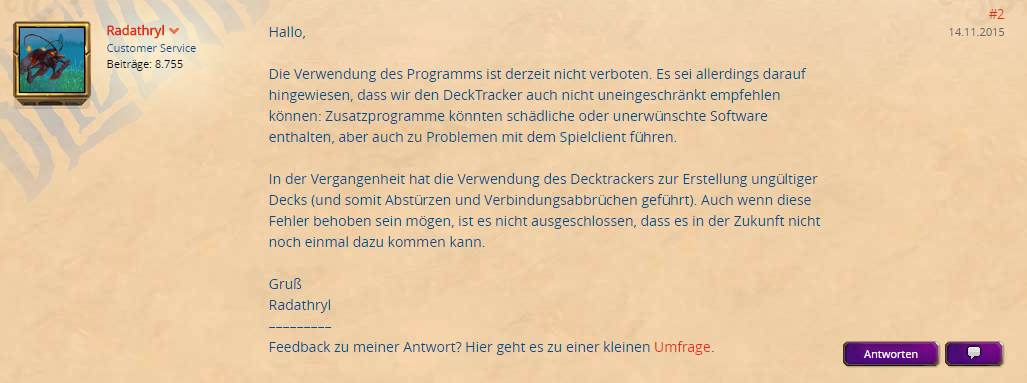
For the sake of completeness, it should be mentioned that community managers are divided on this issue. An English-speaking manager stated that a deck tracker could not be approved. His German-speaking counterpart commented a bit more elaborately and even explicitly mentioned that the program is allowed. He reaffirmed his message from November 14, 2015, again on May 26, 2016.
But ultimately, Ben Brode had already decided this. His statement in conjunction with that of Radathryl should provide sufficient assurance. Now we can turn to the installation. But which deck tracker is actually the right one?
What deck trackers are there?
There are various programs, depending on your own needs. Two of them will be briefly introduced, both with different areas of application.
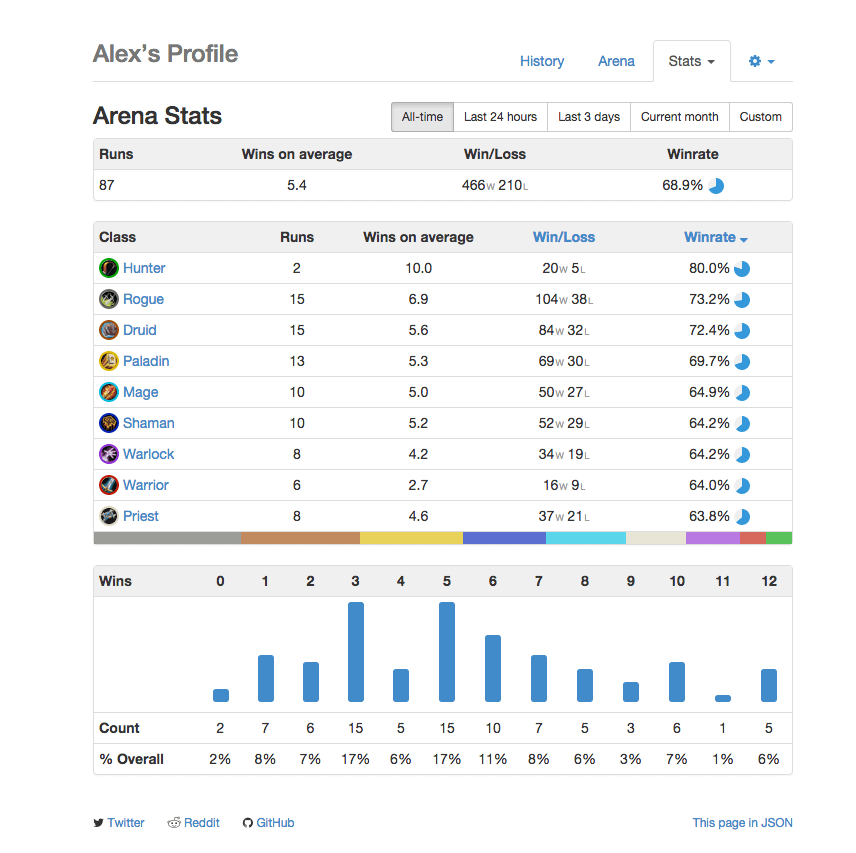
Track-o-Bot
This is the smallest of the three representatives. Through an online profile, the win rate can mainly be determined. By now, there is an overlay, so some information can already be displayed in the game. However, there are better alternatives for that. Track-o-Bot is suitable for those who want to analyze their game only after one or more matches. Not for those who want to learn something during the match.
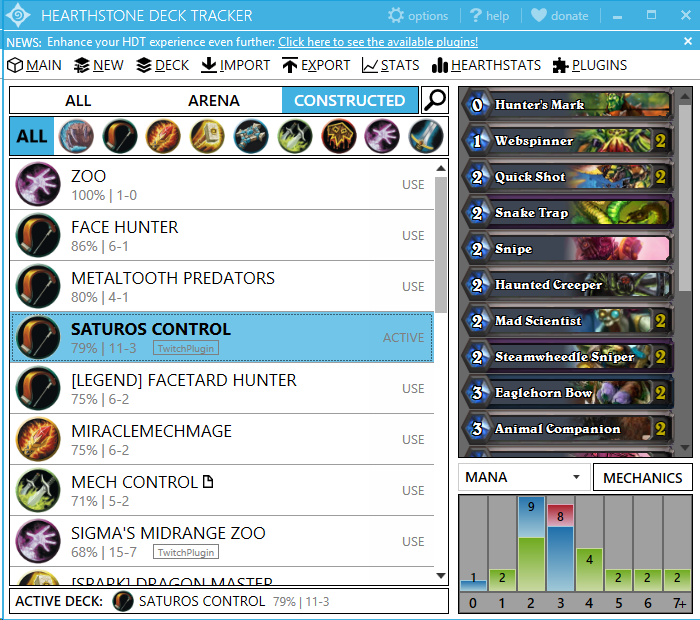
Hearthstone Deck Tracker
This program is probably the most popular. It is no longer as simply designed as Track-o-Bot, but offers numerous aids instead. You receive a second overlay where the previously mentioned information is accessible. You can freely set which information should be displayed.
How do I install and use the Hearthstone Deck Tracker?
Fortunately, this is not too difficult. First, we visit the homepage of the program and are greeted with joy by a download button. In the new window, we click on the zip file. We unpack it and start the program. The question of whether to register can be declined.
Now, when we start Hearthstone, we see the new overlay on the left and right edges of the screen. At the latest, when we have clicked on play, all of our current decks are logged and displayed on the right side. Each card has a tooltip with its description, at least for newcomers quite practical.
But back to the deck tracker. We have quite a few settings to make, so let’s go to the options in the top right. If you only know the cards in German, select “General” under Tracker and set the language to German. Specifically, the Primary-Language; if you only select Secondary, you will still see English card names.
Next, we look at the options under Overlay, starting with General. There we can select which information we want to hide. It would make sense to remove the tooltips and maybe only leave those for the secrets displayed. “Hide if HS in background” should also be selected, especially when you’re writing an article alongside and the interface otherwise obscures the text editor.
If all the checkboxes are set, we can freely determine the positions with a click on “Unlock”. It is recommended to play a game against the AI to set the deck tracker without time pressure. After all, we still have more checkboxes under Player and Opponent to set. This allows you to disable the display showing the probability of drawing a particular card. Counters for Yogg-Saron or C’Thun are also selectable or deselectable.
Is there anything else to consider?
For an introduction, that should suffice. Anyone wanting to play tournaments is better off not using a deck tracker. Because even if Blizzard allows them, they could be banned in tournaments. However, those who are just getting used to tracking the cards will find it hard to switch off again. For these players, it is thus wiser to reject the program entirely.
Furthermore, one should not expect the overlay to work perfectly after a new card edition. New cards may not be recognized immediately, and some helpful displays may be missing. Here, you will have to wait for an update.
This is an AI-powered translation. Some inaccuracies might exist.