

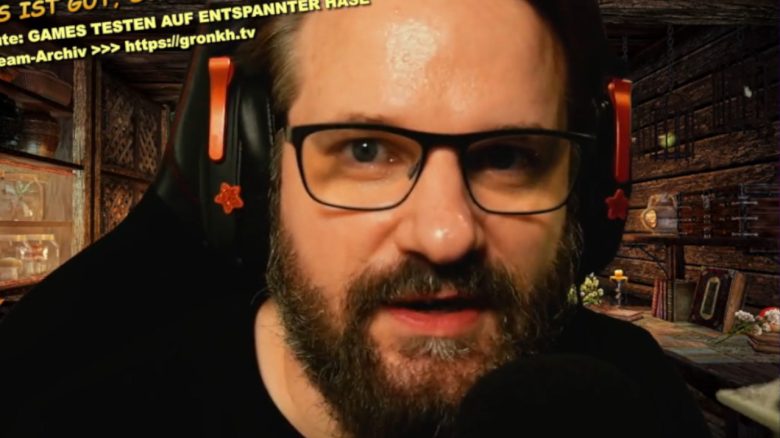
The Twitch streamer Erik “Gronkh” Range is currently live, but something seems off with his overlay in the stream. A viewer points out the obvious, but by then it is too late, and Gronkh is no longer visible.
What happened in Gronkh’s stream? Gronkh was sitting in his usual Twitch set-up a few days ago, but the chat was not displayed on the screen as usual. Although Gronkh can read the chat, it is not visible on the stream overlay.
Gronkh then says: “I think one of the browser sources just caused a memory leak.” Then in the background, a message from Windows is heard, which Gronkh reacts to somewhat startled.
Further, the Twitch streamer says: “I hope I stay here a bit longer. I just hid all browser sources; almost all of them. I think some browser source has gone haywire here.”
He then turns to the chat to read it, and a viewer points out the obvious to Gronkh: The Twitch chat is not visible on the screen in the stream. A bit annoyed, Gronkh leans forward to the camera and begins to explain again, but suddenly the stream cuts off.
OBS is out of RAM
What is behind this? The problem is probably related to OBS (Open Broadcaster Software). OBS is software that many streamers or YouTubers use for streaming or recording.
Browser sources can be inserted there, such as embedded websites or HTML snippets. Gronkh also uses this, for example, in the form of his Twitch chat as an overlay or as animations for alerts in the stream when someone subscribes.
You can watch the Twitch clip here:
According to Gronkh’s description, one of these browser sources seems to be malfunctioning. It consumes more and more RAM, which Gronkh refers to as a “memory leak,” and the PC “warns” Gronkh with a sound that more and more memory is being used.
Subsequently, Gronkh disables this browser source, or rather several of them, to solve the problem. That’s why the Twitch chat is no longer visible. However, that does not help, as the memory error is too large and OBS crashes, leading to the stream ending with the program.

This is not the first time Gronkh has had problems with his Twitch stream. A much more positive example of a “problem” with Twitch was the incident when Twitch viewers caused Gronkh’s PayPal to be suspended: Because his fans liked the Twitch streamer Gronkh so much, his PayPal account was temporarily disabled

Your opinion is important to us!
Do you like the article? Then let us know!