

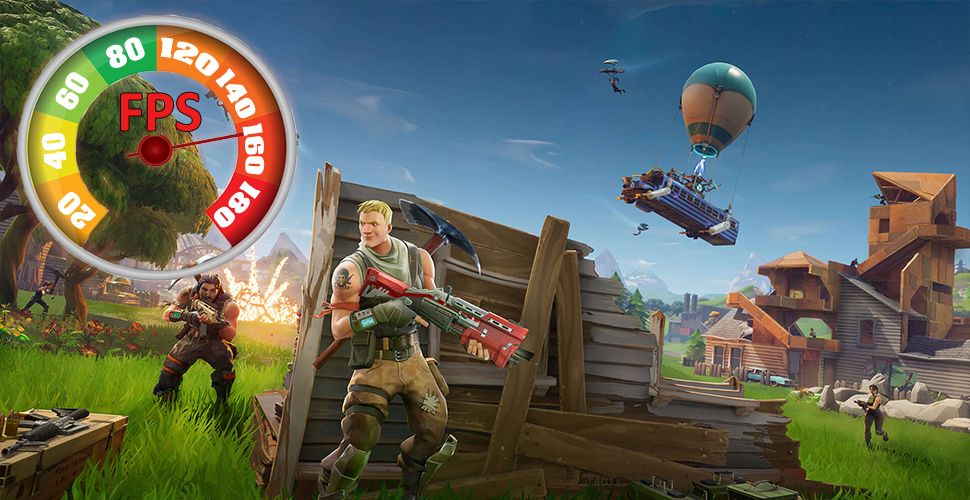
Fortnite Graphics on PC – Use these tips and tricks to optimize your game.

During the great boom of Fortnite, more and more players are jumping on the bandwagon, trying out the battle royale shooter, and sticking around. Fortnite Battle Royale is currently one of the most played games in the world. You can play it on PC, PS4, and Xbox One.
The good thing about the game: The graphics of Fortnite do not demand much. The simple, colorful look allows even “older” systems to achieve high FPS rates. In our guide, we show you how the graphics settings work. This way, you should get the best Fortnite experience possible on PC.
Explanation of Graphics Settings in Fortnite
For long-time PC gamers, the graphics settings in Fortnite are no surprise. With shadows, resolution, and anti-aliasing, you are familiar.
Due to the high popularity that Epic’s version of battle royale is currently enjoying, many new players are joining. They may not have spent much time looking into graphics settings on PC. For you, we want to briefly explain what the various settings mean and how they affect gameplay.
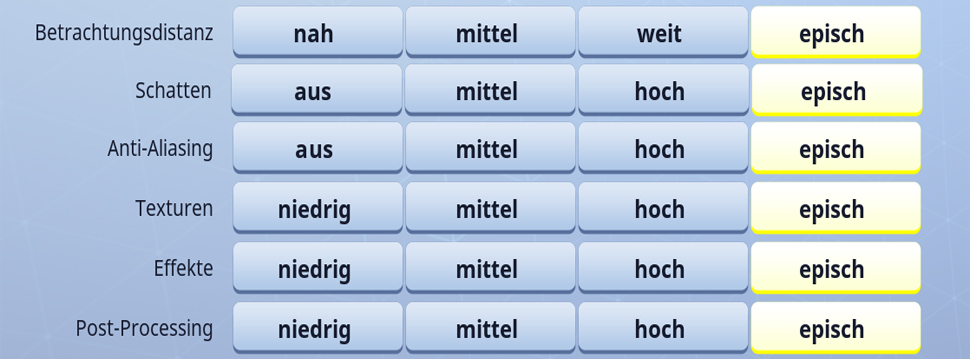
- Resolution
- One of the fundamental settings in every video game. It’s best to use the native resolution of your monitor. For standard full HD monitors, this would be 1920×1080 in full screen.
- Framerate / Frame Rate Limit
- You can leave the frame rate on “unlimited”. If you want to save resources, adjust the frame rate to your monitor’s Hz rate. For example, 60 FPS or 144FPS.
- 3D Resolution
- This is basically the scaling of your resolution. This allows you to change the resolution of Fortnite without altering the monitor’s resolution. You can generally ignore this setting. If you are using an old PC system and want to play Fortnite “somehow”, you can reduce the resolution here.
- View Distance
- With this option, you set how far away you can see smaller objects clearly in Fortnite. For your gameplay, it makes sense to set this slider as high as possible.
- Shadows
- Here you set the quality of the shadows. This setting has a significant impact on performance – high-quality shadows require a lot of resources. Choose at least the medium setting here. High-quality shadows are more suitable for strong PCs; they are important “for the eye.” Besides aesthetics, they also affect gameplay. One should not completely forgo shadows, as they can help you see enemies behind corners or on higher buildings from the ground.
- Anti-Aliasing
- Anti-aliasing allows you to make objects and surfaces “smoother.” You probably know those bumps along the edges of objects. This option presents them more smoothly. The medium option uses FXAA, which, while not the best, has a minimal effect on your FPS. If you have enough resources, you can turn this slider up for smoother edges in Fortnite.
- Textures
- With the texture slider, you can set how detailed the surfaces in Fortnite are rendered. A lower setting can achieve more FPS if performance is more important to you than beautiful graphics.
- Effects
- Changes to this setting become noticeable in matches when things explode or are destroyed.
- Post-Processing
- This option includes effects like dynamic lighting in Fortnite. Changes to post-processing have a lesser impact on performance or graphic quality in the game.
- Motion Blur
- Turning this option on and off greatly depends on your personal preferences. It’s purely a matter of taste.
- V-Sync
- Vertical synchronization adjusts Fortnite’s frame rate to your desktop’s refresh rate. If your desktop runs at 60Hz, Fortnite tries to keep the game at that value.
System Requirements for Fortnite – Play on Low-End PCs
Fortnite uses the Unreal Engine 4, which is also used by PlayerUnknown’s Battlegrounds. However, due to Fortnite’s mentioned simple style, the requirements for PCs can be kept extremely low. Minimum requirements state an onboard graphics card. And that says something: after all, even old “boxes” can run Fortnite.
Fortnite Minimum Requirements
- CPU: Intel Core i3 2.4GHz
- RAM: 4GB
- Graphics Card: Intel HD 4000
- VRAM: Not necessary
- Operating System: Windows 7/8/10 64-bit or Mac OSX Sierra
- Storage: 15 GB
Fortnite Recommended System
- CPU: Intel Core i5 2.8GHz
- RAM: 8GB
- Graphics Card: Nvidia GT 660 or AMD Radeon HD 7870, DX11
- VRAM: 2GB
- Operating System: Windows 7/8/10 64-bit
- Storage: 20 GB
With these systems, you can play Fortnite. However, for a perfect gaming experience, we recommend more power. For example, a Nvidia graphics card from the 900 series or higher VRAM, or a comparable AMD graphics card.
More FPS – How to Boost Your Frames
Are you having issues with low FPS in Fortnite and want to boost your frames? A few of the settings discussed above have a significant impact on your FPS. You can reduce quality to play Fortnite more smoothly.
The minimum target here for low-end machines is, of course, smooth gameplay – around 60 FPS. More powerful systems may aim for 120-150 FPS. Expect lower frames in heated battles than when walking across open fields.
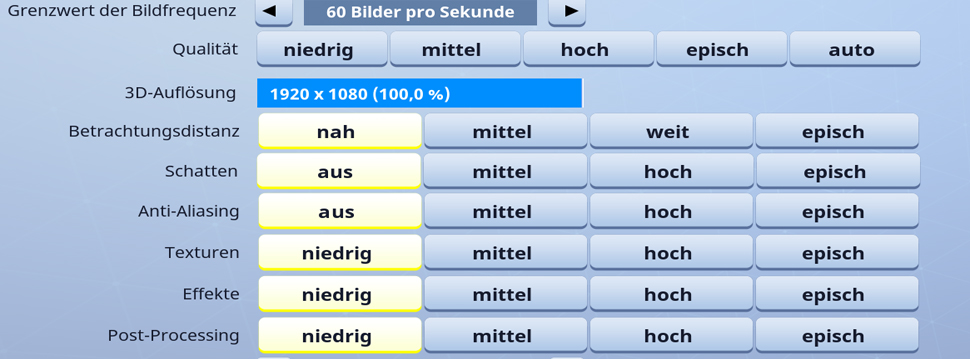
Shadows – the FPS Eaters! If you need a quick FPS boost, reduce shadows to the essentials. If that still doesn’t help, turn them off completely. Keep in mind that this negatively affects gameplay as you may not see enemy shadows at all.
Anti-Aliasing – Nice to Have, but … if you’re willing to sacrifice great visuals for more FPS, simply turn this option down.
Effects slow down during large fights. If you’ve got the settings dialed in so that Fortnite runs smoothly but it lags during intense fights, then dial down the effects for more stability.
If all else fails, reduce the resolution. For a good gaming experience, we cannot recommend resolutions below the standard of 1920×1080. This should really be the last resort if you absolutely want to play Fortnite on an extremely weak system.
After graphics comes the improvement of your gameplay style – These are the best weapons and items in Fortnite

Your opinion is important to us!
Do you like the article? Then let us know!