

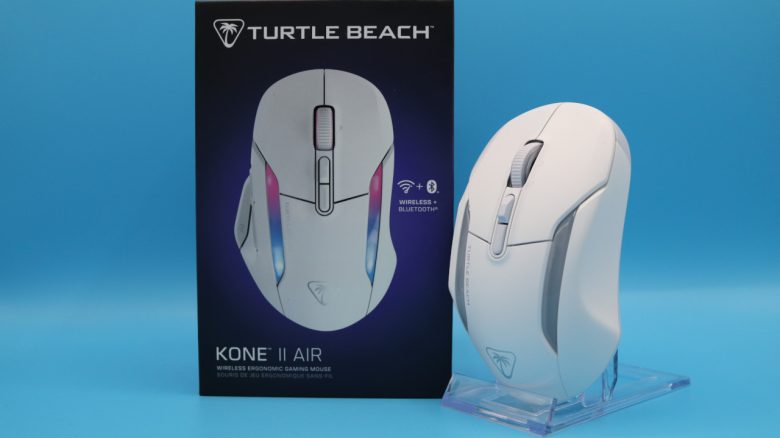
With the Kone II Air, TurtleBeach has introduced another mouse within the Kone series. MeinMMO editor Benedikt Schlotmann has taken a close look at the gaming mouse and explains in the test whether the gaming mouse is worth it for your own desk. Because in the all-rounder category, there is tough competition from Logitech, Razer, and SteelSeries.
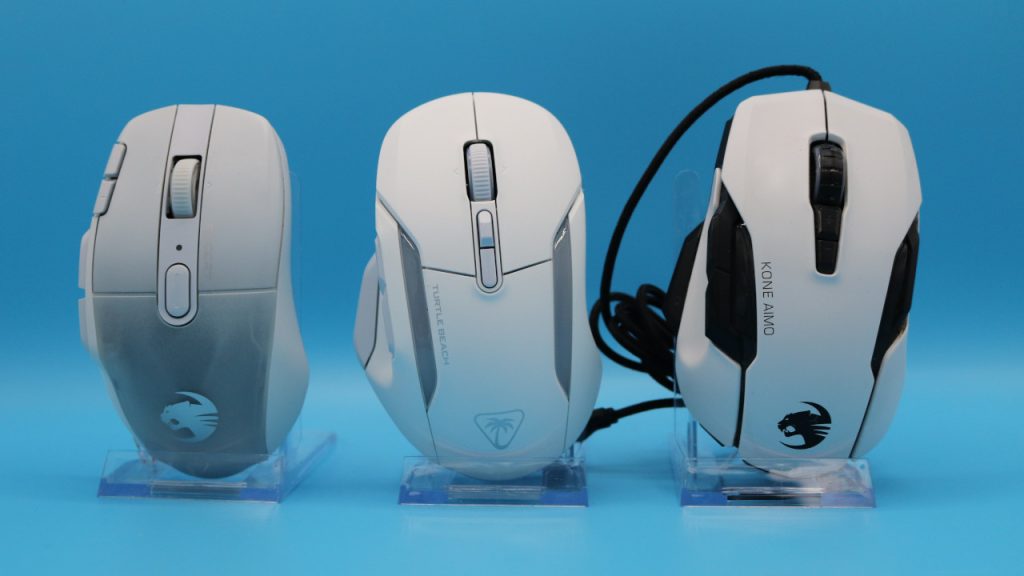
What device is it about? With the Kone II and the Air variant, TurtleBeach has introduced a new gaming mouse for all-rounders. In terms of design and structure, it is very much inspired by the Kone XP Air (to the test) and the old Kone AIMO Remastered from Roccat. Roccat has been discontinued by TurtleBeach and the peripherals are now published only under the TurtleBeach brand.
In my test, I took a detailed look at the Kone II Air. In the test, I explain what the mouse does well and whether this model can be recommended. The predecessor, the Kone AIMO Remastered, is still one of my favorite mice, aside from the annoying mouse wheel. This is mainly due to the excellent ergonomics of the old Kone AIMO Remastered.
The test at a glance:
- Scope of delivery, design, and construction
- Processing
- Software
- Weight, ergonomics, and battery life
- Mouse buttons, mouse wheel, and sensor
- Conclusion
Who tested it?
I now own over 20 gaming mice and have tested over 15 keyboards. Privately, I now also have over 10 sets of in-ear headphones. At MeinMMO, I have been testing hardware for our readers since 2019. In addition to the PC and the PS5, I am also using the Steam Deck now.
Our review sample was provided to us by the manufacturer.

Benedikt Schlotmann
Hardware editor MeinMMO
Details
| Sensor | Owl-Eye sensor (a Pixart derivative) |
| Resolution | Up to 26,000 DPI |
| Switches | optical mouse switches (Titan switches) |
| Buttons | 7 buttons |
| Design | White or black mouse. RGB lighting on the top and details on the mouse wheel. |
| Glide feet | 2 |
| Cable | Removable 2.0 m USB-C cable |
| Weight | 111 grams |
| Price (RRP) | 129.99 Euros |
Oops, unfortunately this affiliate widget is no longer available. |
Scope of delivery, design, and construction
What does the scope of delivery look like? In addition to the gaming mouse, there are also USB-C cables, a transmitter for the wireless connection, grip tape, and a printed manual in the box.
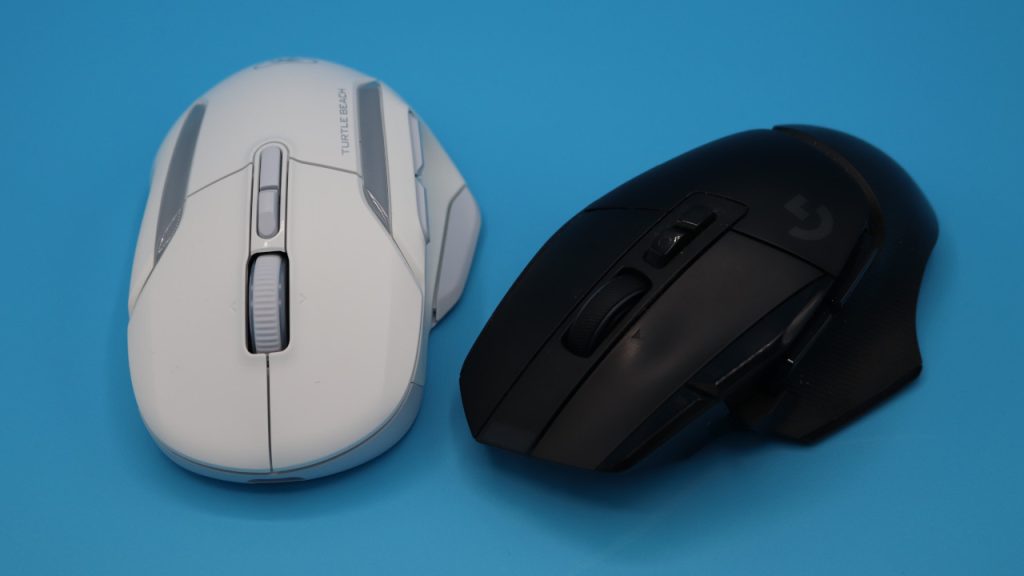
How is the mouse built? You can currently buy the mouse in black or white, I use the white model in the test.
- On the top of the mouse are the main buttons and between them is the mouse wheel. On the top in front of the mouse wheel are two additional buttons: With one button you can change the DPI, and with the other button, you can set whether the mouse wheel should scroll stepwise or continuously.
- On the bottom, there is a slide switch that allows you to turn the mouse on or off and switch between Bluetooth and wireless connection. You can also plug the transmitter into the bottom of the mouse to prevent it from getting lost.
- The mouse is permanently sealed; you cannot replace the built-in battery.
- The Kone II is available in both wired and wireless versions. The wireless version can be recognized by the “Air” in the name.
Interestingly, TurtleBeach has omitted a charging station for the Kone II Air. Such a charging station was still available with the Kone XP Air. Razer also offers a similar charging station for its high-priced mice, such as the Basilisk series.
By the way, the old charging station of the XP Air is not compatible with the Kone II Air, as the connection for it is missing on the bottom. Therefore, you can only charge the mouse wirelessly.
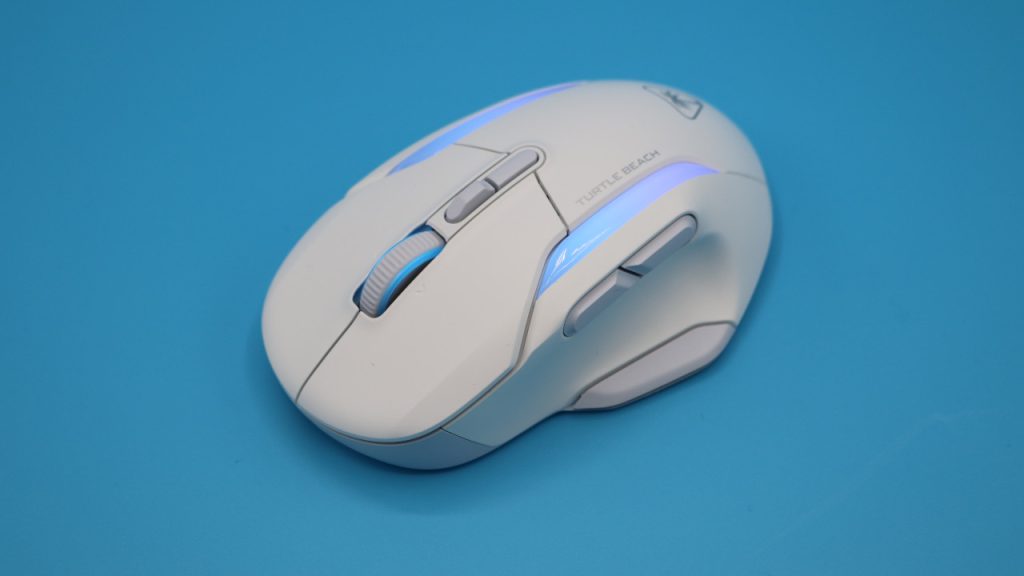
In terms of design, a similar lighting as with the old Kone AIMO Remastered has been chosen: Two glowing stripes on the top and a gentle lighting for the mouse wheel. Overall, the design looks sleeker and more modern than the translucent design of the XP mice.
TurtleBeach Kone II vs Kone II Air
The similarities: Basically, both gaming mice feature the same technology: the same switches under the buttons (optical Titan switches), the same lighting, and the same sensor (Owl-Eye sensor with 26,000 DPI).
What are the differences? The Air variant is a wireless version of the Kone II. This means you can connect the Kone II Air to your computer via a wireless adapter or Bluetooth. The standard Kone II is only wired.
The wireless mouse is heavier due to the battery than the wired model: The Kone II weighs 90 grams, while the wireless Air version weighs 110 grams.
Another difference is the price: The standard version costs around 70 Euros, while the Air variant costs 60 Euros more (129.99 Euros).
Processing
The Kone II Air features a sturdy plastic chassis. In the shaking test, you only hear the mouse wheel softly rattle, otherwise everything is secure and stable.
In the past, I had annoying problems with the mouse wheels of former Roccat and now TurtleBeach mice. During my almost 6-week testing period, the mouse wheel has not let me down so far. If that should change, I will update my test article accordingly.
Software
TurtleBeach continues to rely on the software “Swarm II” for its Kone II Air. We are now at version 1.0.0.15. In general, I have to praise TurtleBeach for continuously improving the software in recent months.
What I like: Overall, it can now convince me:
- All important features and functions of the mouse are quickly and clearly laid out on one page.
- The software and drivers can be easily and quickly updated via Swarm II.
- The menus are understandable and in German, and each menu item has a tooltip with additional explanations. That’s commendable!
- Also good: TurtleBeach refrains from aggressive self-advertising or marketing for products or events. This keeps the software slim and focused on what matters.
What doesn’t convince me: Menus cannot be freely arranged and can only be scaled to a certain size. Also unfortunate: The white-gray color scheme of the software cannot be changed. This is especially annoying if you are colorblind, as the software offers little customization here.
For Swarm II, I would at least wish for an additional color alternative, and the font could also be a bit larger and bolder in some places.

Weight, ergonomics, and battery life
The weight: The Kone II Air weighs 111 grams on my kitchen scale without the cable and transmitter inside. This means TurtleBeach is again moving away from mice that weigh significantly less than 100 grams. For comparison:
- The old Kone AIMO Remastered by Roccat (to the test) still weighs 128 grams, with the Kone XP (Air) you were at 99 grams.
- The popular and very good Logitech G502X Lightspeed (to the test) weighs 102 grams.
- The Razer Basilisk Ultimate (to the test) weighs about 107 grams. By now, there are several newer variations of the Basilisk, all of which weigh similarly.
- The wired Kone II also weighs “only” 90 grams and is otherwise technically identical to the Air version.
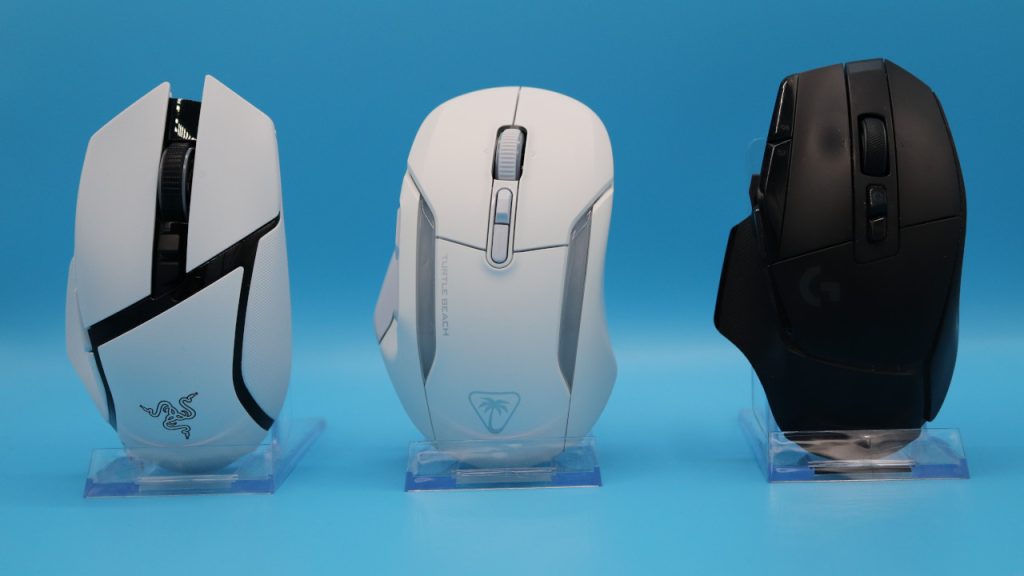
The ergonomics: I have very large hands with a size of 19 centimeters. What stands out to me is that the mouse has become a bit wider compared to the XP. I am only talking about half a centimeter, but as a result, the hand rests much more comfortably in a palm grip than it did with the XP.
Compared to the XP, the mouse has also become longer (13 vs 14 centimeters), which makes palm grip even more comfortable. This means that the heel of the hand rests much better. In my eyes, a step in the right direction.
Battery life: The manufacturer states the battery life is up to 350 hours. However, you can only reach this if you use the mouse via wireless connection and also turn off the lighting. Otherwise, it lasts about three to five days for me, depending on how extensively I use it.
This means that especially Logitech and Razer have the edge in battery life while SteelSeries lags slightly behind with its Rival 5.
The mouse buttons, mouse wheel, and sensor
The mouse buttons: Under the buttons, there are optical Titan switches. These no longer sound as hollow as they did with the “Kone XP” series, but they do sound very sharp. This makes the clicks feel much more solid than the dull “thunk” of the XP. Overall, I find the sound more pleasant than the metallic ringing that can be heard with the G502X Lightspeed.
The mouse buttons are definitely not quiet, but are quite audible. You must like the loud clicking.
The mouse wheel: TurtleBeach uses a 4-way mouse wheel, and you can also set how you want to use the mouse wheel: free-running or stepped. This works just like the mouse wheel on the G502X Lightspeed. A feature that I have enjoyed using with Logitech. By the way, this works just as well with TurtleBeach. You can also find this feature with Razer in the Basilisk series.
The mouse wheel is always a concern with TurtleBeach and Roccat mice. After all, the mouse wheel of the AIMO Remastered and the Burst Pro became a complete failure at some point, but the Kone II Air is still working perfectly so far. Problems, however, usually did not arise until after 6 months.
By the way, a Logitech mouse (G Pro X Superlight) has now experienced the same defect with its mouse wheel, where you can no longer scroll smoothly. This is therefore not a specific problem that you will only find with TurtleBeach.
Sensor: The mouse features TurtleBeach’s proprietary Owl-Eye sensor. Roccat already used this sensor in their mice, and it also appears in the newly branded TurtleBeach models.
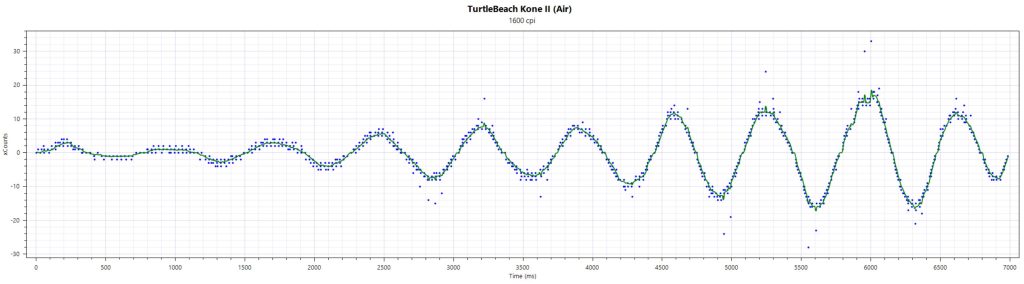
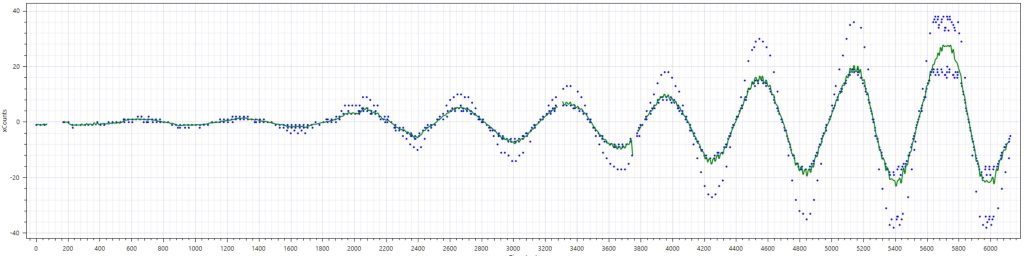
I tested the sensor on a standard cloth mousepad. The sensor causes no problems in the test, and the measurement results are within the normal range. Only with very fast and sweeping movements, which hardly anyone does in everyday life, there are a few sensor errors that deviate from the normal curve.
In comparison, look at the sensor of another mouse, also at 1,600 DPI. You can clearly see here: The sensor of the Kone II works much cleaner and better than the sensor in the other mouse.
Conclusion: Great ergonomics, good battery life, high price
For whom is the mouse suitable? With the Kone II Air, TurtleBeach aims to offer another alternative in the Kone series. Compared to the Kone XP, it appears much less playful and more focused on the essentials, which benefits the mouse significantly. In particular, the fact that the mouse is half a centimeter wider than the XP makes it ergonomically much more attractive and resembles the old Kone AIMO Remastered strongly again.
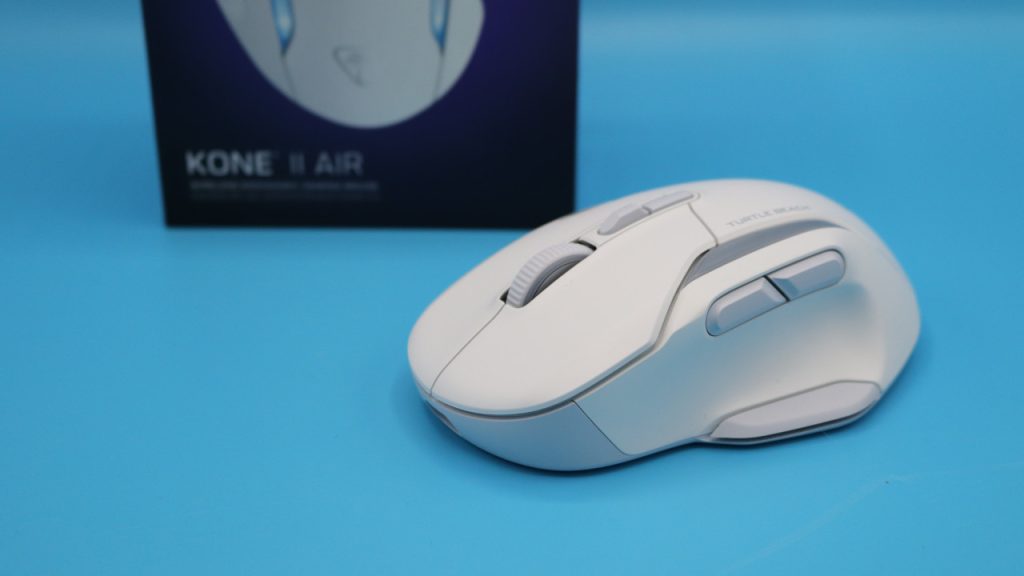
However, at 129.99 Euros, the Kone II Air is not necessarily the most price-attractive mouse. The wired variant (without Air) is better positioned at 69.99. However, I assume that the Kone II Air will settle around 100 Euros, and here it could become quite attractive. Especially compared to the rather expensive Basilisk.
What alternatives are there?
- The Logitech G502X Lightspeed is, in my opinion, the best alternative: a long battery life, a design that is almost understated for a gaming mouse, and good software. You can regularly get the mouse for under 100 Euros. However, the loud switches under the buttons may take some getting used to.
- The Basilisk V3 Pro is very expensive at around 150 Euros (RRP: 179.99), but it offers the best sensor and an extensive feature set. Weighing 112 grams, it is just as heavy as the Kone II Air.
- The SteelSeries Aerox 5 is another good alternative that you can regularly buy for about 80 Euros. It is significantly lighter than the competition at 74 grams, but the ergonomics is unfortunately not perfect (sniper button). The battery life is okay but cannot keep up with the competition.
More gaming mice on MeinMMO: If you are looking for more recommended gaming mice, then take a look at our buying guide on MeinMMO. Here you will find the best gaming mice available for purchase right now: The best gaming mice for shooters that you can buy right now

Your opinion is important to us!
Do you like the article? Then let us know!