


Here’s how to perform all goal celebrations in FIFA 19. We present the celebrations, dances, and movement combinations with the key combinations for the PS4 and list the new celebrations featuring the star celebrations from Ronaldo, Griezmann, and others individually.

Update: We show you the new celebrations in FIFA 20 here.
If you score goals in FIFA 19, you should celebrate them properly! You have a variety of goal celebrations available to you, including some new ones that are making their debut in FIFA 19.
To ensure you look good while celebrating, we show you which buttons you need to press.
New Celebrations in FIFA 19 – Here’s how to perform them on PS4 and Xbox One
All new celebrations that every player can perform:
- Little Brother – Hold L2 and double press Circle (Hold LT, double press B):
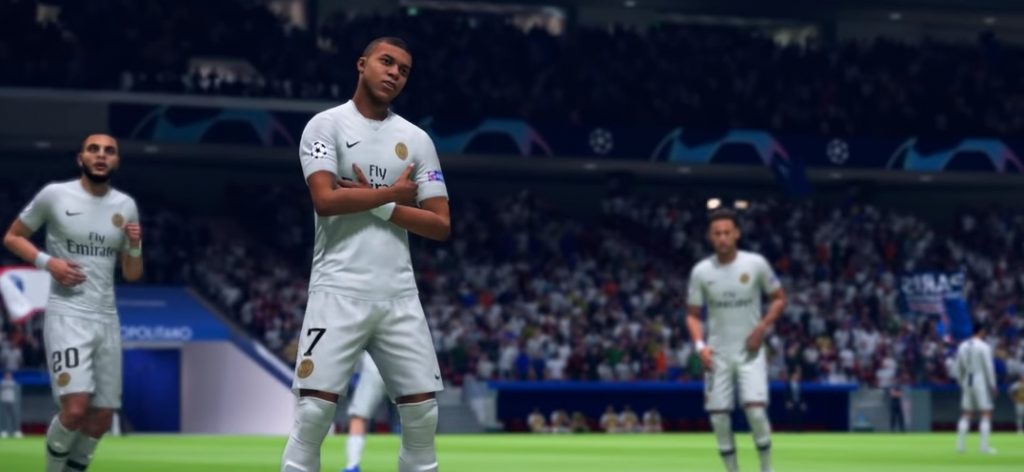
- Giddy Up (Come on) – Hold L1 and press R3 (Hold LB, press the right stick):
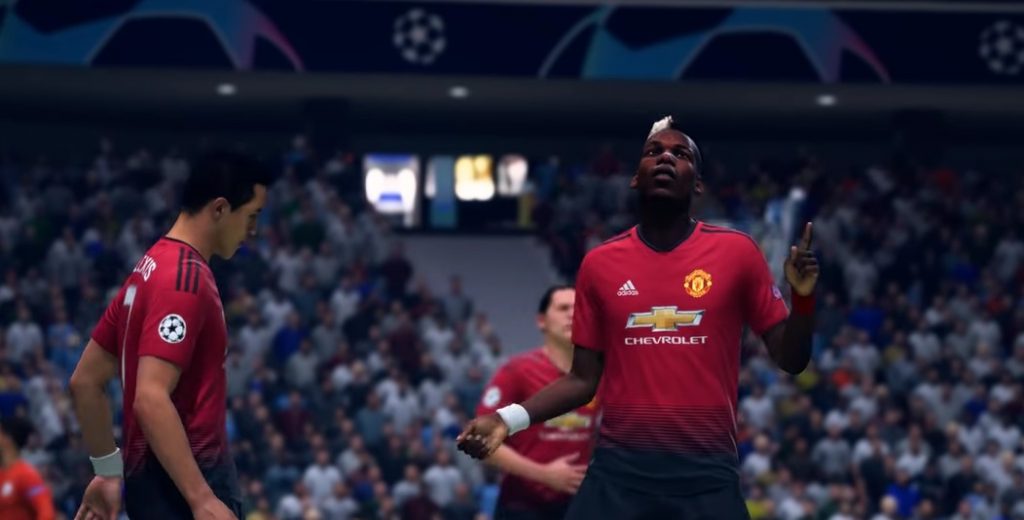
- Phone It In (Kids Play) – Hold L1 and hold the right stick up (Hold LB, hold the right stick up):
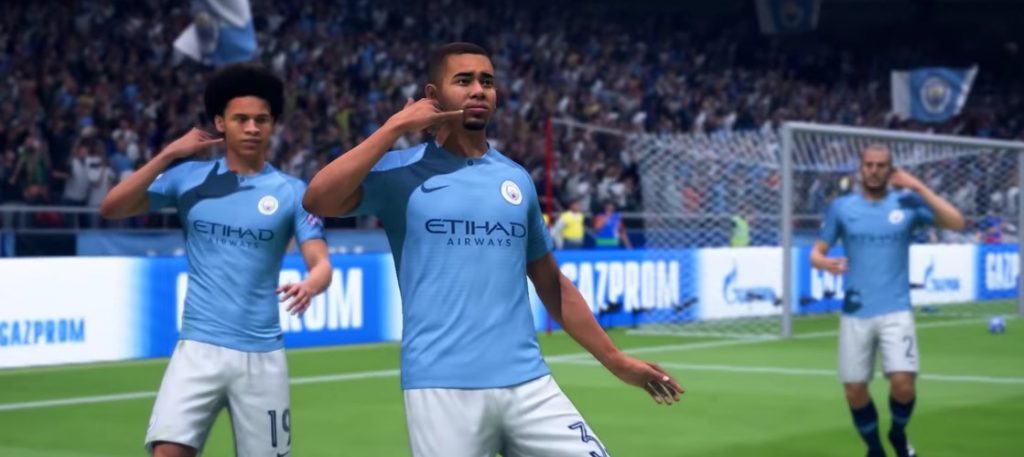
- Hang Loose (Stay Chill) – Hold L1 and press the right stick once up and once down (Hold LB, press the right stick once up and down):
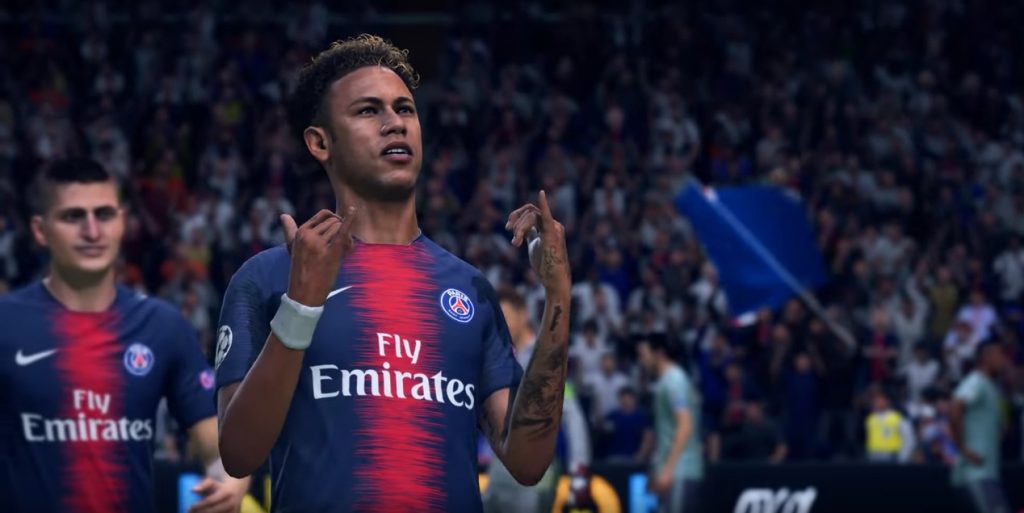
- Neighbourhood (Like Home) – Hold L2 and move the right stick twice down (Press LT and move the right stick down twice):

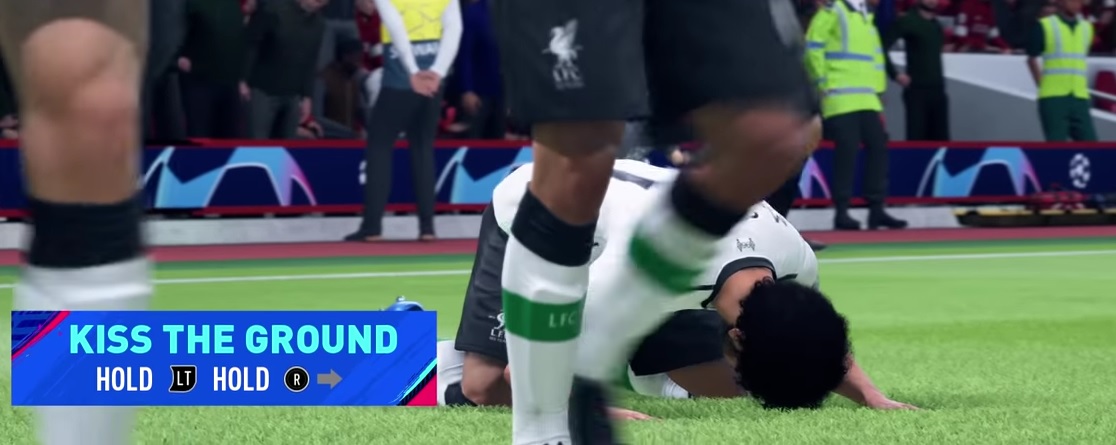
- Kiss the Ground (Kiss the Ground) – Hold R2 and hold the right stick to the right (Hold RT, move the right stick to the right):
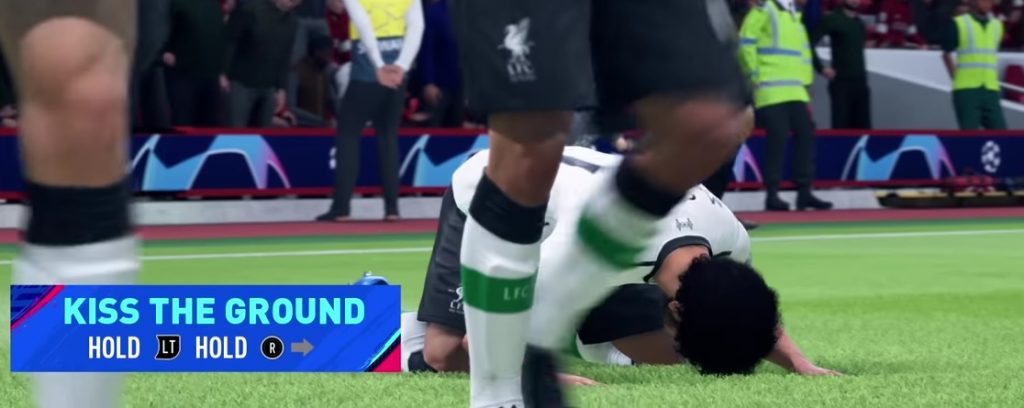
- Matador – Hold R2 and press the right stick once down and once up (Hold RT, press the right stick down and up):
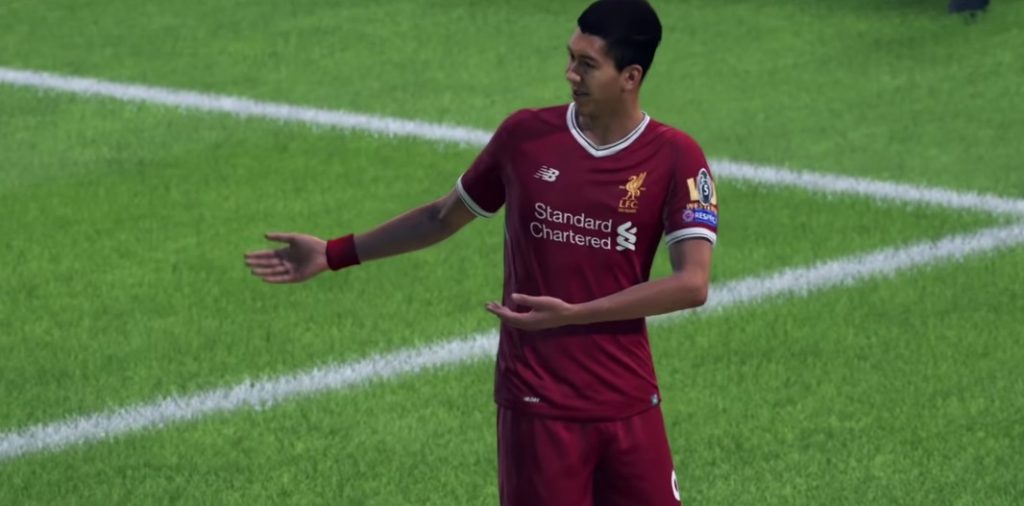

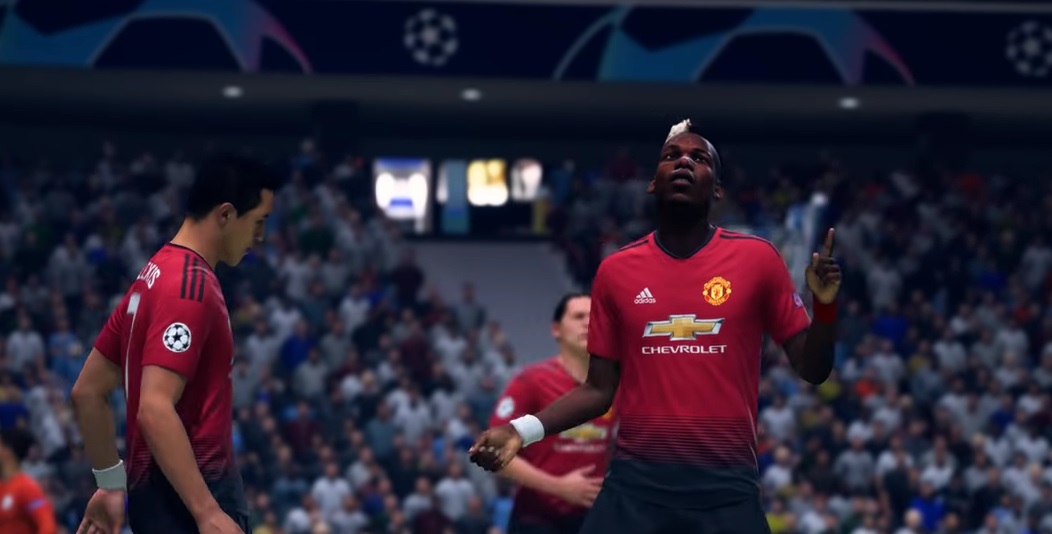
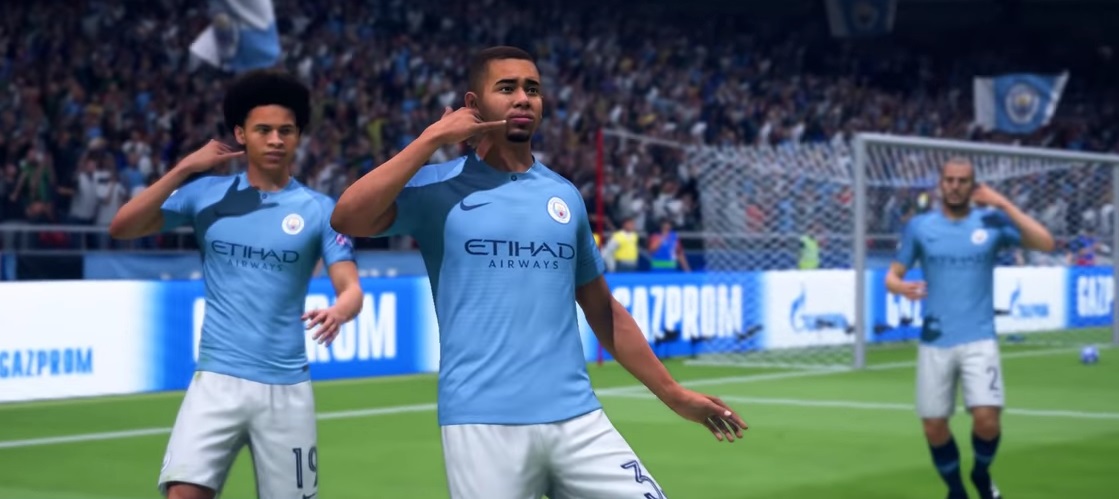
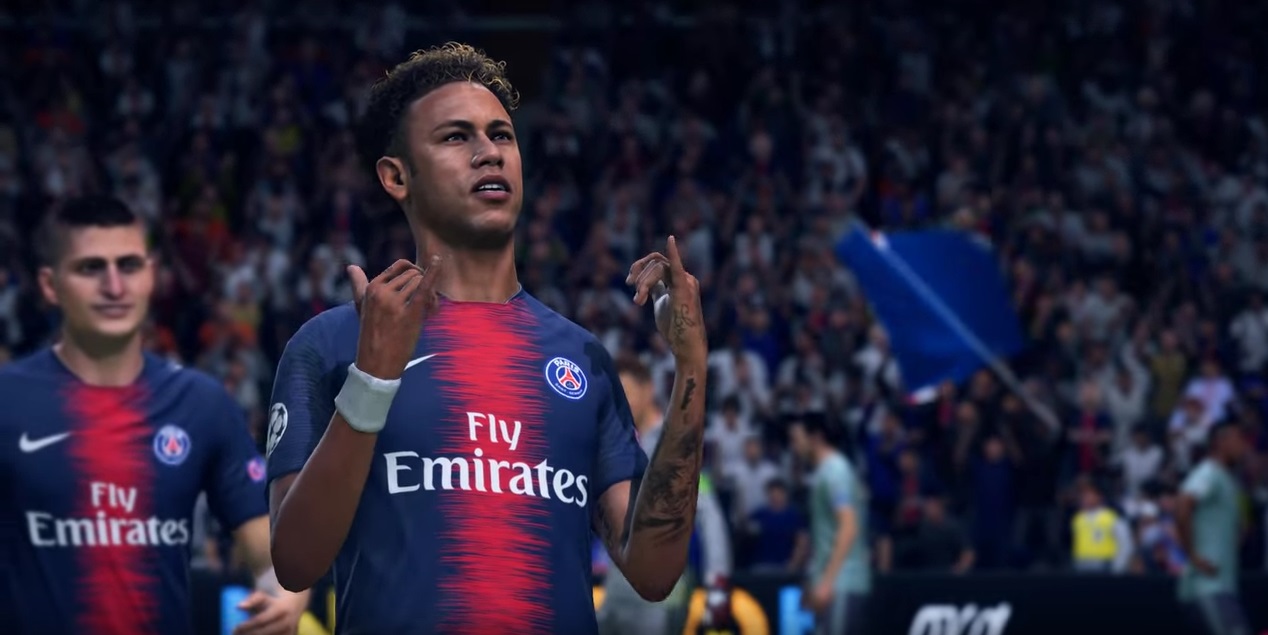
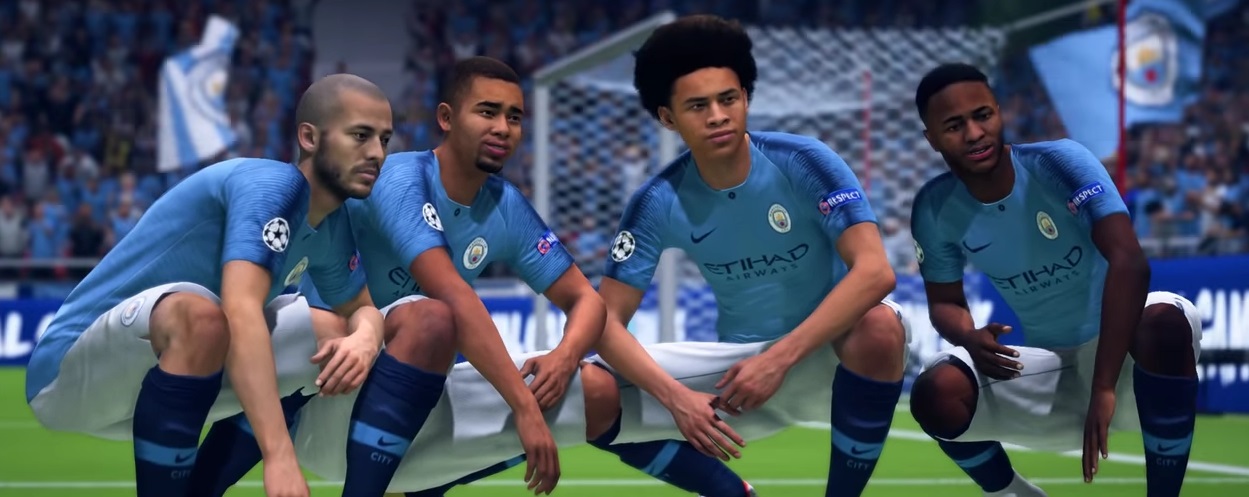
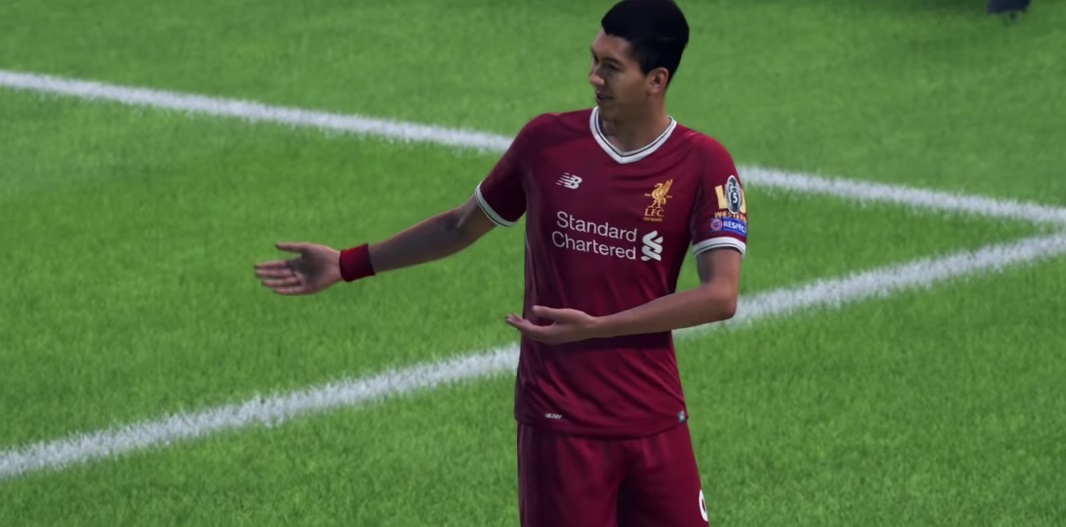
New Star Celebrations from Ronaldo, Griezmann, and Lingard
What are Star Celebrations? By pressing the X button (PS4) or the A button (Xbox) after a successful goal, you perform the so-called star celebration. The idea is that the player performs a celebration they are known for in reality.
Ronaldo, Griezmann, and Lingard receive unique new celebrations that only they can perform in FIFA 19:
- Double Siii (Ronaldo Celebration) – Press X when teammates are nearby (Press A):
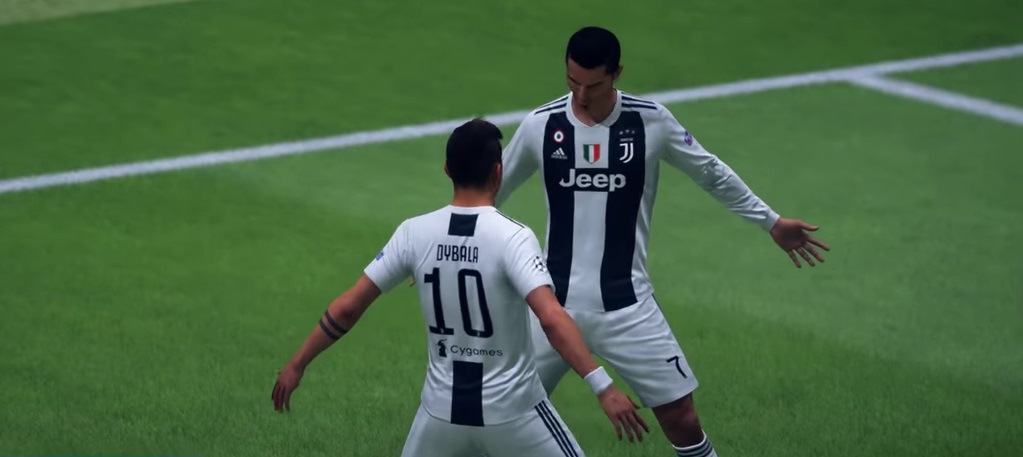
- Number One (Ronaldo Celebration) – Press X when the victory is secured (Press A):
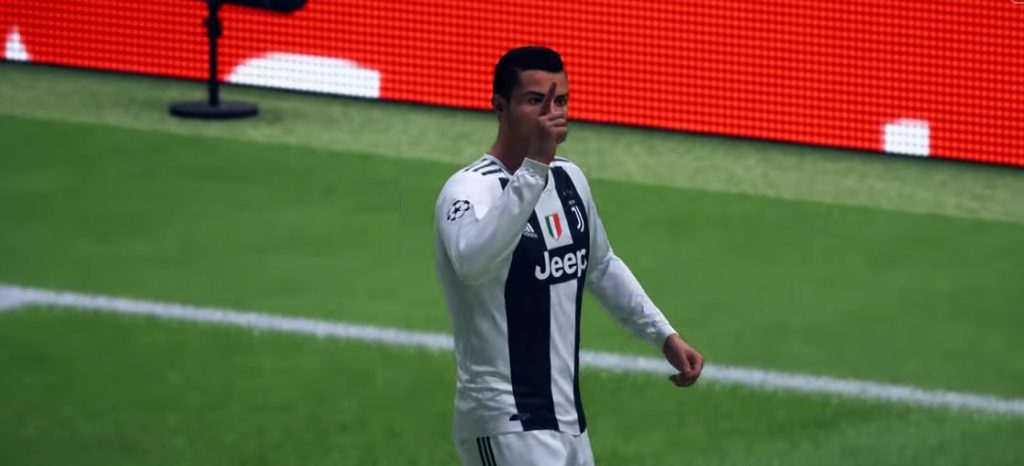
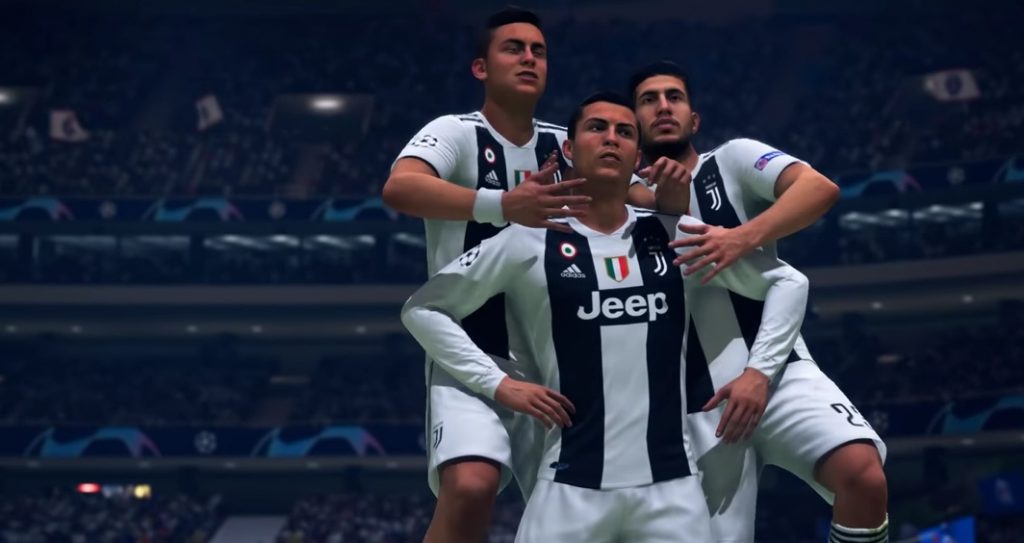
- Crocodile (Griezmann Celebration) – Press X (Press A):
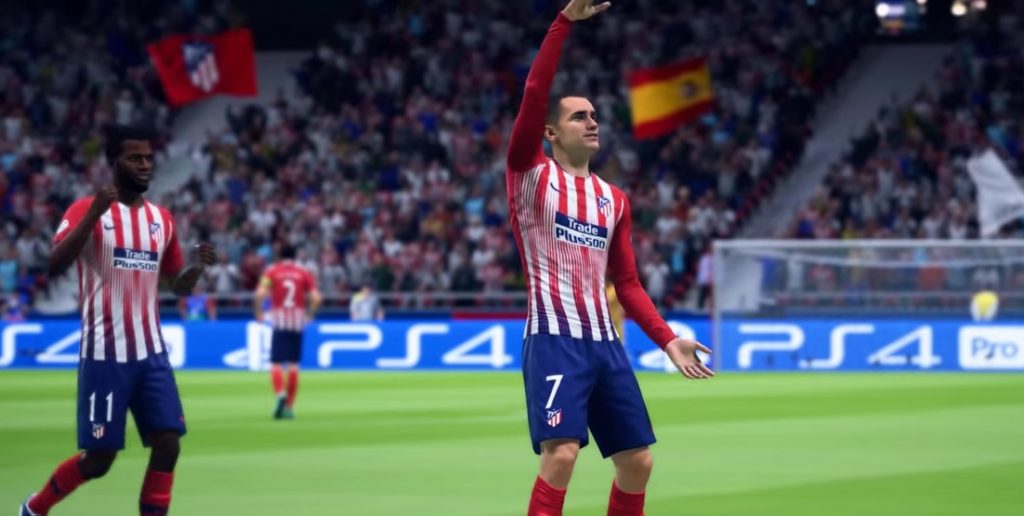
- Milly Rock (Lingard Celebration) – Press X (Press A):
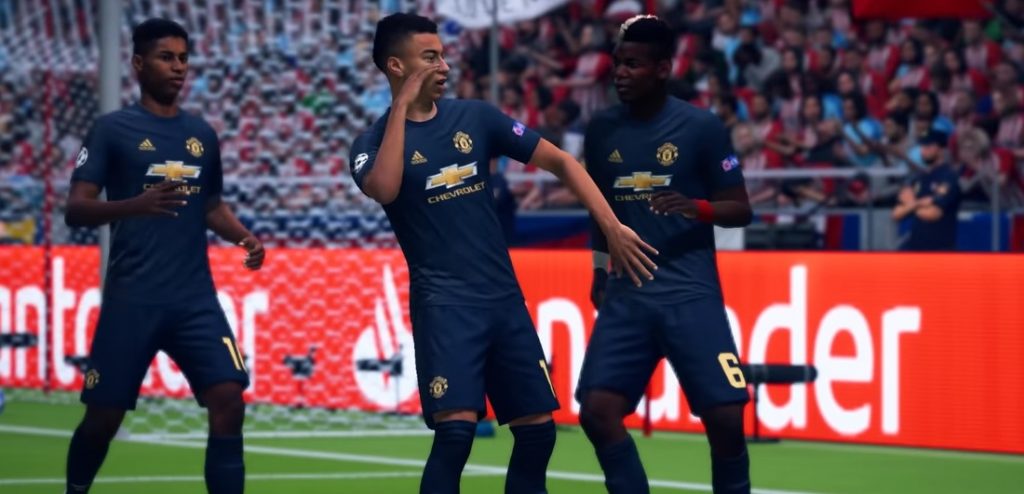
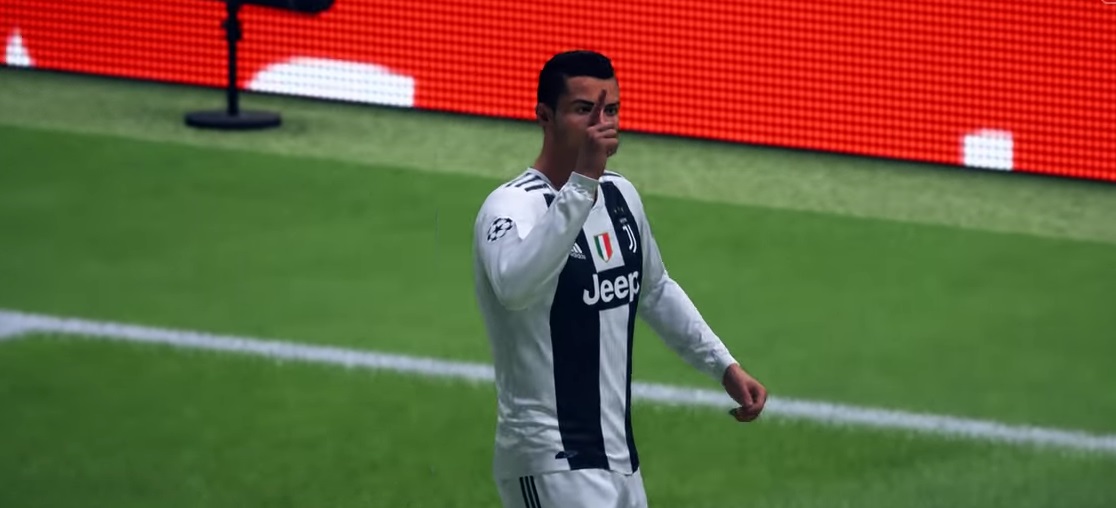
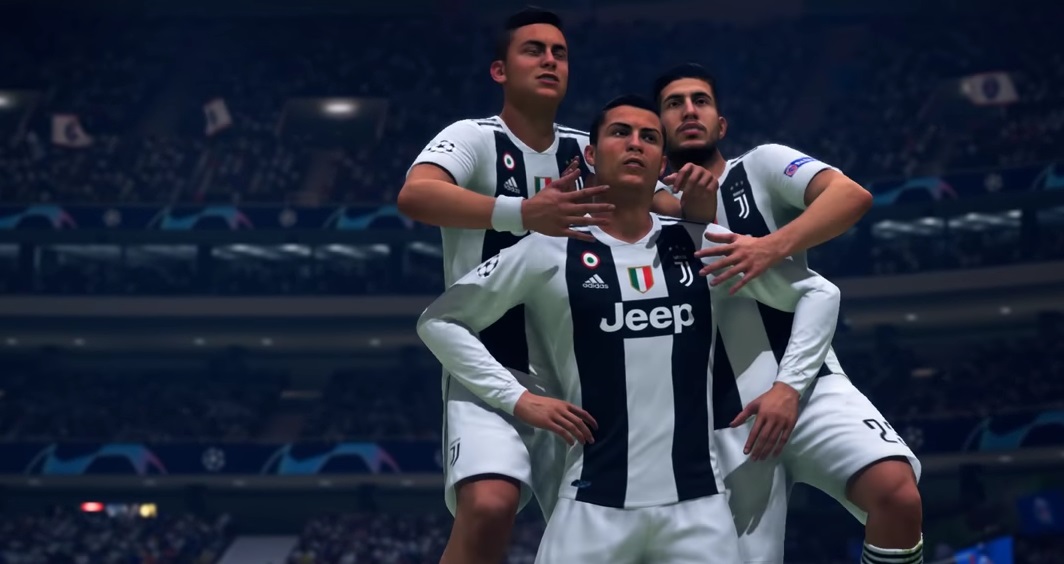
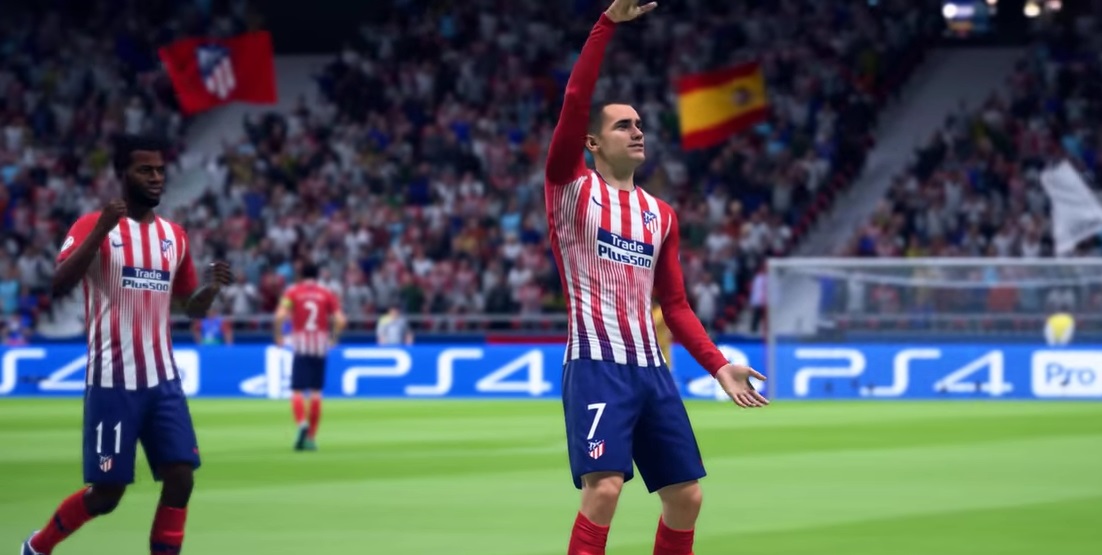
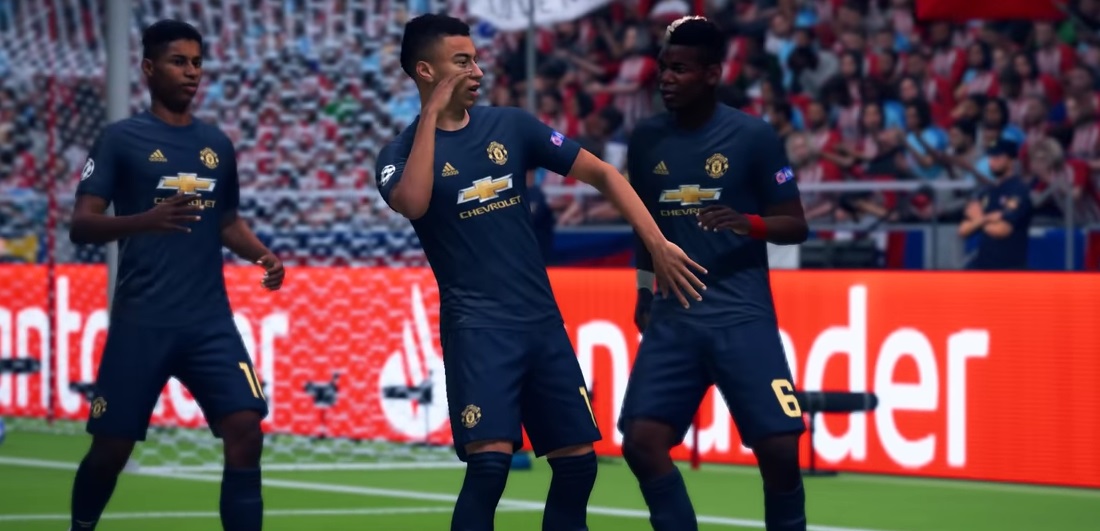
All new celebrations can be seen here in the video:
All Celebrations at a Glance – Which Buttons You Need to Press
In FIFA 19, the celebration animations are distinguished between movement combinations, finishing movements, “Pro – unlockable objects”, and “celebrations”. We will add in-game screenshots (PS4) for the respective key combinations. The same combinations apply to Xbox, you just need to press the corresponding buttons on the Xbox controller (L2 corresponds to LT, X corresponds to A, etc.).
All Movement Combinations
You can perform these celebrations directly after a goal while running, before you make a finishing celebration:
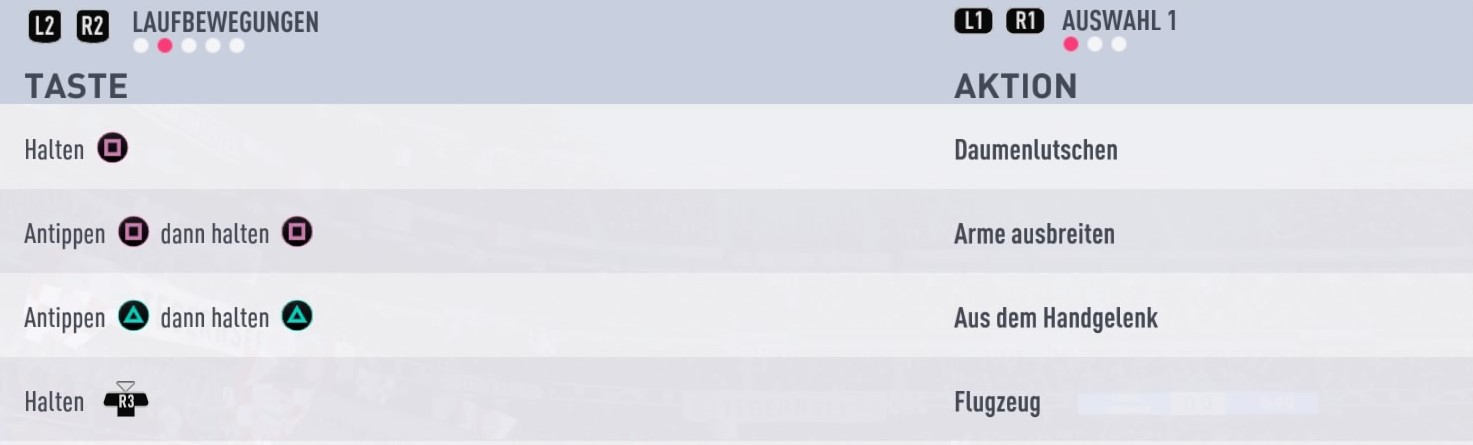
Selection 1
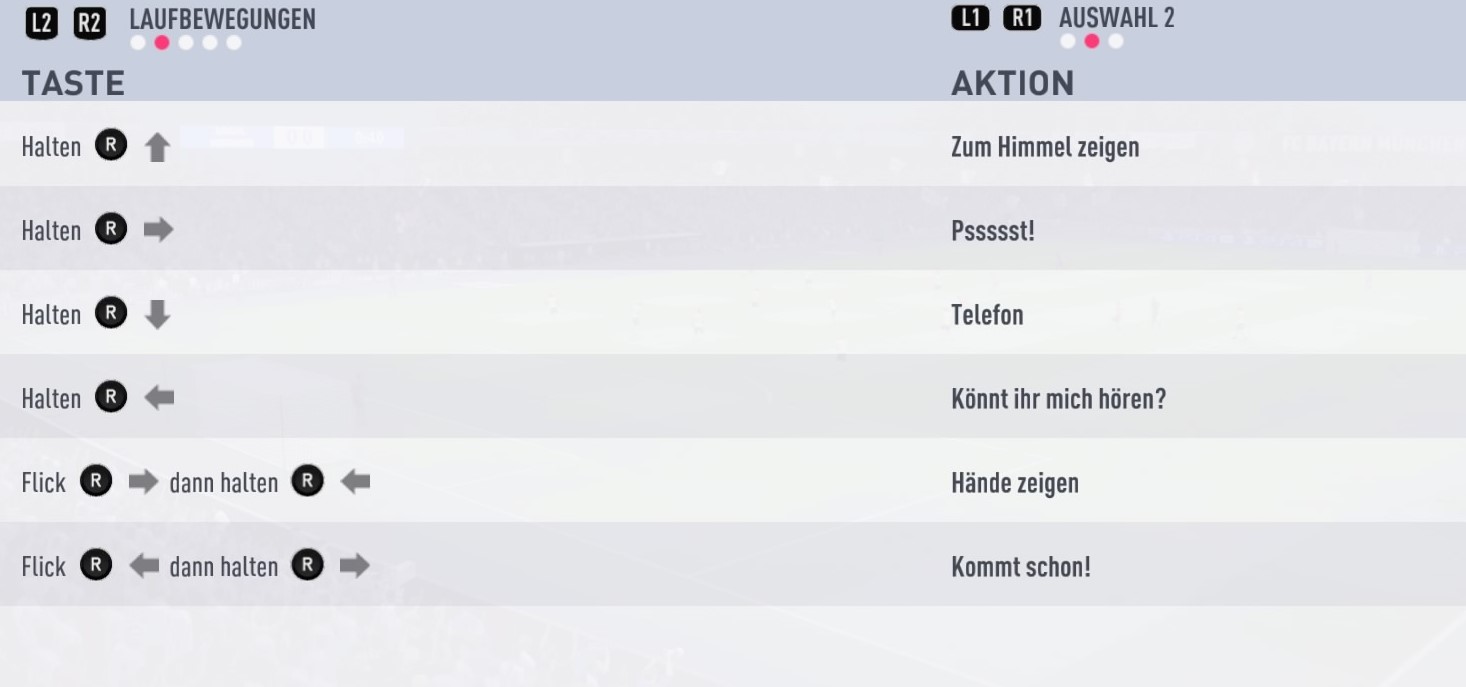
Selection 2
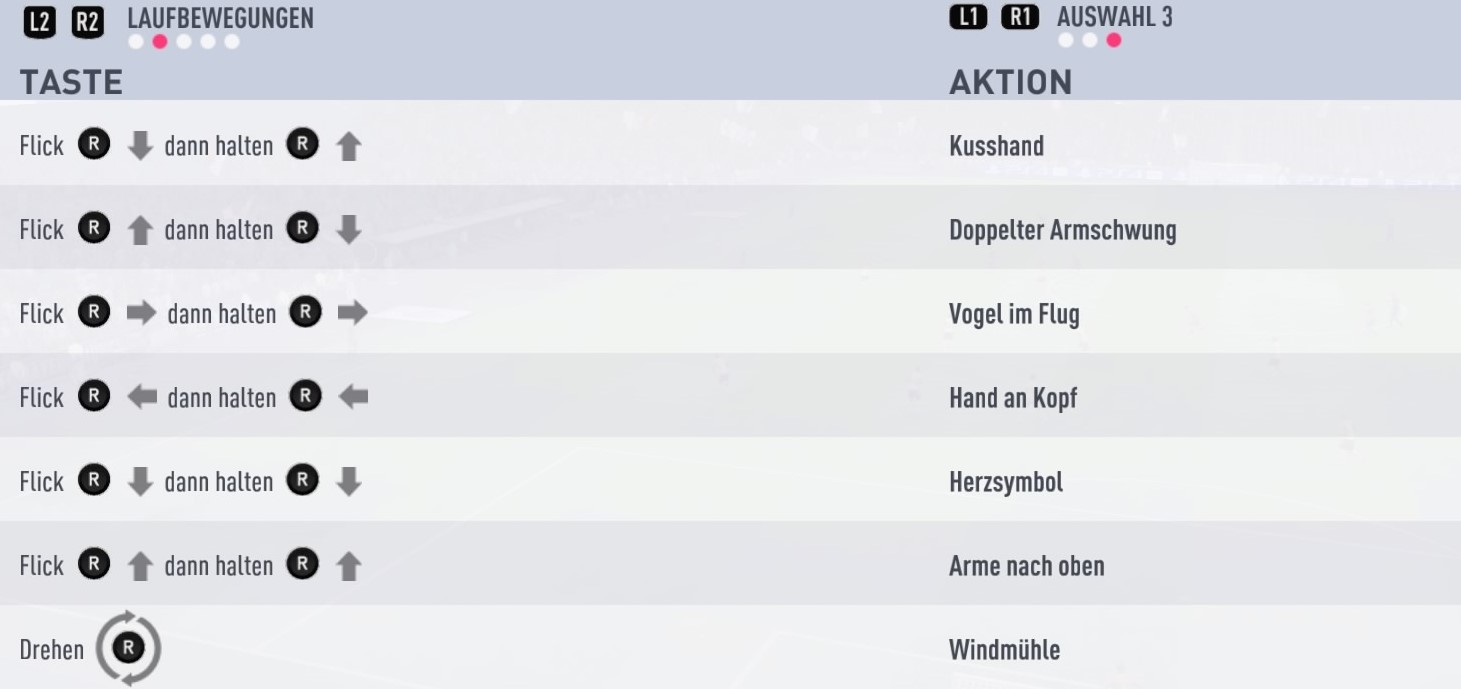
Selection 3
All Finishing Movements
Basically, all celebrations – except for the movement combinations – are finishing movements. Press one of the following key combinations so that the goal scorer immediately starts a celebration animation.
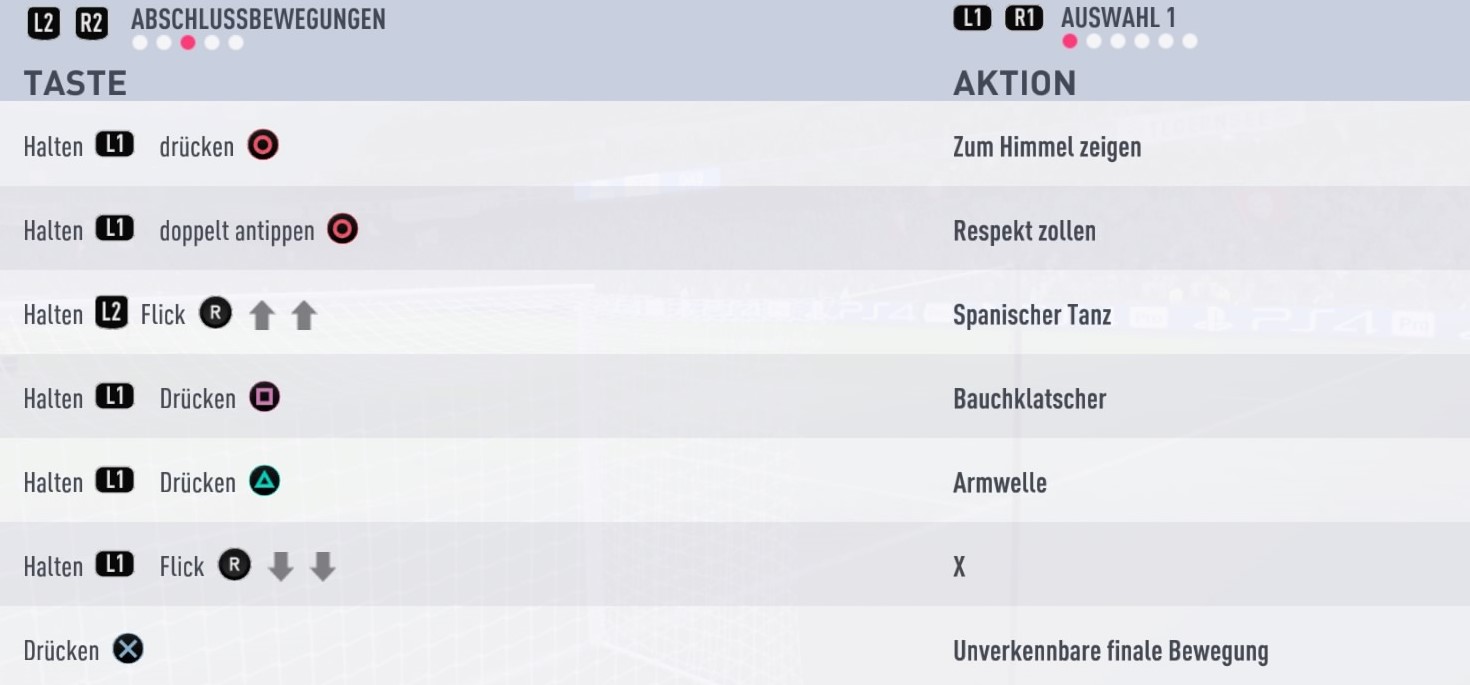
Selection 1
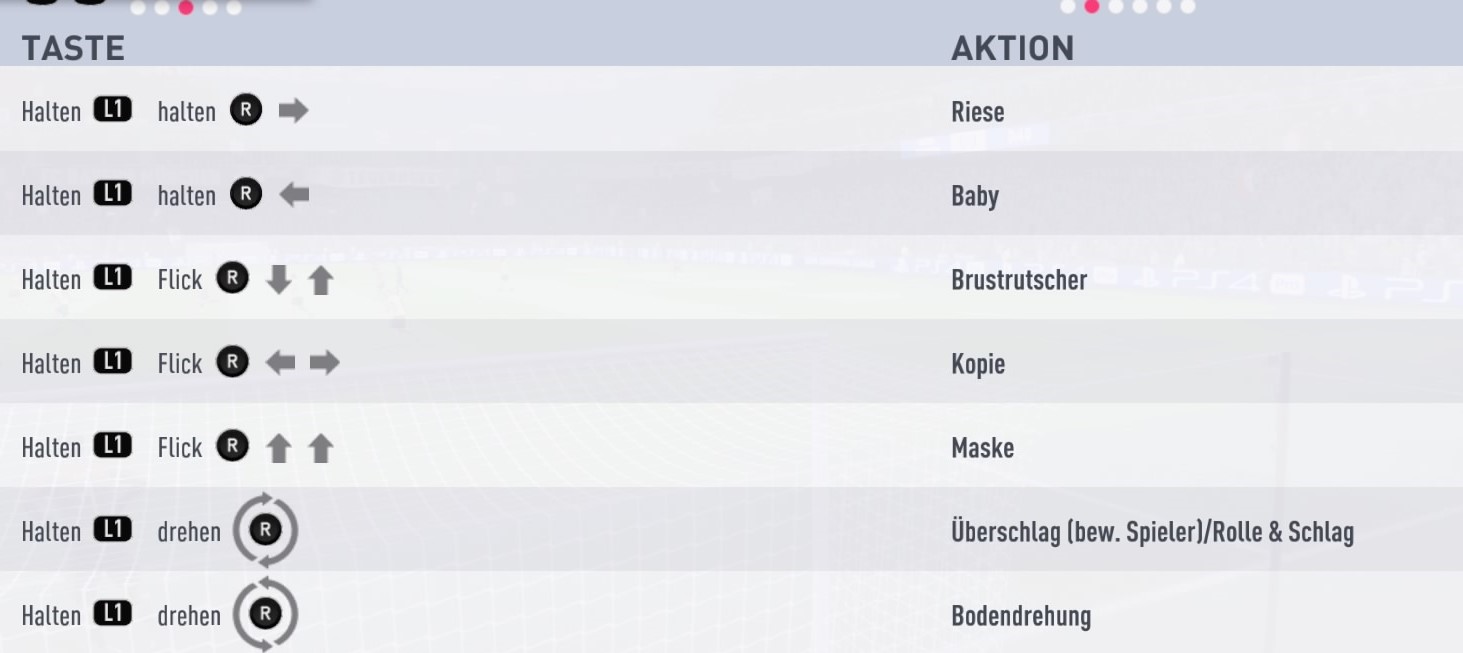
Selection 2
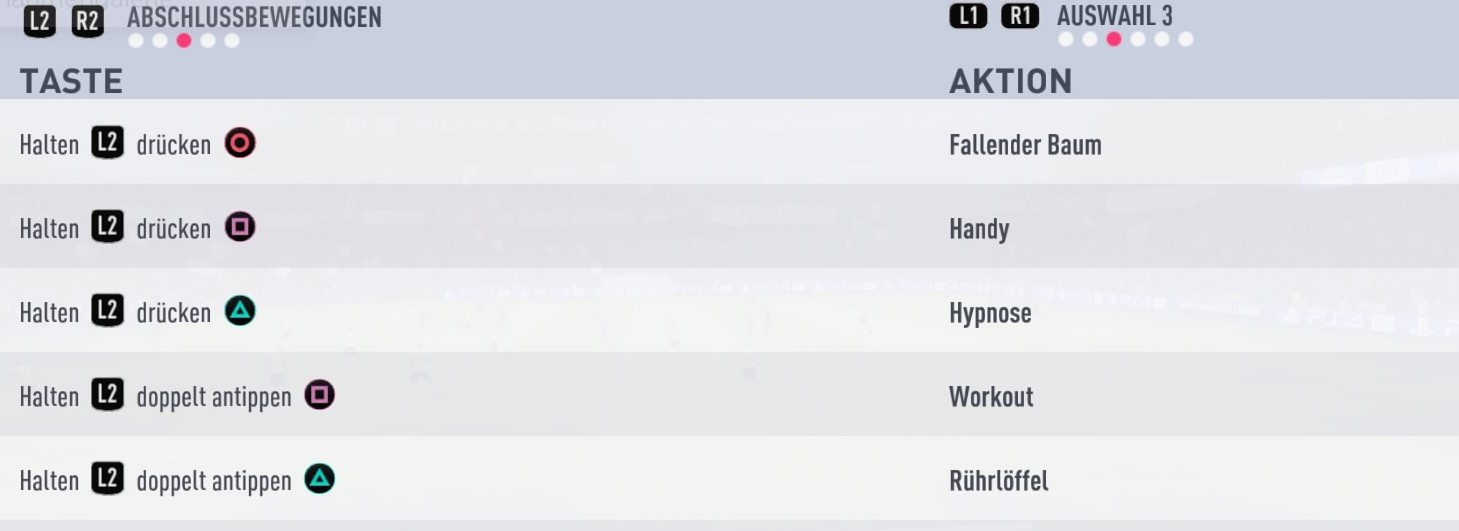
Selection 3
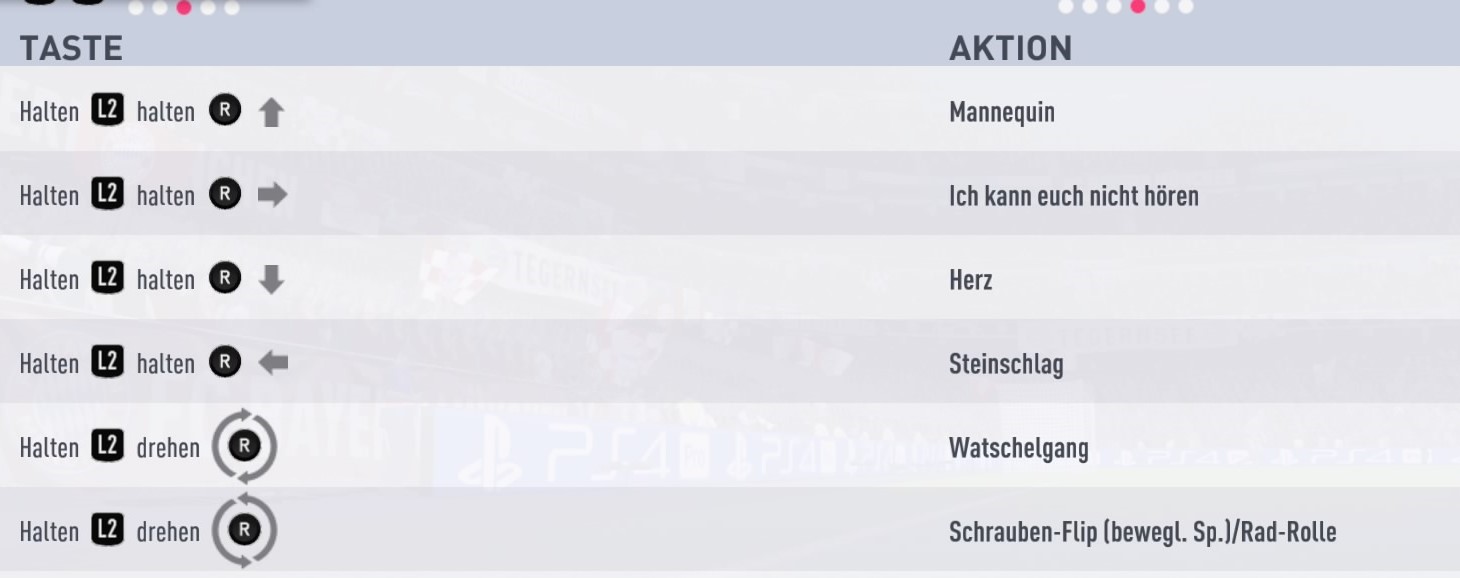
Selection 4
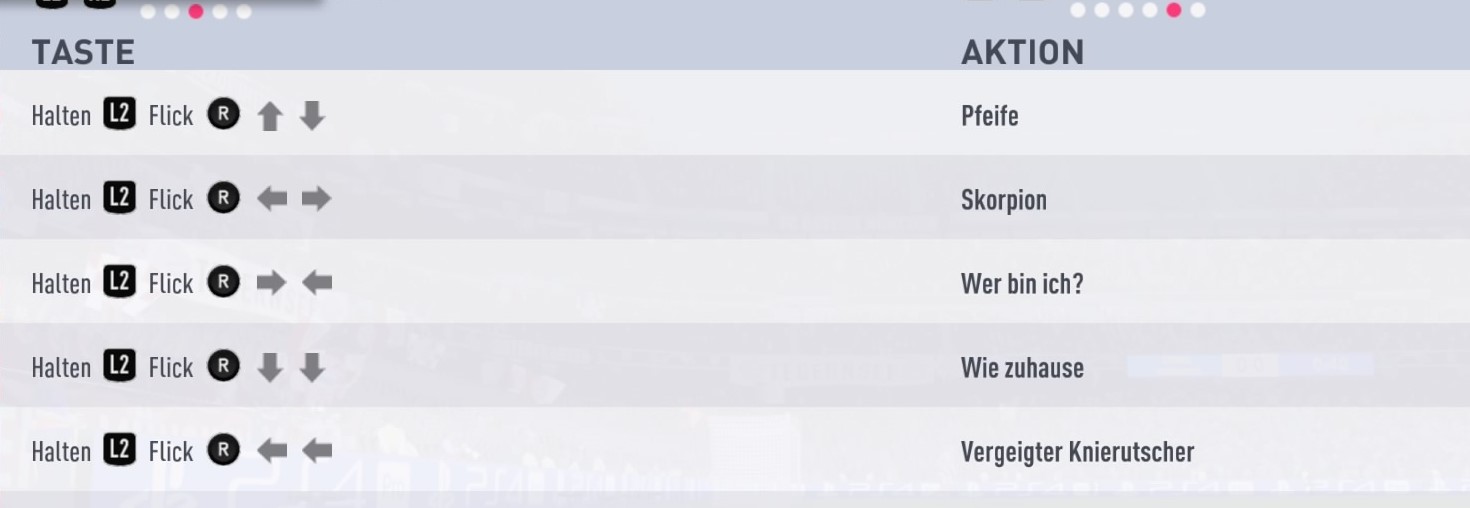
Selection 5
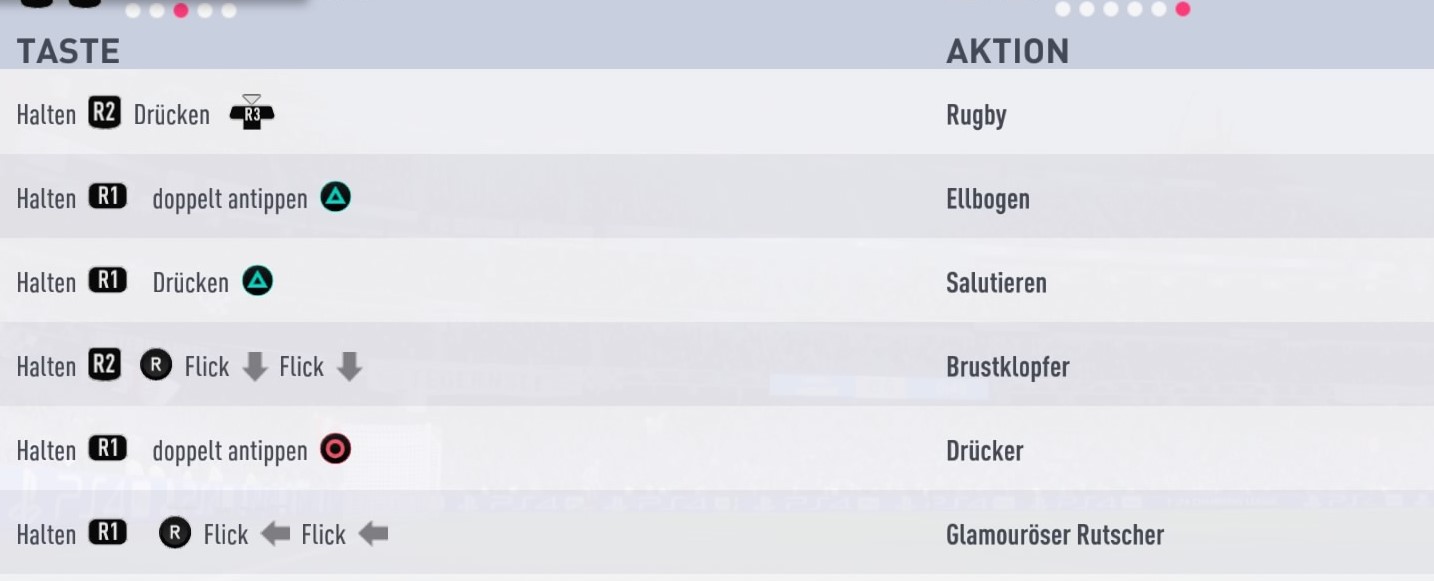
Selection 6 (“Elbow” is the Dab)
All “Pro – Unlockable Objects”
This is the category of all celebrations that you can unlock with your Pro:
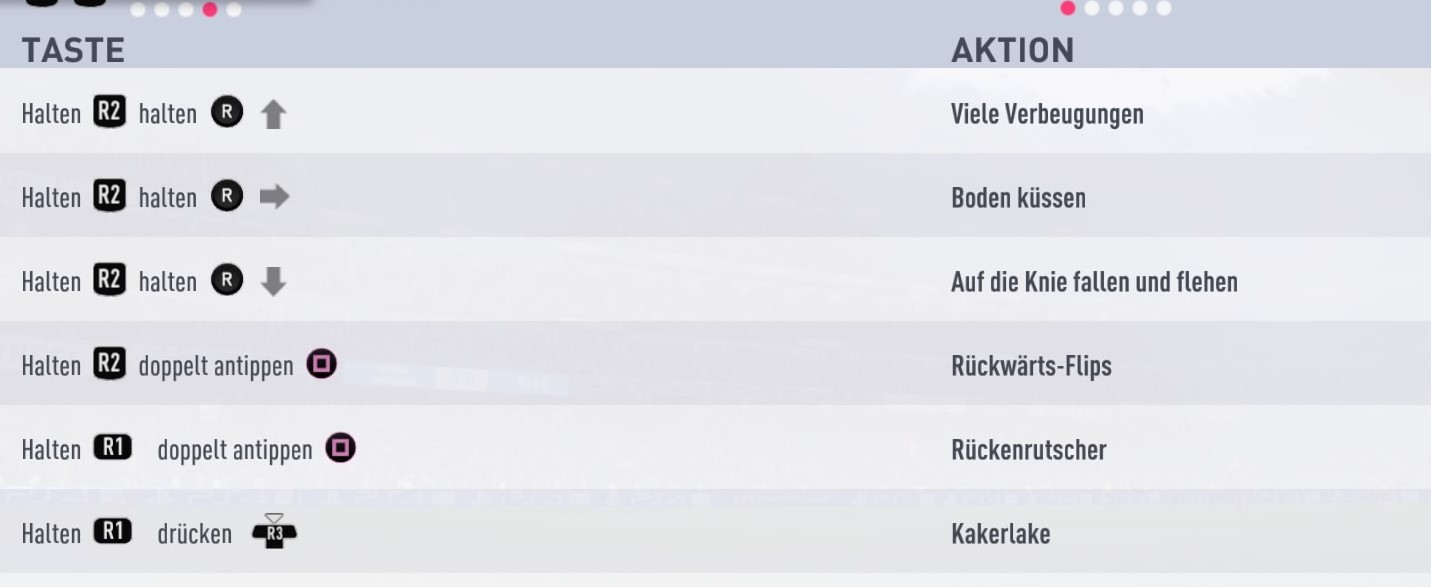
Selection 1
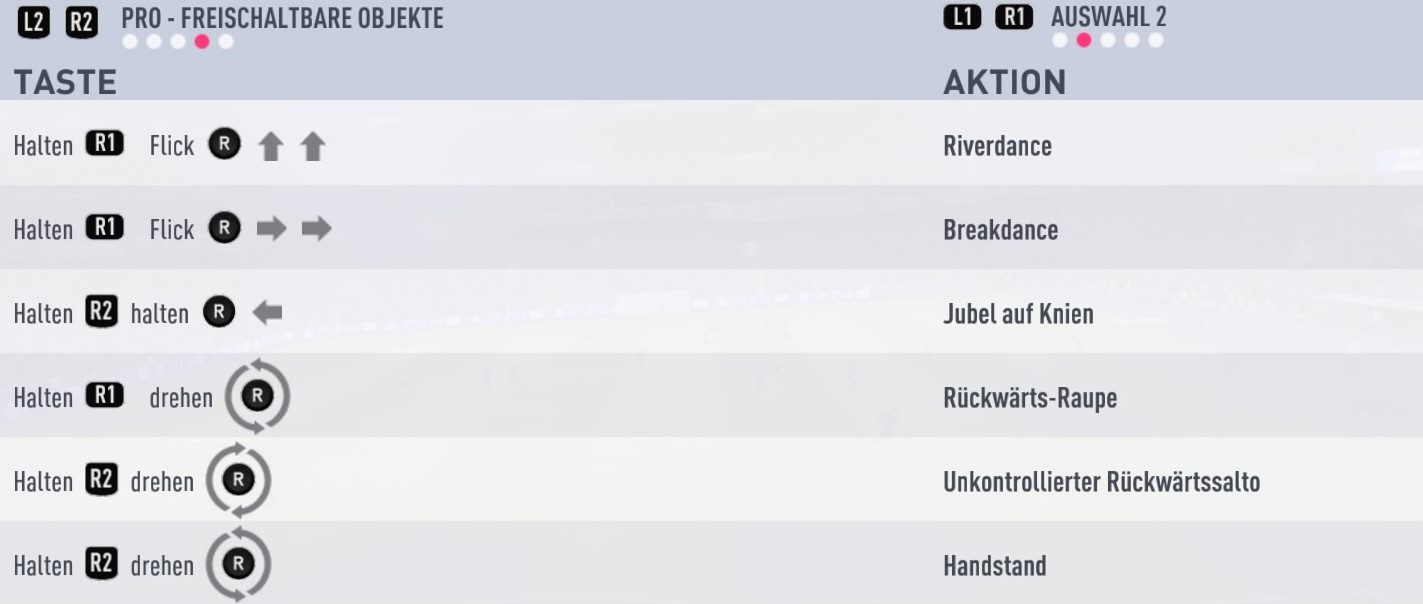
Selection 2

Selection 3

Selection 4
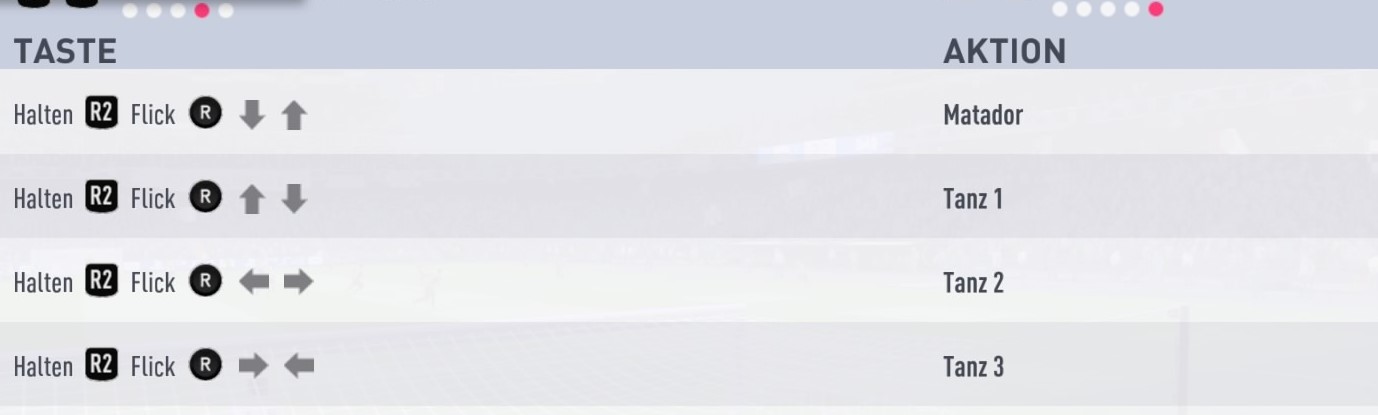
Selection 5
All “Celebrations”
This category includes all remaining celebrations. Until FIFA 18, this category was called “EAS FC unlockable celebrations”. You need to unlock them with earnable coins in the catalog.

Selection 1
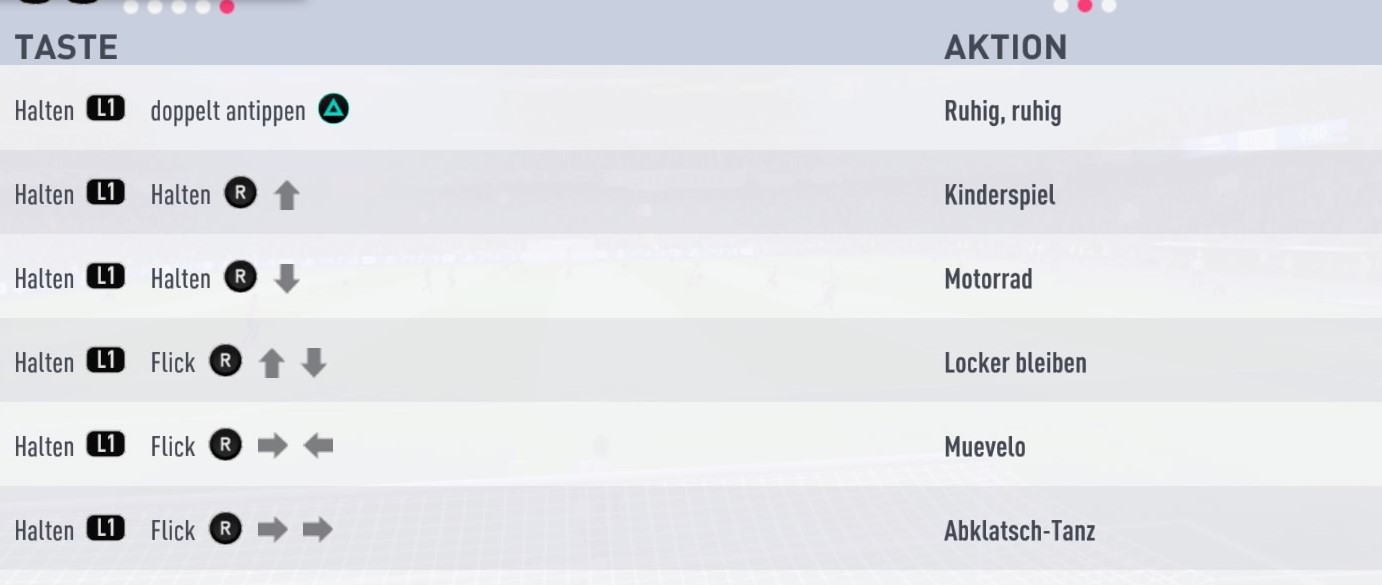
Selection 2
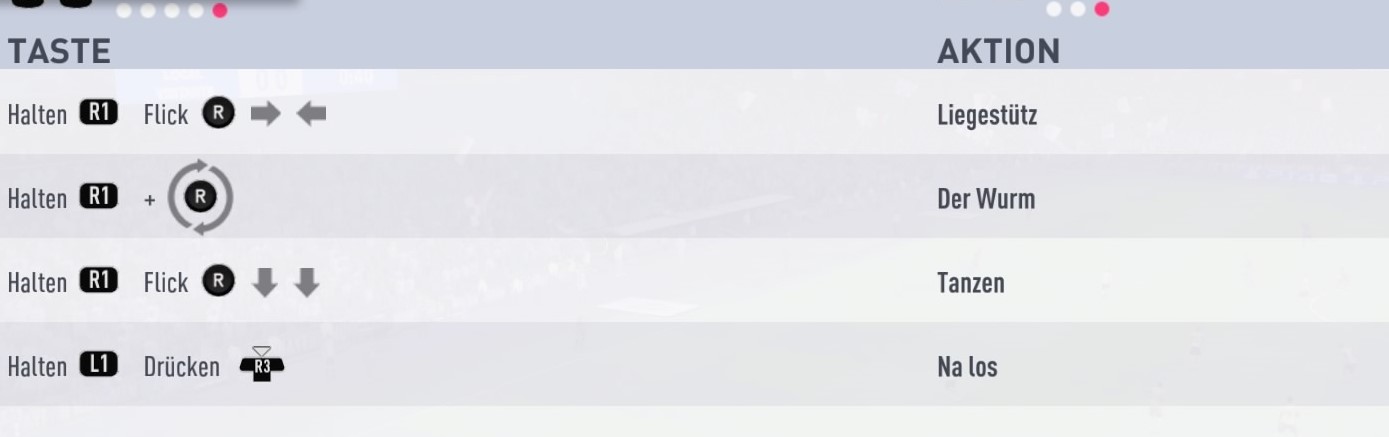
Selection 3 What about Fortnite Celebrations? Iconic Fortnite celebrations, such as “Take the L”, do not exist in FIFA 19.
Cancel celebrations and random celebrations
In FIFA 19, you can choose a random celebration for the first time by pressing the Circle button (PS4). This aims to bring more variety to the celebrations: You don’t have to remember many key combinations but can celebrate diversely with just a button.
This new feature is included in the celebration basics:

Cancel Celebration: If you want to kick off immediately after a goal to avoid wasting time, you can press all shoulder buttons (L1+R1+L2+R2) at the same time. This will cancel the entire celebration phase and takes you directly to the kickoff.
How do you celebrate in FIFA 19?
To score many goals in FIFA 19, you can perfect your finishing timing, the “Timed Finishing”. Here are tips and explanations:


Your opinion is important to us!
Do you like the article? Then let us know!