

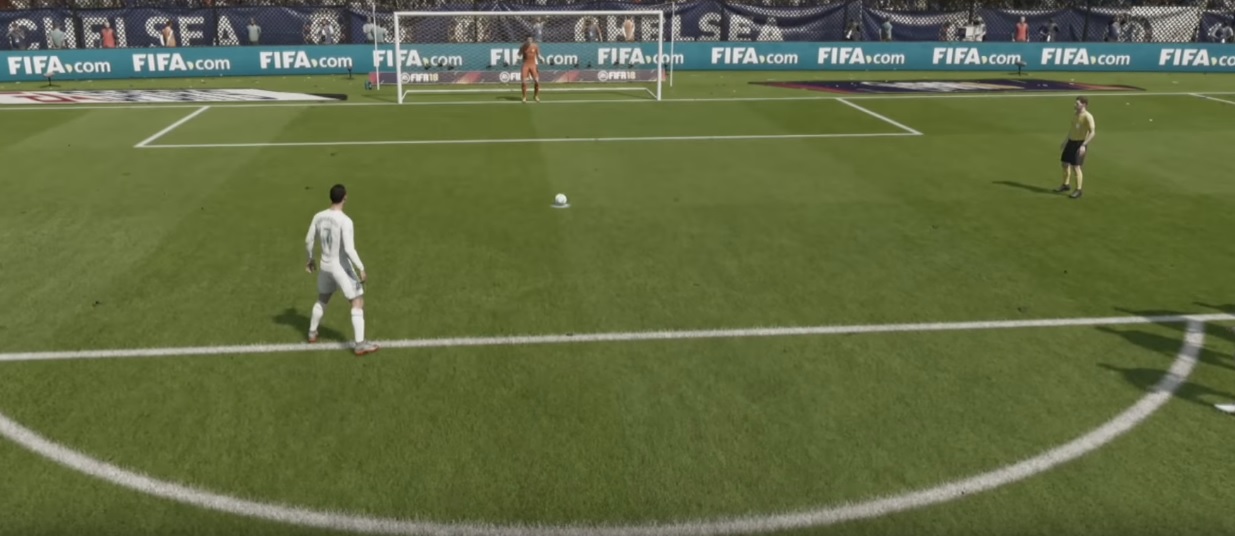
In this penalty tutorial for FIFA 18, we show you how to take and save penalties in the game. You can directly mimic and practice these tips and tricks.

In FIFA 18, it happens repeatedly that the referee blows the whistle and points to the spot. Now it’s time for a penalty shootout.
Compared to FIFA 17, the penalty mechanics have changed slightly. To avoid embarrassment from the spot, you will find all the information you need about penalties in FIFA 18 here.
How to take penalties in FIFA 18 – PS4, Xbox One
When you approach a penalty, you need to execute three steps correctly.
Step 1 – Determine starting position
With the right stick, you determine how the penalty taker should stand to the ball. You can take a few steps to the left, to the right, or backward. For example, take a few steps back so that you have more time when running up to the ball.

The starting position also determines the angle at which you hit the ball.
Step 2 – Shot power and aiming – With or without arrow
Once you’ve chosen your starting position, you need to determine the shot direction and shot power. The process is different from FIFA 17.
Here’s how it works in FIFA 18:
- You can now calmly choose the shot direction while standing still. You do this with the left stick. Push it forward, move it a little to the left or right at the front edge, and thereby determine how far to the left or right you want to shoot. But be careful: If you aim too far outside, you will miss. A delicate touch is required here!
- You determine the shot power and the height of the shot by holding down the shoot button. If you quickly tap the button, the player will shoot low with little power. If you hold the button down a bit longer, you will shoot higher and with more power. As soon as you release the shoot button, the player will run up.

Important: With the up arrow key, you can turn the help arrow on and off. This arrow shows you the direction and power with which you shoot.
The arrow is divided into four segments indicating the power. You hit the ball just below the crossbar by completely filling three segments and just grazing the fourth segment. If you fill the fourth segment beyond half, you will definitely shoot over the goal. It takes a lot of practice to get a feel for how long you can hold down the shoot button to fill the arrow correctly.
Step 3 – Running up, delaying the penalty
Once you have determined the shot power, the player will run up.
Now you can still change the shot direction by pressing the left stick in the desired direction. You can also influence the running speed:
- Delay: Press L2 or LT during the run-up to reduce your running speed.
- Run faster: Press R2 or RT during the run-up to increase your speed.
If you, for example, feign a quick run-up at first and then delay, you may confuse the opposing goalkeeper.
More tips and tricks for penalty shooting – Chip shot, Curved shot, Arena Mode
- Before you execute the three steps, you can switch the penalty taker with R2 (PS4) or RT (Xbox One).
- Press only the shoot button for a standard penalty while adjusting the shot power.
- Press the shoot button and simultaneously L1 / LB for a chip shot.
- Press the shoot button and simultaneously R1 / RB for a curved shot for more spin.
- To practice penalties, you can perform one penalty after another in Arena Mode. Just play the ball into the penalty area and then press an arrow key. The penalty shootout will start.
In this video, you will see some penalties in FIFA 18:
How to save penalties in FIFA 18 – PS4, Xbox One
If you are the goalkeeper during a penalty shootout, you need to pay significantly less attention:
- With the left stick, you can move left or right along the line.
- With the buttons “X, Circle, Triangle, Square” or “Y, B, A, X” you can make fancy moves to confuse the shooter.
- With the right stick, you dive in the direction where you expect the ball to go. With a bit of luck, you can save the penalty.
Good luck with your penalty shootouts!
After a successfully converted penalty, you just need to celebrate properly! You can find all new celebrations in FIFA 18 with the combinations here.

Your opinion is important to us!
Do you like the article? Then let us know!