

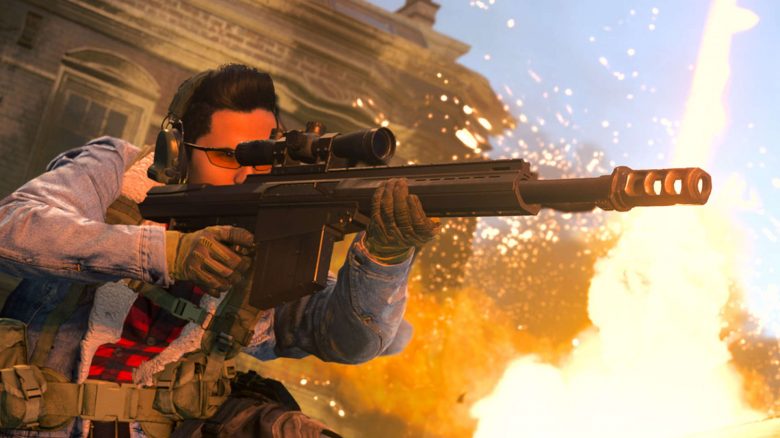
You play Call of Duty: Warzone, use an Nvidia graphics card, and suddenly feel like you’re missing your shots? Then it could be due to a graphics setting. The well-known Warzone YouTuber JGOD has shown in a video how much DLSS can affect your aim.
High frame rates are important for fast first-person shooters, as players benefit greatly from them:
- High FPS make animations look faster and smoother.
- High framerate reduces system latency. This means you can see opponents faster.
- A faster framerate reduces motion blur in the image.
Owners of an Nvidia RTX graphics card can significantly increase their framerate with DLSS. AMD graphics cards currently lack a strong DLSS alternative. Since April 2021, you can officially use DLSS technology in CoD: Warzone.
What is the problem with DLSS? The well-known Warzone YouTuber JGOD has shown in a video that certain settings can affect your aim in Call of Duty: Warzone. Anyone using the “Balanced” or “Quality” settings of DLSS has trouble hitting properly. Shots land far off the target or the heads of your opponents.
MeinMMO explains to you in this article what DLSS actually is and how it affects Call of Duty.
Update 31.05.2021: Raven Software has now explained on Twitter that the problem is known and they will address it. The next update should solve the issues related to DLSS:
DLSS offers a significant performance boost for RTX graphics cards
What is DLSS actually? With Nvidia DLSS (Deep Learning Super Sampling), the game is calculated internally at a lower resolution and upscaled to a higher resolution, such as 4K, using AI algorithms to increase FPS.
With the upgrade to DLSS 2.0, the technology has received an enormous boost. Our colleagues at GameStar are positively surprised by the advantage (via GameStar.de).
What does DLSS bring? With DLSS, there is a simple way to significantly increase FPS while maintaining the same quality. This is especially helpful when the graphics card is already heavily stressed. With the RTX 3060, the performance gain is up to 30%.
You can check out how large the performance differences are in this YouTube video. The gain is between about 20 – 30 FPS:
Who benefits from DLSS? Various users can benefit from the advantages of DLSS:
- DLSS is worth it when high resolutions like WQHD or 4K with demanding settings should be achieved, but the frame rate is below 60 FPS. This applies even more when ray tracing is enabled.
- For high FPS in competitive gaming or for a monitor with a fast refresh rate, DLSS is also worth it. The higher the FPS, the better.
- Laptops with RTX graphics cards also benefit from DLSS. The mobile graphics chips are weaker than desktop graphics cards. Nonetheless, high frame rates can be achieved despite lower performance.
Important settings that can make your life easier in Warzone can be found in this article:

Incorrect settings ruin your aim in Call of Duty Warzone
What does DLSS deliver in Call of Duty Warzone? According to the official statement from the Warzone developers, Nvidia’s DLSS can “increase the frame rate by up to 70%” (via callofduty.com). Even if you want to utilize very high FPS for competitive gaming or a fast monitor, it is worth enabling DLSS.
However, if you want to use DLSS in Call of Duty: Warzone, you should be careful. This is now shown by the well-known YouTuber JGOD. The YouTuber has tested various settings with DLSS in the first-person shooter.
What is visible? With certain attachments like lasers, the aim point of the weapon is shifted to where the laser points, and the crosshair no longer aligns with the attachment.
As he demonstrates with a few shots at a target, the YouTuber hits to the right of the spot he originally aimed at. In his video, JGOD explains, “That’s a bit off, but at a distance, that would definitely have negative effects.”
He also adds, “There is definitely a misalignment depending on what you’re using, and it will go in different directions depending on where you’re located.”
What settings cause problems? The issues with DLSS occur in the “Balanced” and “Quality” settings. Here, the mouse pointer, crosshair, and subsequent hit do not align.
What setting should you use? If you want to use DLSS in Call of Duty: Warzone, you should use “Performance”.
If you use DLSS and have wondered why your shots seem to fly past the opponent? What settings do you swear by in Warzone – share them with our readers in the comments.

Your opinion is important to us!
Do you like the article? Then let us know!