

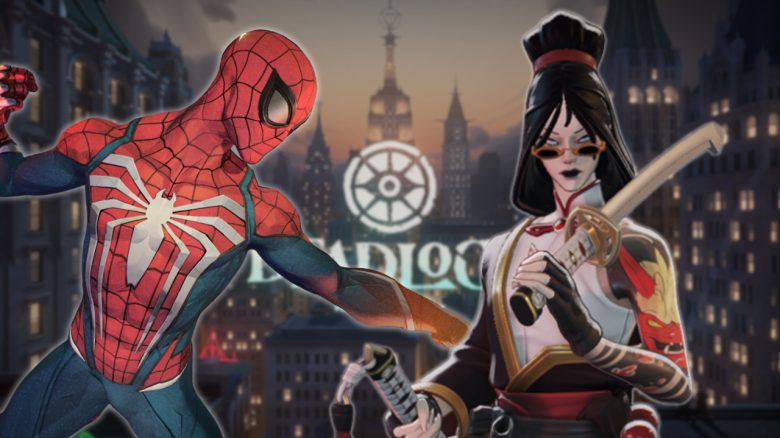
Deadlock is still in a testing phase, where you need to be invited as a player, but there are already a variety of mods available. These mods mainly include skins or minor adjustments for personal preferences. MeinMMO shows you how to install them and which ones are popular in the community.
How do you install the mods? To install mods for Deadlock, some steps need to be taken in the game’s files. But don’t worry; it’s not rocket science! Here’s how to install the mods:
First, go to your Steam library and find Deadlock. Right-click on the game and go to Properties (1). Once there, navigate to “Installed Files” (2) and open the Deadlock folder via “Browse …” (3).

Once you are in the installation directory, click on the folder “game” (4) and then on “citadel” (5). Within “citadel”, you need to create a new folder named “addons”. Make sure that the name is in lowercase (6). Now you can play Hackerman and open the gameinfo.gi with a text editor (7).

In the editor of the file, you need to replace a few lines. About line 40, you need to add some new lines. Simply copy the text in the gray box and replace them completely.
// *LANGUAGE* will be replaced with the actual language name. If not running a specific language, these paths will not be mounted
Game_Language citadel_*LANGUAGE*
Mod citadel
Write citadel
Game citadel/addons
Game citadel
Game core

Now you can easily download the mods and skins via gamebanana.com, unzip them, and drag the vpk file into your created addon folder. Additionally, ensure that the vpk files do not share the same numbers and change them if necessary to a number from 1 to 99.
The best mods of the community
Now that you know how mods are generally installed, we will show you some of the best ones. Mods are generally allowed in Deadlock as long as they do not provide an unfair advantage. The most popular ones are new skins for the heroes, but there are also new sound effects or HUD elements.
Yamato Redesign
The Redesign of Yamato is one of the most popular mods. It changes the appearance of the hero, which is still from the earlier version of Deadlock called Neon Prime.

Spiderman Lash
For fans of Marvel, this mod is perfect. Lash swings through the sky of New York with his hook and shoots at his opponents dressed as Spiderman with his ground pound. He may not be as nice as the real Spiderman, but he looks just like him.

Jinx Holliday
Also, an unofficial crossover with the probably most famous MOBA cannot be missed. The sheriff of Deadlock, Holliday, does not have a rocket launcher, but she is just as explosive as Jinx. You can find the mod on gamebanana.com.

The great Sinclair
Sinclair gets a new model with this mod. According to the lore, the magician Sinclair died during a stage show and fused with his assistant due to the accident. The mod shows the two of them in one body.

New Hero Portraits
The next mod is not a skin, but a complete overhaul of all the hero portraits. Its creator, eyehead, has given each of the 32 heroes of Deadlock a new image in the style of the roguelite hit Darkest Dungeon.

Minimalistic Health Bar
In the heated battles of Deadlock, it can quickly happen that you lose track of your health. This mod changes the health bar to a slightly easier-to-read display. You can find it, like all other mods, on gamebanana.com.

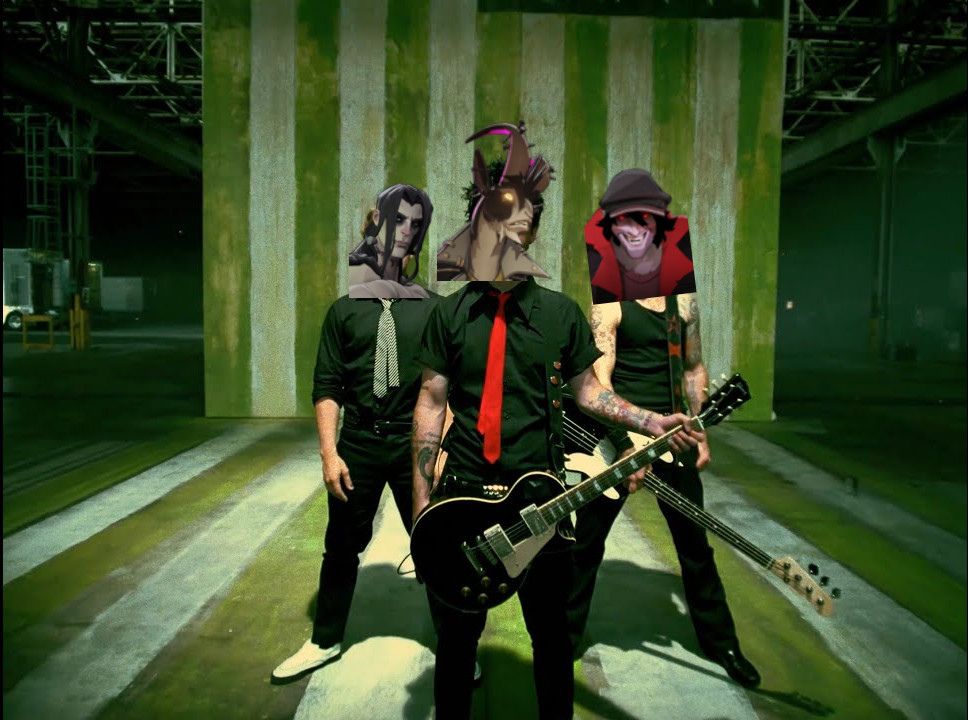
Deadlock Idiot
Rowdy and punk goat, Billy, has a special ability called binge drinking. The duration of the ability can be extended through weapon and melee damage. In our overview of all 32 heroes, you will also find the other abilities of Billy. The mod adds the song “American Idiot” by Green Day during the effect. A nice additional challenge where you can beat up many opponents and let the song play through completely.
New Skybox
With this mod, you can change the skybox of Deadlock, that is, the sky. Besides nice blue weather, you can also set dark rainy clouds or watch a romantic sunset.

That was just a selection of some popular mods from the community. There are still many more to discover, and new mods are added almost daily.


Deadlock is still in a closed testing phase, meaning you need to be invited by friends to play. For beginners, the game can be quite overwhelming. MeinMMO has put together some tips to help you improve immediately: Deadlock Beginner’s Guide: 9 tips that will make you better right away

Your opinion is important to us!
Do you like the article? Then let us know!