

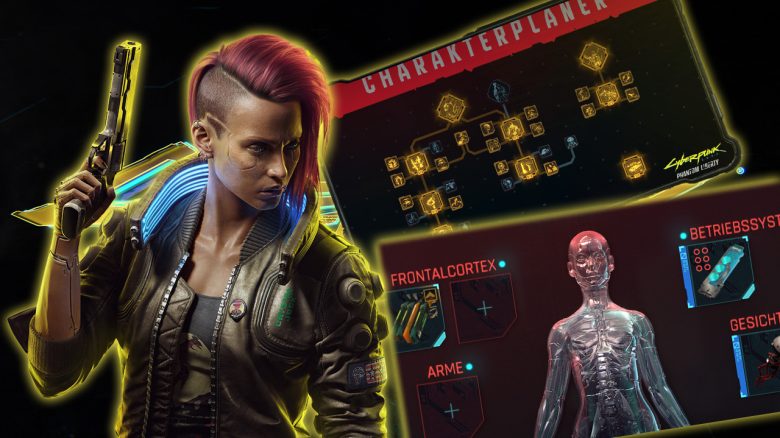
Today, the free update 2.0 for Cyberpunk 2077 is released. The patch completely polishes the base game and is released five days before the expansion Phantom Liberty. So there is enough time to create a new game save or refresh an old one.

Who is the update for? All owners of the base game Cyberpunk 2077 can install update 2.0 from today. The expansion Phantom Liberty does not need to be purchased for this. You can read what features are only available in the DLC here:
With Cyberpunk 2077 Phantom Liberty to Dog Town – everything about the release
It should be noted that only buyers of the DLC can access the contents of the expansion. Below you can read what the free update 2.0 includes.
You can read our preview test of 2.0 and the expansion Phantom Liberty here:
What to expect in Cyberpunk 2077 2.0
With 2.0, several systems are updated, new features are introduced, and the UI is updated.
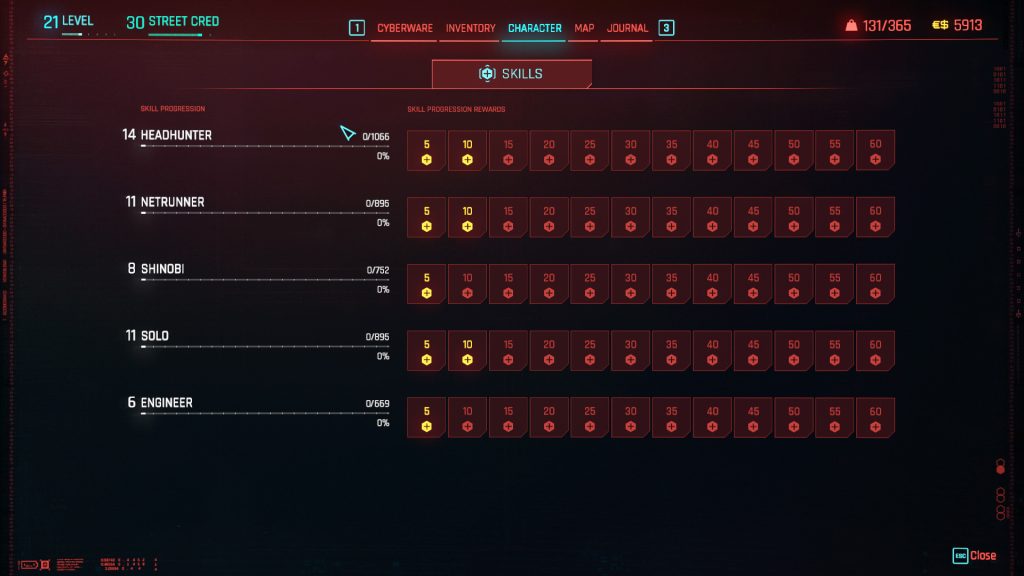
The new skill system: The skill system of Cyberpunk 2077 has been completely overhauled. On the one hand, the layout has been adjusted and there are overall fewer skills, but also new ones.
The way you unlock new abilities has also been adjusted: You now need to have a certain amount of attribute points distributed before new skills become available. New is also the ability to retract skill points with a click on the mouse wheel and reassign them.

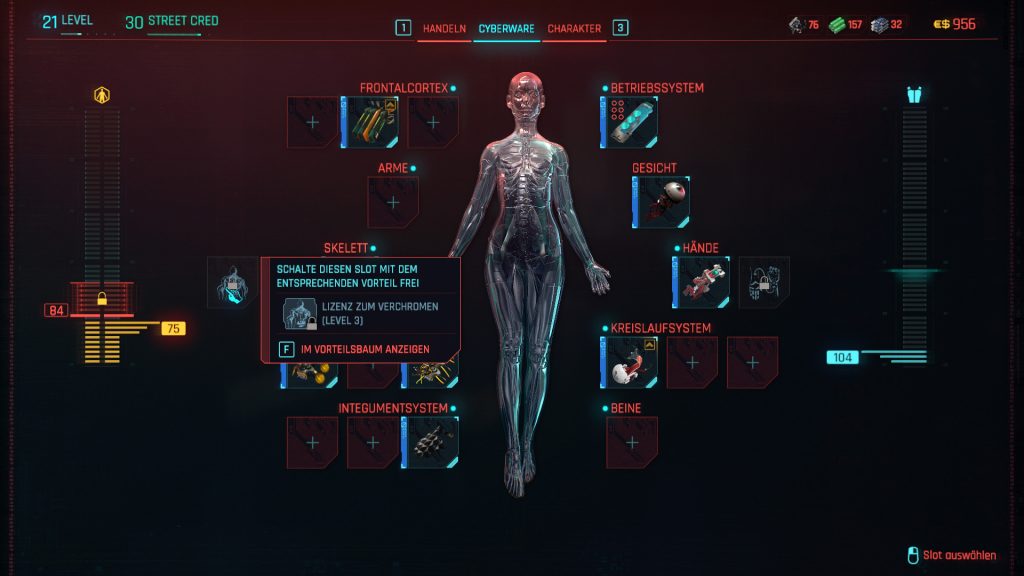
The Cyberware update: With 2.0, you get a limit on your Cyberware, linked to your points in the Technik attribute. Instead of being tied to your clothing, your armor is now linked to your equipped Chrome.
New vehicle combat: From now on, you can also use your weapons while driving. Certain vehicles can also be enhanced with weapon attachments.
In the revised skill system, there are now also hacking abilities for cars that you can equip if needed.
New police AI: The Night City Police Department is now staffed with much more personnel and responds to your actions. Depending on what crimes you commit, they will pursue you more or less intensely. There can now also be car and motorcycle chases.

Additionally, 2.0 brings the following features:
- UI adjustments
- Health items are no longer consumed and automatically reload
- New radio stations
- Sprinting requires no stamina
- New weapon balancing
- New hardware requirements
- and many more
Three things you should do when installing 2.0
Revise your skills: The changes to the skill tree mentioned above make a respec almost inevitable. The base game gives you a complete reset, allowing you to quickly reset all skill and attribute points to 0. Alternatively, you can retrieve individual points with a click on the mouse wheel.
If you want to test your new build first in practice, you can do so with the official character planner from CD Project Red.
Check your Cyberware: With the new armor system, taking a closer look at your current equipment is definitely worthwhile. The next Cyberware expert, a Ripperdoc you trust, will assist you with upgrading and re-equipping.
The higher your technical skills, the more and better Cyberware you can equip. If your in-game money is not enough for the big upgrade, you can upgrade existing parts.
Update your hardware settings: With the 2.0 update, CD Projekt Red releases new hardware requirements for the game. Among other things, support for traditional hard drives has been dropped.
It’s best to open the graphics menu in the settings. There you can set “how“ you want to experience Night City. Alternatively, you can also conveniently start the auto-detection and play with the settings suggested by the game based on your hardware.
You can find the complete system requirements for Cyberpunk 2077 in the following article on MeinMMO:

The developer recommends: Start a new game
Since Cyberpunk 2077 was released in late 2020, many players have already invested countless hours in their current game save. However, upon the release of update 2.0, developer CD Projekt Red recommends a complete restart:
For our preview test linked above, we used an old game save. This also leads to our three listed to-do’s. With a completely new game save, of course, the first two points are no longer applicable. By the way, we have also summarized some tips for your restart with and before Phantom Liberty.
What do you think: Are you playing Cyberpunk 2077 or do you want to give Night City another chance with the update? Let us know in the comments.

Your opinion is important to us!
Do you like the article? Then let us know!