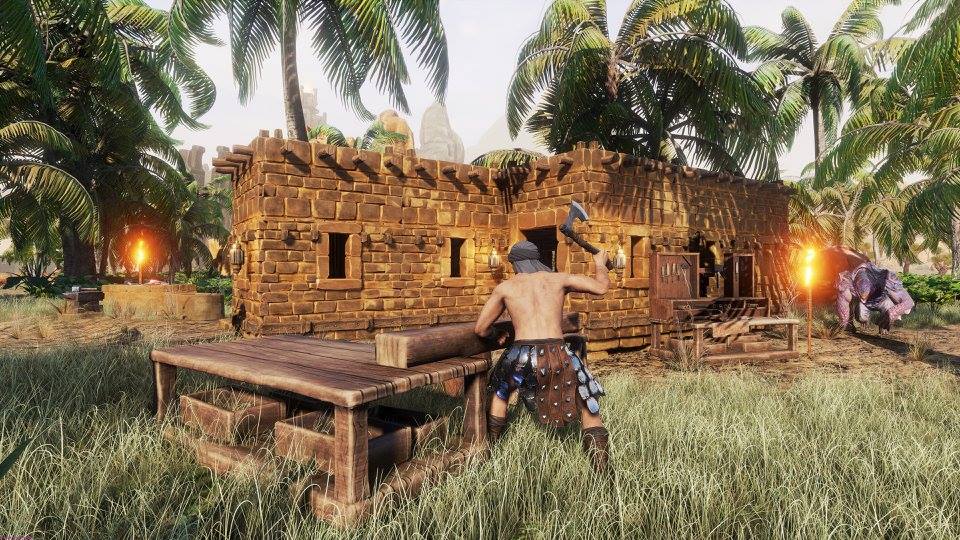
Conan Exiles can be played in many ways, whether on an official server, a rented device, or by setting up your own box as a server. Here you will learn how to set up and configure your own private dedicated server.
You can play Conan Exiles alone as the only barbarian in the vast wilderness, but the full barbarian feeling only comes when more naked desert dwellers roam the wilderness with stone axes and clubs. Multiplayer fans have many options, which we will outline in the following paragraph.
Conan Exiles Multiplayer – From Coop Mode to Dedicated Private Server
If you want to play Conan Exiles online with other players, you have several options:
- Host a Coop Game: You can turn your solo session into a coop game for invited players at any time. The downside: The persistent world is only active as long as you stay online as the “host”, and players can only interact within your vicinity.
- Play on an official server: The official servers of Conan Exiles are back online and offer space for all sorts of barbarians. The rules of Funcom apply here.
- Play on an unofficial server: There are thousands of unofficial servers, each with its own rule set and different maintenance and downtime schedules. So make sure to inform yourself about what to expect on which server.
- Rent your own server: If you want your own barbarian world with your rules, then rent a Conan server. We have summarized everything you need to know in the link provided.
- Set up your own dedicated server: If you don’t want to rent a server but have the necessary hardware, you can also set up and configure your own dedicated Conan Exiles server. You will learn how to do that in the following paragraphs.

Setting Up a Conan Exiles Dedicated Server – Here’s How!

If you want to offer your own server for Conan Exiles, you need to meet a few basics, set up a suitable machine, and configure it with the correct config file. A dedicated server refers to a machine that does nothing else but serve as a server. So you shouldn’t run the server on the same device where you also play Conan or other games.
Private Conan Server – System Requirements
If you want to run only Conan Exiles on your server, the following system requirements are necessary:
- Windows 7, 8, 8.1, Server 2008, Server 2012 – 64-Bit
- A quad-core processor. Two full cores are required
- At least 4 gigabytes of RAM (4 GB for every full 100 players)
- 20 gigabytes of hard drive space for the game, but additional storage is needed for mods and more

If you have this hardware, you still need the corresponding server software. We will explain how to set it up in the following steps.
Setting Up the Server – Download Server Files
Once you have set up your server and installed Conan Exiles, you need the corresponding server files. You can get them via SteamCMD at the provided link. Then proceed as follows:
- Create a dedicated folder for the Conan game server hosting files
- Download the SteamCMD file from the link provided above into the folder you just created
- Create a batch file named SteamCMD.bat. Batch files execute scripts and are basically just .txt files created with the editor, which you have renamed to have the .bat extension. Make sure that you have set Windows to show such files, otherwise you might not see your batch file.
- Write the following code inside (make sure to specify the actual directory instead of the placeholder):
@echo off
start “” steamcmd.exe +login anonymous +force_install_dir “C:SomePathWhereYouWantGameServerFilesToGo” +app_update 443030 validate +quit
- Right-click on SteamCMD.bat and select “Run as administrator”
- The game server files should now be downloaded
How to Set Up Your Private Conan Server
You now have the necessary data. Next, we will explain how to configure it so that you soon have your own barbarian world:
- Create another batch file in your SteamCMD directory and name it ConanExiles.bat
- The content of the batch file is as follows (Make sure to enter the real names and passwords instead of the placeholders):
start “C:conanserverConanSandboxBinariesWin64ConanSandboxServer.exe”
“ConanSandbox?Multihome=X.X.X.X?GameServerPort=27015?GameServerQueryPort=27016?ServerName=YOURSERVERNAME?MaxPlayers=20?listen?AdminPassword=YOURADMINPASSWORD” -nosteamclient -game -server –log
- Next, you need to adjust your firewall. Allow UDP port 27015 and 27016, or whatever port you prefer, in the appropriate settings. You may also need to set up forwarding rules on your router.
- Update your Conan version
- Start Steam and select “View Menu” and then “Servers“
- Click “Filter”, select Conan Exiles, and click “Add Server“. Then enter your IP address and join.

How to Configure Server Settings via Config File
If you want your own rules on your own server, you can set them up now. As a server administrator, you have many great options, for example, a world where all players can steal and destroy everything, where you earn experience five times faster, and meat never rots and everyone can run around naked. If you want to change these settings, open the ServerSettings file under “ConanSandboxSavedConfigWindowsServerServerSettings.ini”

Most settings should be self-explanatory, for example, if you have “DropEquipmentOnDeath=True”, the equipment of dead players stays with the corpse. “PlayerXPHarvestMultiplier=1.000000” means that you get the originally intended amount of experience points for harvesting.
If you write “5.000000” here, you would receive five times the XP amount for every resource collected. A particularly detailed description of each config setting can be found in the provided sources.
Relevant to the topic: Conan Exiles – Crafting Guide – all recipes at a glance