

Many games struggle with packet loss and the associated issues in Call of Duty: Modern Warfare 3. MeinMMO therefore shows you some solutions that can help you fix this annoyance.

What is Packet Burst?
- Packet Burst is a network or server problem that can cause lags or stuttering in CoD MW3.
- Packet Burst affects individual players more often than an entire lobby.
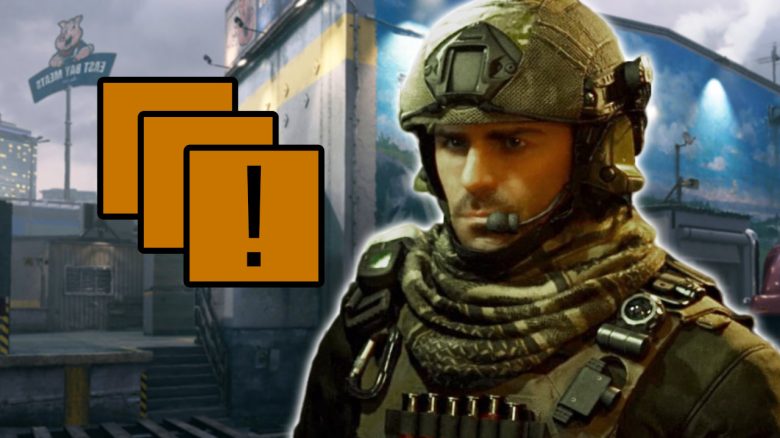
- If you experience Packet Burst, it will be indicated in CoD MW3 by a symbol on your screen. The symbol consists of three stacked squares.
If you experience a Packet Burst, it can significantly spoil your gaming experience and lead to frustration. Therefore, we will show you a few ways to ideally fix the problem.
How to fix Packet Burst in CoD MW3
How do I fix an occurring Packet Burst? If you are currently experiencing a Packet Burst, try the following steps to fix the problem:
- Exit CoD MW3 and restart it.
- Turn off your console (PlayStation/ Xbox) or your PC and restart it.
- Restart your router. If you have network issues leading to Packet Burst, this may help.
- If you play CoD MW3 over Wi-Fi, switching to a LAN/ Ethernet connection may help.
- If you play CoD MW3 on console (PlayStation/ Xbox), turn off crossplay and see if that leads to an improvement. On PC, crossplay cannot be disabled.
- Some PC players report that installing CoD MW3 on an SSD helped. If that is an option for you and you haven’t saved the game on an SSD yet, it’s worth a try.
- In the settings of CoD MW3, turn off the “Texture Streaming on Demand” option. This setting is not available on PC.


How do I turn off Crossplay in MW3? If you want to try the trick of turning off Crossplay but don’t know how to disable it, we will briefly explain it here.
First, you need to open the game settings and select “Account & Network.” Then, in the “Online” section, you will find the option to turn off crossplay. Here’s a summary:
- Settings – Account & Network – Crossplay
If you are playing on Xbox, you also have the option to turn off crossplay through the console settings. You will then need to open “Online Safety and Family” and click on “Privacy and Online Safety.”
Then navigate to the “Xbox Privacy” settings and under “Communication and Multiplayer” block “cross-network play.” Here’s a clear overview:
- Settings – General – Online Safety and Privacy – Privacy and Online Safety – Xbox Privacy – View & Customize Details – Communication and Multiplayer – block cross-network play.
If you are now looking for the best weapons in CoD MW3 after fixing Packet Burst, we have the perfect list for you on MeinMMO:
CoD MW3: 5 of the best weapons and how to equip them perfectly

Your opinion is important to us!
Do you like the article? Then let us know!