

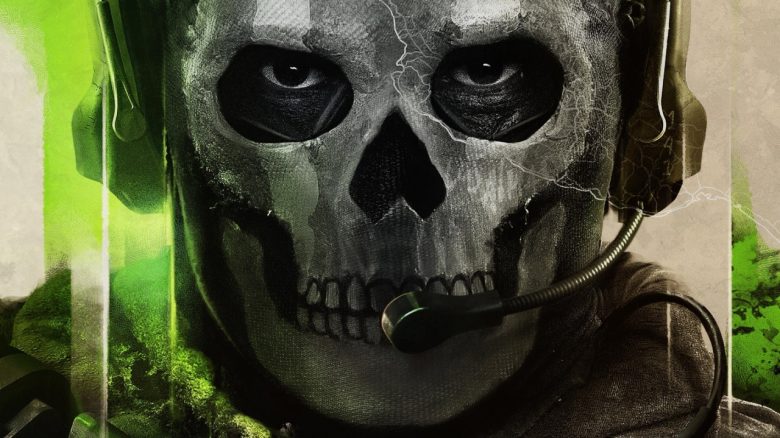
In Call of Duty: Modern Warfare 2 it is extremely important to be able to spot the enemy players early. In this article, we provide you with the best audio settings for the hardcore shooter so you can always hear your enemies’ footsteps clearly.

If you don’t want to lose your head in the hectic multiplayer battles of Call of Duty: Modern Warfare 2, it is essential that you are always aware of your entire surroundings. Therefore, it is not only extremely important to see your opponents in time but also to hear them.
If you forget to adjust the audio settings accordingly, frustration can arise when you miss hearing the enemy footsteps again.
Therefore, we show you the best sound settings in this article. For more tips on your settings in CoD MW2, click here:
- General settings that will improve your game
- Best settings for consoles
- Best settings for more FPS on PC
Where do our information come from? We have watched several guides and YouTube videos for you and also tried the settings ourselves on the PS5.
With these settings, you will hear your opponents better
We recommend playing Modern Warfare 2 with a headset or headphones. Having the sound directly in your ears not only enhances immersion but also leads to significantly better spatial awareness.
| Audio Option | Setting |
| Audio Mix | Headphone Bass Boost |
| Master Volume | 100 |
| Music Volume | 0-30 |
| Dialogue Volume | 25-50 |
| Effect Volume | 90 |
| Hit Sound Volume | 70-90 |
| Mono Audio | Off |
| Voice Chat | On |
| Voice Chat Volume | 50-100 |
| Tinnitus Tone Reduction | On |
These settings are our recommendations. Especially when it comes to audio, personal preferences play a significant role.
Consider these settings as a good base that you can then modify according to your preferences. It is practical that you can pin some of these options to the pause menu, allowing you to adjust the settings during the match when time is of the essence.
If you’re also looking for the best weapons, check this out:

This is what the individual settings are about
You should definitely activate the audio mix setting “Headphone Bass Boost” – regardless of whether you are actually playing with headphones or another output device. Not only do some professionals swear by this setting, but we also felt it provided the clearest output of enemy footsteps.
However, this does mean you may miss certain sound elements such as dramatic end music. But in multiplayer, things like that only cause unwanted distractions.
It’s similar with dialogue volume. If you lower this a bit, the characters’ screaming is still audible but won’t overpower important acoustic cues and signals.
Whether or not to use voice chat is ultimately up to you. However, we would strongly advise at least reducing its volume a bit. If you’re playing on PC, you should also activate “Push to Talk” if you only want to share the most important information with your team.
Finally, we highly recommend activating the tinnitus tone reduction. This option not only adds to the accessibility settings but also helps in hearing enemy footsteps better.
If you’re also looking for a guide with tips on leveling weapons, check this out: CoD MW2: Leveling weapons quickly – 3 tips for more weapon tiers

Your opinion is important to us!
Do you like the article? Then let us know!