

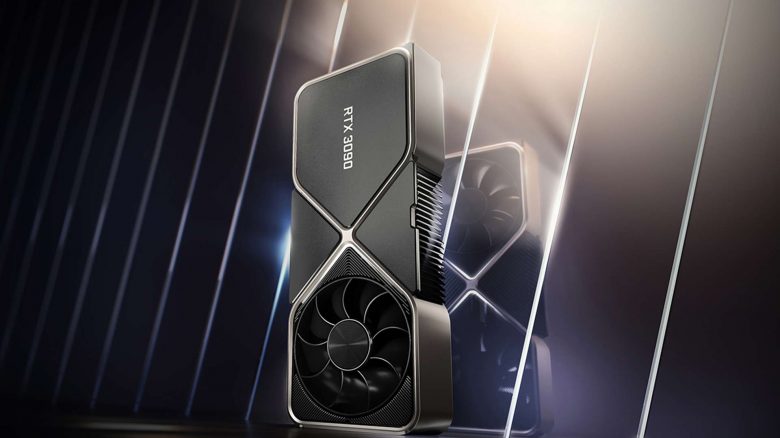
Which Nvidia graphics card for gaming? Which Nvidia graphics card is the best for Full HD, WQHD, or 4K? MeinMMO explains what you need to know when buying a GPU and which graphics card is best suited for you.
New Graphics Card: You want to buy a new graphics card and have already decided on Nvidia? In our guide, we explain what you need to consider when buying a graphics card and which Nvidia GPU is best suited for your system and preferences.
- Which Nvidia graphics card should I buy?
- Overview of all Nvidia graphics cards 2023
- Buying a graphics card – Tips before purchasing
- FAQ – Questions and Answers Overview
Preferably AMD? Here you will find our buying advice on AMD graphics cards
Beginners, Gamers, and Enthusiasts – Who Should Buy Which Graphics Card?
As of now (February 2023), there are 12 RTX graphics cards from Nvidia that you can buy for your system. Additionally, the GTX 1650 can also be considered as a 13th graphics card. Besides the RTX 3000 series, you can already switch to the RTX 4000 series since the end of 2022. All RTX cards offer features such as RayTracing and upscaling techniques like DLSS.
Beginners (Full HD)
Which graphics card for Full HD? For beginners playing in Full HD, the RTX 3060 Ti is currently the best price-performance recommendation. It offers enough power for high frame rates and also sufficient reserves for future top games.
An option for a smaller budget would be the RTX 3060, but it offers about 25% less performance at Full HD. In many games, the RTX 3060 easily achieves 60 FPS and offers plenty of potential thanks to DLSS.
Even cheaper is the RTX 3050, but you have to compromise on details in current titles. In the cheaper models, the RTX 3050 and RTX 3060, RayTracing is also only a limited option.
We would rather advise you to go for the RTX 3060 Ti right away since you will have more reserves for future games and options for RayTracing in the long term.
Gamers (Full HD, 144 Hz or WQHD)
Which graphics card for Full HD 144Hz? If you want to play in Full HD with 144 Hz or are primarily active in WQHD, we recommend the GeForce RTX 3070, which is one of the best graphics cards under 500 euros. The RTX 3070 Ti costs 100 euros more, but it only offers 4-6% more performance and is therefore only a conditional recommendation.
Another option upwards would be the GeForce RTX 3080 (to the test overview). Currently, market prices start at 800 euros, but you then have enough reserves if you are interested in 4K gaming in the long term.
Moreover, you should keep in mind that the new GeForce RTX 4070 is expected to be released in 2023. This could also become an interesting option for gamers who mainly play in WQHD.

Enthusiasts (WQHD or 4K)
Which graphics card for 4K 60hz? If you want to play at 4K with stable 60 FPS, we recommend the GeForce RTX 4080. It is currently the second fastest graphics card from Nvidia and is about 20% ahead of the RTX 3090. Prices start at 1,250 euros, but you get the complete feature package from Nvidia.
The more expensive alternative is the GeForce RTX 4090, but it costs at least 1,800 euros and is therefore not recommended at this time.
A more affordable option for 4K is still the RTX 3080, as the Ti version of the RTX 3080 costs exactly as much as the RTX 4080. Thanks to upscaling technologies like DLSS, high and stable frame rates at 4K are also easily achievable.
Overview of Nvidia GeForce RTX 3000 and RTX 4000
| Model | Base/Boost Clock (in MHz) | Memory (in GB) | TDP (in Watts) |
|---|---|---|---|
| RTX 3050 | 1552/1777 | 8 | 130 |
| RTX 3060 | 1320/1780 | 8 | 170 |
| RTX 3060 Ti | 1410/1670 | 8 | 200 |
| RTX 3070 | 1500/1730 | 8 | 220 |
| RTX 3070 Ti | 1580/1770 | 8 | 290 |
| RTX 3080 | 1440/1710 | 10/12 | 320/350 |
| RTX 3080 Ti | 1365/1665 | 12 | 350 |
| RTX 3090 | 1410/1695 | 24 | 360 |
| RTX 3090 Ti | 1560/1860 | 24 | 460 |
| RTX 4070 Ti | 2310/2610 | 12 | 290 |
| RTX 4080 | 2205/2505 | 16 | 340 |
| RTX 4090 | 2235/2520 | 24 | 450 |
Buying a Graphics Card – Tips Before Purchasing
Before buying a graphics card, you should already consider a few thoughts. Otherwise, you will pay a lot of money and regret the expensive investment. Or you will regret it because your new GPU is too weak and you’ll need to buy another one in two years.
- How much money do I want to spend on the system?
- Screen resolution
- Refresh rate
- Space and Power Supply
- Raytracing and DLSS
- Which games?
Budget Consideration
From the beginning, you should be sure of how much money you want to spend on your system. Because the finished PC consists not only of a graphics card but also of the processor, RAM, and other components. If you combine a high-end graphics card with a beginner processor, you will lose a lot of performance.
Screen Resolution
At what resolution do you currently play, and what does it look like for you in the future? The resolution impacts how much performance you need. The higher the resolution, the more pixels your graphics card has to calculate, and the harder your GPU has to work. The most common resolutions are:
- Full HD (1,920×1,080)
- WQHD (2,560×1,440)
- 4K (3,840×2,160)
Refresh Rate (FPS)
Also important is how many FPS you want to play. 60 FPS is the absolute minimum we would recommend for gaming in 2023. Many games, like shooters, do not look smooth under 60 FPS. The more FPS you want to display, the more performance you need.
A high resolution combined with high FPS requires a significantly faster graphics card than if you only want to play at Full HD with 60 FPS.
Space and Performance
Every graphics card needs space in the computer. Additionally, the power supply must be strong enough. Pay attention to this before purchase, otherwise, you will buy a graphics card that is too large for your case or you will need to buy a stronger power supply later. This can also affect your budget.
You will find important information in the manual of your case, such as the maximum size of the graphics card.
Raytracing and DLSS
Since the GeForce RTX 2000 series, Nvidia graphics cards have offered Raytracing and DLSS. Regarding Raytracing, Nvidia graphics cards currently still offer better performance than the competition from AMD.
With FSR, AMD also offers an alternative to Nvidia’s DLSS, where Nvidia currently still has a slight edge.
Which games do you want to play?
Be aware of which games you want to play. If you only play indie games or classics from 10 years ago, you do not need a high-end graphics card. However, if you want to play competitive shooters or current top titles, then you cannot go without a good and fast model.
More Questions: FAQ About Nvidia Graphics Cards
Yes, if you want to play regularly, you need a graphics card.
As of now (February 2023), there are 12 graphics cards. They are divided into the GeForce RTX 3000 series and GeForce RTX 4000 series.
The GeForce RTX 4090. It is currently the fastest (and most expensive) graphics card from Nvidia for gamers.
The GeForce RTX 3080. It is not the fastest graphics card from Nvidia at the moment, but it provides the best overall package of performance and efficiency for playing in Full HD, WQHD, or 4K.
Yes, starting from the GeForce RTX 2000 series, Nvidia GPUs can do Raytracing.
The GeForce RTX 3070. Here you get enough performance for high resolutions and fast FPS rates. There are still reserves for 4K as well.
The GTX 1650. If you want to save money and forgo features like Raytracing, you can opt for the GTX 1650.
More on the topic of graphics cards: If you are generally interested in the differences between AMD and Nvidia, take a look at the following article. Here we explain the similarities and differences between the two chip manufacturers and reveal how important the differences still are today:
How important is it to consider whether I buy AMD or Nvidia graphics card?

Your opinion is important to us!
Do you like the article? Then let us know!