
In Borderlands 3 there are skins and items for your weapons. However, it is very unclear where these are equipped. We will tell you how to apply the cosmetics.

Borderlands 3 has a lot of cool skins and items for your weapons. Go to Crazy Earl in your home base, the Sanctuary, and exchange Eridium for the skins and the items. You can also sometimes find skins and items on your own.
Since it is unclear how to actually equip cosmetics, we have a step-by-step guide for you here.
Equip Weapon Skins
How do I equip my skins? If you have decided on a fancy skin, you need to do the following:
- open your inventory in the backpack
- move the cursor over the weapon you want to have a skin on
- click on the menu item “Inspect”
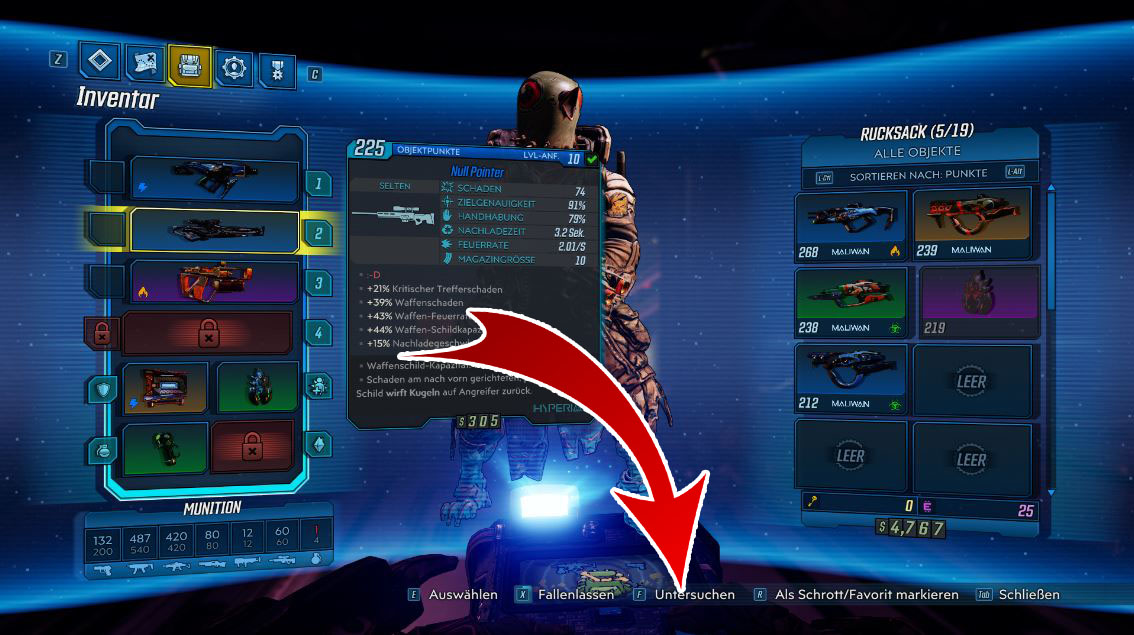
- a new menu opens with the “Object view”
- click on “Change Weapon Skin” – the option is located at the bottom right
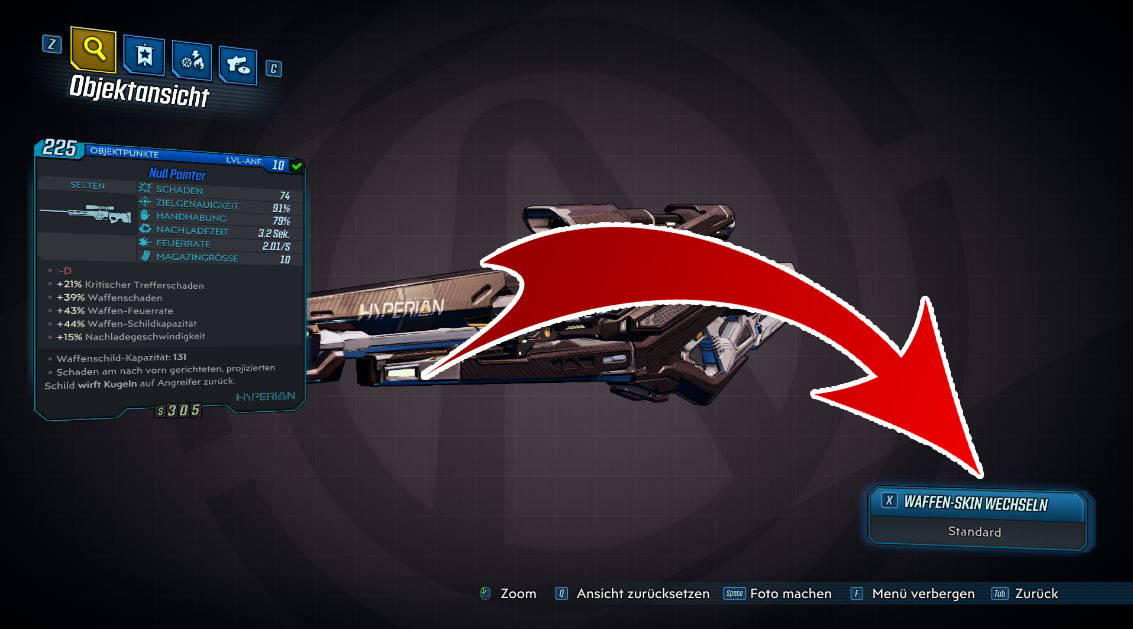
- now you will find a menu with all your weapon skins that you own
- select a skin and click on “Apply Skin”
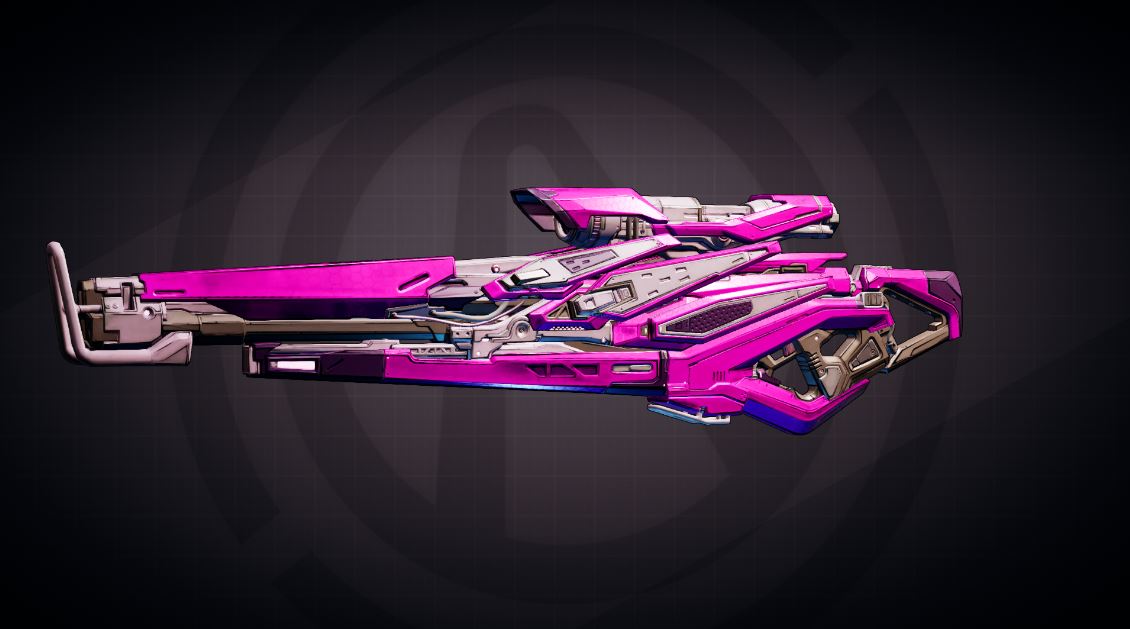
- … and voila, your weapon will shine in a bright pink! If you like pink… of course, there are other options.
Attach Items
How do I attach items to my weapons? You have a cool item and want to equip it. To do this, you need to do the following:
- open your inventory in the backpack
- select the empty box next to your weapon
- a menu opens where you can find all your items
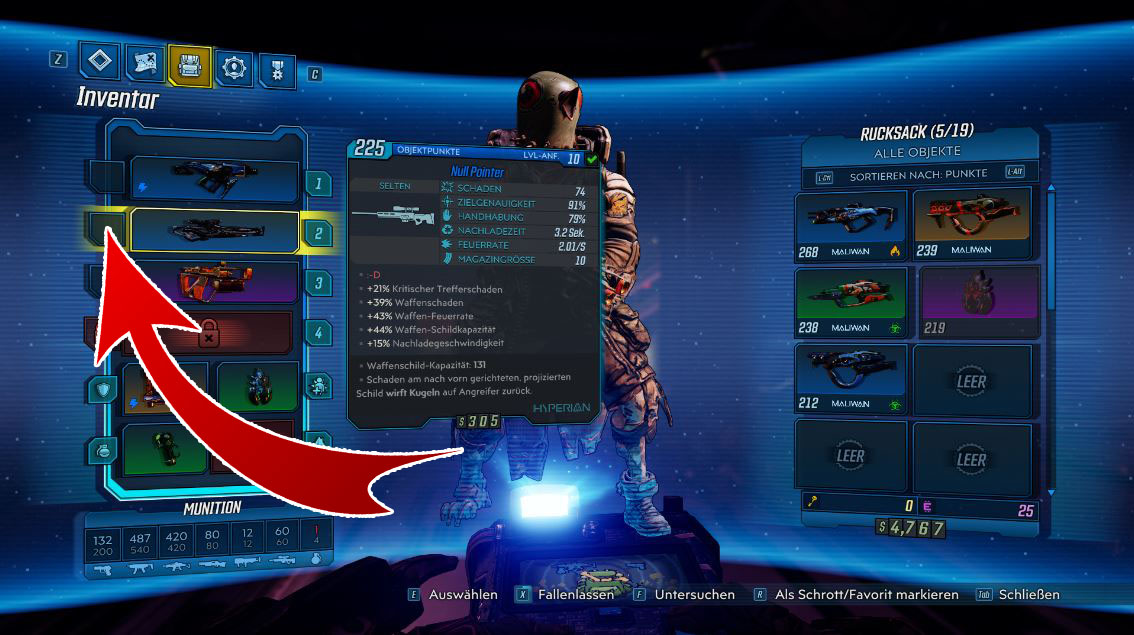
- if you select an item now, it will appear in the box next to the weapon
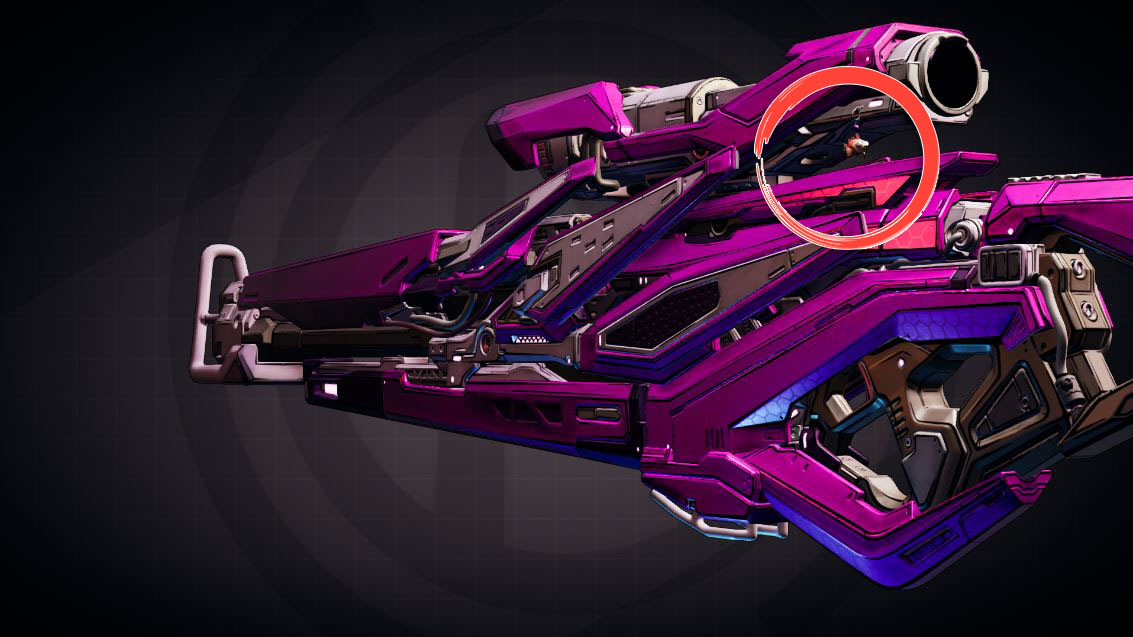
- the item will now be attached somewhere on the weapon
- by clicking “Inspect” and then “Object view”, you can see what the item looks like
How do I get Eridium for the skins? Crazy Earl has a lot of cosmetic items that you can buy with Eridium. In the mid-game, especially watch out for challenges on the map that reward Eridium.
From Chapter 10 of the main campaign, you can also farm Edirdium. Check out our guide: Targeted farming and mining Edirdium in Borderlands 3.
Want more guides? Then check this out:
- Borderlands 3: Here are the known VIP and Shift Codes
- Borderlands 3: Coop, Split-Screen, Crossplay? What you need to know
- Tips and tricks I wish I had known before starting Borderlands 3
- FL4K is the best solo character in Borderlands 3 – Use these builds

Your opinion is important to us!
Do you like the article? Then let us know!