

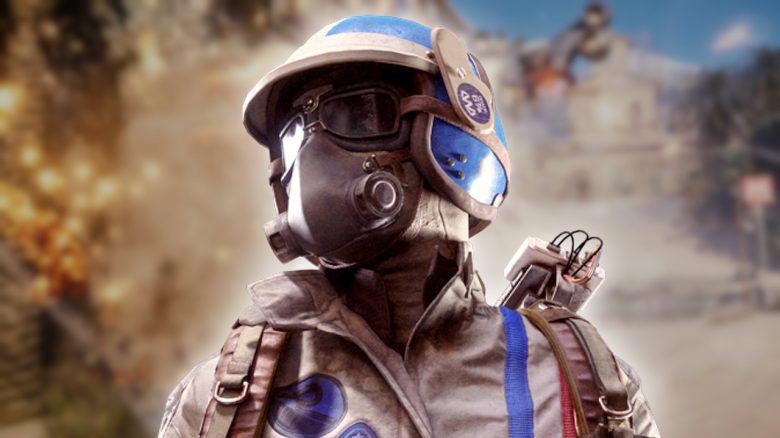
Do you want to properly configure your PC for ARC Raiders? MeinMMO presents you the best settings if you want to play the shooter.
ARC Raiders is not an extremely demanding game for your hardware, but with some settings and tricks, you can still increase or stabilize the FPS a bit. In a shooter where every second counts, this can be helpful.
Therefore, we present to you the various settings in detail and explain where you can save performance and power.
General Settings
- Window Mode: Borderless Windowed Mode
- Display Resolution: As monitor resolution. It is only partially recommended to set the resolution lower than the display, as the image then looks blurry. Rather, increase the DLSS/FSR level.
- Nvidia DLSS Frame Generation: Only partially recommended, as frame generation also increases latency in the game.
- VSync: Sets the frame limit on the monitor, but can increase latency.
- Nvidia Reflex Low Latency: Activate if Nvidia graphics card is available and reduces latency with supported hardware.
- Framerate Limit: Activate; for weak GPUs, 60 FPS is recommended; otherwise, 120 FPS is a good reference. You can change the value at any time if your hardware should be underutilized.
Resolution Scaling and Anti-Aliasing
- Upscaled Resolution: 100%. Lowering the resolution quickly makes the image look blurry.
- Resolution Scaling Method: Depending on the graphics card: Nvidia DLSS or FSR 3.0
- Nvidia DLSS Model: Automatically determined.
- Quality: Automatic or Balanced. With a strong graphics card, you can also choose Performance; with a weak GPU, Performance is recommended to stabilize the FPS.
Graphics
Motion blur makes it seem at low framerates that the game is running smoothly. Generally, you should therefore simply disable the setting.
- Field of View: 80
- Motion Blur: Disable
Ray Tracing
Ray Tracing is a performance hog and requires decent power. If you have a fast (Nvidia) graphics card, you can set the settings higher. With older and not so fast graphics cards, it is better to lower the quality.
- Nvidia RTX Global Illumination: Dynamic, Medium.
Quality
Quality fundamentally depends on your graphics card. If you have less than 8 GB of video memory, lower the texture quality as otherwise, loading errors may occur. The biggest performance hogs are anti-aliasing and shadows.
Details like foliage, reflections, and shadows make the game more atmospheric, but also consume performance. Here you can also squeeze out a few FPS. The lower the view distance, the less your graphics card has to calculate.
- Overall Quality: Custom
- View Distance: High
- Anti-Aliasing: Medium
- Shadows: Medium
- Post Processing: Low; The lower you set post-processing, the faster you can spot enemies. This is very helpful in a shooter.
- Texture: Medium; for graphics cards with more than 8 GB of video memory, High or Ultra.
- Effects: High
- Reflections: Medium
- Foliage: Medium
- Global Illumination Resolution: Medium
Advanced
The last three settings play a secondary role for the overall game. They allow you to control what your PC does when you minimize the game or are not at the computer while the game is still running (i.e., when AFK). In general, we would recommend you to enable energy-saving options to save power. When actively playing, you won’t notice any of this and won’t have to sacrifice performance.
- Performance Overlay in Game: Enable if necessary; otherwise, disable
- Save Energy When Idle: Activate
- Save Energy When Inactive Window: Activate



As a newcomer, ARC Raiders may seem complicated for some. Extraction shooters are not exactly known for their beginner-friendliness. Therefore, we present you 8 tips you should know before starting: ARC Raiders: 8 Tips for Beginners You Should Know at Release

Your opinion is important to us!
Do you like the article? Then let us know!