ARC Raiders: Patch Notes for Update 1.7.0
Balance Changes
Bettina
Developer’s note: These changes aim to make Bettina somewhat less dependent on a secondary weapon. The weapon should now be a bit more competent in PvP without tipping the balance too much. Data shows that this weapon is still the most powerful PvE weapon in its rarity tier (not counting the Hullcracker). Durability should now also feel more like our other assault rifles.
- The durability consumption rate has been reduced from ~0.43% to ~0.17% per shot.
- In practice, it used to take about 12 full magazines to fully use up the durability; now it’s 26 (also taking into account the increased magazine size).
- The base magazine size has been increased from 20 to 22.
- The base reload time has been decreased from 5 to 4.5 seconds.
Rattler
Developer’s note: Although the Rattler is not meant to compete at close range with the Stitcher or Kettle, it receives a slight buff to bring its PvP TTK (Time to Kill) closer to that of the Stitcher and Kettle on lower tiers. The weapon is to remain in its intended role as a more careful weapon, where players are expected to go in and out of cover, fire in controlled bursts, and manage their reloads.
- The base magazine size has been increased from 10 to 12.
Shredder
- The recoil (knockback) caused by weapons has been reduced. Movement speed and agility have been increased.
- The health of the Shredder’s head has been increased to avoid situations where the head could be shot off, leading to unintended behaviour.
- The navigation of the Shredder has been improved so that it gets stuck less often on corners, tight spots, and low obstacles.
- The speed at which the Shredder enters combat when it takes damage or is in close proximity to players has been increased.
- The number of parts on the Shredder that can be destroyed individually has been increased.
Content and Bug Fixes
Achievements
- Achievements are now activated in the Epic Store.
Animations
- A bug has been fixed where picking up a field crate with an attached trigger grenade could cause the character to slide or move without input.
- A bug has been fixed where combining the snap hook with zip lines or ladders could save momentum and fling the player far away.
- A bug has been fixed where the running animation after a small fall could look incorrect when the player was overloaded.
- Interactions now end correctly when a dodge roll is executed.
- The interaction when holding items or deployable objects no longer leads to arm twisting.
- Additional animations have been added for character skins and equipment to make them feel more natural.
ARC
- A bug has been fixed where attached objects on enemies could cause them to be flung away when shot or glitch through boundaries (out of bounds).
- Rockets no longer turn around after passing a target and can now correctly track targets at different heights.
- Sentinel
- A bug has been fixed where the Sentinel laser did not reach the targeted player over longer distances.
- Surveyor
- Climbing on ARC Surveyors has been disabled to prevent unintended flinging when they move.
- A bug has been fixed where Bombardier projectiles could shoot through the Matriarch’s shield from outside.
Audio
- A bug has been fixed where gas, stun, and pulse mines did not play their trigger sound or did not switch their light to yellow when triggered by gunfire.
- The number of simultaneous footsteps sounds has been increased and their priority has been raised.
- A bug has been fixed where footsteps on metal stairs became very quiet when walking slowly.
- The directional sound for ARC opponents has been improved.
- Sounds for sending and receiving text messages in the main menu have been added.
- The disturbing “Mom?” from the ambient sound of the Speranza canteen has been removed.
- The volume of announcements in various screens of the main menu has been adjusted.
- Numerous small audio bug fixes and improvements.
Maps
- A bug in the spawn logic has been fixed, which could cause players reconnecting at the beginning of a session to spawn next to other players who had just joined.
- Various collision, geometry, VFX, and texture corrections have been made to close gaps in the terrain (through which players fell or ran into geometry), eliminate hanging points, prevent camera clipping through walls, and fix floating objects and texture overlaps.
- A problem with the slope of the Raider hatch has been fixed, which was too steep for prone Raiders to crawl on.
- Security lockers now spawn dynamically on all maps instead of being placed statically.
- A bug has been fixed where Raider caches did not spawn during prospection probe missions in some cases.
- It has been fixed that lootable containers and supply drops spawned on “The Dam” and “Blue Gate” within the terrain; they are now accessible.
- A bug has been fixed where doors appeared closed to some players even though they were open.
- Electromagnetic storm: Lightning strikes sometimes leave behind a valuable item.
- The number of possible locations for Great Mullein has been increased on all maps.
- Dam Battlegrounds
- The spawn point of the Matriarch in “Dam Battlegrounds” has been moved to an area that better showcases her strengths.
- Spaceport
- The protective area of the locked space in the container yard on “Spaceport” has been adjusted to not affect players outside the space.
- Blue Gate
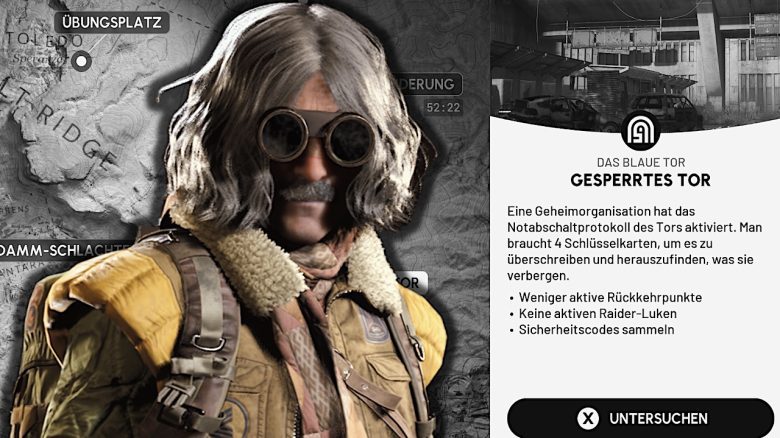
- The map condition “Locked Gate” has been added.
- The map boundaries near a ledge in “Blue Gate” have been adjusted to improve navigation and reduce abrupt stops due to “Out-of-Bounds”.
- The detail levels (LODs) of the trees in “Blue Gate” have been improved to reduce overly dark representations at distance.
- A bug has been fixed where loot spawned outside of the locked area in the village.
- Props and visual cues have been added to the last camp in the quest “A First Foothold” to make the target locations easier to find.
- Stella Montis
- Some item and blueprint spawn rates in Stella Montis have been increased.
- Some breakable containers in Stella Montis no longer drop rubber ducks when the skill “A Little Extra” is used (Sorry).
- The clarity of the window glass in Stella Montis has been adjusted to improve visibility.
Various
- General crash fixes (including AMD crashes).
- Function to reset the skill tree for coins has been added (2,000 coins per skill point).
- The wallet now shows the soft cap for creds (800).
- Developer’s note: We have decided to introduce a cap so that players cannot completely unlock new Raider decks by hoarding creds. Additionally, we have added more items in Shani’s shop that can be purchased with creds. We believe that Raider decks provide a rewarding experience while players engage with the game, and a large cred wallet undermines this goal. We will not remove any creds that were amassed before the introduction of the soft cap.
- Added customization options for the Raider tool.
- A bug has been fixed that caused players to spawn on servers without their equipment and in default customization, leading to a loss of loadout items.
- For ranks up to Daredevil I, leaderboards now have a 3-fold climb zone for the top 5 players. New goals have been added.
- A bug has been fixed where breaking down the door in the tutorial could be aborted, which prevented the cutscene from playing and blocked progress.
- A bug has been fixed where players could still break down doors while they were downed.
- A bug has been fixed where accepting a Discord invitation without a linked account could result in not being added to the inviting party.
- A bug has been fixed that sometimes caused textures and meshes to flicker between higher and lower quality.
- The depth of field is now correctly scaled based on resolution scaling.
- A bug has been fixed where returning to the game after Alt-Tab could prevent movement and ability inputs while camera control still worked.
- The input processing has been improved when the game window regains focus to avoid unexpected input mode switches.
- Skill tree
- The skill “Effortless Roll” now provides a greater stamina cost reduction.
- The skill “Calming Stroll” now also works while moving in aim mode (ADS).
Movement
- A movement issue has been fixed that blocked jumping/climbing in certain areas while crouched.
- A bug has been fixed where climbing ladders over open gaps could lead to automatic dropping.
- Minor stamina costs have been added for initiating a slide.
- The acceleration has been reduced when a dodge roll is performed out of a slide.
User Interface (UI)
- An option to toggle aim mode (Aim Down Sights Toggle) has been added.
- A new graphic setting “Cinematic” has been added to enhance the visuals for high-end PCs.
- Codex
- The accuracy of tracking damage dealt in player statistics has been improved.
- Items crafted in the field now correctly count towards player statistics in the codex.
- Missing sound in codex recordings has been fixed.
- A codex section for revisiting previously seen videos has been added.
- Console
- Button prompts for PlayStation 5 controllers have been updated, with improved icons for options and share.
- A crash when using “View Profile” in player info on Xbox has been fixed.
- Customization
- You can now rotate your character in the customization screen. Additionally, a bug has been fixed where the first equipping could trigger an unintended dropping.
- Notifications in character customization have been added to highlight recently unlocked items.
- A bug has been fixed where equipped customization items bought in the loadout screen were not equipped after pressing “Equip” in the purchase screen.
- Round End
- The frequency of the poll pop-up at round end has been further reduced.
- An optional button for round feedback has been added to the final round end screen to open a brief survey after the match.
- Expedition Project
- A tooltip for display/hide has been added to the Raider project screens (Expedition and Seasonal).
- “Completed Expeditions” has been added to player statistics.
- Resource tracking for expedition phases has been added: Raider projects now display required quantities and progress, with the tracker being updated during rounds.
- Reward display for Raider projects has been added, showing rewards for each objective and upon expedition completion.
- A input conflict in Raider projects has been fixed that caused tracking a resource in expeditions to also open the “About Expeditions” window; the screen display now hides while something is being added to the caravan.
- Inventory
- A bug has been fixed where closing the right-click menu in the inventory could reset the focus on another slot when using a gamepad.
- Flickering in the inventory tooltip has been fixed.
- Opening the inventory during a breach now cancels the interaction to prevent a brief animation error.
- The layout of the inventory screen has been adjusted to prevent tooltips from appearing immediately upon opening.
- A bug has been fixed where the right-click menu of the weapon slot in the inventory did not appear after navigating with a controller from an empty attachment slot.
- In-Game
- A bug has been fixed where the climbing prompt on a roof ladder in “Blue Gate” did not appear.
- A problem has been fixed where certain interaction icons did not appear during the game.
- Fixed a bug where “Revived” events were not being counted.
- A bug has been fixed where the zip line interaction prompt could remain on a previously used zip line, preventing interaction with a new one; prompts now disappear when out of range.
- The quick equip wheel now has a stable layout and no longer pushes items up when empty slots are in the inventory.
- In-game texts have been updated in multiple languages based on localization review and player survey feedback.
- A cancellation prompt has been added when preparing to throw grenades and other throwable items.
- Input hints in-game have been corrected to match the current key bindings and show clear hold/toggle labels. Binocular hints when using the aim toggle have been clarified, and hints for snap hooks and integrated binoculars have been updated to support aiming.
- Tutorial hints now remain briefly on the screen after the suggested action has been performed, to improve readability and avoid abrupt disappearing.
- A bug has been fixed where input hints could remain on screen after being downed.
- HUD markers that are closer to the player now appear in the foreground for better readability.
- Fixed a bug where items sometimes displayed the wrong symbol.
- Fixed a bug where user hints sometimes displayed in spectator mode.
- Vault room shelves and energy stations now display a distinct color when full of portable objects to indicate they have been completed.
- A bug has been fixed where reconnecting to a match could leave the character in a faulty state with incorrect HUD elements and a mispositioned camera.
- The initial opening of the loot screen and the transition from opening to searching during interactions have been slightly delayed.
- Main Menu
- A live event carousel has been added to the main menu and click/hover interactions in the Raider project overview have been activated.
- A bug has been fixed where the weapon upgrade tab sometimes changed position.
- A problem has been fixed where a Raider could appear and disappear in the background of the start screen.
- Installed workbenches no longer appear in the workbench installation view.
- You can now navigate from screen notifications to the relevant screens, including directly jumping to learned recipes.
- The weapon upgrade tab now correctly displays the increase in magazine size.
- A bug has been fixed where the map screen would stop responding when a live event was active.
- When inspecting items, rotating now hides the UI and shows only the inspected item.
- Free Raider Deck content is now displayed as “Free” instead of “0”.
- A carousel has been added to the main menu that includes quests and a Raider Deck link, with improved gamepad navigation within the widget.
- A bug has been fixed where the Scrappy screen allowed navigation to the quick navigation list when a gamepad was used.
- Quests
- Ground pickups now show icons when they are part of quests or being tracked; quest icons added to quest interactions and the style of quest interactions improved.
- A bug has been fixed where the notification after accepting and claiming quests could persist.
- Accepting and completing quests now displays as a loading process while waiting for a server response.
- A bug has been fixed where quickly skipping quest videos after completing the first supply depot quest could block the UI (soft lock), causing the screen to become unresponsive.
- Interaction text for a quest objective has been updated to improve clarity.
- The names and descriptions of the quest items “Moisture Probe” and “EC Meter” in “Unexpected Initiative” have been updated.
- Ping information for quest objectives has been improved, with clearer markings for interactions with the filter system and the magnetic decoder.
- Colors of quest and tracking icons in interaction hints in-game have been adjusted for better clarity.
- Settings
- A new slider has been added that allows players to adjust the intensity of motion blur.
- Tooltips for effects and general quality levels in video settings have been updated with clearer descriptions.
- Labels have been added indicating whether an input action is “Hold” or “Toggle” (displayed in parentheses).
- A bug has been fixed where the lightning effect ignored the “Invert Colors” setting; the option is now available.
- A crash in settings when quickly adjusting sliders has been fixed.
- Players are now directed to the Windows settings for microphone permissions if necessary.
- A crash has been fixed that could occur when opening video settings.
- A bug has been fixed where some screens in the options category continued to respond to inputs after being exited.
- Shop
- Players no longer see error messages when canceling purchases in the shop.
- Newly added shop products now show a new hint for better discoverability.
- Social
- A bug has been fixed where Discord friends could display a wrong status after switching to “Invisible” and back to “Online”; their presence is now correctly updated when they come back online.
- A “Join Party” symbol has been added to the social interface for clearer party invitations and join requests.
- A bug has been fixed where the right-click menu (context menu) in the “Home” tab could remain visible after being quickly opened and closed with a gamepad; it now closes correctly and no longer stacks.
- Tooltips
- Fixed incorrect item tooltips for ARC stun durations.
- Tooltips now reposition themselves to remain fully visible at all resolutions.
- Fixed erroneous tooltips that displayed “Blueprint already learned” for completed target rewards; tooltips now show correct reward information and show “Blueprint learned” only for actual blueprints.
- Trials
- Trial objectives now clearly indicate when they offer bonus conditions, such as from map conditions.
- A bug has been fixed where the trial rank icon could be missing on the player statistics screen after the game started.
- A trial pop-up has been added explaining how ranking works and clarifying that the final rank applies globally.
- VOIP
- Microphone test functionality added.
- Better automatic checks for problems with VOIP input and output devices added.
- The use of the mouse thumb button for push-to-talk no longer triggers “Back” in menus.
- A bug has been fixed where the voice chat status icon for party members could incorrectly show as muted at the start of the match until someone spoke.
- The HUD no longer displays VOIP symbols when voice chat is disabled; the own party VOIP symbol now appears as disabled.
- 1
- 2