


We will show you how to manually select servers in Apex Legends on PS4, Xbox One, and PC, and how to reduce lags and connection issues.

Hardly any major online game is free from connection issues and lags. However, it is unpleasant when such issues occur in a battle royale shooter like Apex Legends and cost you the match.
This should help: Apparently, selecting the server can make a big difference and reduce problems. At least that is what u/SuperWeeble on Reddit says. We will show you how to do it.
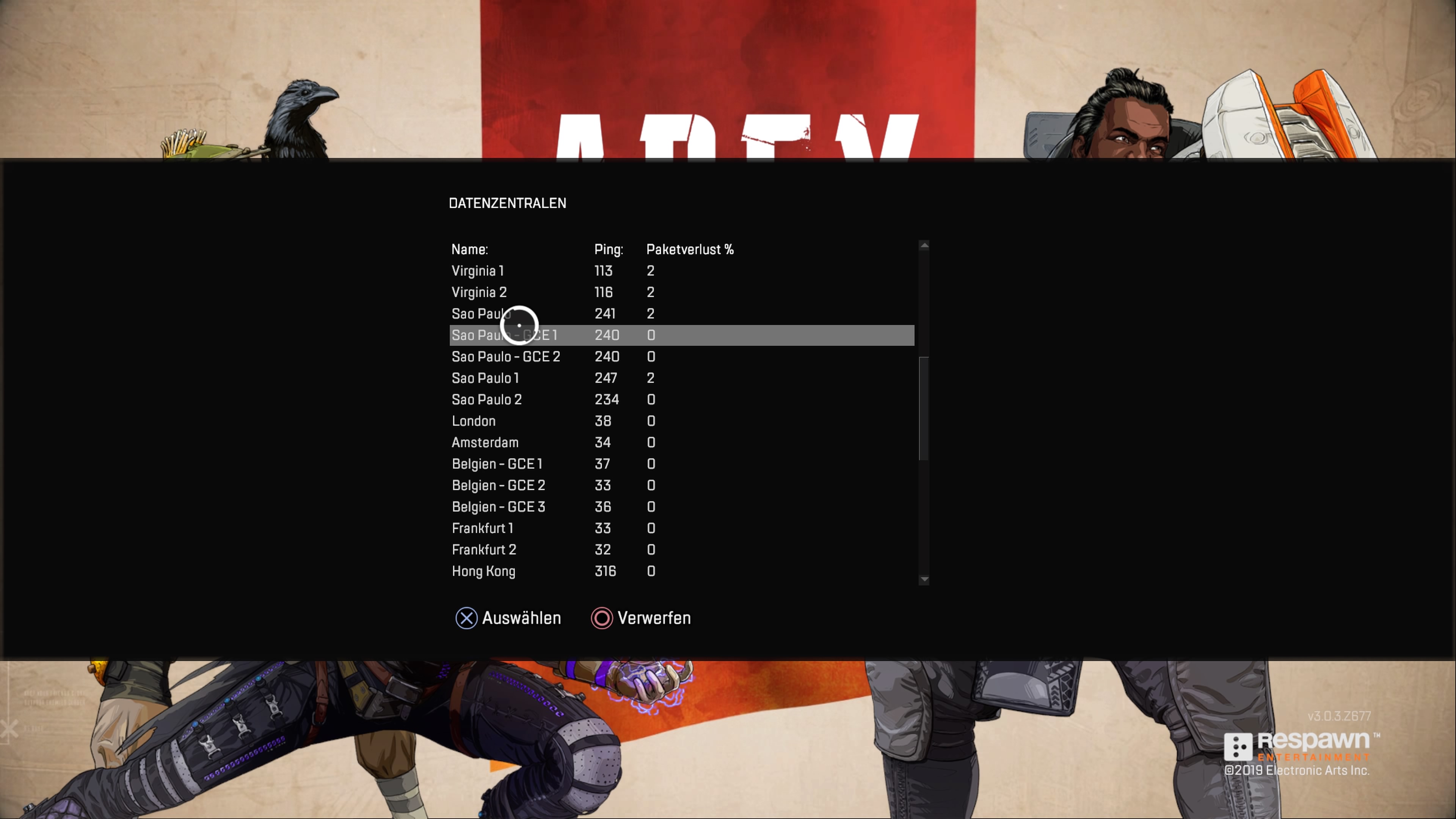
Manual Server Selection in Apex Legends – here’s how
How to select the server on PS4 and Xbox One:
- Wait a few minutes on the title screen
- Press R3/RS and select the data center
- There you can choose which server you want to take
How to select the server on PC:
- Wait 60 seconds on the start screen
- Press Escape and Cancel
- Then, the data center should be displayed at the bottom of the screen

You can also find an overview of the PC servers on the server status page.
This is what you need to keep in mind: Always choose the server with the lowest ping and packet loss, as this will ensure a better connection. A ping of 32 like Frankfurt 2 means a delay of 32 milliseconds.
Normally, the game itself chooses the best server for you, but that doesn’t always seem to work. This is how you can set it up yourself.
Are you struggling with lags? Could this tip help you?
Players are waiting for Season 1. Here are the latest rumors:


Your opinion is important to us!
Do you like the article? Then let us know!