A player had a gaming system assembled by a friend in 2020. However, due to the RGB lighting being bothersome, he made a mistake and did not insert a RAM stick carefully. The mistake only became apparent to the player when he checked his specifications.
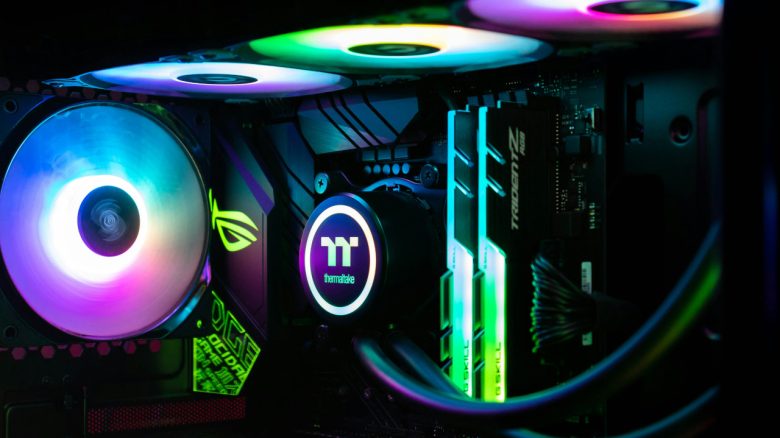
Some love it, others hate it: RGB lighting is always a point of contention in the PC community: Some fully embrace fancy, sometimes garish lighting. Others prefer simple colors without light.
A player had a gaming PC built by a friend, and the new PC was fully equipped with RGB lighting. But that was too much for the player. He explained on Reddit that he found the lighting very distracting over time and wanted to get rid of it. To do this, he opened his gaming PC to get to the bottom of the lighting:
At some point I became impatient and opened the case to see if there was an obvious way to unplug the lights, as I didn’t know exactly how they were set up and was too ignorant to guess. I pulled out a stick with RGB RAM and looked at it. Of course, the LED was integrated, of course I would probably just have to manage it via software. Well then. A manageable annoyance. I carefully reinstalled it.
RAM was not seated properly in the slot on the motherboard
What was the problem? He explained himself that currently, 5 years later, he is planning an upgrade for his old gaming PC. And he noticed that he only has 8 GB of RAM installed. When he finally opens his computer, he discovers that he made a mistake:
It turned out that one of the RAM clips was not properly locked in place. Possibly for five years.
The player may have actually gotten lucky. Because a computer where the RAM is not properly seated cannot start at all. Computers are very sensitive to damaged or improperly seated RAM. If the RAM is damaged or broken, your PC may not start at all. However, if your SSD or your graphics card is damaged, your computer usually still starts.
In principle, you will notice quite quickly when your RAM is damaged:
- Frequent system crashes
- Unexplained system slowdown
- Frequent crashing or freezing of applications
- Your computer won’t start anymore
- In some cases, a damaged XMP or EXPO profile for the RAM can also cause problems.
If it is a software problem, for example, with an XMP profile, resetting the motherboard via the CMOS battery is usually sufficient. In the case of a technical defect, however, you will need to replace the RAM, as otherwise it can also cause damage to the motherboard.



By the way, you can also build RAM yourself. A YouTuber needed new RAM for a 40-year-old computer, but you can hardly buy it anywhere today. For this reason, he developed the RAM himself: A YouTuber builds his own RAM to upgrade a 40-year-old PC, and it actually works