

Microsoft has officially introduced Windows 11. In addition to design adjustments, there are also improvements aimed specifically at gamers. MeinMMO presents the new features.
Microsoft emphasized how important gamers are at its official Windows event. Windows 11 is said to provide “the best PC gaming experience yet.”
In this context, Microsoft introduced several features aimed specifically at gamers. MeinMMO presents the new functions and explains the pros and cons of these features.
Auto-HDR is supposed to enhance graphics
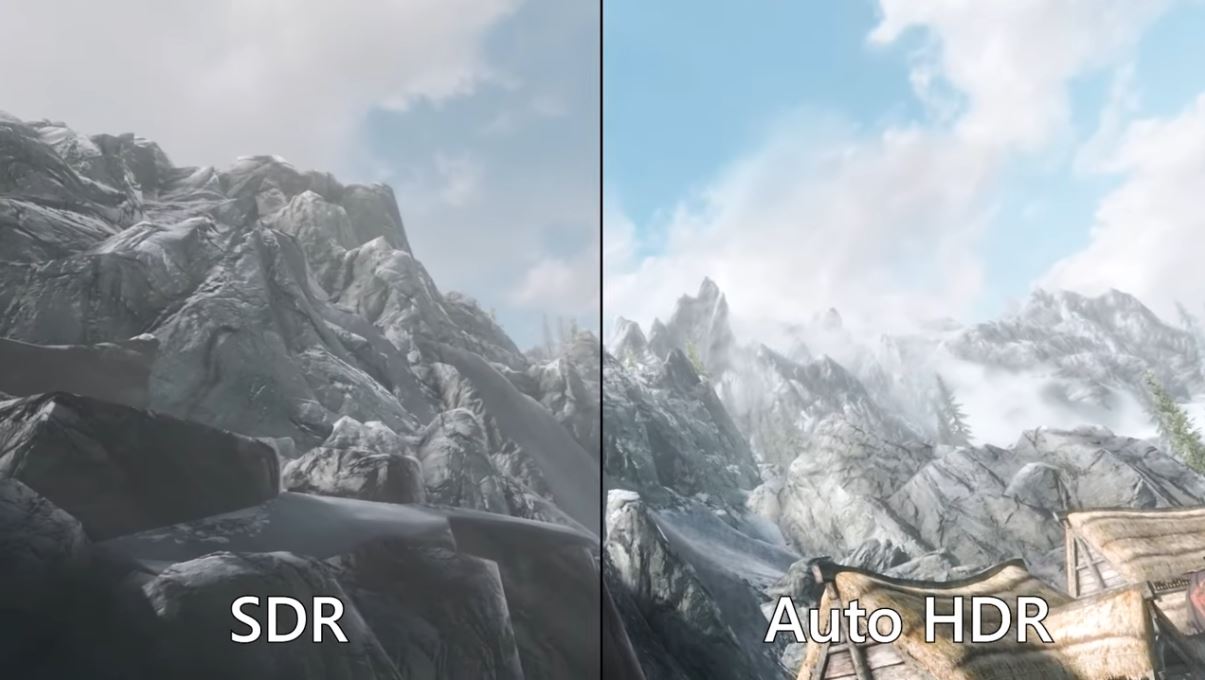
What is it? Auto HDR is an algorithmic tool designed to provide better representations for older titles that previously did not support high dynamic range (HDR).
What is the advantage? In its simplest implementation, HDR provides games with a wider color gamut with improved contrast ratio and color accuracy. This way, even older games can look prettier and more modern.
What is the disadvantage? The prerequisite for benefiting from Auto HDR is that you own an HDR monitor. Without a corresponding monitor, you cannot benefit from HDR.
DirectStorage aims to reduce loading times
What is it? DirectStorage is a new application programming interface for data input and output. The interface is designed to allow the graphics card to retrieve data from the hard drive much faster.
What is the advantage? Essentially, DirectStorage means that content can be loaded directly from the GPU, without burdening the processor. This especially reduces loading times for games.
What is the disadvantage? You need the right hardware to benefit from DirectStorage. Microsoft stated that the technology would work on PCIe 3.0 NVMe drives and PCIe 4.0 SSDs.
It should also be noted that DirectStorage is exclusive to Windows 11, so you will need to upgrade if you want to take advantage of the benefits.
Direct integration of Xbox Game Pass in Windows 11
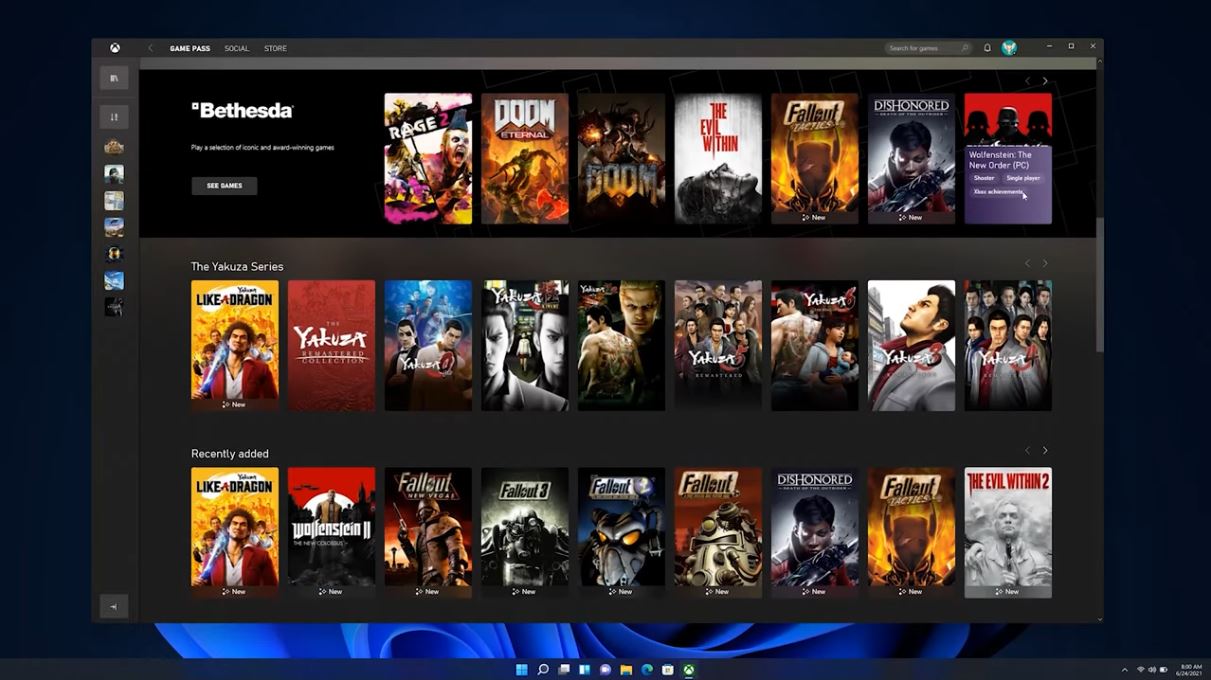
What is it? Windows 11 will already come pre-installed with the Xbox app at launch. This way, you can directly access the Xbox Game Pass and play your games if you have a subscription. The cloud features are also expected to be tightly integrated into Windows 11.
What is the advantage? With the integration of the Game Pass, you have direct access to all the games from the subscription. Some showcased games from E3 are coming directly to the Game Pass, making it worthwhile for people who want to play many games for little money.
What is the disadvantage? Not everyone is happy with pre-installed apps or programs. Additionally, you must subscribe to benefit from the Xbox Game Pass. But if you do it right, you can save a lot of money when signing up for the Game Pass.
Broad hardware support and cloud gaming
What is it? Microsoft stated at the Windows event that it wants to support a wide range of hardware on Windows 11. In addition, they plan to bring “Xbox Cloud Gaming” (formerly xCloud) to the Xbox app on Windows 11 later this year.
What is the advantage? Officially, Xbox Wireless Controllers are compatible with Windows 11, just like keyboards and gaming mice, surround sound headsets, and the Xbox Adaptive Controller. Supported hardware also includes the official Xbox Wireless Headset.
With the integration of Xbox Cloud Gaming, gaming streaming on the Windows PC will soon be possible without any issues.
Android games are coming to Windows 11
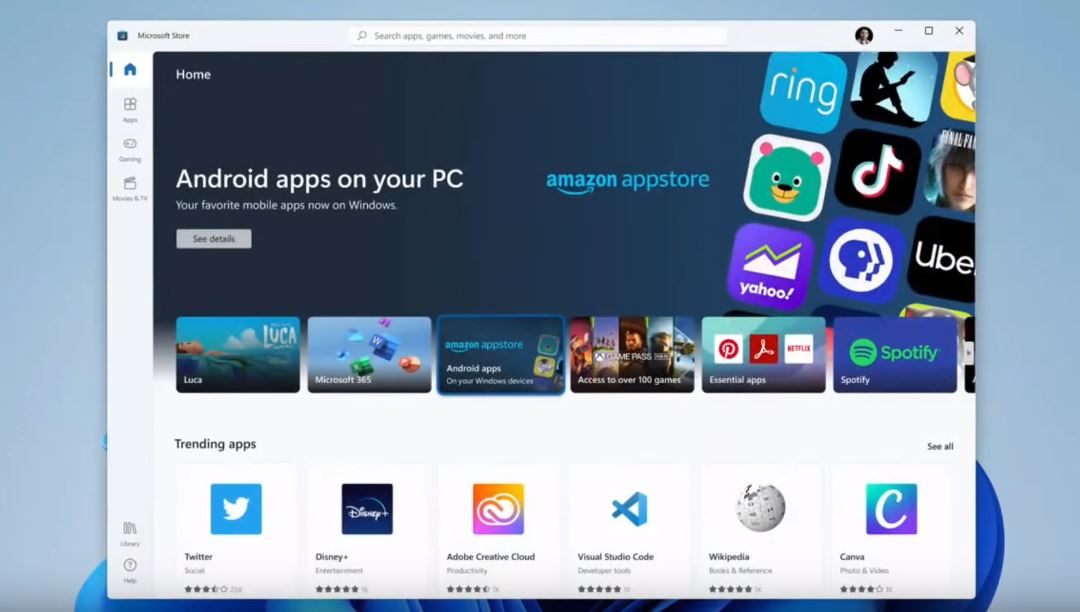
What is it? Microsoft is integrating the Amazon app store into its own store, making Windows 11 interesting for mobile gamers. This way, you can easily install Android apps on your Windows 11 PC.
What is the advantage? Essentially, you no longer need additional programs or emulators like “BlueStacks” to run your Android apps on Windows 11. This would eliminate an intermediate step and make usage easier, especially for those who are hesitant to use emulators.
What is the disadvantage? So far, Microsoft’s presentation has been very general. Therefore, we do not yet know what the minimum requirements will be for running Android apps, as the hardware also needs to support the emulator based on Intel’s Bridge technology.
In a statement, Intel explained to the online magazine TomsHardware that “Intel Bridge” aims to support all x86 platforms, including AMD (via TomsHardware.com).
Tips for Windows 10: If you want to protect yourself against malicious software on Windows 10, we have a tip for you that you should try.
The tip costs you nothing but offers additional protection for your valuable data.

Your opinion is important to us!
Do you like the article? Then let us know!