

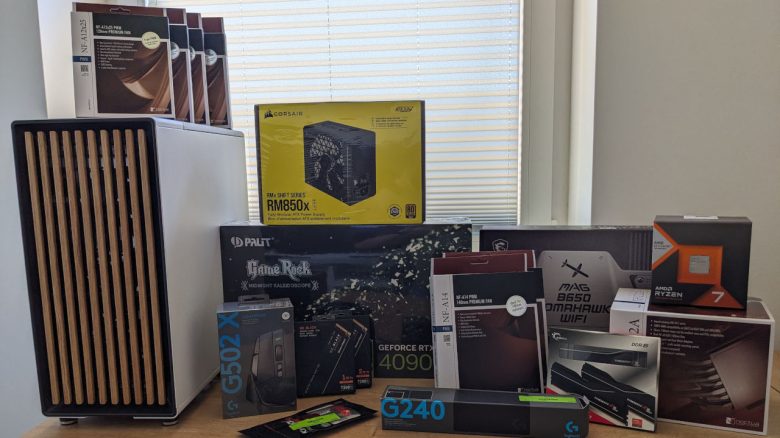
When assembling a computer, there are several things to consider. Due to ignorance, inexperienced PC builders make avoidable mistakes. Therefore, we will show you what to pay attention to when building a new gaming PC yourself.
The purchase of a gaming PC should be well thought out. If you want to assemble the system completely on your own, a good pre-planning will help you save your nerves and your wallet.
Even during the subsequent PC assembly, incorrect actions can cause unnecessary time expenditure and great frustration. We will name 5 beginner mistakes that you can easily avoid.
1. Insufficient planning and incorrect assembly
Why is good planning so important? Without a concrete idea of what the new gaming computer may cost at most, it will be very difficult for you to determine a final configuration. With a fixed budget and a specific use case (Are my games graphically demanding? What monitor resolution do I play with?), you set a conscious limit.
Many online shops for hardware offer a configurator that supports you in the assembly. Often, you are led to a standard configuration that you can adjust as you wish. The tool in the shop ideally shows you only compatible components that fit with the rest of the system.
What components are essential for a gaming PC? The following hardware is required to build a functional gaming system:
- Motherboard
- Processor and a suitable cooler
- Graphics card
- Memory
- SSD as storage
- Power supply
- Case (ideally with enough fans)
2. Ignoring dimensions
What else should be considered besides price and use case? In addition to the points mentioned, the size of the individual components also plays a role. With a good case that offers enough space, you can avoid incompatibilities during assembly.
Many manufacturers provide precise measurements of their products on their product pages. This way, you can avoid a situation where the graphics card does not fit in the case due to its size. If you cannot find this, there are also websites that provide detailed databases with dimensions of the most common hardware.
- For example, the site www.techpowerup.com reveals the dimensions of graphics cards.
- A step further is PCPartPicker.com. If you have entered all the data for your desired system correctly, the site checks whether everything is compatible with each other.
3. No space and missing tools
Why should the workspace and tool equipment not be neglected? When assembling your gaming PC, you need a lot of space. Since you cannot immediately install all components in the case, you need enough free space around you. Too little space or a cluttered desk prevent you from arranging the hardware sensibly for installation.
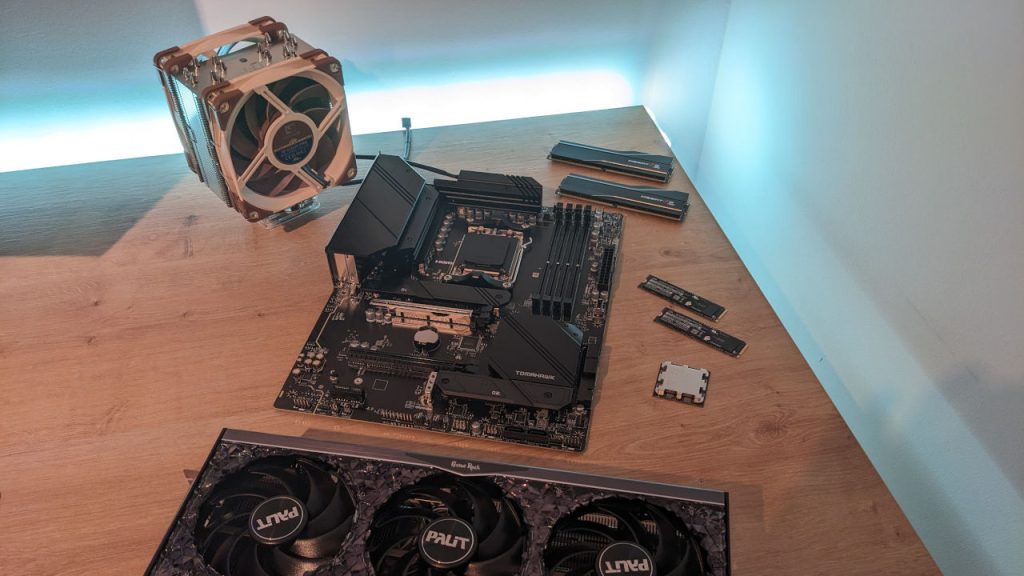
If you have started assembling and realize halfway through that, for example, you are missing a suitable screwdriver, it will cost you nerves and time. You will have to pause the construction or, even worse, stop because you cannot continue without the right tools. So check in advance that you have everything you need in front of you so that you can work without major interruptions.
4. Not following a sensible order during installation
Why is the order of assembly important? If you just start building without a plan, you will sooner or later run into problems. Either you will make it more difficult to install individual components, e.g., the mounting of the processor on the motherboard. Or you simply will not be able to install a specific piece of hardware because another part is in the way.
Ideally, you should start by equipping the motherboard while it is not installed. Place the processor and the memory on the board. If you own an M2.SSD, insert it into the corresponding slot on the motherboard next. Finally, you mount the CPU cooler on the processor. For most models, the fan is attached to the cooler in the very last step.
What should be considered with the case? The second section in a sensible sequence relates to the case. Move all cables aside in the case so that you have enough room for installing the components. Now, insert the power supply and secure it. Here, especially modular power supplies are advantageous. With this type of power supply, you only need to connect the power cables that you actually need.
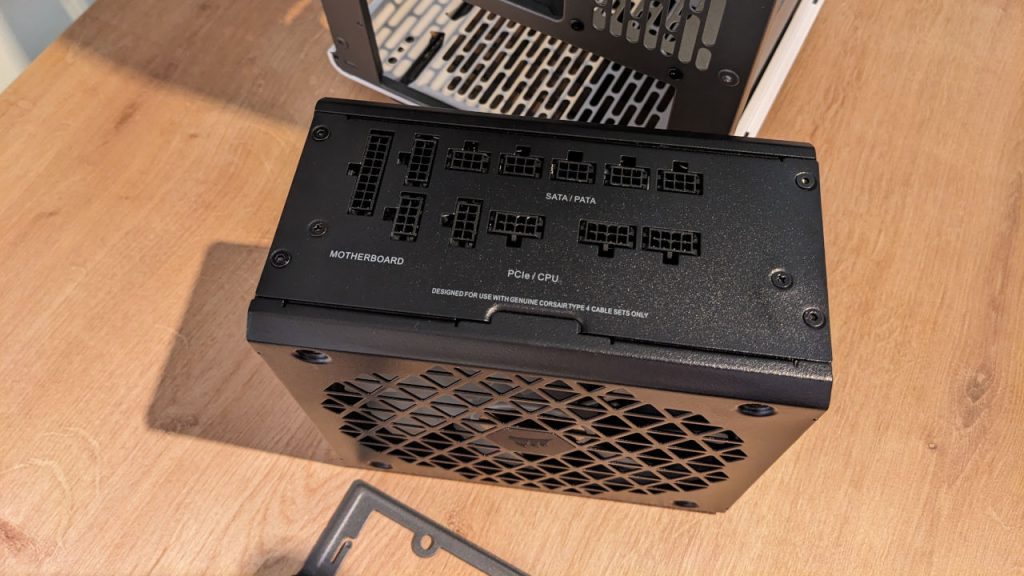
Provided you have purchased additional case fans, now would be the right time to place them in the case. Pay attention to the correct installation direction. Arrows on the fan frame indicate in which direction the air will be moved. For effective airflow in the case, the fans in the front should draw in air and blow it out at the back or top of the case.
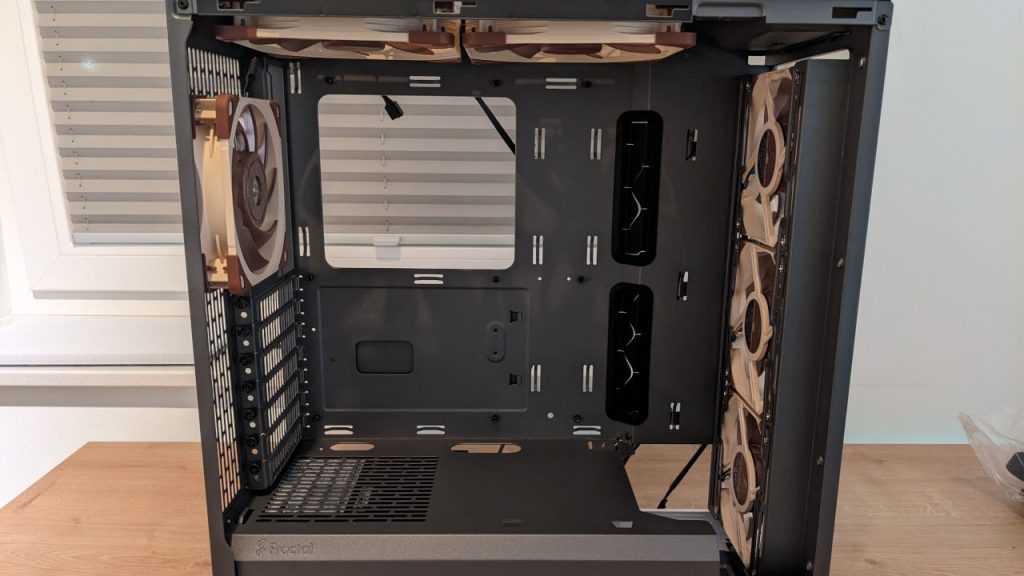
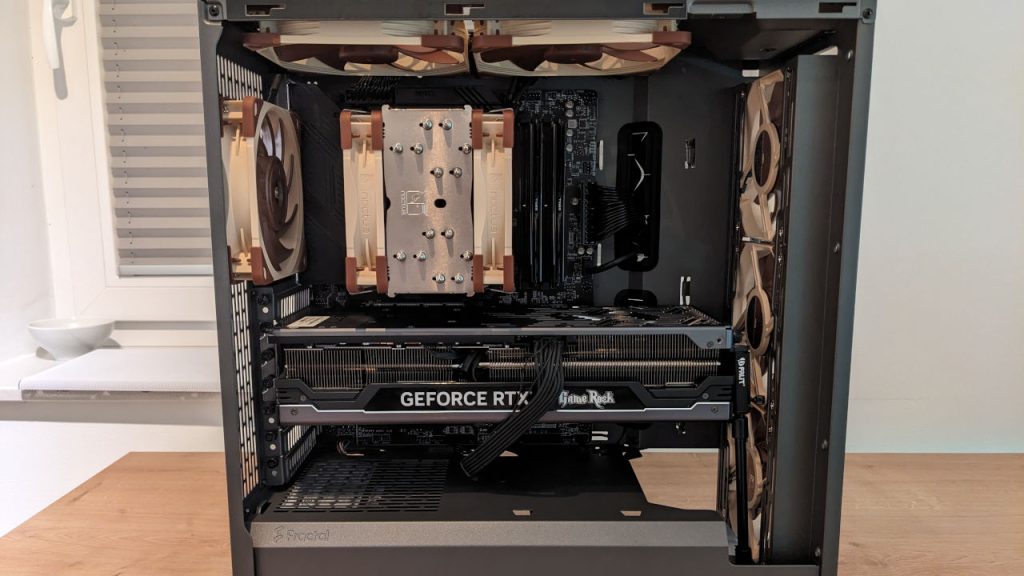
Once these tasks are completed, you can install and secure the motherboard. Pay attention to the wiring to work as cleanly as possible so that cables do not accidentally get caught in the fans.
Once this step is complete, the graphics card can be installed and wired. At this point, you are basically done with the assembly and can put the system through its first functionality test.
5. Ignoring the manual and hasty procedures
Why shouldn’t you ignore the included manuals? Even if you think you are doing everything right, it is advisable to check the manuals of the components just to be safe. Especially with the motherboard, the various slots for hardware and cables can vary greatly depending on the model and be placed in different locations.
Sometimes this information is included in the form of a CD. In other cases, you may need to download the document from the respective manufacturer’s website. If you have plugged a cable incorrectly during assembly, a manual will also help you to discover the error more quickly. Typically, the memory modules also need to be inserted into the motherboard in the correct sequence to avoid performance losses.
How much time is needed for assembly? The required time for building a gaming PC is an individual estimate. Depending on your experience in the subject, you will take more or less time to complete the PC assembly. It is important to take enough time for each individual step.
If you act hastily, you run the risk of making careless mistakes that cost time. However, with enough calmness and consideration during assembly, you can proceed relaxed and conscientiously.
These were our 5 beginner mistakes that you should avoid when assembling a new gaming PC. Are some of the tips regarding the mentioned mistakes helpful for you? Or do you have other mistakes in mind that should not be made? Then feel free to let us know in the comments.
This is why you shouldn’t overlook the case when building a PC

Your opinion is important to us!
Do you like the article? Then let us know!